How to make google forms public


Elevate your Google Forms by learning how to effortlessly make them public for wider accessibility.
Google Forms simplifies the survey creation process, and sharing your form with the world is just as effortless. In this guide, we'll walk you through the steps to make your Google Forms public, ensuring seamless accessibility for respondents. Whether you're conducting a survey, quiz, or collecting feedback, making your form public allows you to reach a broader audience. Let's dive into the simple steps to share your Google Forms with ease.
How to make Google forms public
Step 1: Access Your Google Form
Log in to your Google account, open Google Drive, and locate the Google Form you want to make public.
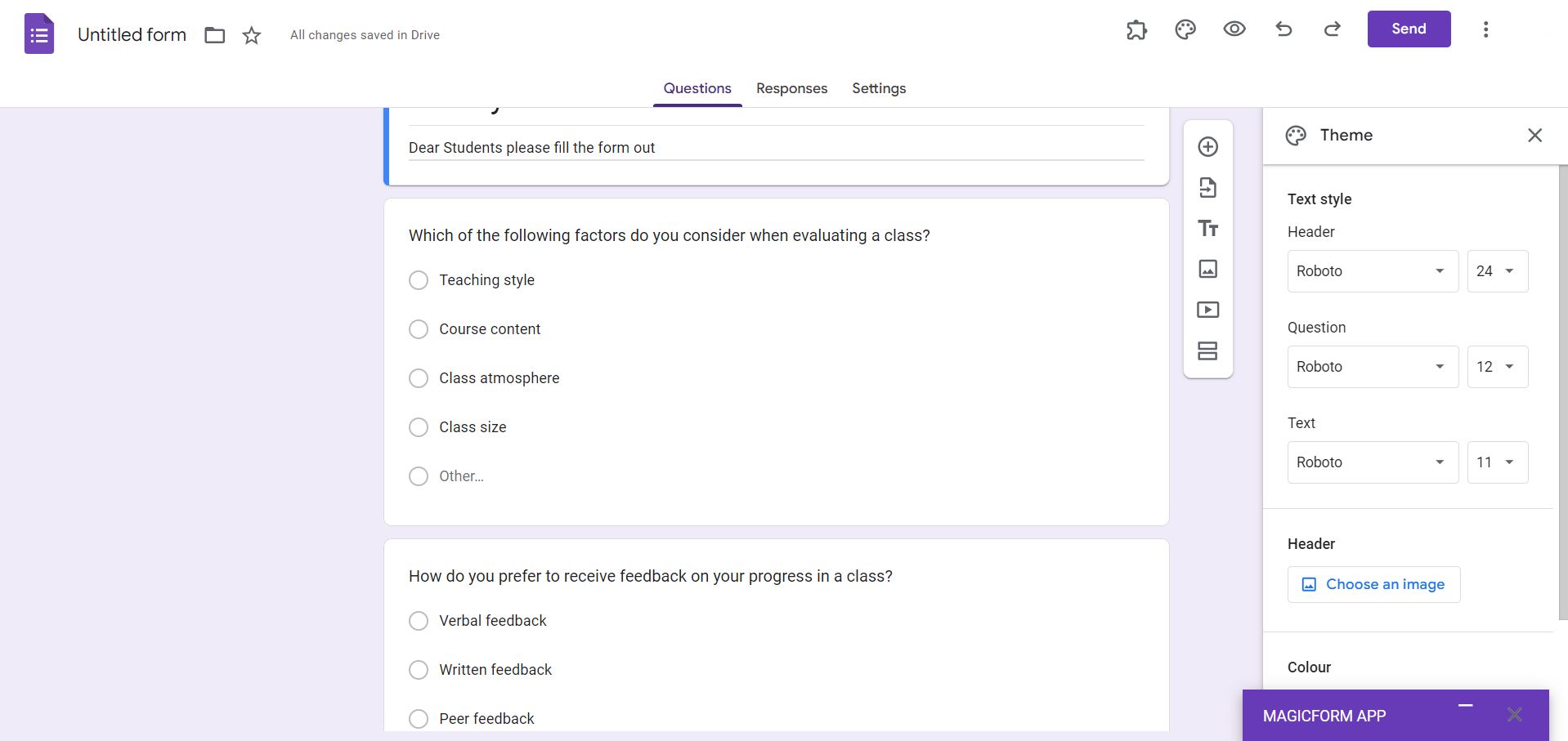
Step 2: Click on "Send"
Within the form editor, click on the "Send" button located in the upper-right corner.
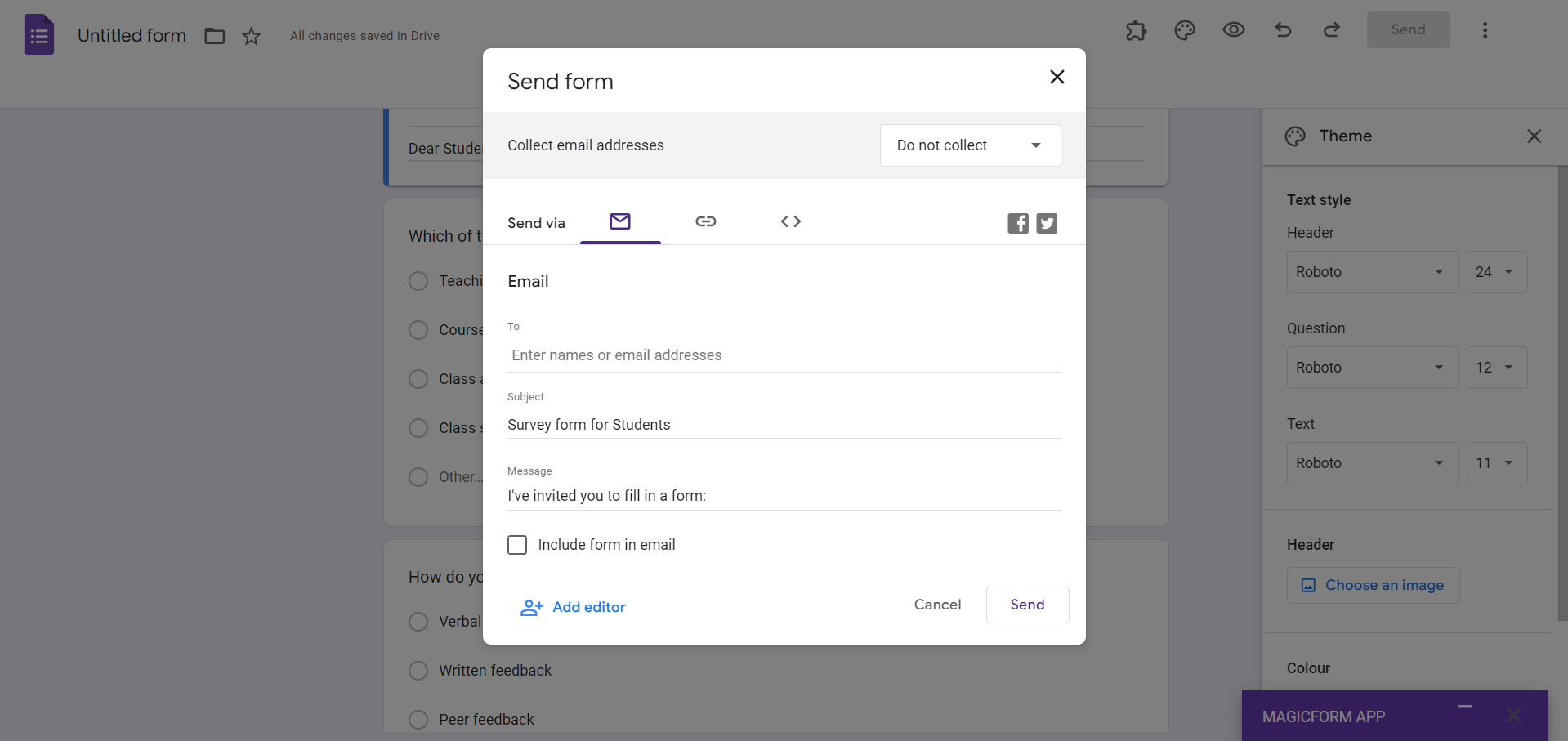
Step 3: Choose the "Link" Icon
In the "Send via" options, click on the link icon. This generates a shareable link to your Google Form.
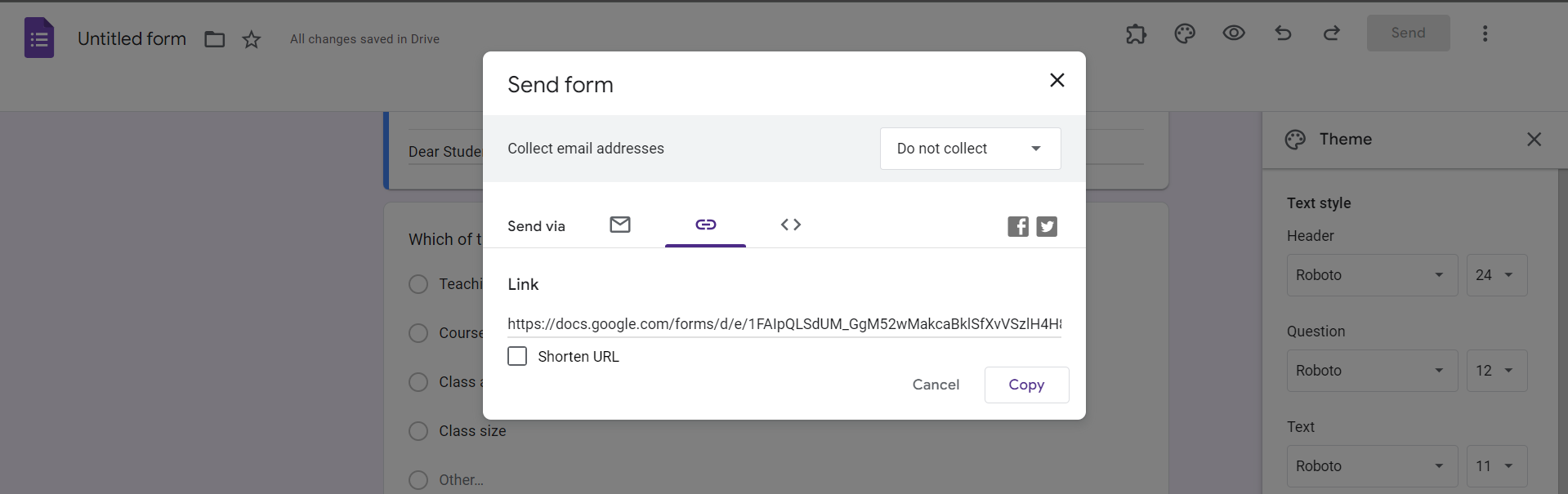
Step 4: Adjust Link Settings
Click on "Copy" to copy the link to your clipboard. To make the form public, ensure that the link sharing settings are set to "Anyone with the link can view."
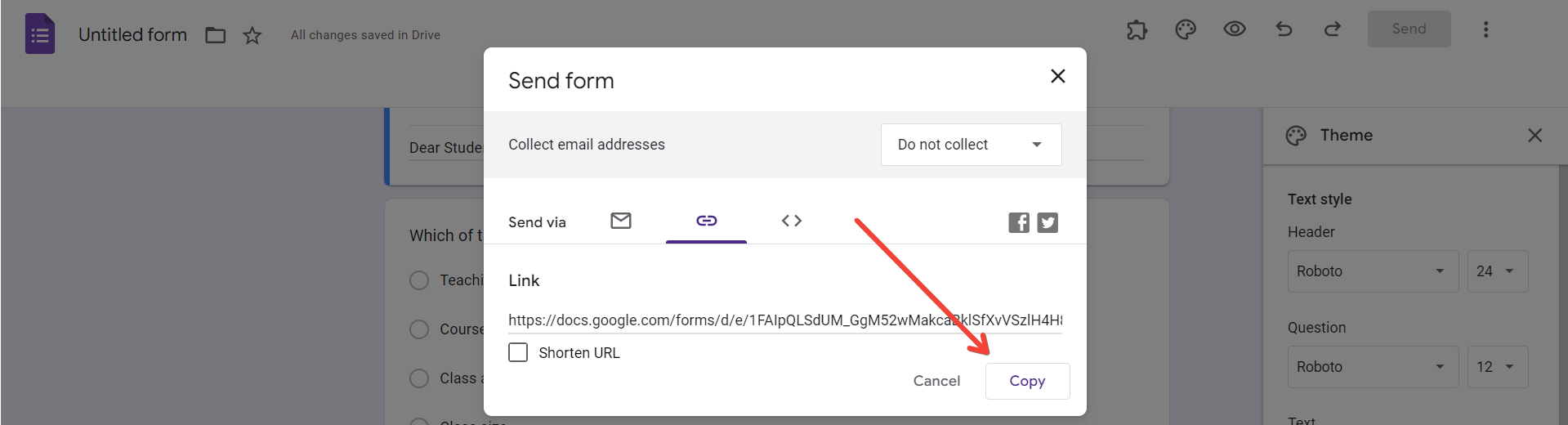
Step 5: Share the Link
Paste the copied link wherever you want to share your form via email, social media, or embed it on a website.
Conclusion:
Sharing your Google Form with a wider audience is a breeze with these simple steps. Whether you're conducting a survey for customer feedback, organizing an event, or gathering information, making your Google Form public ensures that respondents can access it effortlessly. Utilize these steps to streamline the sharing process and make the most out of your Google Forms. Now, go ahead and reach a broader audience with your surveys, quizzes, and feedback forms!
Frequently Asked Questions:
Can I control who accesses my public Google Form?
Yes, by adjusting link sharing settings, you can specify who can view and interact with your form.
Can I share a public Google Form on social media directly from the form editor?
Absolutely, you can share the form link on social media or copy the embed code for websites.
Will making my Google Form public expose respondent identities?
No, making your form public only allows access to the form itself; respondent identities remain confidential.
Is there a limit to the number of respondents for a public Google Form?
Google Forms can handle a large number of respondents; however, consider Google's response limits for extensive surveys.


