How to Record Yourself Presenting a PowerPoint
Recording yourself while presenting a PowerPoint can be useful for online lectures, business presentations, or training videos.
PowerPoint has built-in tools to record your slides along with your video and audio.
This step-by-step guide will show you how to record yourself presenting a PowerPoint easily.
Steps to Record Yourself Presenting a PowerPoint
Step 1: Open Your PowerPoint Presentation
- Launch Microsoft PowerPoint on your computer.
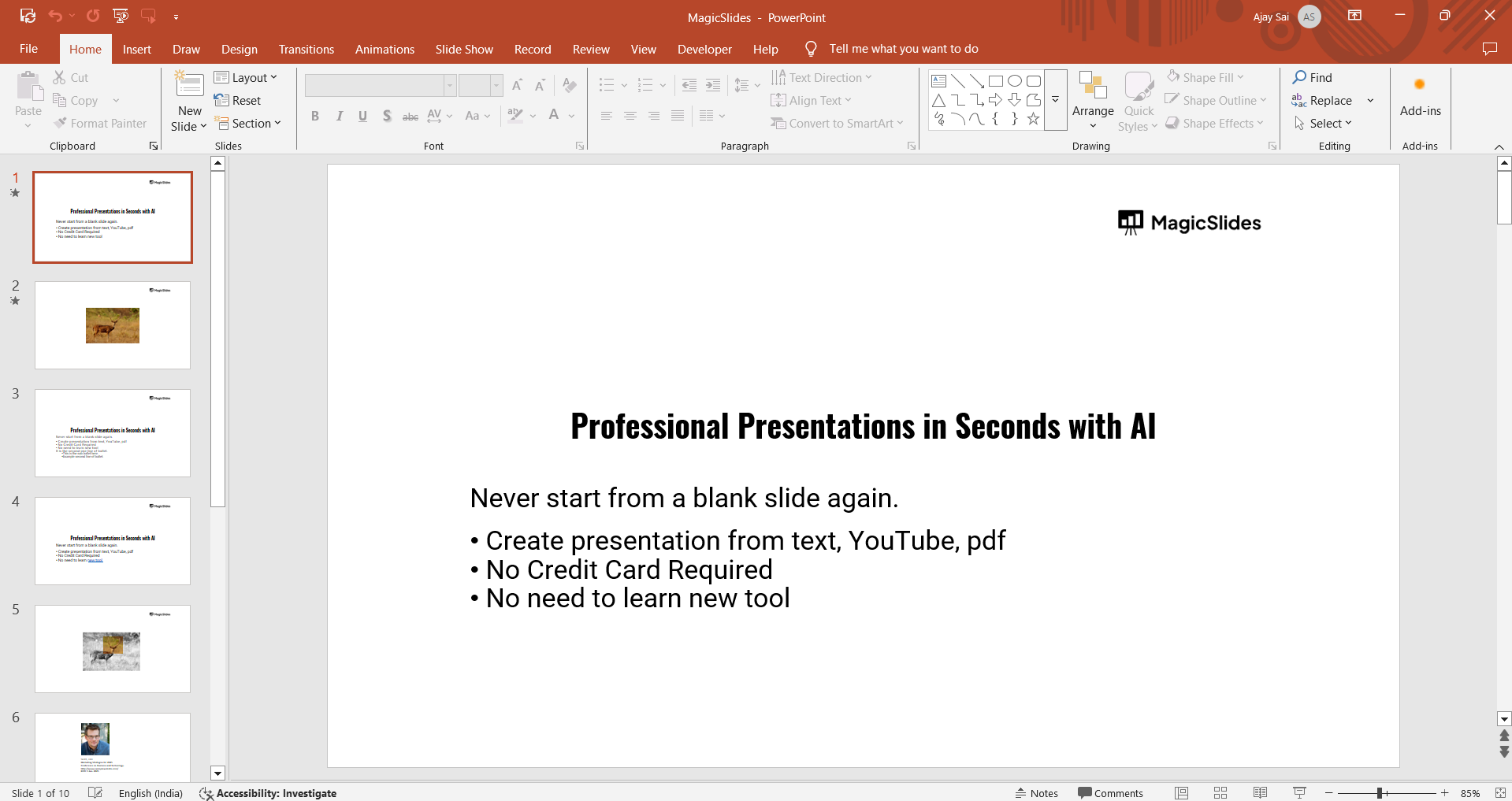
- Open the presentation you want to record.
Step 2: Access the Recording Feature
- Click on the Slideshow tab in the top menu.
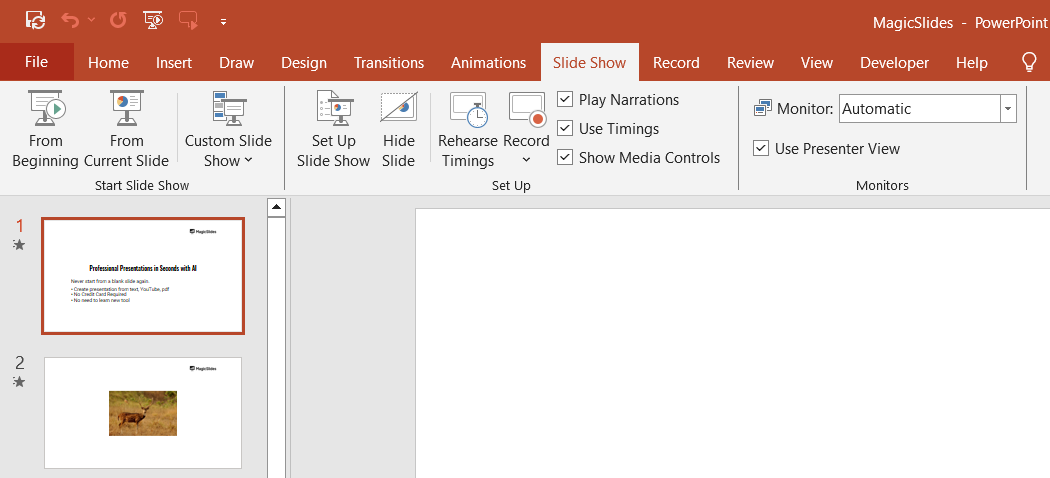
- Select Record Slide Show and choose Record from Beginning or Record from Current Slide.
Step 3: Set Up Your Camera and Microphone
- If your device has a built-in webcam and microphone, PowerPoint will detect them automatically.
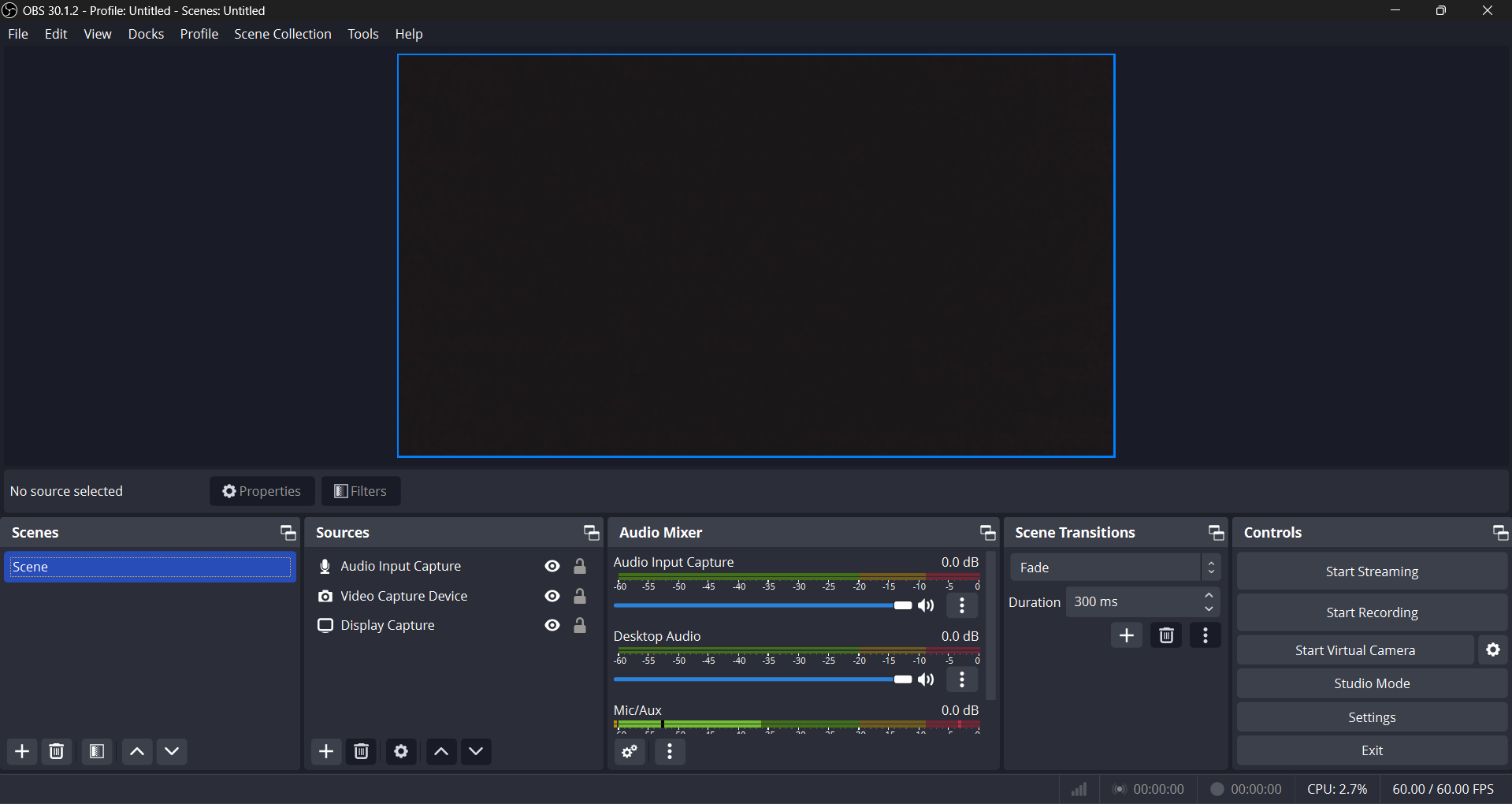
- Click on the Settings (gear icon) to select your preferred camera and microphone.
Step 4: Start Recording
- Click the Record button.
- Present your slides as you would in a live presentation, speaking into the microphone and using your webcam for video.

- Use the Pause button if needed and Resume when ready.
Step 5: Stop and Preview Your Recording
- Click Stop once you finish the presentation.
- Use the Play button to review your recorded video.
Step 6: Save and Export the Recording
- Click File > Export > Create a Video to save your recorded presentation as a video file.
- Choose the desired video resolution and click Create Video.
- Save it as an MP4 or WMV file for easy sharing.
Conclusion
Recording yourself presenting a PowerPoint is a great way to deliver engaging presentations.
With PowerPoint’s built-in recording tools, you can easily capture both your slides and yourself speaking. Follow these steps to create a professional-quality video presentation effortlessly.
FAQs are here to help!
Can I record a PowerPoint presentation without a webcam?
Yes, you can record only your voice by disabling the camera in the recording settings.
How can I edit my recorded PowerPoint presentation?
You can edit it using video editing software like Microsoft Clipchamp, Adobe Premiere Pro, or iMovie.
Can I add annotations while recording my PowerPoint?
Yes, PowerPoint allows you to use the pen, laser pointer, and highlighter while recording.
Share on socials
More from the blog
How to Insert Bitmoji into Google Slides?
7 April 2026
How to Make PowerPoint for Research Defense (2026 Guide)
7 April 2026
100+ Best Seminar Topics for Students in 2026
7 April 2026
How to edit a PowerPoint template
7 April 2026
Best Fonts for PPT: Top PowerPoint Fonts for Readability & Engagement
7 April 2026
How to Improve Slide Design for Presentations?
6 April 2026
How to Use Google Form Autofill Bot? Step-By-Step Guide
6 April 2026
How to Download Presentation from Gamma App: Easy Ways to Export, Convert & Save Slides
5 April 2026
How to Check Word Count in Google Docs: A Complete Guide
5 April 2026
