How to Download Presentation from Gamma App: Easy Ways to Save Slides


Learn the quick way to download presentation from Gamma app in just 5 steps. Check the guide to know the exact steps to download presentation slides from Gamma AI.
If you’re trying to download a presentation from Gamma but aren’t sure where to start, this section walks you through a simple alternative method anyone can follow, without any technical skills. By the end, you’ll know how to download presentation from Gamma App into a fully editable PowerPoint file, PNGs, and PDF, without any limitations.
If you’re also exploring AI-powered presentation creation, you may want to check how to create a PowerPoint presentation in ChatGPT or use tools like Text to PPT AI to automate your workflow.
So, let’s start our discussion by learning why there is a need to export the Gamma presentation locally.
Why Export Gamma Presentation?
Exporting a presentation from the Gamma App becomes essential when you want to:
- Share files with clients who don’t use Gamma
- Present offline without internet
- Keep a backup copy for documentation
- Convert presentations into PDFs or PowerPoint files
Overall, having a local copy of your presentation ensures smooth collaboration by sharing it with teams or clients, without being restricted to a single platform, i.e., Gamma. Next, I’ll share how to do so.
How to Download Presentation from Gamma App?
To save a presentation from the Gamma App locally, I’ve found that there isn’t just one single method; there are multiple ways depending on your required output format, i.e., PPT (Microsoft PowerPoint), PDF, and PNG. If you’re unsure about formats, understanding the difference between PPT and PDF can help you choose the right one.
Don’t worry, whatever your requirement, I’ll cover all. In this section, I’ll walk you through all the practical methods for all the possible resultant file formats, so you can choose the one that fits your use case:
#Method 1. Export Gamma Presentation as PDF
Saving a presentation as a PDF is the easiest and most reliable method to use when working with the Gamma App. It allows you to quickly download a shareable version of your slides without worrying about formatting issues or compatibility.
Choose this option when you need to send presentations to:
- Clients
- Print them
- Share a final version
Since PDFs preserve the layout exactly as designed. Here’s how to do it:
- Open your presentation in Gamma
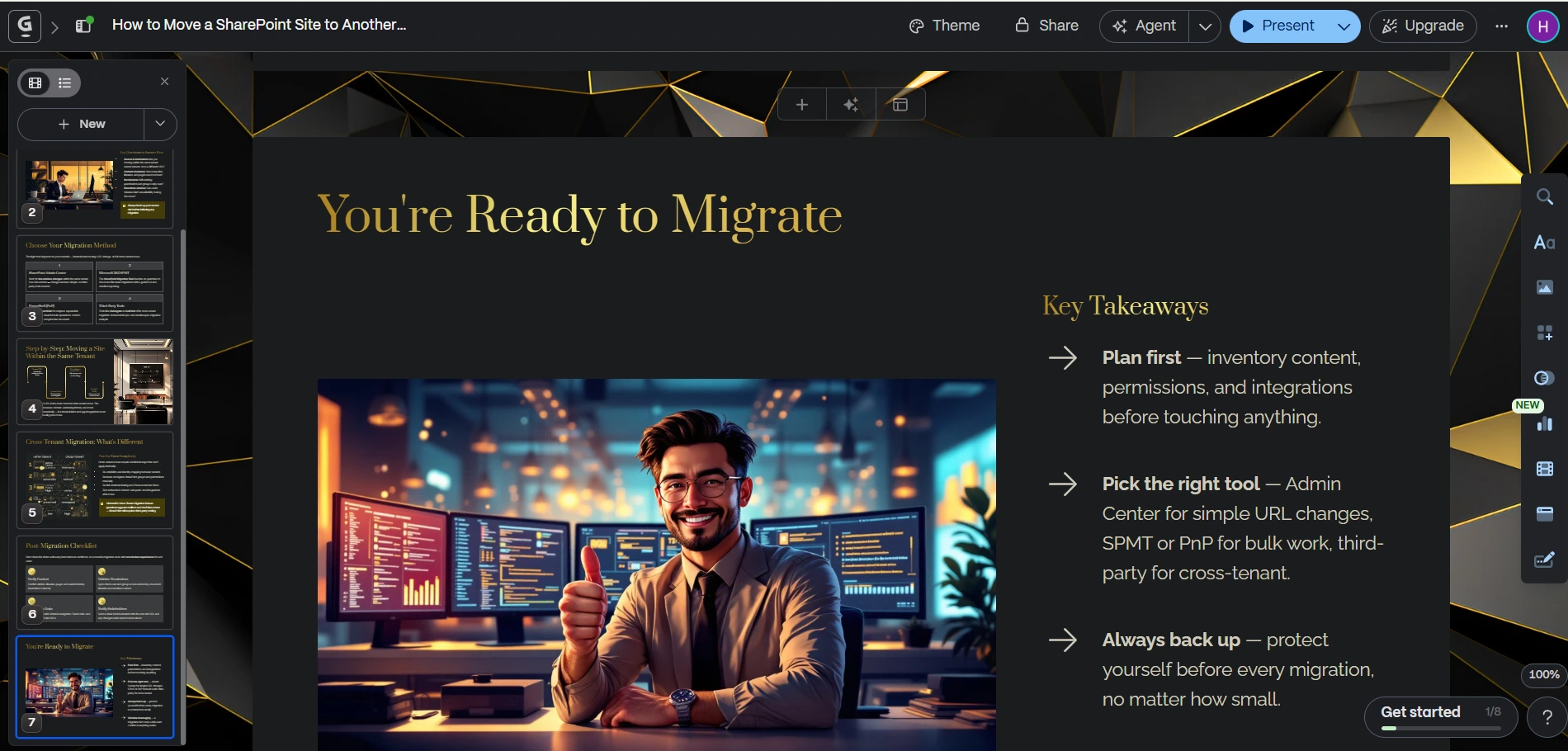
- Click on the “Share” button (top-right corner)
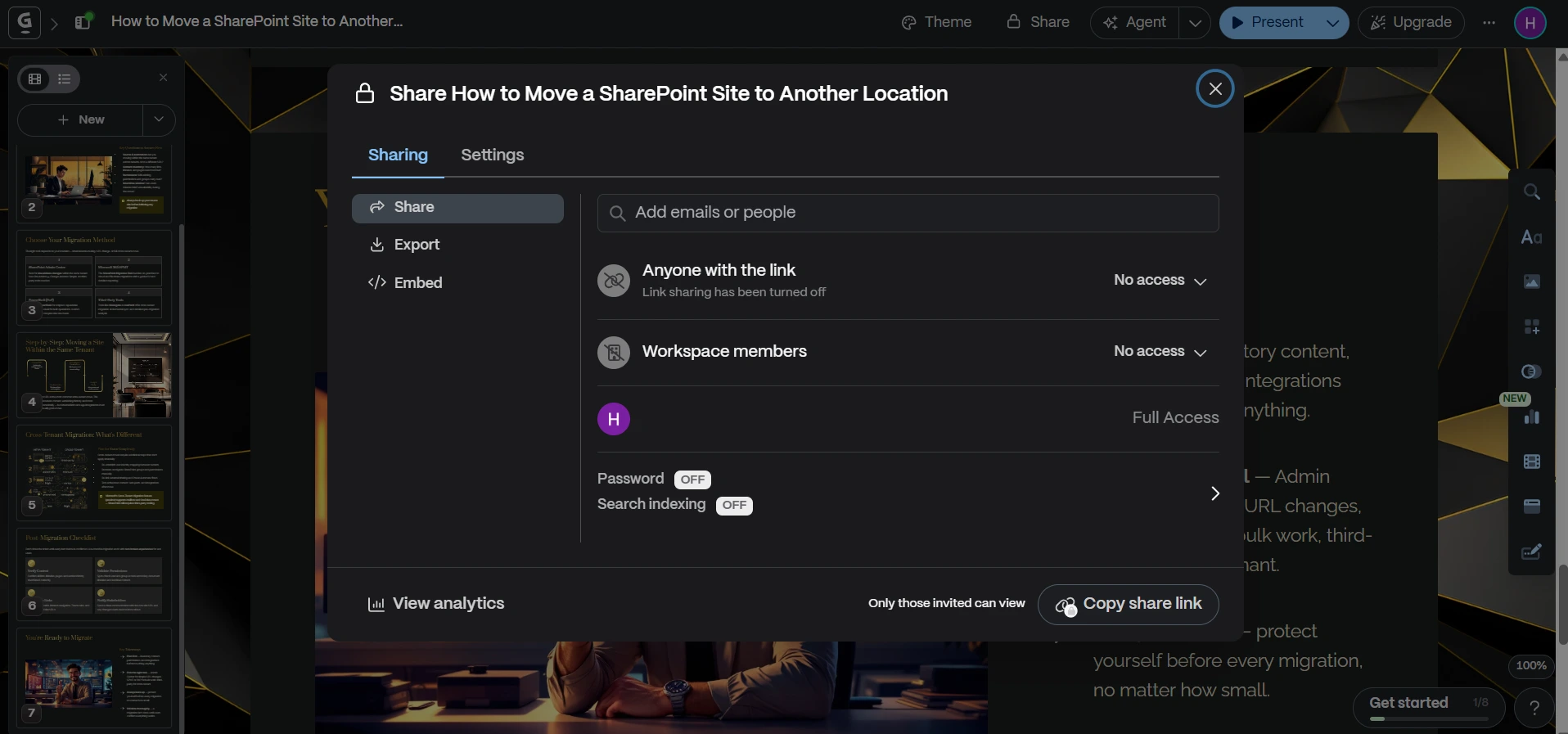
- Select “Export”
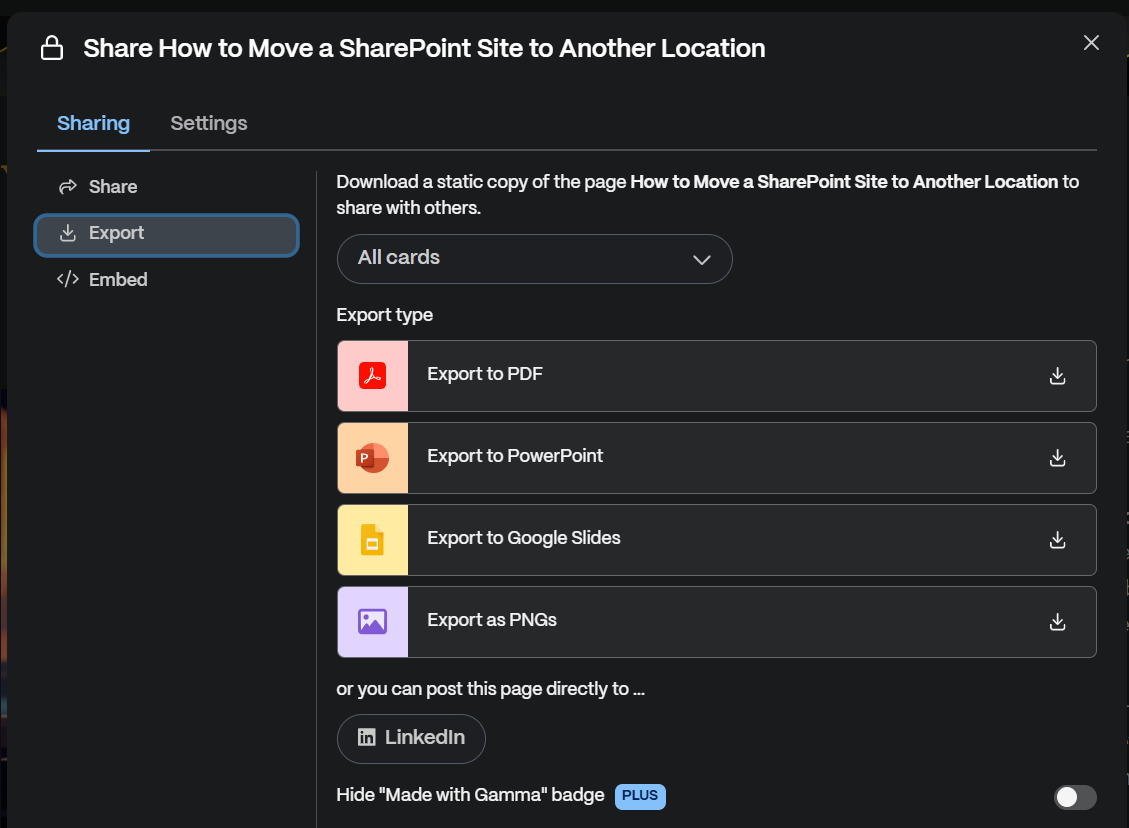
- Choose PDF format
- Click on the “Down arrow” to download
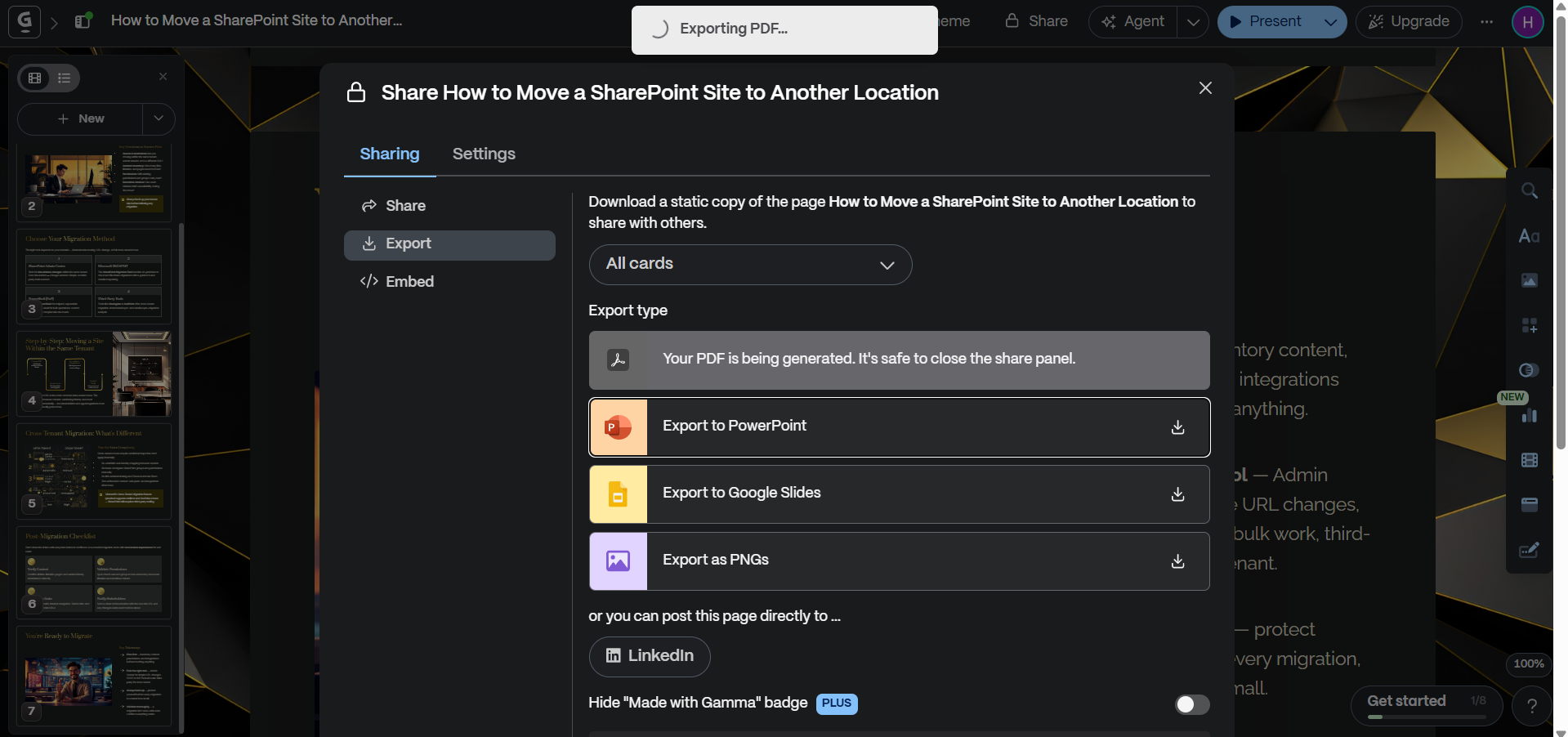
The file will be saved directly to your system. Afterwards, you can password-protect that PDF for security and share it with your clients and teams, while sharing the password. This adds an extra layer of security to your confidential data, which is not possible with Gamma.
If you later need to modify it, you can explore tools like PDF to PowerPoint Converter.
#Method 2. How to Download Presentation from Gamma App to PowerPoint (PPT)
Downloading a presentation from the Gamma App as a PowerPoint file is the method to use when you need manual editing and customization. This option allows you to take your Gamma slides and work on them in Microsoft PowerPoint.
Follow the set of instructions below to save the Gamma presentation as a PPT:
- Open your Gamma presentation
- Click Share > Export
- Select Export to PowerPoint (.pptx)
- Click Download
That’s all! Now, go to the “Downloads” folder on your Windows PC, or Finder > Downloads on macOS, to check your resulting PPT file. Go there and search for it by name.
Follow these steps to save the Gamma presentation in PNG format: instead of selecting PPT, click on the “Export as PNGs” option.
#Method 3. Convert Gamma Presentations into Editable PowerPoint Files Using AI
While working with Gamma, I’ve often noticed that downloading presentations directly in an editable PowerPoint format isn’t always smooth, especially when I’m using the free plan. Moreover, if you’re also on the free plan of Gamma, then you can face some limitations that prevent you from exporting to any format.
In such cases, I rely on an alternative approach, i.e., MagicSlides AI Gamma to PPT Converter, which allows me to convert my Gamma presentation into a fully editable PPT file for offline use and customization.
This AI Presentation Creator offers advanced features that Gamma doesn’t offer in its free version, such as:
- Get fully editable slides
- No tool installation required
- Ensures cross-platform compatibility
- Free trial available
- Automatically customize layouts, text, and design elements easily (according to your prompt/text)
How to Download Presentation from Gamma App Via MagicSlides?
Here’s the simple process to follow:
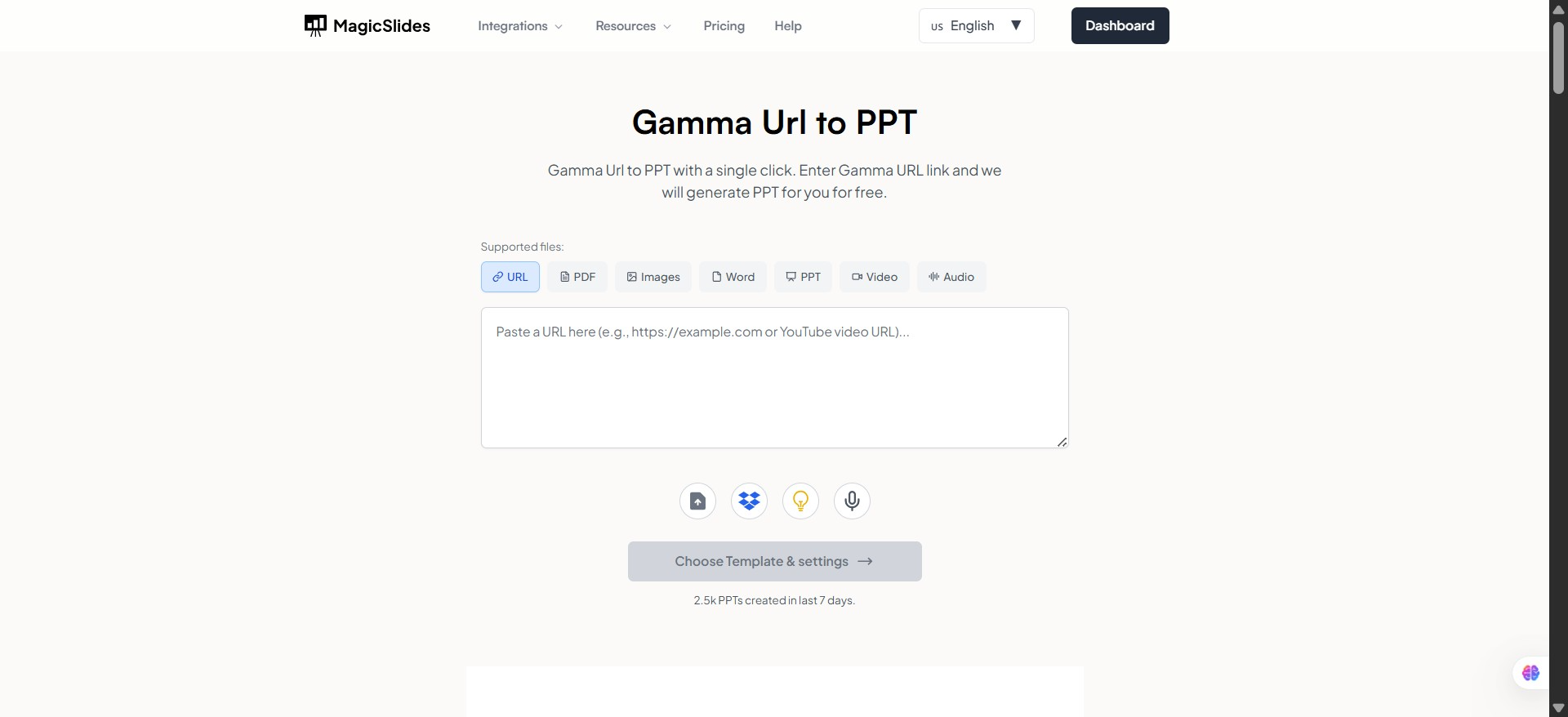
- #Step 1. Open MagicSlides on any browser.
- #Step 2. Paste Your Gamma URL
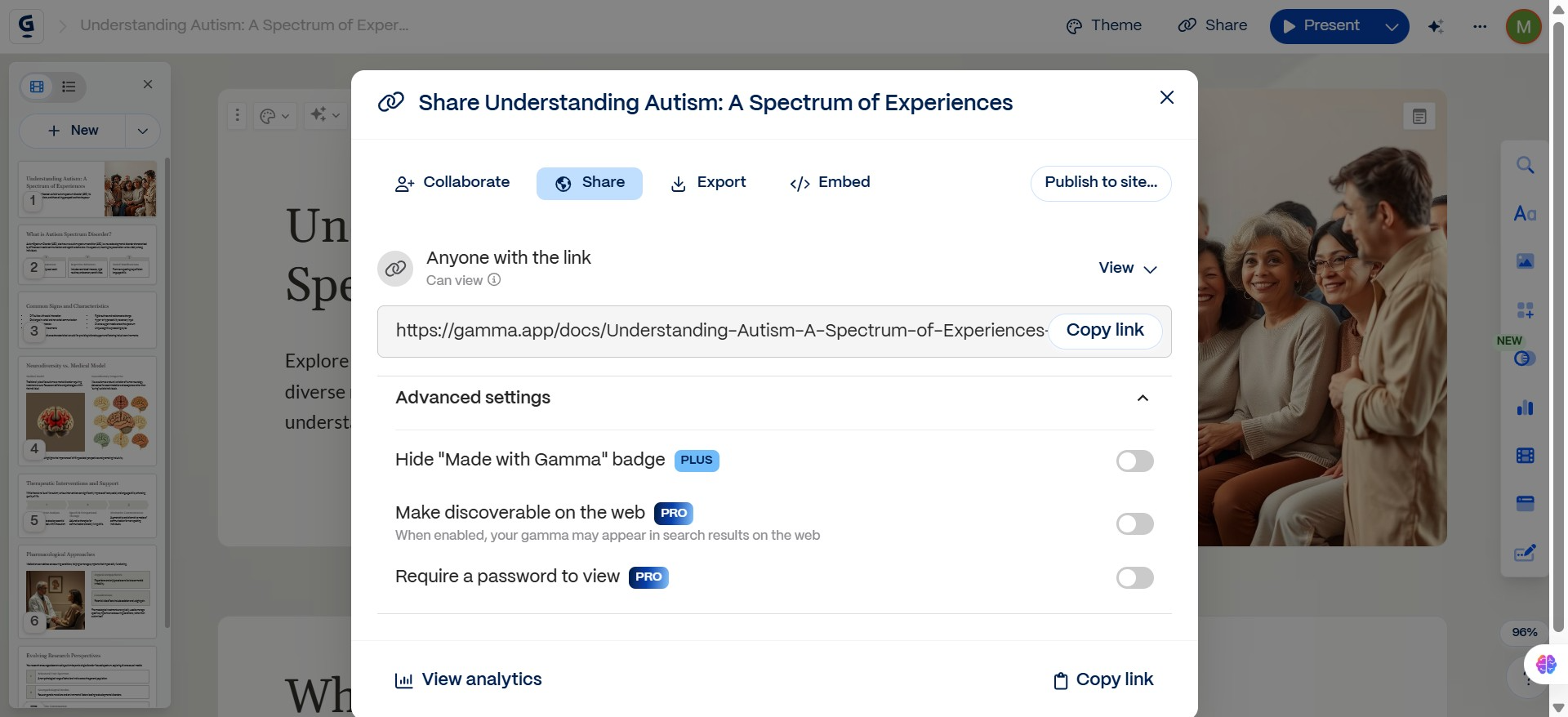
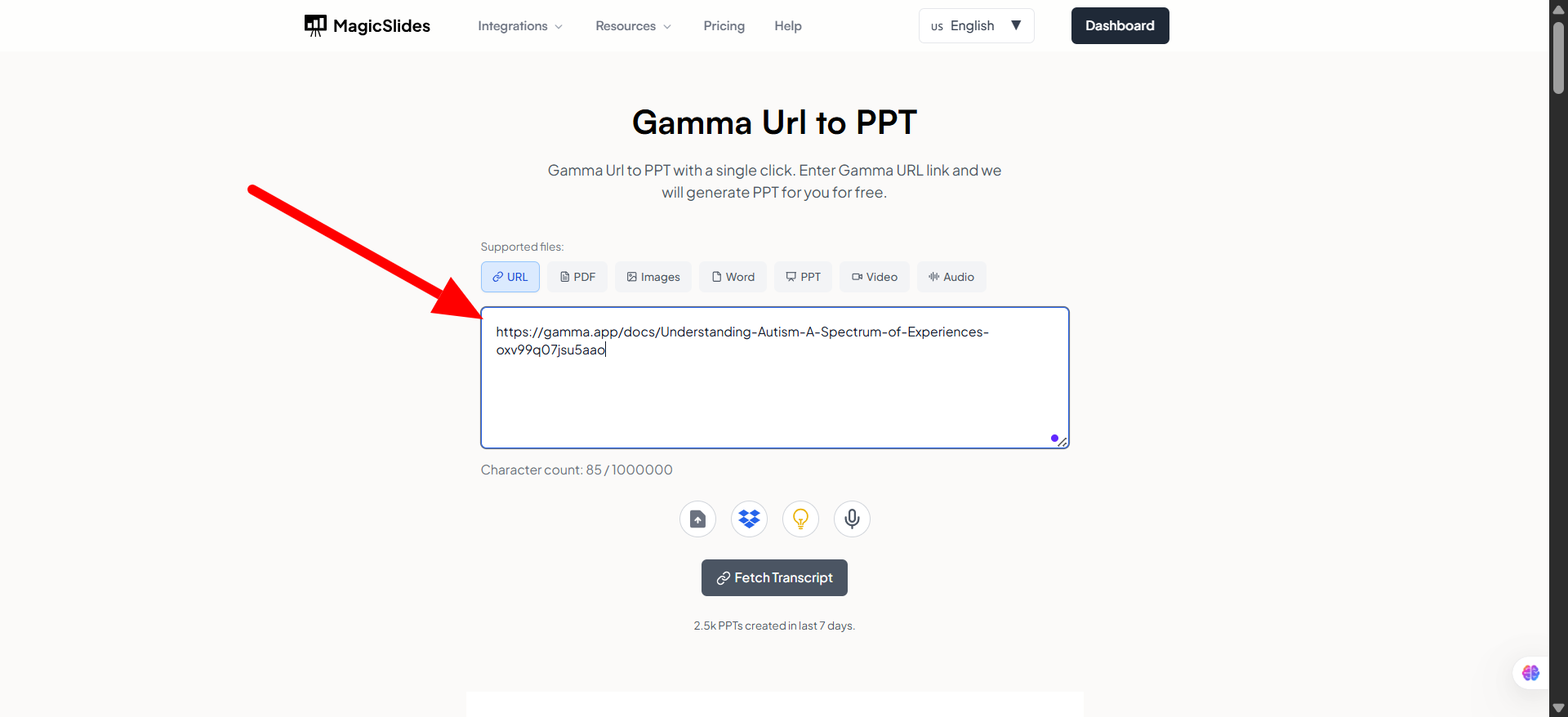
On the homepage, you’ll find a box to paste your Gamma presentation link. Copy the URL of your Gamma deck and paste it carefully into the input field. Make sure the link is correct so MagicSlides can retrieve your presentation without errors.
- Step 3. Convert Gamma to PPT
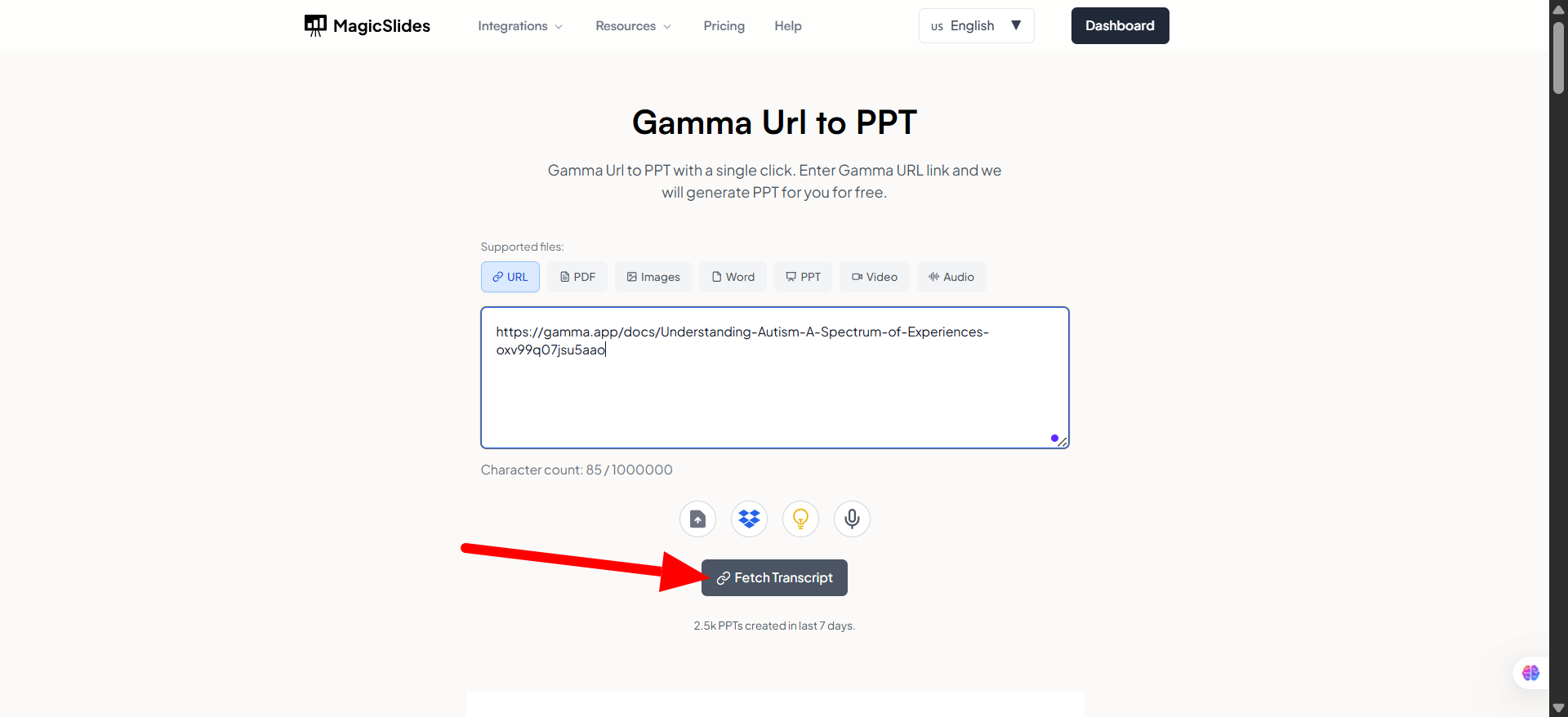
Click the “Fetch Transcript” button. It will instantly start converting your Gamma AI slides into a PowerPoint file. The conversion only takes a few seconds.
- #Step 4: Download Your PPT File
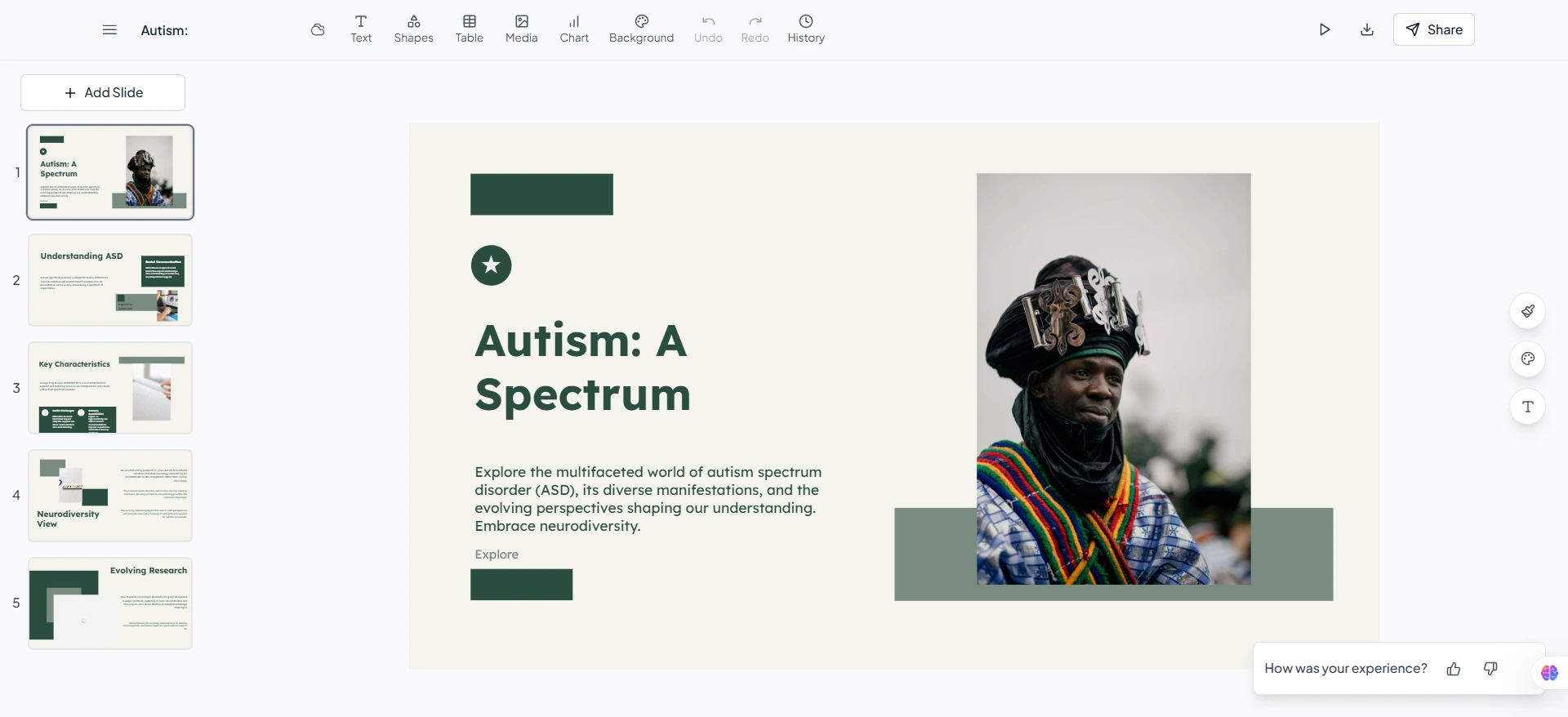
Once the conversion is complete, it will generate a direct download link for your PowerPoint (.ppt) file. Click Download, and your Gamma AI presentation will be saved to your computer, which is ready to be edited in PowerPoint, Google Slides, or any other platform you prefer.
#Method 4. Share Link Instead of Download
Instead of downloading, users sometimes prefer to share their presentation directly from the Gamma App via a link. This method is especially useful when you want to keep the presentation interactive and always up to date. By sharing a live link, you can ensure that any changes you make are instantly visible to others without needing to resend files.
Go with this option when:
- Collaborating with teams
- Collecting feedback
- Presenting online
To do so:
- Click Share
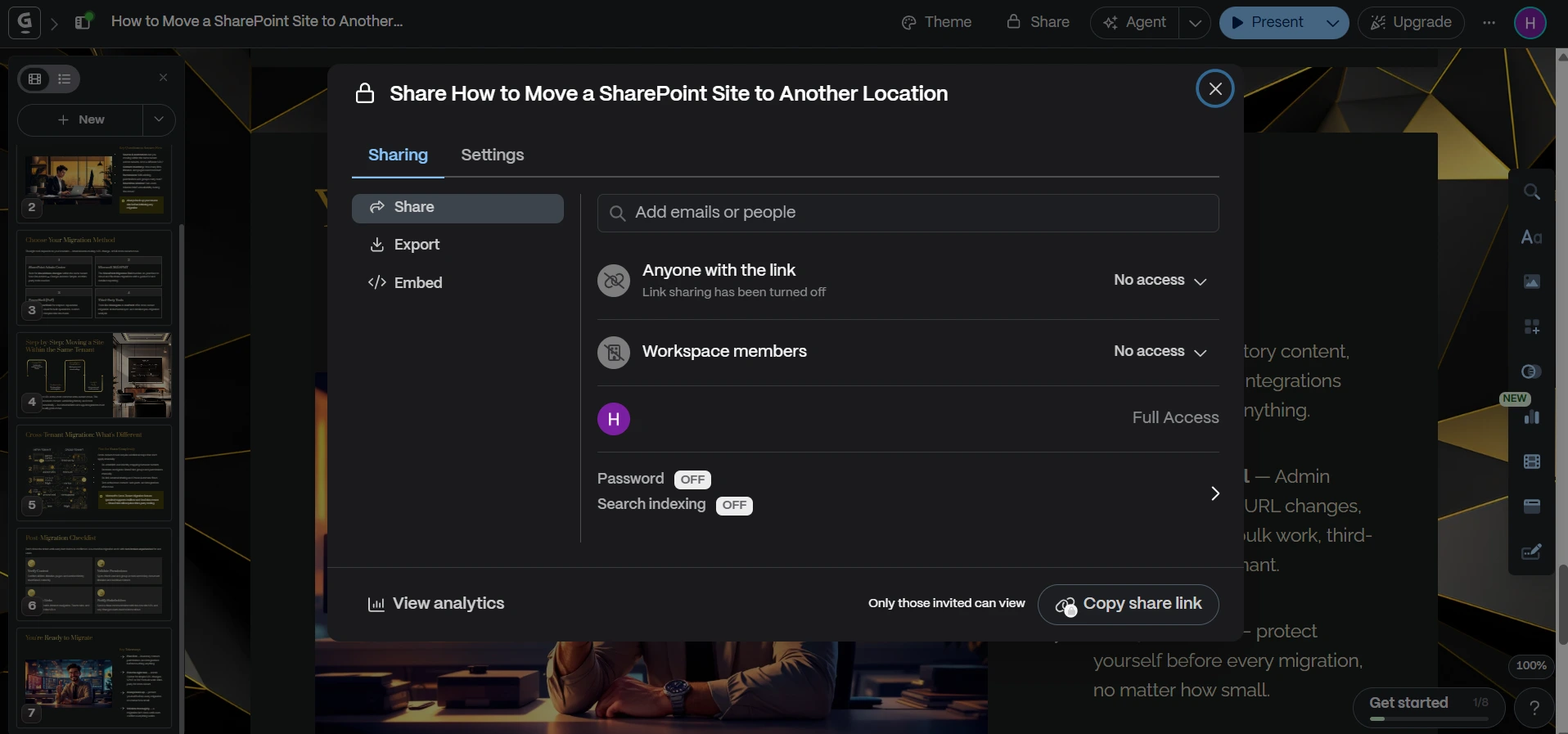
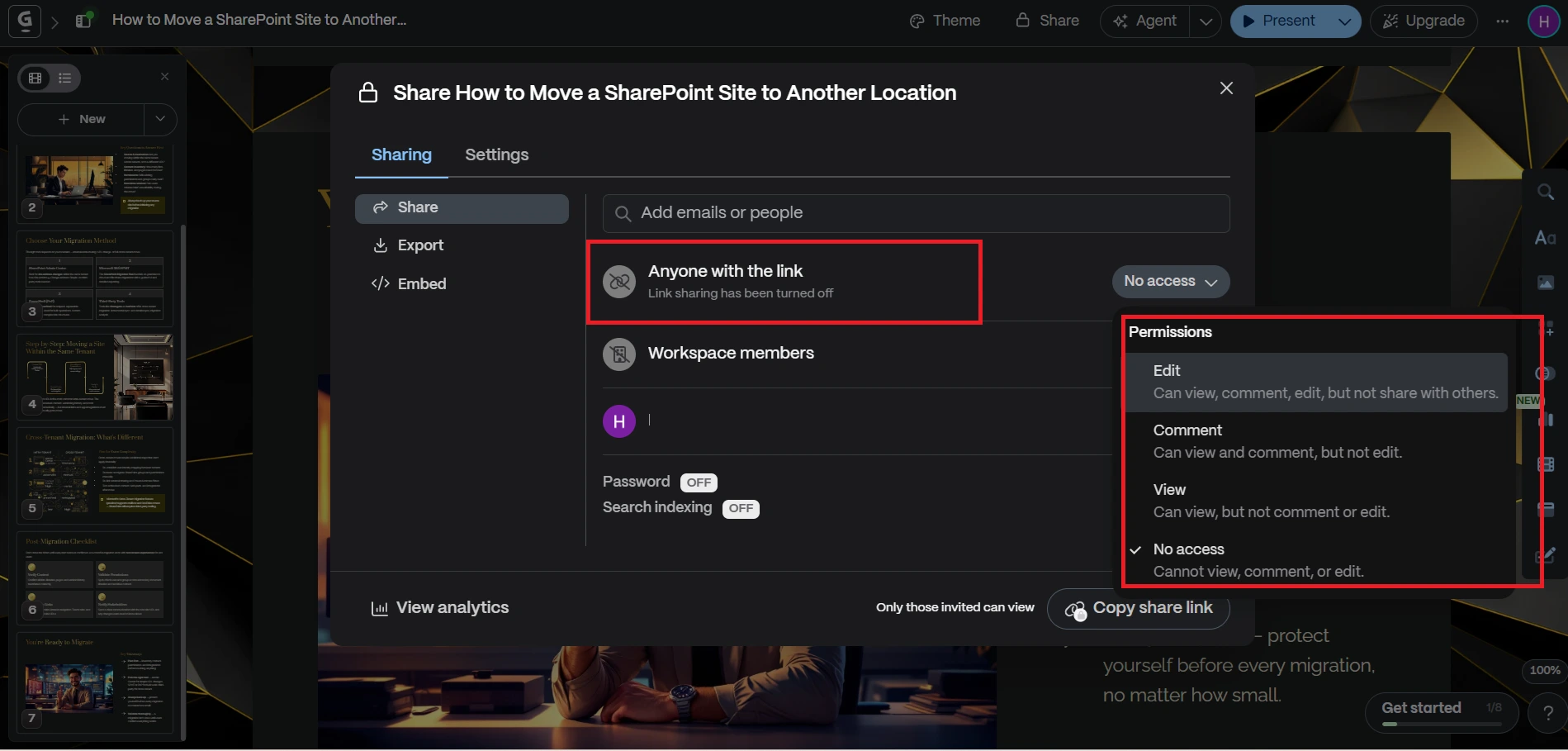
- Click on the “Anyone with Link” and change settings according to your needs.
- Copy the public or private link
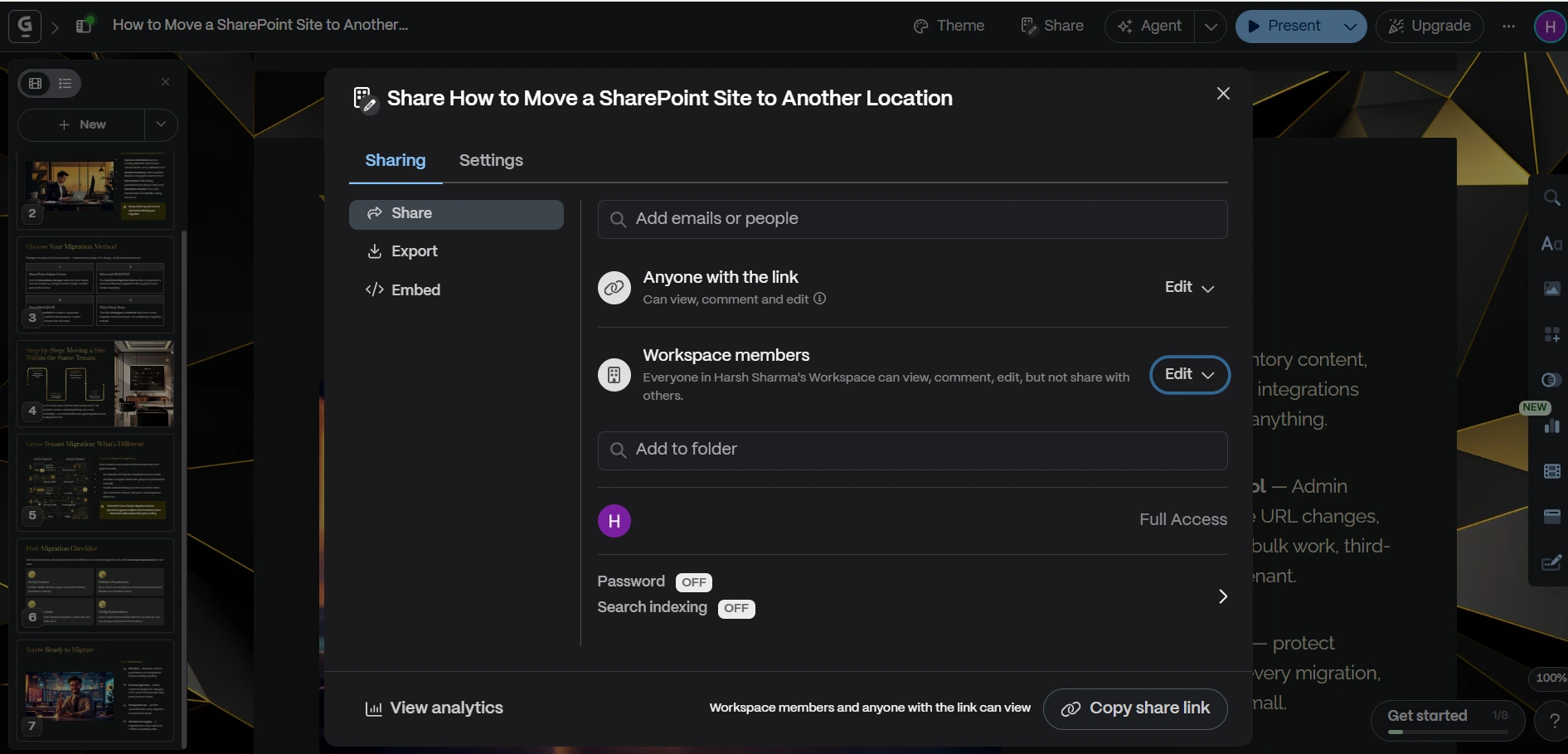
- Send it to your audience
Author’s Verdict
Downloading presentations from Gamma is straightforward once you know the proper set of instructions. I prefer:
- PDF for sharing
- PPT for editing
I hope you now have a clear understanding of how to download presentations from the Gamma App in PPT (MS PowerPoint), PDF, and PNG.
People Also Ask
Q1. Can I download Gamma presentations for free?
Yes, but export options are limited on the free version. You have to upgrade your Gamma subscription for unlimited downloads.
Q2. Does Gamma support offline presentations?
Yes, once you download the file (PDF or PPT), you can present offline. You can even edit those PPT files by opening them in MS PowerPoint and PDF as a Word file (if needed).
Q3. Why does my exported PPT look different?
Gamma uses responsive layouts, so some formatting can shift in PowerPoint.
Q4. Can I export a Gamma presentation with animations?
No. Animations are simplified or removed in exported files. To bypass this limitation, you can opt for MagicSlides for free, which maintains the complete structure of your presentation, with visuals and animations.


