How to Create a Timeline in PowerPoint in Less Than 5 Steps?


Learn how to make a timeline in PowerPoint with step-by-step methods. Create professional timeline slides quickly for project planning, business presentations, and visual storytelling.
Creating a timeline in PowerPoint is one of the easiest ways to present milestones, project schedules, product launches, or historical events visually. Whether you’re preparing a business presentation or a classroom project, PowerPoint offers multiple ways to build timelines using SmartArt, templates, manual shapes, or AI-powered tools. In this guide, you’ll learn each method step by step so you can choose the one that best fits your presentation.
Create a Timeline in PowerPoint Through Different Methods
If you want to go with the manual method, you need to use PowerPoint’s SmartArt tools that create a basic timeline without designing it from scratch. SmartArt provides built-in visual structures that help you organize timeline events quickly.
There are three main approaches you can take; let’s discuss them.
- SmartArt- This works with PowerPoint’s smart graphics for simple process diagrams or milestone timelines.
- Design templates- Use the existing PowerPoint timeline template and adapt it to your needs.
- PowerPoint add-ins- Install a productive add-in that supports the making of powerful Gantt charts and planning timelines.
Now let’s see how to perform the steps:
How to Create a Timeline in PowerPoint Through SmartArt?
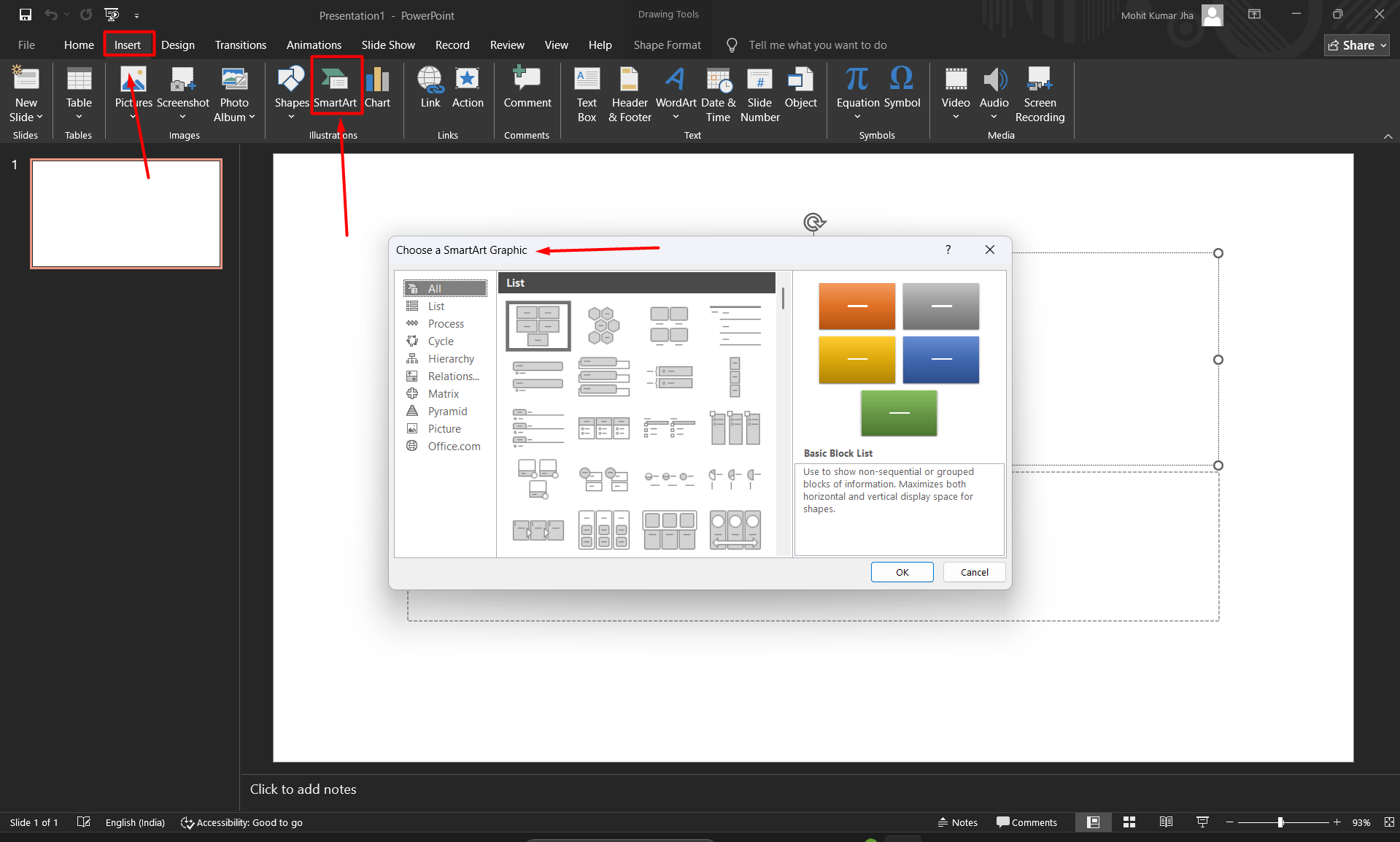
Step 1. Open Microsoft PowerPoint. Go to the Insert tab on the ribbon and click SmartArt in the Illustrations section.
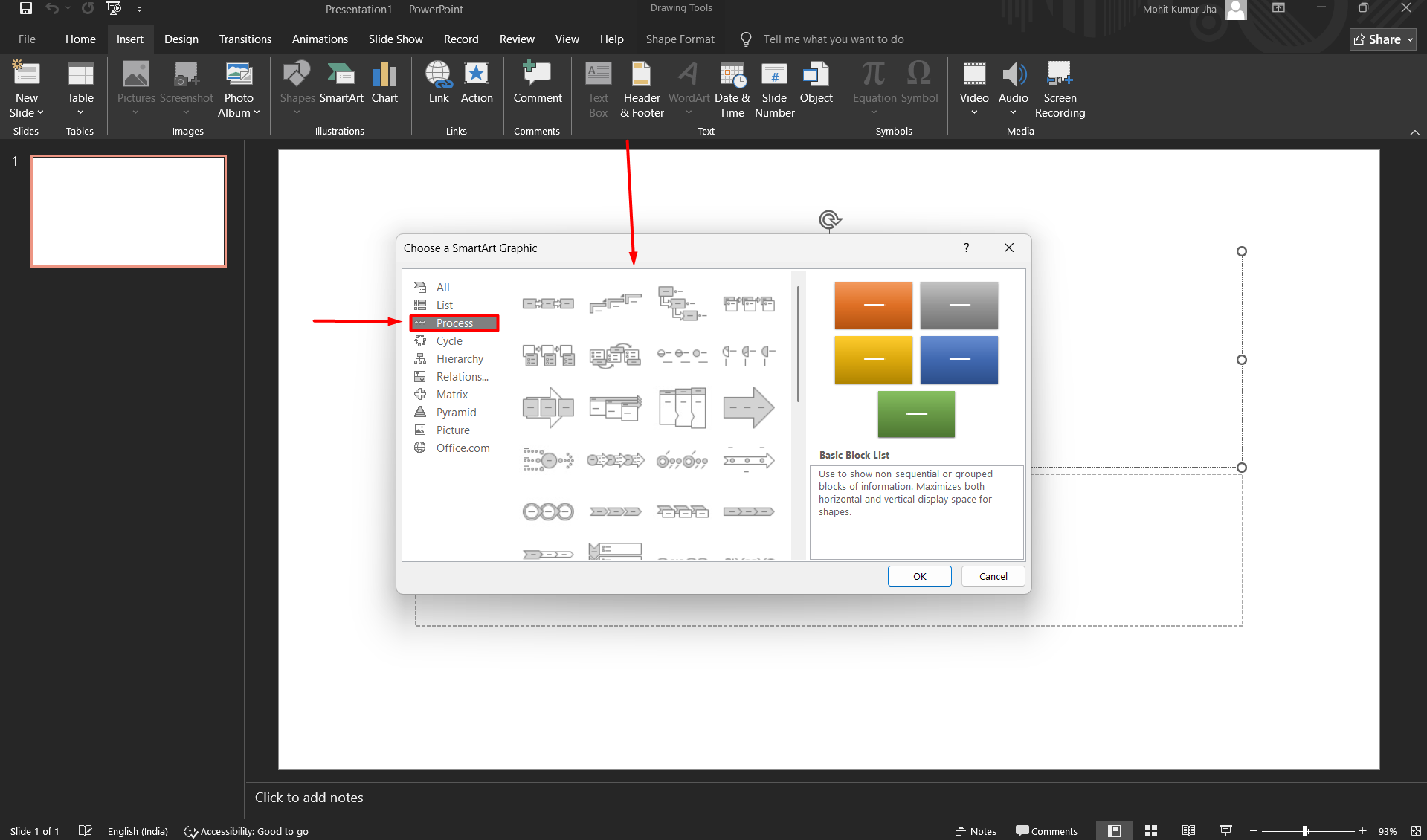
Step 2. Now, click on the process option. This will open a window with several graphics options.
Step 3. Lastly, look for the options called ‘Basic Timeline’ or ‘Circle Accent Timeline’. Choose your preferred style, and that will be automatically populated on all the slides.
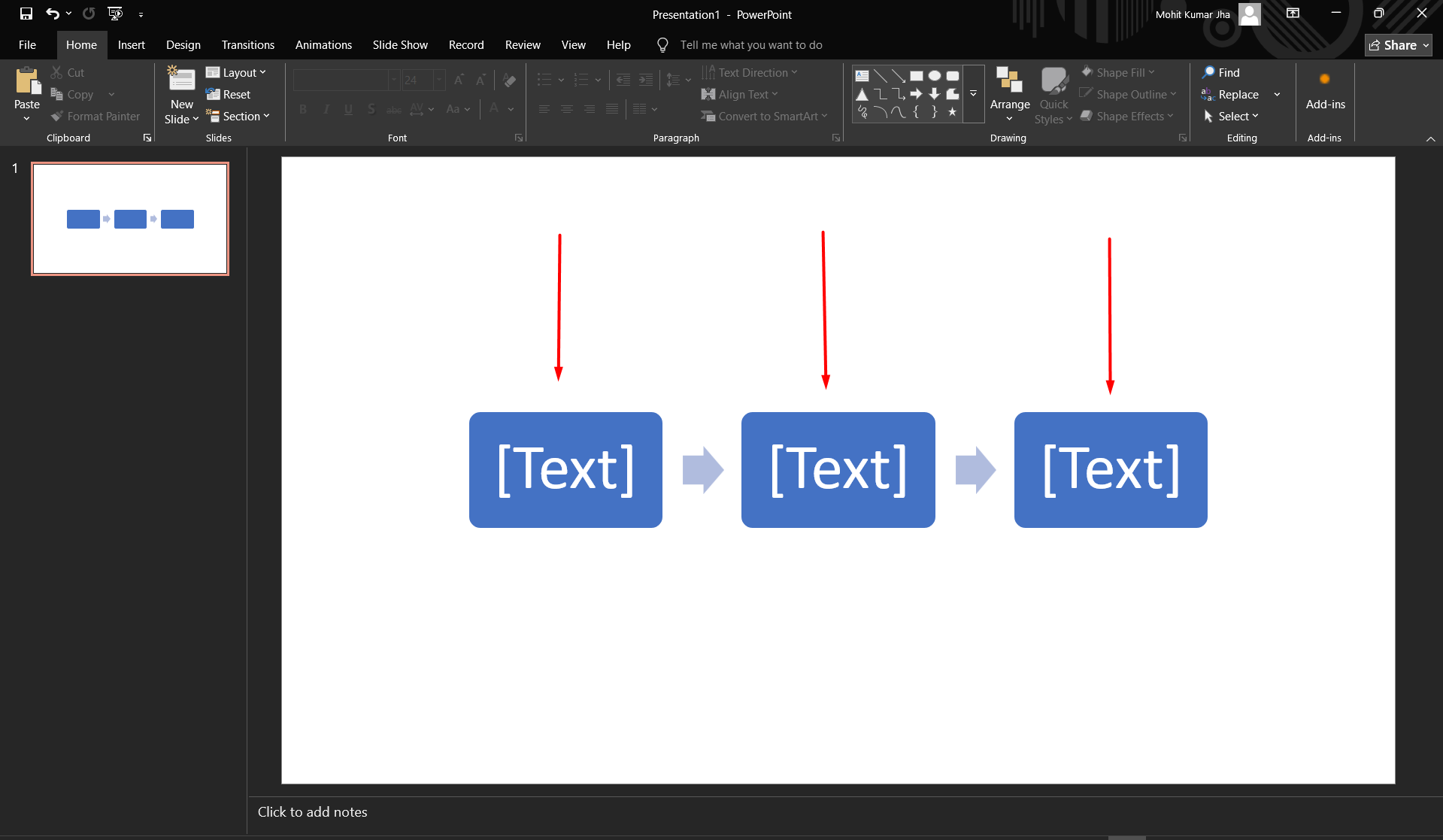
This is the fastest and most beginner-friendly method, which is beneficial in helping the user to create a timeline in PowerPoint. It provides options to pre-design layouts that are easy to customize.
How to Insert a Timeline in PowerPoint Manually?
There is one more method that you can use if you want full design control and a highly customized timeline on your presentation. To perform this, simply follow the steps to add a timeline in PowerPoint.
Step 1. Go to Insert and select Shapes, then choose a Line.
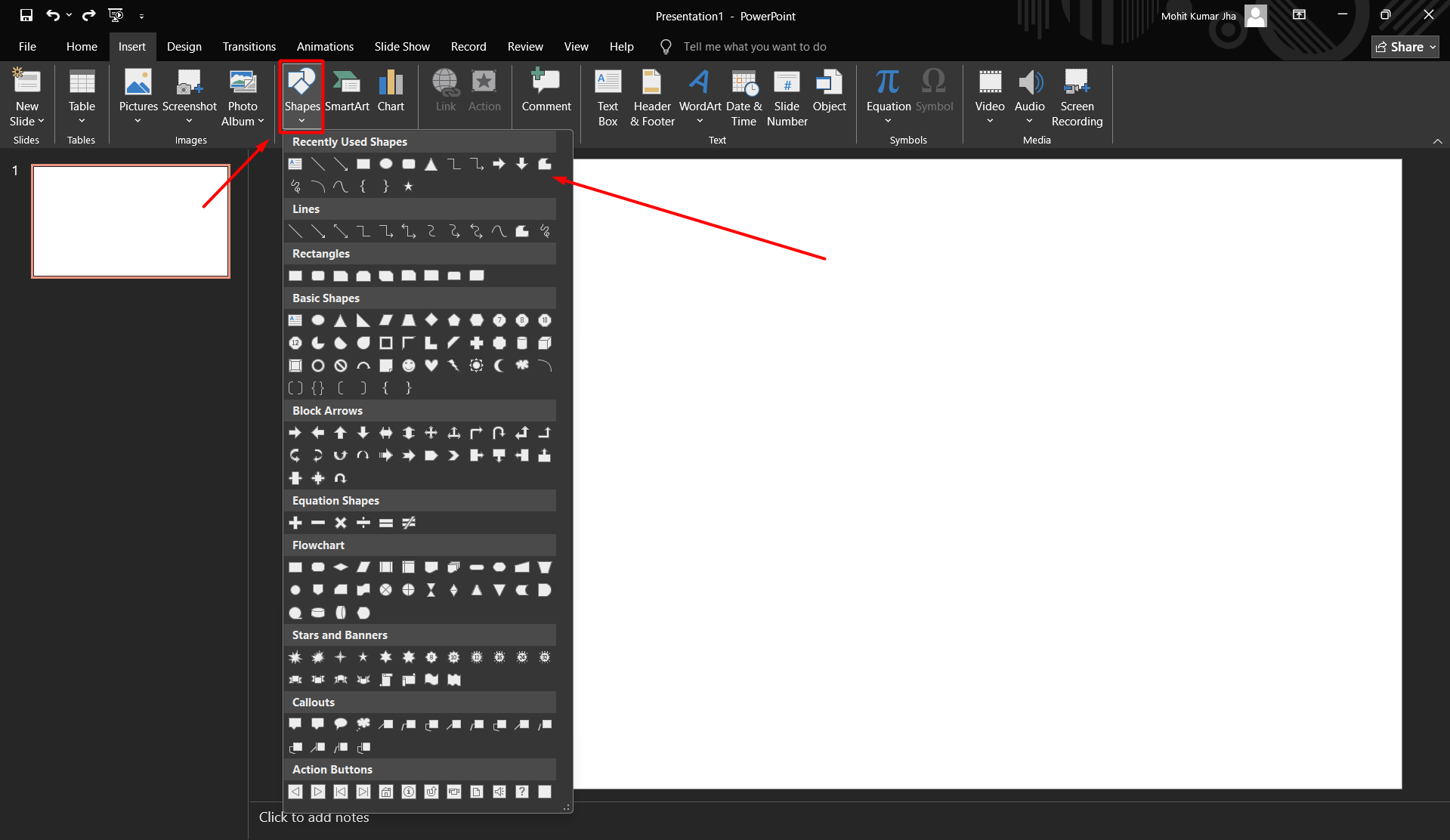
Step 2. Draw a horizontal line across the slide.
Step 3. Add markers using shapes such as circles or rectangles.
Step 4. Insert text boxes for dates and descriptions.
Step 5. Use alignment tools to distribute elements evenly.
Step 6. This approach gives you full design control and allows you to create highly customized timelines.
How to Make a Timeline in PowerPoint Using Design Templates?
PowerPoint provides various built-in templates that can significantly save time. Let’s discuss the steps for the best way to show a timeline in PowerPoint.
Step 1. Click on File and then New.
Step 2. Search for timeline templates.
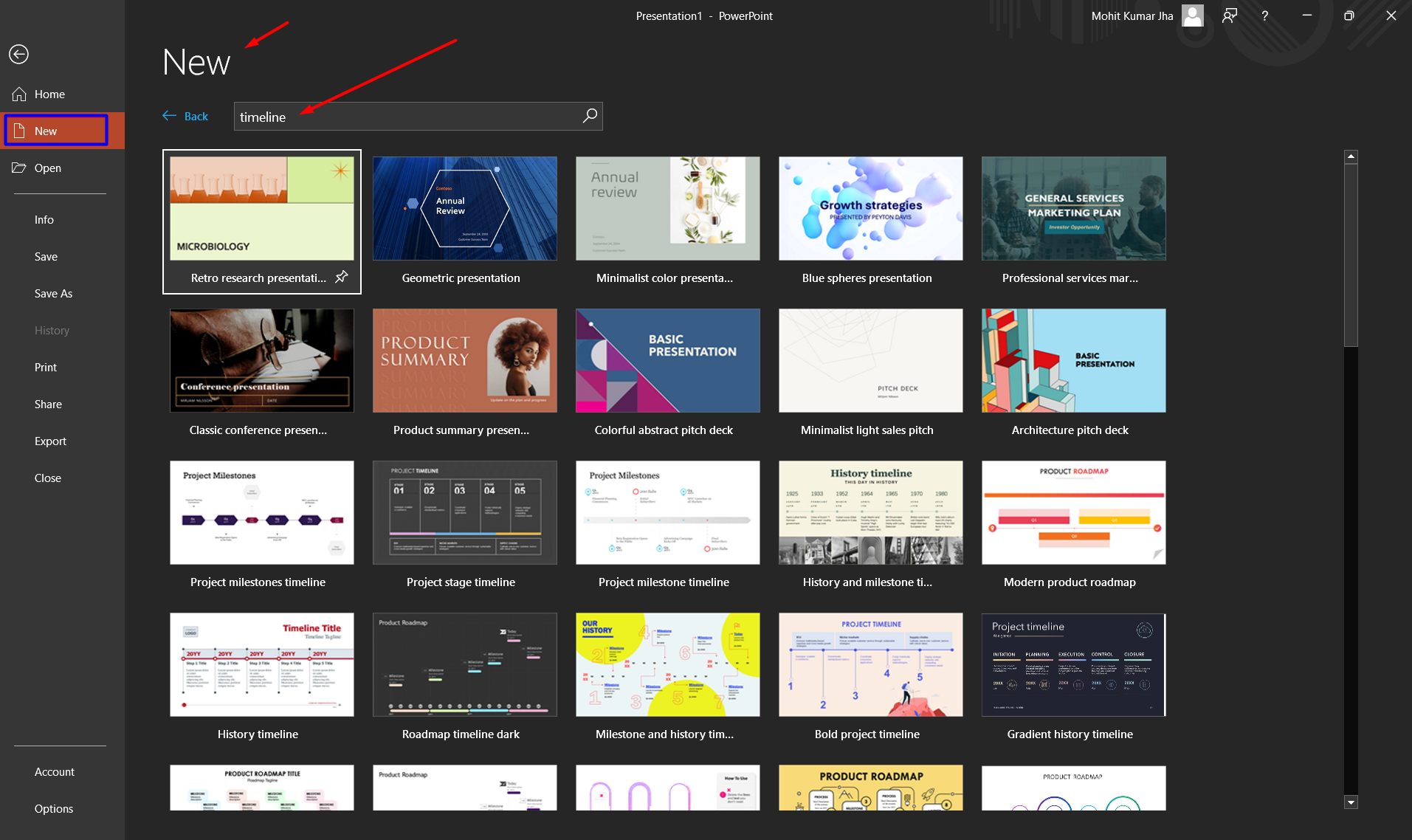
Step 3. Choose a design that fits your needs.
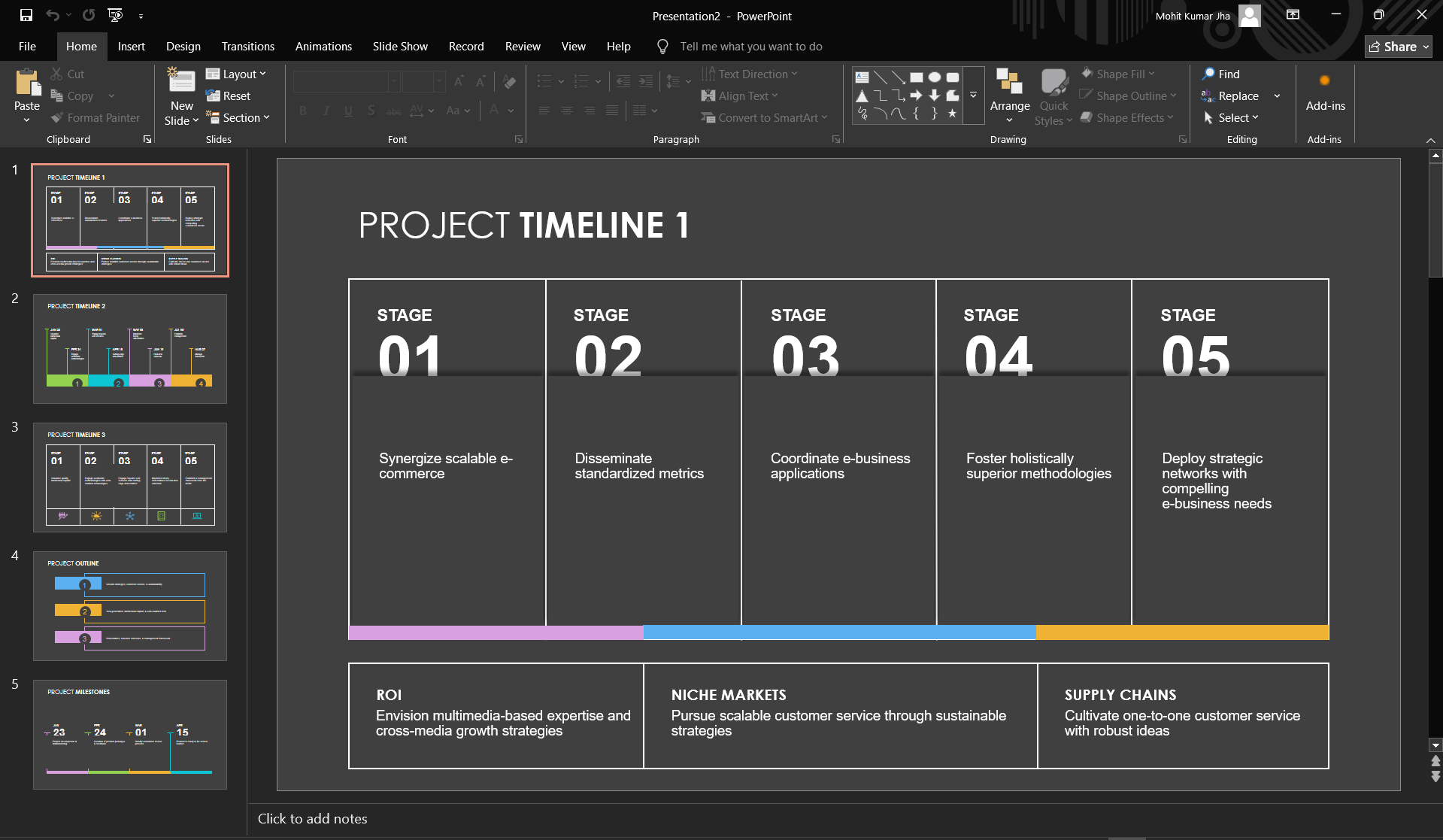
Step 4. Replace the placeholder content with your own information.
Templates are useful when you want a polished design without starting from scratch.
There are Some Disadvantages of Making Timelines with PowerPoint
- Various tasks hamper the process; there are various complex diagrams in PowerPoint. These are linked to spreadsheets that can directly make significant changes in the data.
- The primary disadvantage of making planning timelines with PowerPoint is that they are not connected to the calendar or any other data source. You need to update them manually if you need to perform certain changes.
- Illustrative timelines also face issues, even though these don’t require a need of connecting data sources. Editing an attractive timeline in PowerPoint is very difficult, as they rely on custom shapes or drawings.
How to Make a Timeline Slide with AI?
Yes, you heard it right. It is possible to add a timeline in PowerPoint using AI. This is the fastest and most instant way to perform the task of creating a timeline in any PowerPoint slide. If you want to skip manual methods and avoid any havoc, simply opt for this method.
Tools like MagicSlides can help you in the simplest and easiest way to create a timeline slide for presentations with a single click. Not only this, you will be getting various Timeline template options for the slides.
Here are the steps for the same
Step 1. Visit Magicslides.app: Open up your web browser and head over to one of the best AI Presentation Tools. This site is your starting point for creating slides that don’t just convey information but make it stick.

Step 2. Click on Slide With AI
Click on the “Slide with AI” option on the homepage. It’s designed to leverage AI to help tailor your slides to fit your needs perfectly.

Step 3. Select the Right Tool
As you explore the AI options, look for “Timeline Slide” and click on it. You’re on your way to creating something great.
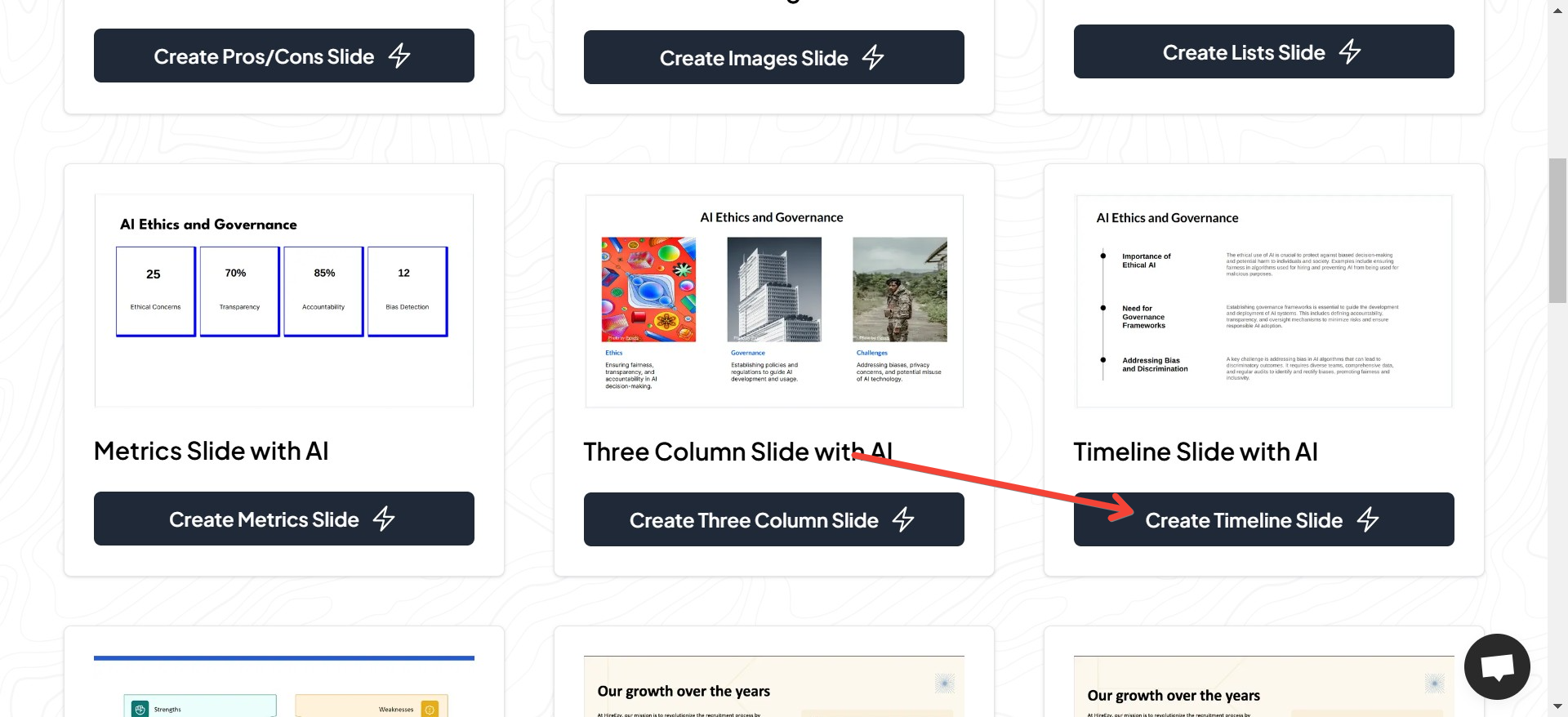
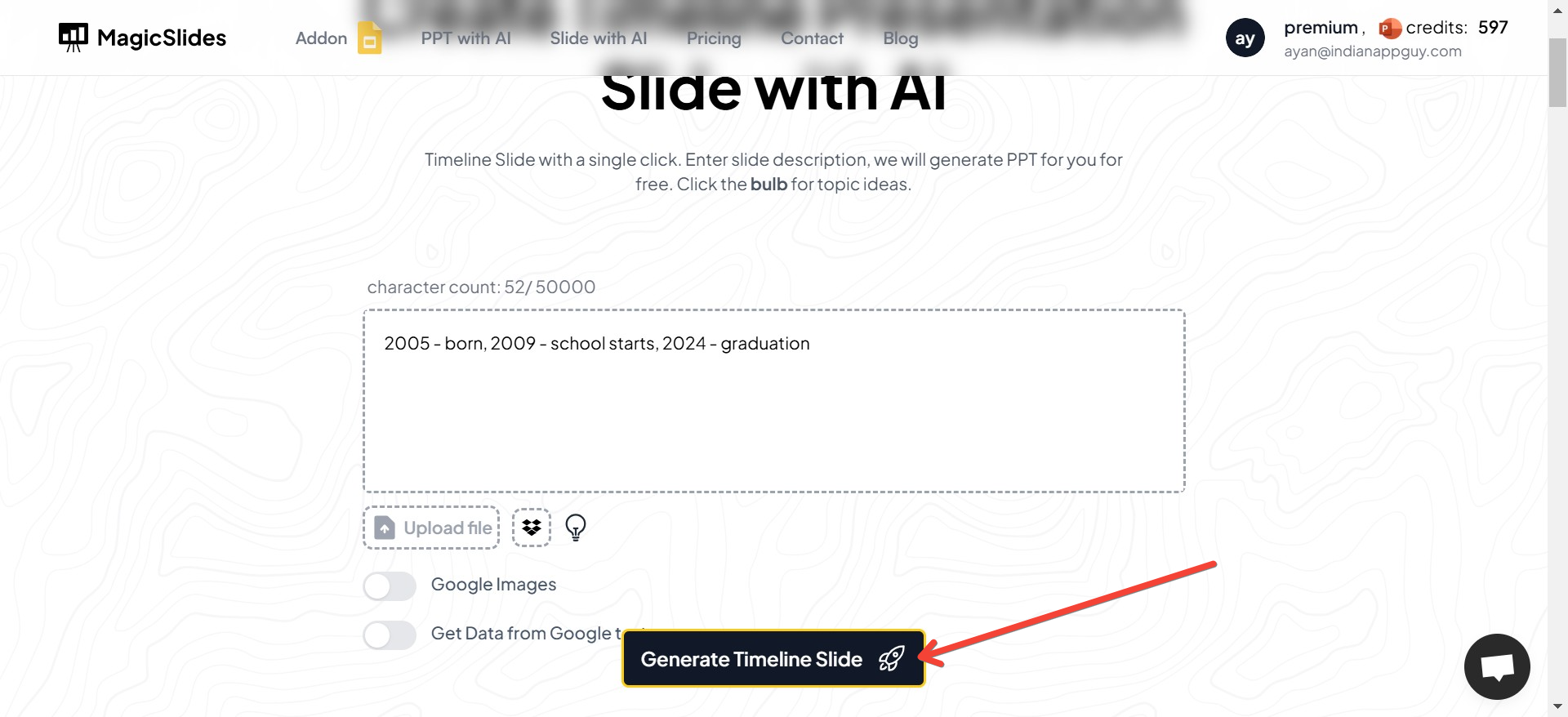
Step 4. Input Your Details
Here’s where you get into the specifics. Enter the dates, events, and any short explanations needed for your timeline. The more precise you are, the clearer your timeline will be.

Step 5. Pick a Style
MagicSlides.app offers a variety of design templates. Choose one that matches the vibe of your presentation and complements your content.
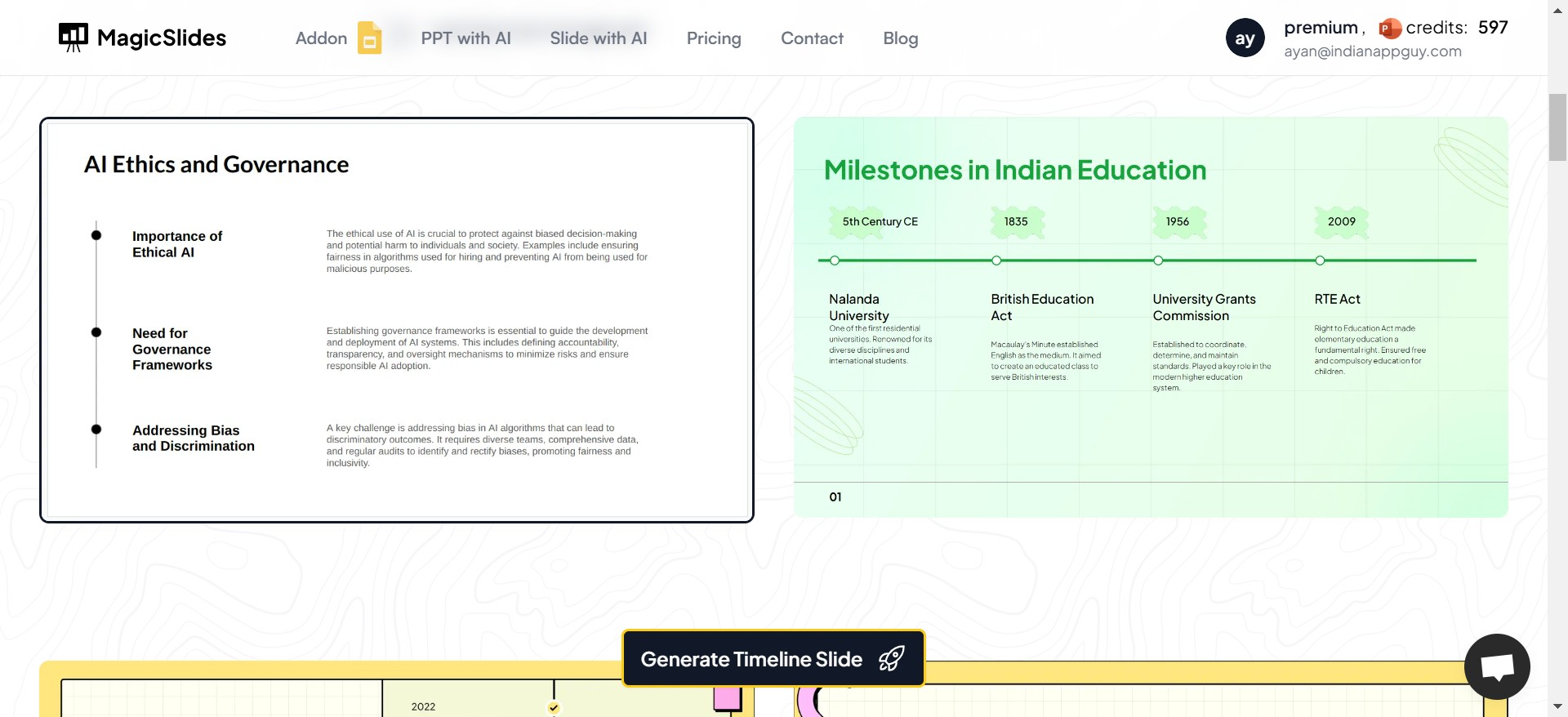
Step 6. Bring it to Life
Hit the “Generate” button and watch as the site assembles your information into a beautifully designed timeline slide. It’s fast and fun to see your ideas take shape!
Step 7. Fine-Tuning
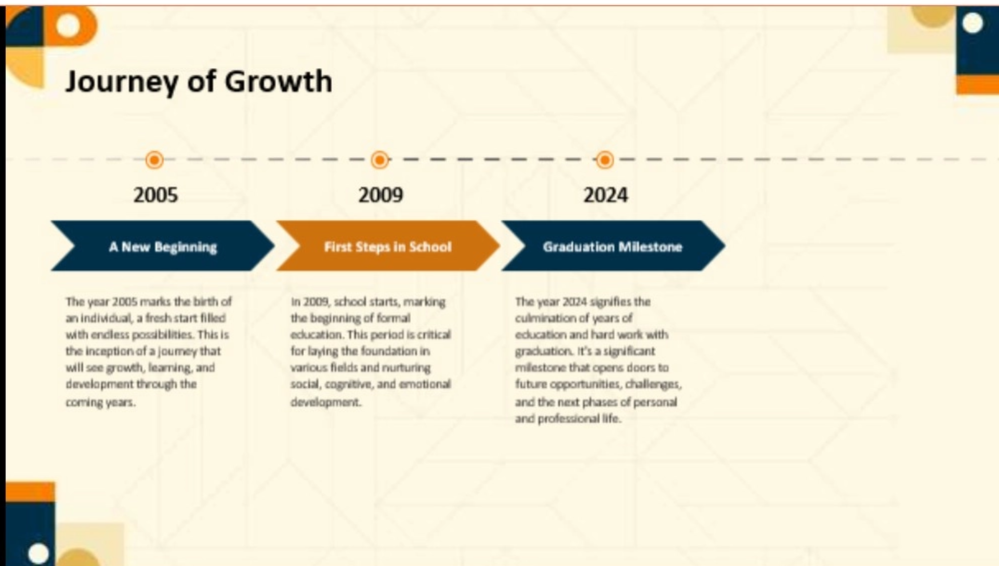
Take a moment to review your new timeline slide. This is your chance to make tweaks and ensure everything looks just right.
Concluding Thoughts
Timeline creation in PowerPoint is an essential skill for professionals, educators, and business teams. Timeline transforms information into clear visual stories that help users understand quickly. It is highly recommended to opt for the professional solution discussed in the article. It efficiently automates solutions that can generate complete presentation decks in seconds.
Frequently Asked Questions (FAQs)
1. Can I create a timeline in PowerPoint without using SmartArt?
Yes. You can create a timeline manually by using Shapes, Lines, and Text Boxes in PowerPoint. This method gives you complete control over the design, layout, colors, and formatting of your timeline.
2. Does Microsoft PowerPoint have built-in timeline templates?
Yes. PowerPoint offers built-in timeline templates that you can access by going to File > New and searching for Timeline. These templates provide professionally designed layouts that you can customize with your own dates, milestones, and content.
3. What is the easiest way to make a timeline in PowerPoint?
Using SmartArt is the easiest built-in method for creating a timeline in PowerPoint. Simply navigate to Insert > SmartArt > Process, choose a timeline layout, and replace the placeholder text with your own information. If you’re looking for an even faster solution, AI-powered presentation tools can generate timeline slides automatically.
4. Can I customize a SmartArt timeline in PowerPoint?
Yes. SmartArt timelines can be customized by changing colors, fonts, layouts, shapes, and styles. You can also add or remove milestones and adjust the timeline to match your presentation’s theme.
5. How do I add more milestones to a PowerPoint timeline?
To add more milestones to a SmartArt timeline, select the timeline, open the Text Pane, and press Enter to create a new milestone. If you’re using a manually created timeline, simply add additional shapes and text boxes where needed.
6. Can I create a project timeline or Gantt chart in PowerPoint?
Yes. PowerPoint can be used to create simple project timelines and basic Gantt charts using SmartArt, shapes, or templates. For complex project planning with task dependencies and automatic scheduling, dedicated project management software may be a better choice.
7. Are AI tools better for creating timeline slides?
AI-powered presentation tools are ideal for users who want to create professional timeline slides quickly. They automatically generate layouts based on your input, saving time while still allowing you to edit and customize the final slide.
8. What are the best practices for creating an effective timeline in PowerPoint?
Keep your timeline simple, use consistent colors and fonts, maintain even spacing between milestones, highlight key events, and avoid overcrowding the slide with too much text. A clean and well-organized timeline is easier for your audience to understand.


