How to Add Subscript to Text in Google Slides? Explained


Learn how to add subscript to text in Google Slides using simple steps and keyboard shortcuts. Format chemical formulas, equations, and footnotes easily.
Creating a professional presentation isn’t just about choosing the right design; small formatting details matter too. One formatting feature many users need is subscript, especially when writing chemical formulas like H₂O, mathematical expressions, footnotes, or scientific notation.
Although Google Slides supports subscript formatting, the option isn’t immediately visible, which is why many users struggle to find it.
In this guide, I’ll show you exactly how to add a subscript to text in Google Slides, including the fastest keyboard shortcuts and a few helpful tips to save time.
How to Insert Subscript in Google Slides (Step-by-Step)
Step 1. Open Your Google Slides:
Open the presentation in Google Slides where you want to add subscript text.
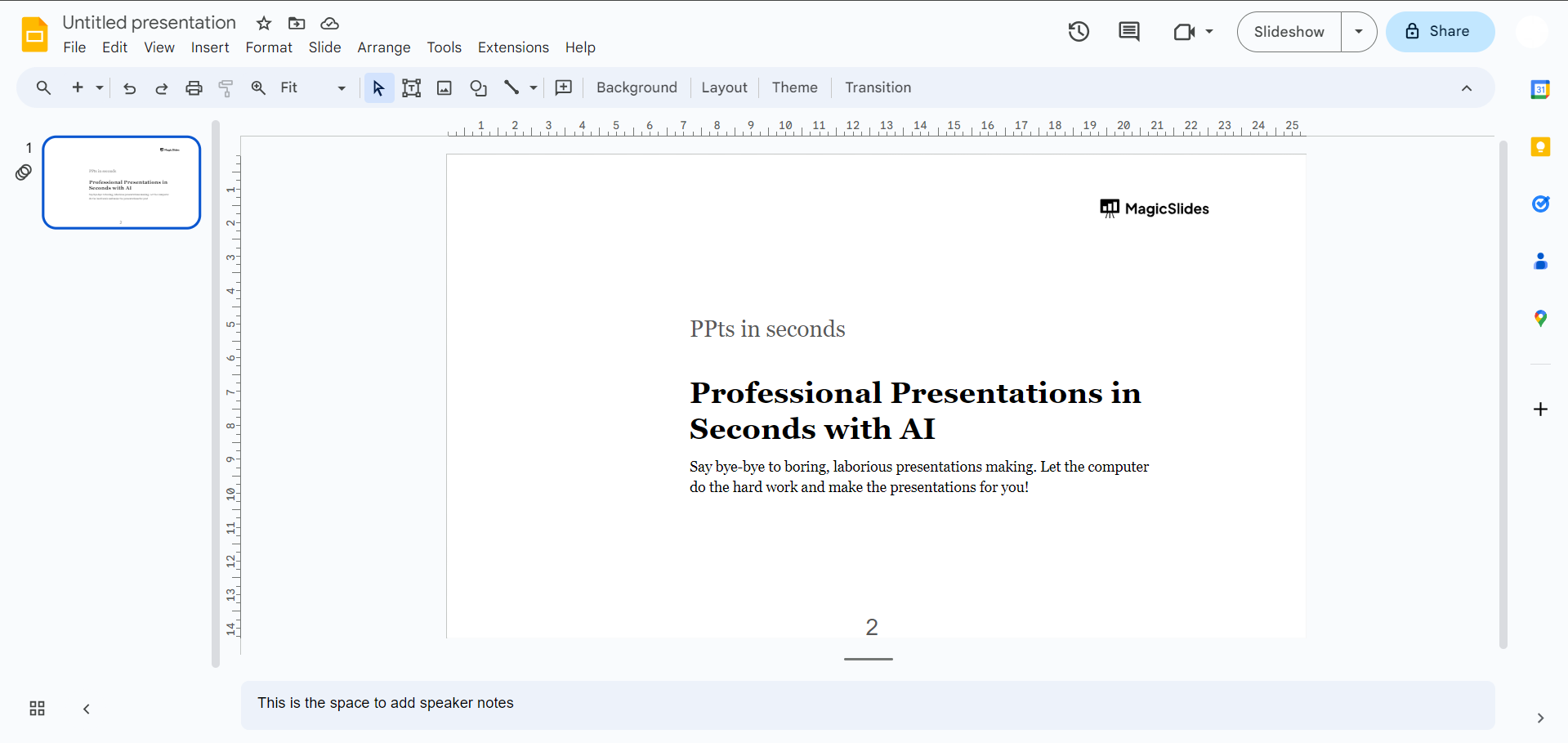
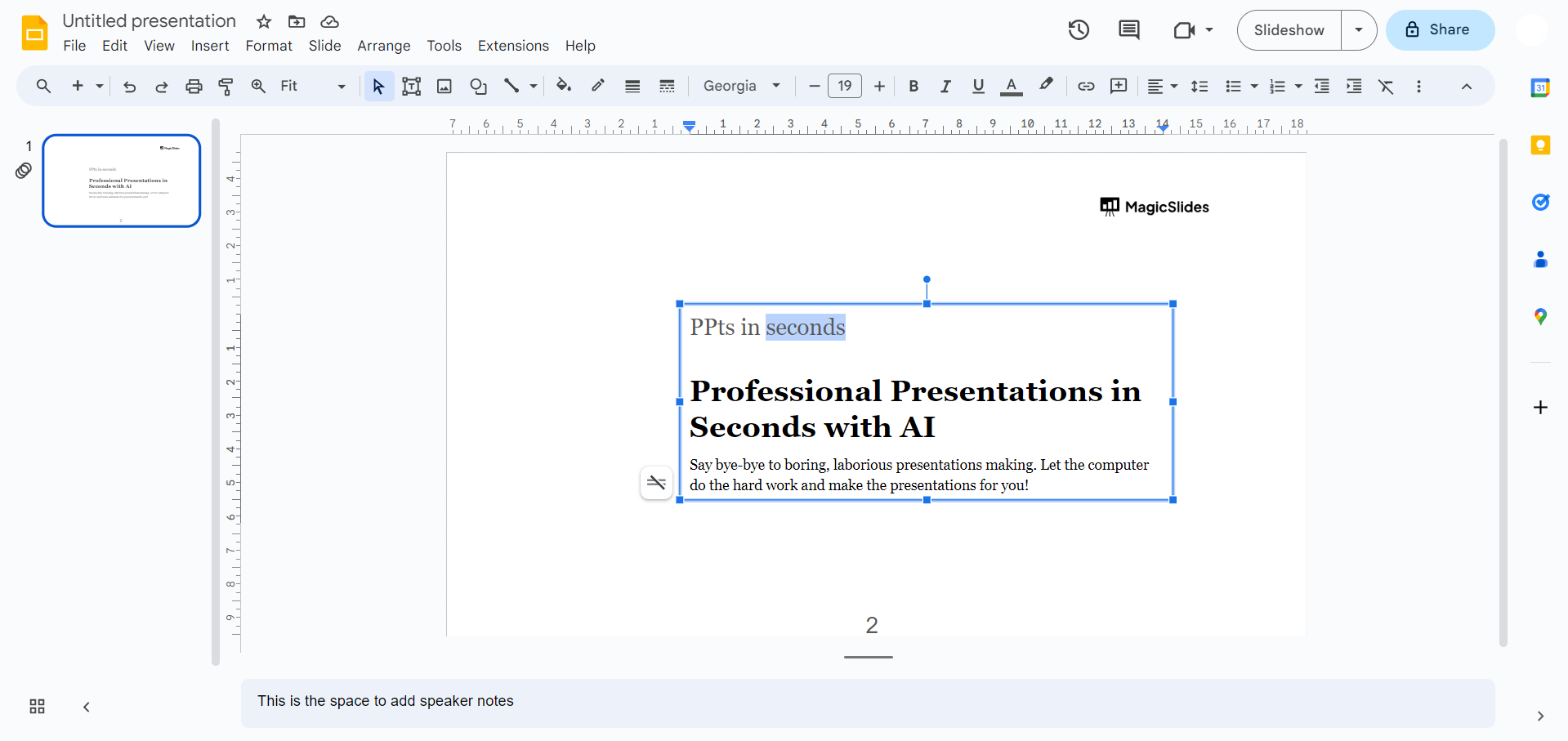
Step 2. Select the Text:
Click on the text box or highlight the specific text within a text box where you want to apply subscript.
Step 3. Access the Format Options:
Navigate to the menu bar and click on “Format.” From the dropdown menu, select “Text.”
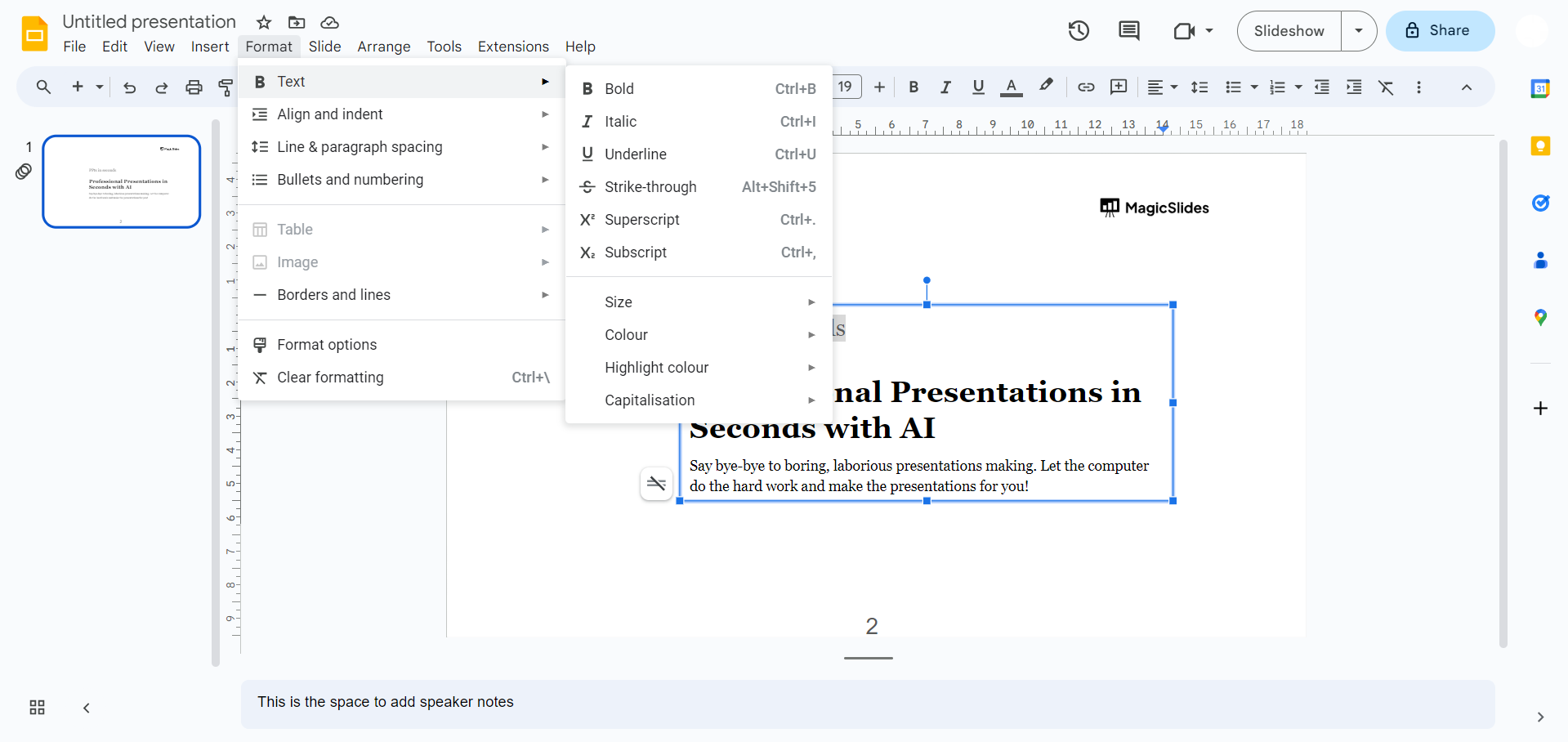
Step 4. Choose Subscript:
In the “Text” menu, hover over “Baseline” to reveal additional options. Click on “Subscript” to apply the subscript formatting to the selected text.
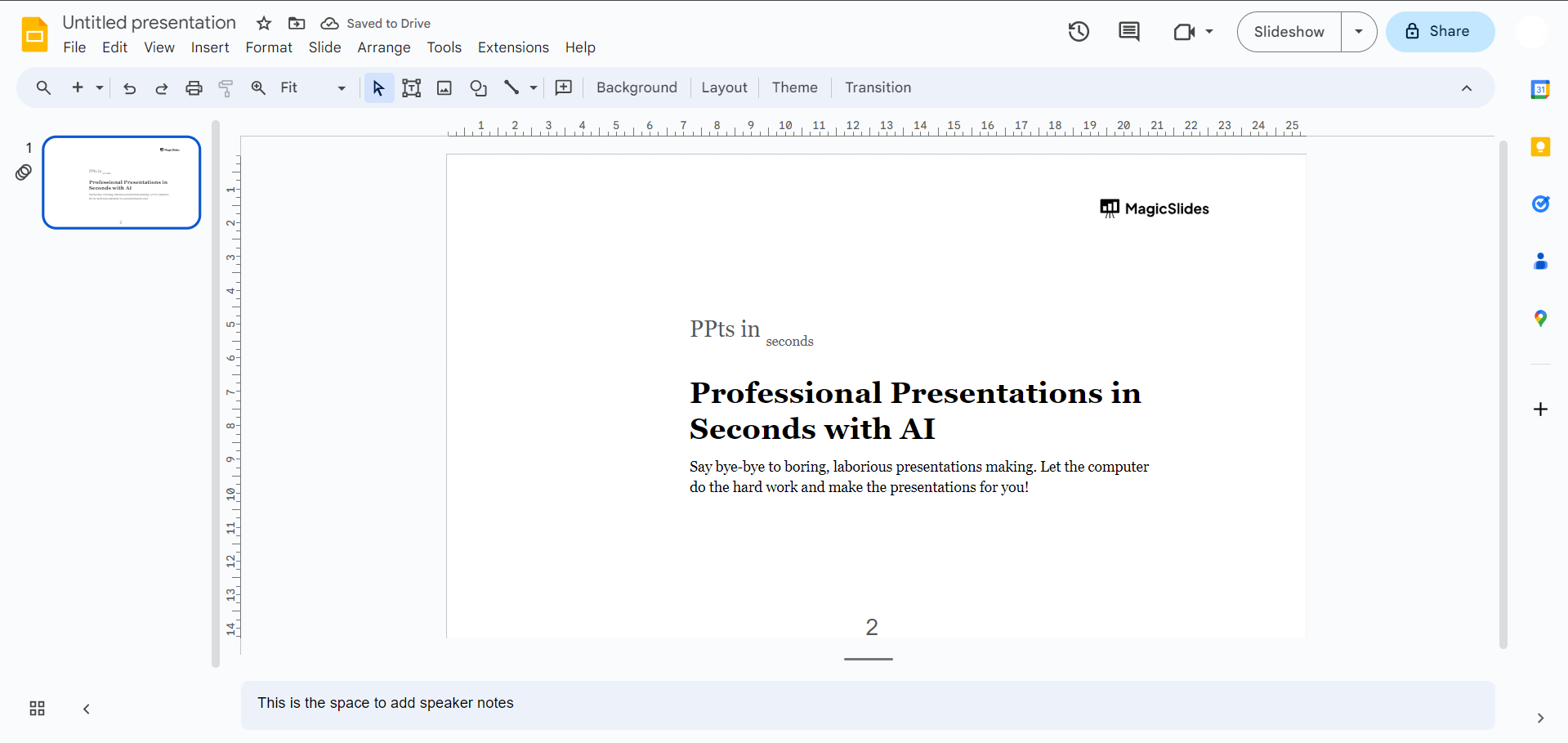
Power Tip: Press Ctrl + , (Windows/ChromeOS) or ⌘ + , (Mac) to quickly toggle subscript on or off without opening the Format menu.
That’s it! Your selected text will now appear as a subscript in Google Slides.
When Should You Use Subscript?
Subscript is commonly used for:
- Chemical formulas (H₂O, CO₂)
- Mathematical equations
- Scientific presentations
- Footnotes and references
- Variables and annotations
Using proper formatting makes your slides look cleaner and more professional.
Create Presentations Faster with MagicSlides
Learning formatting features like subscripts can help you create cleaner, more professional slides. However, building an entire presentation from scratch can still take a lot of time.
If you want to speed up the process, the MagicSlides AI presentation tool lets you generate professional presentations from text, documents, web pages, YouTube videos, and PDFs in just a few seconds.

You can instantly turn text, documents, or even articles into fully designed presentations in seconds. Instead of manually adding content slide by slide, the tool helps you:
- Generate complete presentations automatically
- Convert template to PDF, convert blogs or notes into slides
- Save hours of manual formatting and design work
- Focus more on content, less on slide creation
Once you’ve mastered formatting features like subscript, tools like MagicSlides can help you create polished presentations much faster.
Conclusion
Adding a subscript in Google Slides only takes a few clicks once you know where to find the option. Whether you’re creating scientific presentations, mathematical equations, or professional reports, proper formatting helps your slides look cleaner and more polished.
If you frequently create presentations, combining these formatting shortcuts with an AI presentation tool like MagicSlides can help you build professional slides much faster.
Learn how To Convert News Articles To PPT Slides.
Frequently Asked Questions:
Q1. How do I add a subscript in Google Slides?
Select the text, then go to Format → Text → Baseline → Subscript. You can also use Ctrl +, on Windows or ⌘ +, on Mac.
Q2. Can I apply subscript to only one character?
Yes. Simply highlight the specific character or word before applying the formatting.
Q3. How do I remove subscript?
Select the formatted text and choose Format → Text → Baseline → Normal, or press the same keyboard shortcut again to toggle it off.
Q4. Does subscript stay when I download the presentation?
Yes. Subscript formatting is preserved when you present, download as PowerPoint, or export as PDF.
Q5. Is there a shortcut for subscript in Google Slides?
Yes:
- Windows/ChromeOS: Ctrl +,
- Mac: ⌘ + ,
Q6. Why can’t I find the Subscript option in Google Slides?
The Subscript option appears under Format → Text → Baseline. If you don’t see it, make sure you’ve selected the text first and are using the latest version of Google Slides.


