How to Convert News Articles to PPT Slides


Transform news articles into dynamic presentations effortlessly with magicslides.app, streamlining communication for impactful presentations.
In today's fast-paced digital world, the ability to convey information seamlessly is a valuable skill. Whether you're a student, professional, or simply looking to spice up your presentations, magicslides.app offers a powerful solution.
Follow this step-by-step guide to effortlessly convert news articles into engaging PowerPoint presentations using magicslides.app and leave a lasting impression on your audience.
How to Convert News Articles to PPT Slides
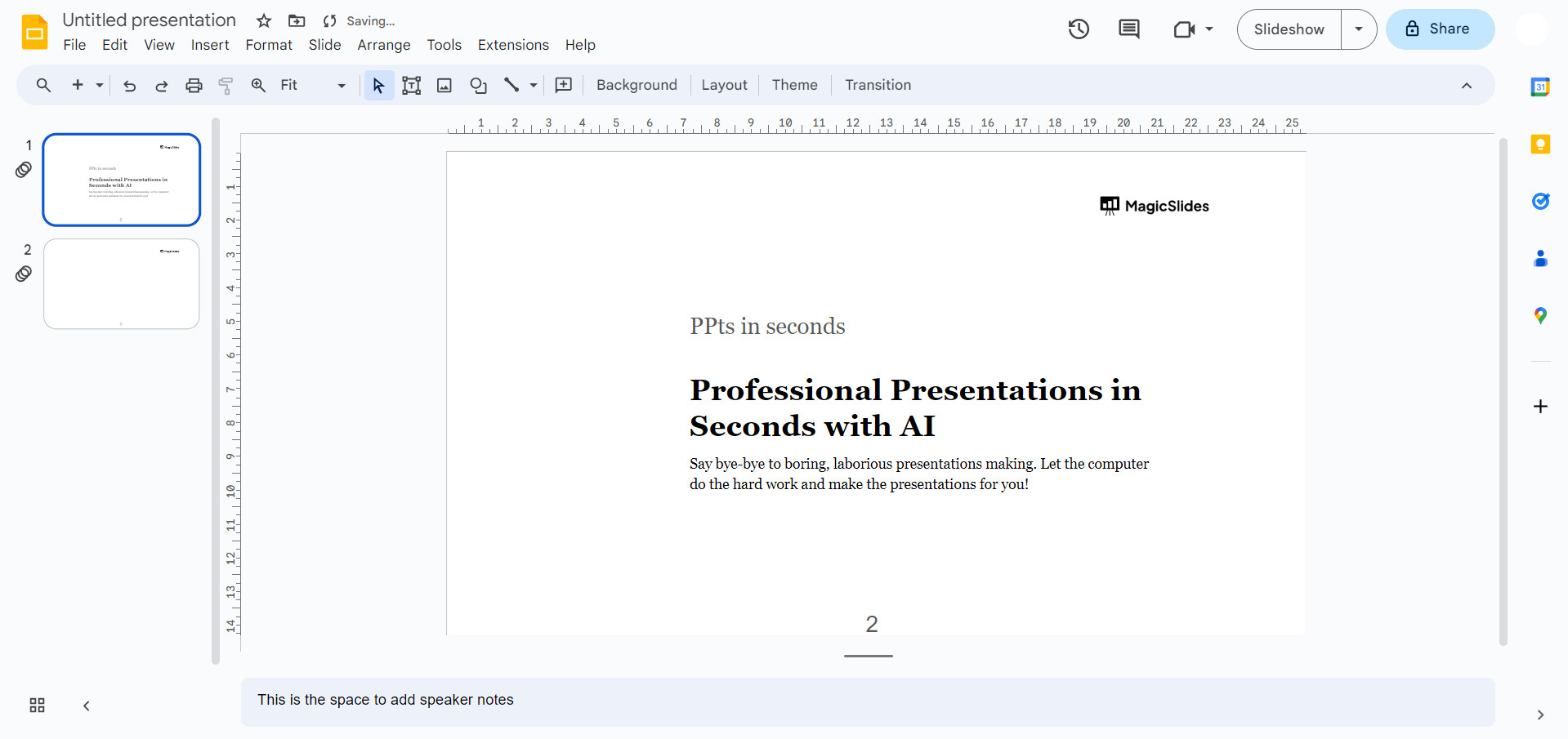
Step 1: Navigate to Google Slides
Begin by heading over to Google Slides and sign in with your Google account. If you don't have an account, it's quick and easy to create one.
Step 2: Install magicslides.app Extension
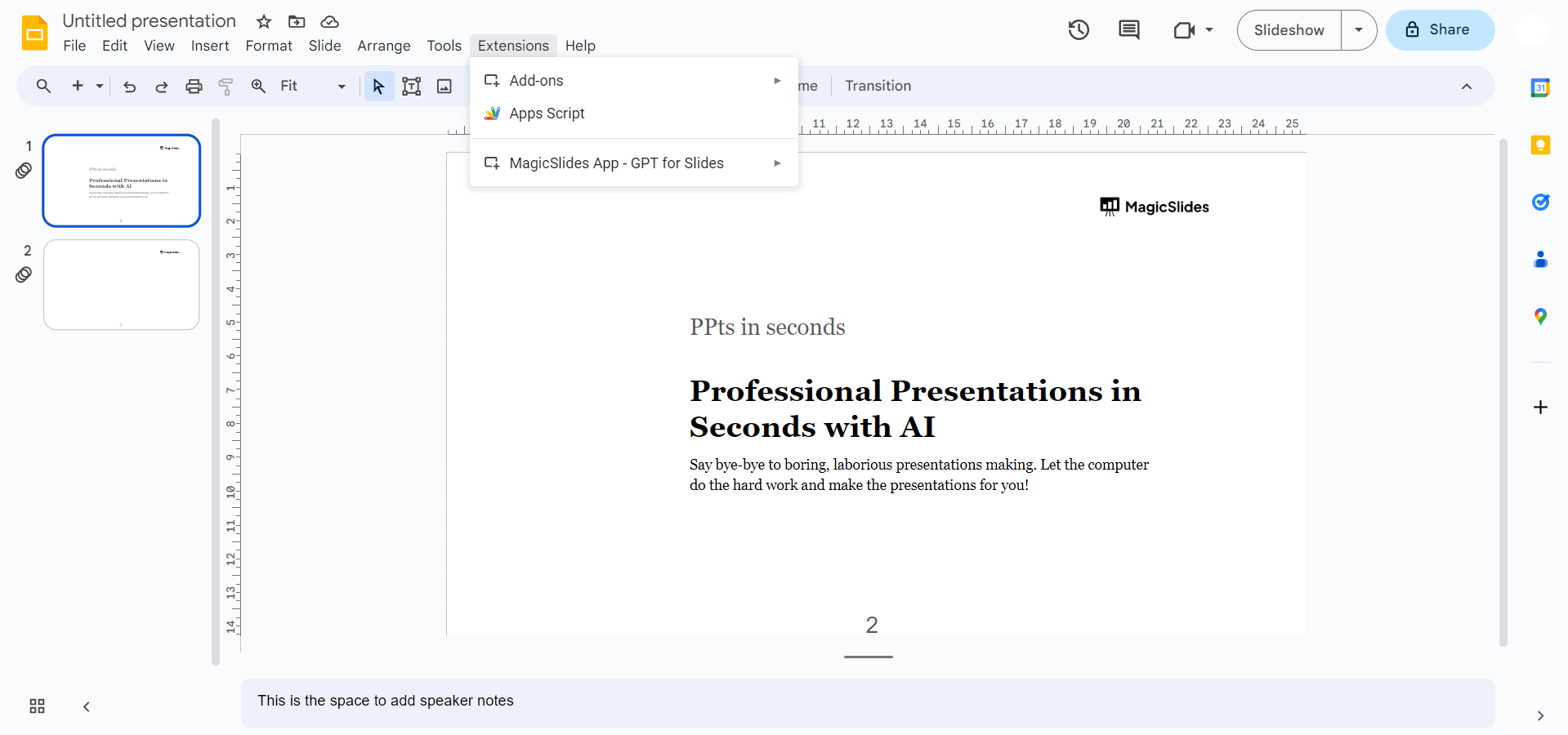
If you've already downloaded magicslides.app, open it directly with the extension. If not, visit the Extensions Marketplace within Google Slides, search for magicslides.app, and add the extension to your Google Slides account.
Step 3: Enter the World of Seamless Conversion
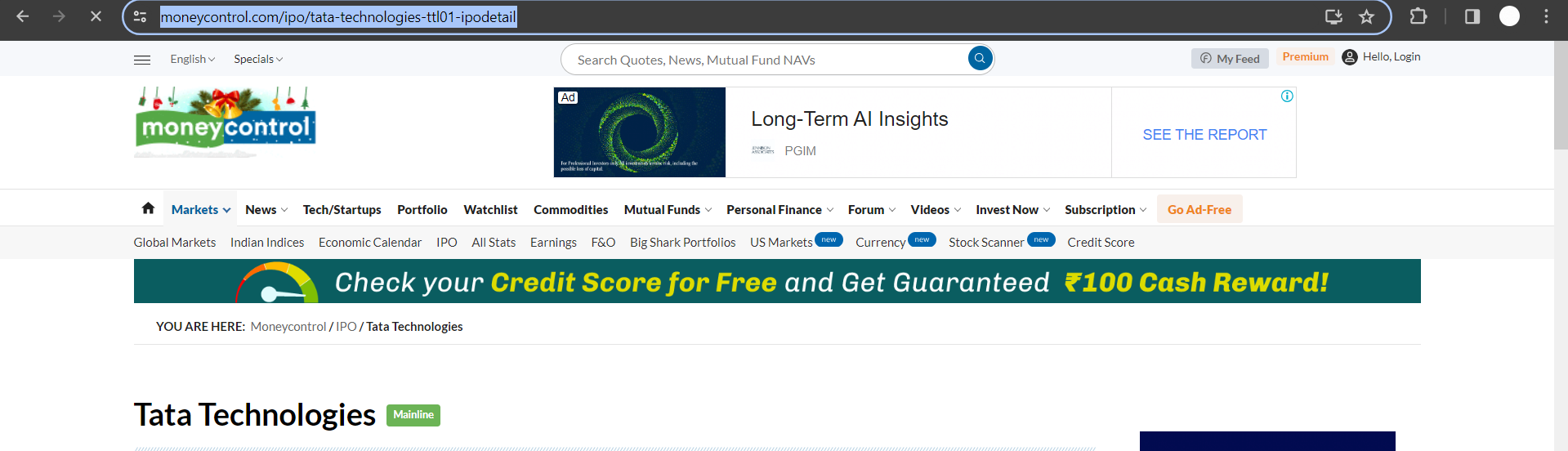
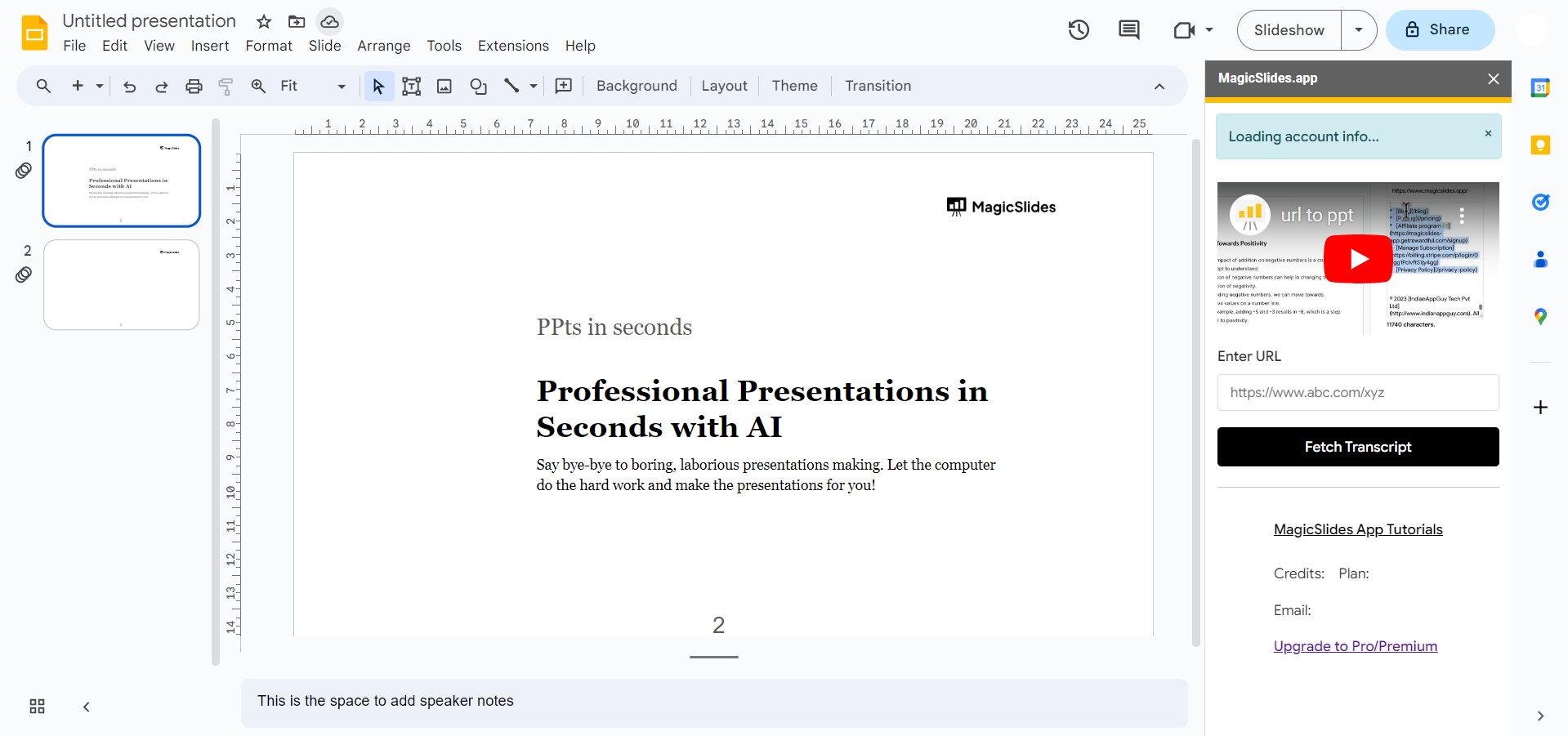
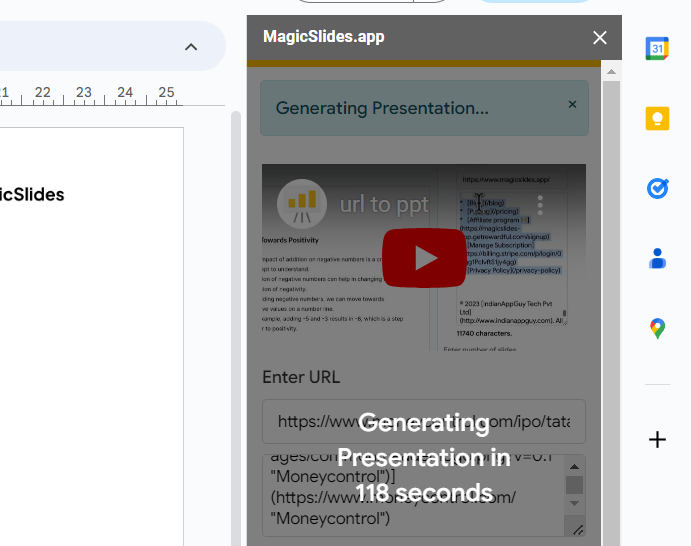
Once magicslides.app is integrated, enter the URL of the news article you wish to convert into a presentation. The magicslides.app extension seamlessly integrates into Google Slides, making the conversion process smooth and efficient.
Step 4: Click the Convert Button
With the article URL entered, hit the 'Convert' button provided by magicslides.app. Watch as the magic unfolds, transforming the textual content of the news article into a visually appealing and structured PowerPoint presentation.
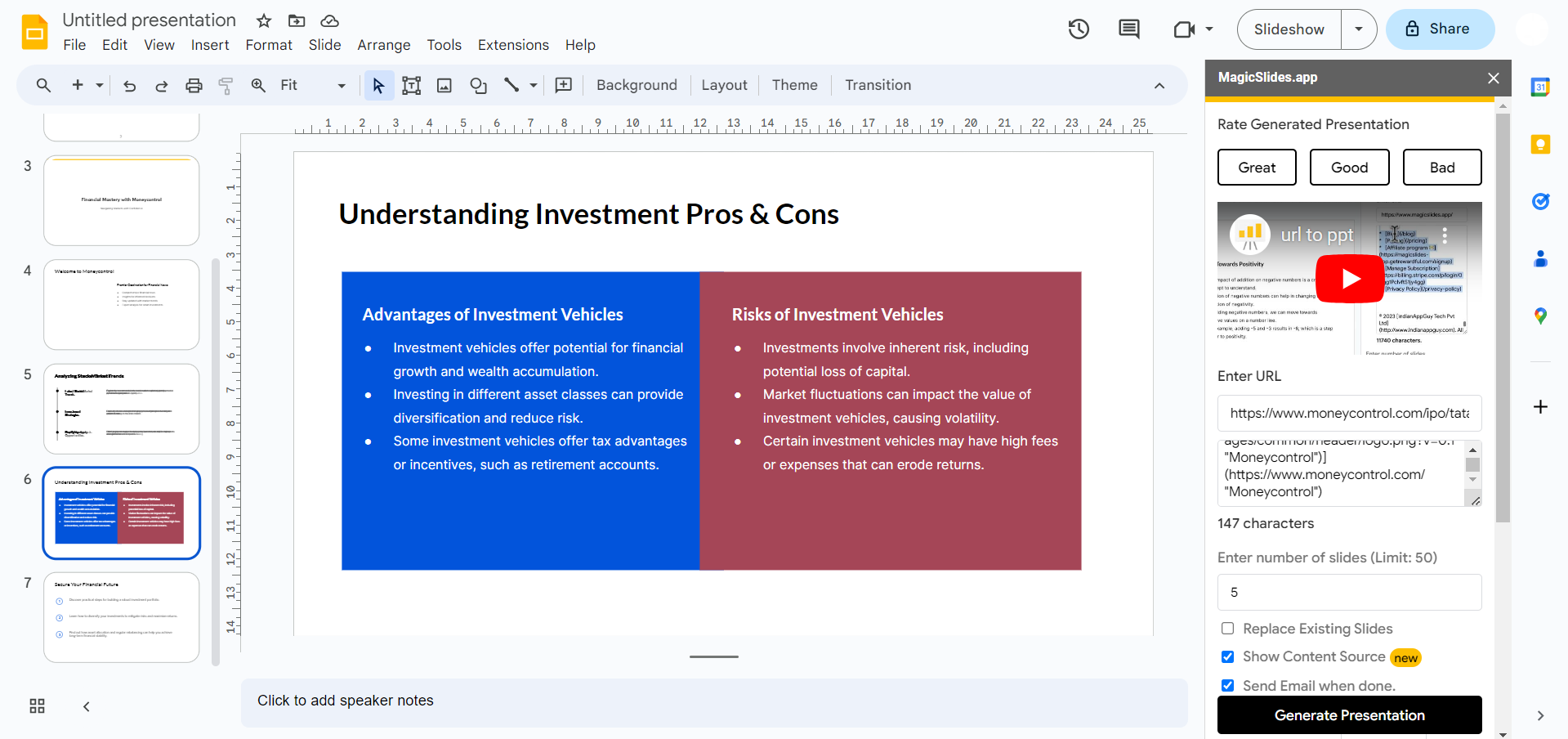
Step 5: Hola! Your News Article is Now a PPT
Voila! Your news article has now been converted into a dynamic PowerPoint presentation. Magicslides.app optimizes the layout, ensuring your slides look professional and captivating. Take a moment to review and make any adjustments to personalize your presentation further.
Where can you use an app like MagicSlides ?
Efficient Knowledge Sharing: Converting news articles to PowerPoint presentations enables professionals to efficiently share relevant industry news, market trends, and competitor insights with team members.
Strategic Decision-Making: Professionals in corporate settings can leverage news article conversions to PPT to support strategic decision-making processes.
Client and Stakeholder Presentations: For client meetings or stakeholder presentations, converting news articles to PowerPoint slides helps professionals create compelling narratives.
Training and Onboarding: News articles often contain valuable insights into industry best practices, case studies, and success stories.
Thought Leadership and Brand Building: Professionals aiming to establish themselves or their organizations as thought leaders can use news article conversions as a tool for brand building.
Conclusion:
In summary, converting news articles to PowerPoint presentations provides professionals in corporates with a range of benefits, from enhancing internal communication and decision-making to showcasing expertise and building a strong brand presence. Download the magicslides.app extension today and transform the way you share news articles in presentations!
Frequently Asked Questions:
1. How does magicslides.app simplify the process of converting news articles to PowerPoint presentations?
Answer: Magicslides.app simplifies the conversion process by seamlessly integrating with Google Slides. With a user-friendly interface, you can directly input the news article URL, click 'Convert,' and witness the magic unfold. The tool optimizes layout and visuals, ensuring your presentation is both professional and engaging.
2. Is magicslides.app compatible with various types of news articles, including complex and data-heavy content?
Answer: Absolutely! Magicslides.app is designed to handle diverse content types, including complex and data-heavy articles. The tool intelligently organizes and structures information, allowing professionals to create clear and compelling presentations even from intricate news sources.
3. Can I customize the converted PowerPoint presentations to align with my corporate branding and style?
Answer: Yes, you have the flexibility to customize the converted presentations. Magicslides.app provides options to adjust layouts, fonts, and colors, allowing you to align the content with your corporate branding and style preferences. This ensures a cohesive and professional look for your presentations.
4. How secure is the magicslides.app extension when integrated with Google Slides, especially when handling confidential corporate information?
Answer: Security is a top priority for magicslides.app. The extension operates within the secure Google Slides environment. All data, including the URLs and converted presentations, is handled with the same robust security measures as Google's suite of applications. You can confidently use magicslides.app for handling corporate information, ensuring the privacy and security of your data.
Check out these info blogs by us:
- How To Use Microsoft Dictate In Desktop PowerPoint: https://www.magicslides.app/blog/how-to-use-microsoft-dictate-in-desktop-powerpoint
- How To Rename A Slack Channel On Desktop: https://www.magicslides.app/blog/how-to-rename-a-slack-channel-on-desktop
- How To Change Layout Of A Powerpoint Presentation: https://www.magicslides.app/blog/how-to-change-layout-of-a-powerpoint-presentation
- How To Reset A Presentation In Powerpoint: https://www.magicslides.app/blog/how-to-reset-a-presentation-in-powerpoint


