
How to Convert PPT to Google Slides - Fast Conversion Tips
PowerPoint presentations are everywhere for sharing ideas, training teams, pitching business plans, or presenting in any academic work. For decades, Microsoft PowerPoint has been the default tool for creating slides. However, due to the rise of cloud collaborations, users are now preferring to use and download Google Slides. This is so because it allows easy sharing, editing, and real-time collaboration.
If you already have a PowerPoint presentation and want to work with it in Google’s ecosystem, you might be wondering how to convert PPT to Google Slides?
The good news is that converting a PowerPoint presentation to Google Slides is straightforward, and there are several methods available depending on your needs. In this detailed guide, we will walk through all practical manual methods, explain when to use each one, and also introduce a professional AI presentation tool that can simplify your workflow.
To convert PPT to Google Slides is nothing challenging but very straightforward. There are various methods available depending on your needs. Through this guide I will share some very easy methods step-by-step and also one professional method as well. If any of them doesn’t work you have one solution in hand that can provide you the complete process with various advanced features.
Let’s explore everything step by step.
Why I Prefer Converting PPT to Google Slides?
Gradually, users are shifting from Microsoft PowerPoint to Google Slides, and it's not just a popular trend. The real reason is how well Google Slides meets the needs of modern teams. This allows users to access their presentations from almost any device. This makes it super easy to work from anywhere whether in the office, at home or travelling.
Sharing the slides with colleagues is simple, multiple users can edit the PPT at the same time. You don't need to worry about sending updated files back and forth. No need to constantly save or manage different versions because you're getting everything saved automatically in the cloud. Moreover, you don't need any software installations or any additional licenses for this which makes it super accessible.
Why did I shifted? So, these are the cases that forced me to convert my PPT files to Google Slides:
- Collaborate with others in real time.
- Google Slides auto-saves changes, so there's no risk of losing data.
- Easier to share files via links rather than attachments.
- Works smoothly across devices using just a browser.
Maybe one of these reasons applies to you as well. So without wasting any time, let me show you the solutions in the next section.
How to Convert PPT to Google Slides Step by Step
Converting Microsoft PPT to Google Slides is not a straightforward task, as there is no direct migration option provided by these services. But, after thorough research, I found these tricks which help in quick conversion, i.e.
Method 1. Open the PPT File in Google Slides
This is a free and simple solution. In this, you have to upload and open the Microsoft PPT file directly within Google Slides. Here are the detailed steps to do so:
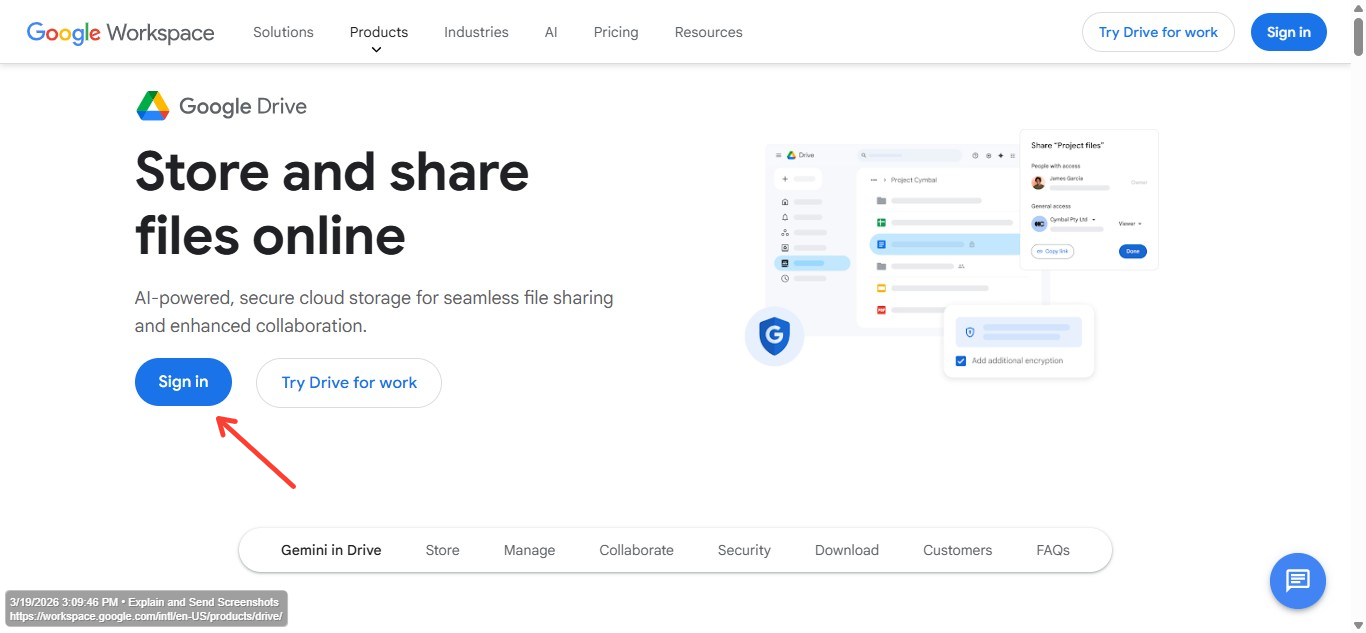
- Step 1. Open Google Drive and sign in to your Google account.
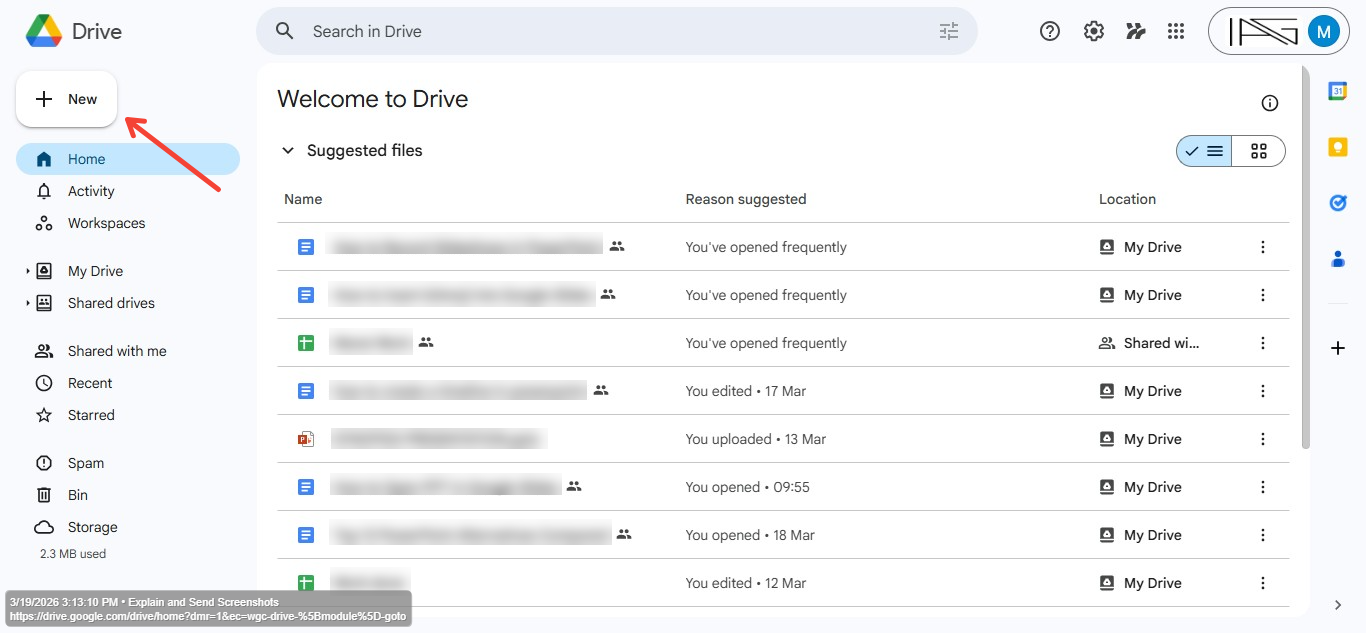
- Step 2. Then click the “New” button on the top left corner and select New → File Upload and browse your computer.
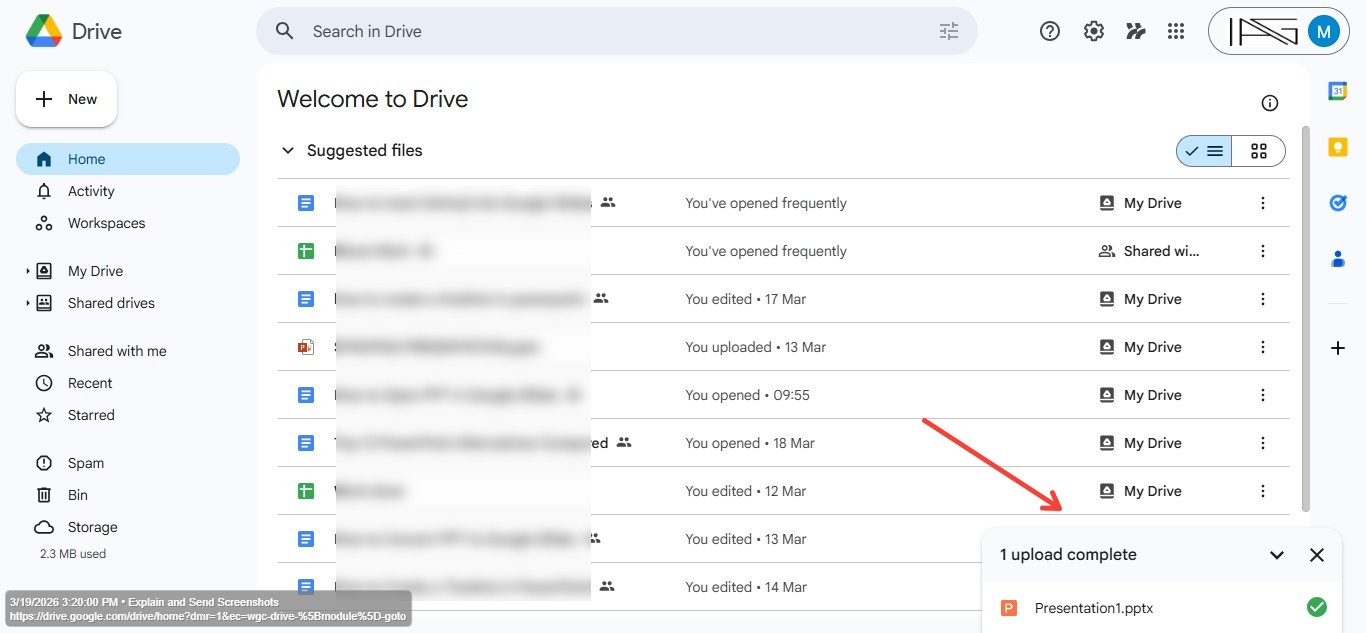
- Step 3. Choose the .ppt or .pptx file you want to convert. Wait for the upload. The file will be uploaded to your Google Drive. The upload speed depends on your internet connection and file size.
- Step 4. Once uploaded, double-click the PowerPoint file. Google Drive will open it in preview mode. Then, convert to Google Slides and at the top of the screen, click File.
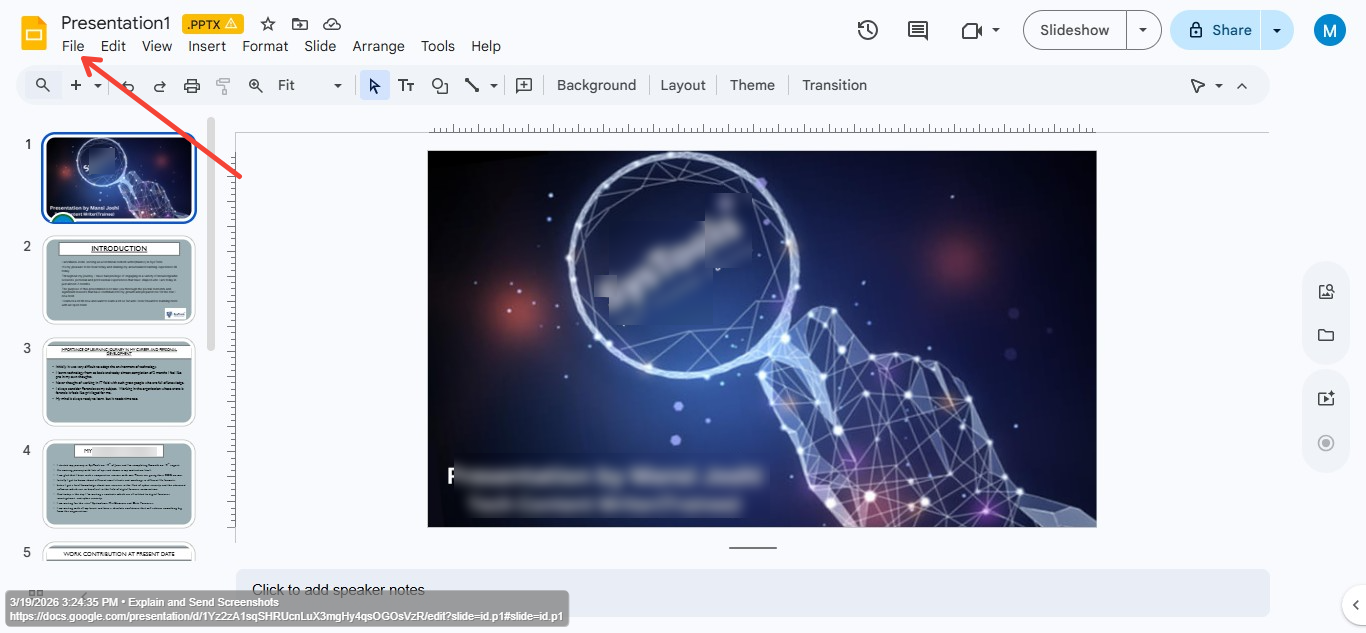
- Step 5. Now select Save as Google Slides. Google will create a new version of the presentation in Google Slides format.
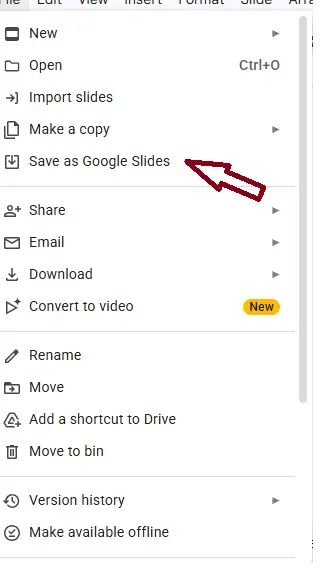
- Step 6. Your presentation is now fully editable in Google Slides.
Google Slides automatically converts the file. You can then edit it like any other Slides presentation. The best thing it maintains the structure and fonts of the original PPT.
Also read: How to use AI to generate images?
Method 2. Drag and Drop the PPT Directly into Google Slides
If you have no more than 2-3 PPT files, then dragging and dropping those slides directly within the Google Slides is the quickest trick. For the same, follow the steps:
Step 1. Open a blank or existing Google Slides file.
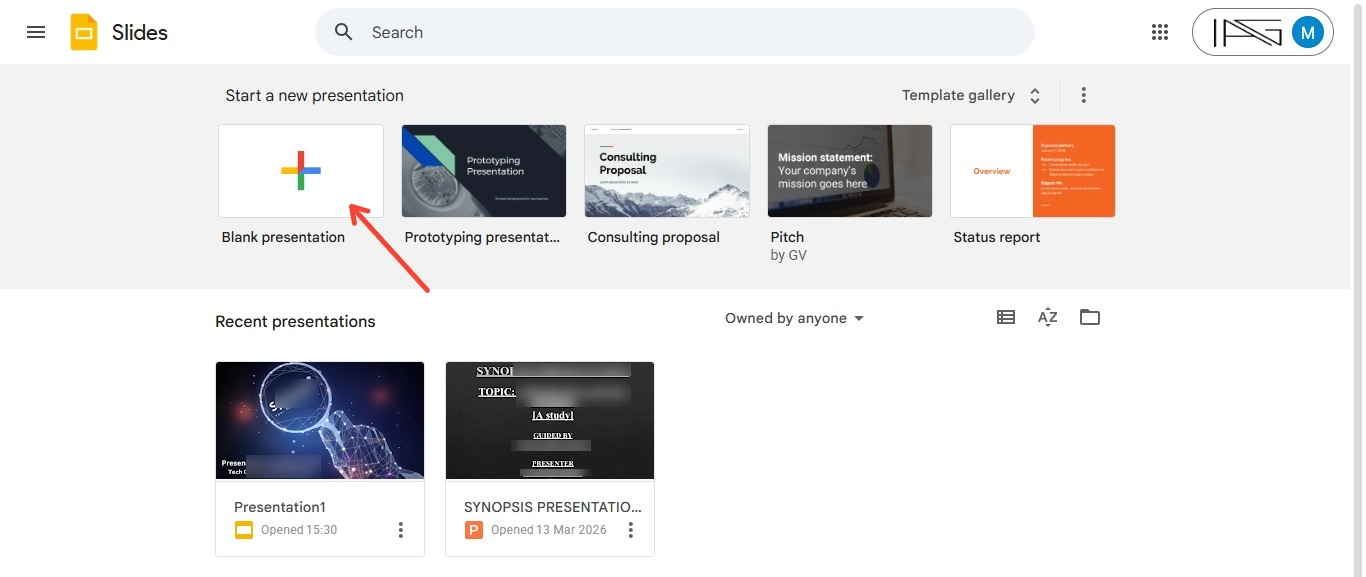
Step 2. Drag the PPT file from your computer and drop it into the Slides window.
Step 4. Google Slides will import all slides automatically.
See, this is the most straightforward and takes only a few seconds (depending on your network connection).
Method 3. Upload File to New Google Slides Presentation
If you want more control over which slides are imported, this method is ideal.
Instead of converting the entire presentation, you can select specific slides.
Let’s discuss the brief steps of this method now:
- Step 1. Visit slides.google.com
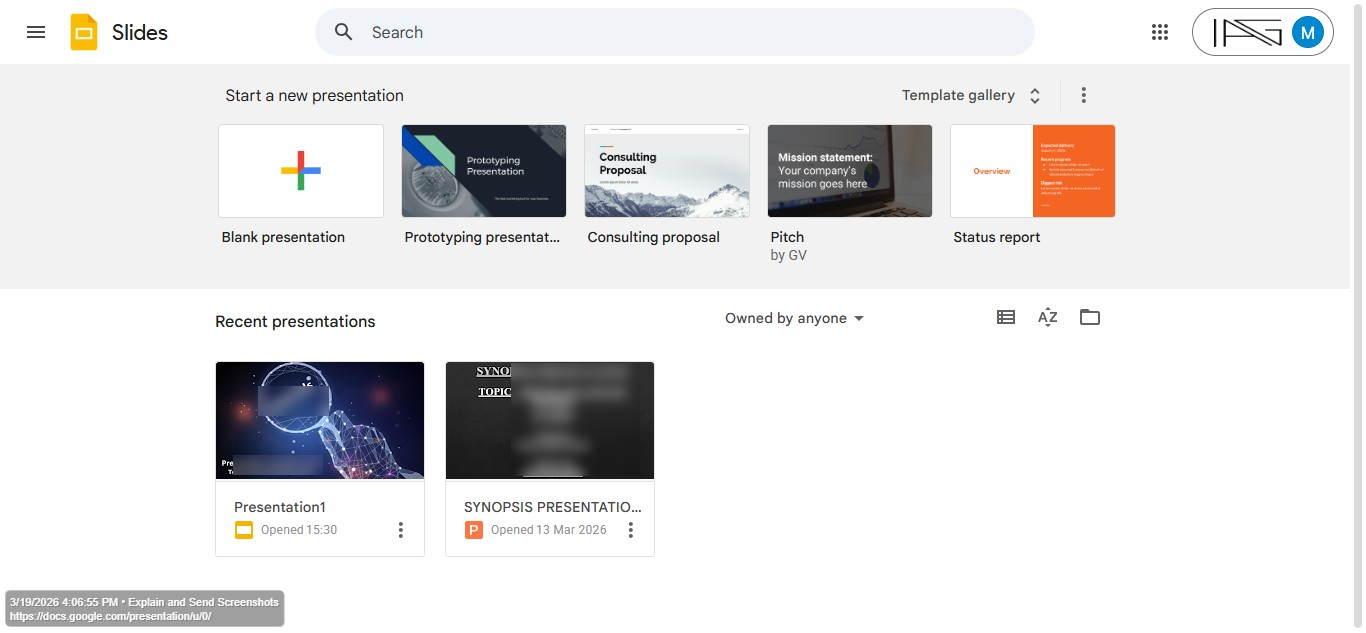
- Step 2. Create a Blank Presentation and open Import option
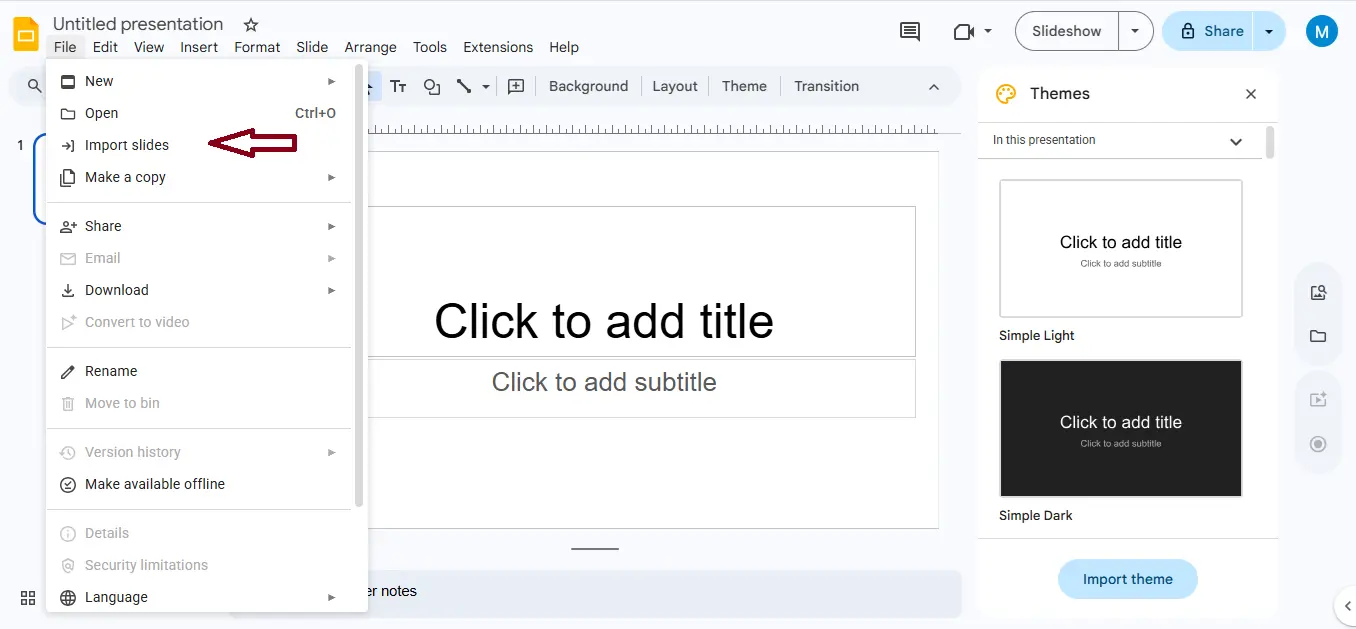
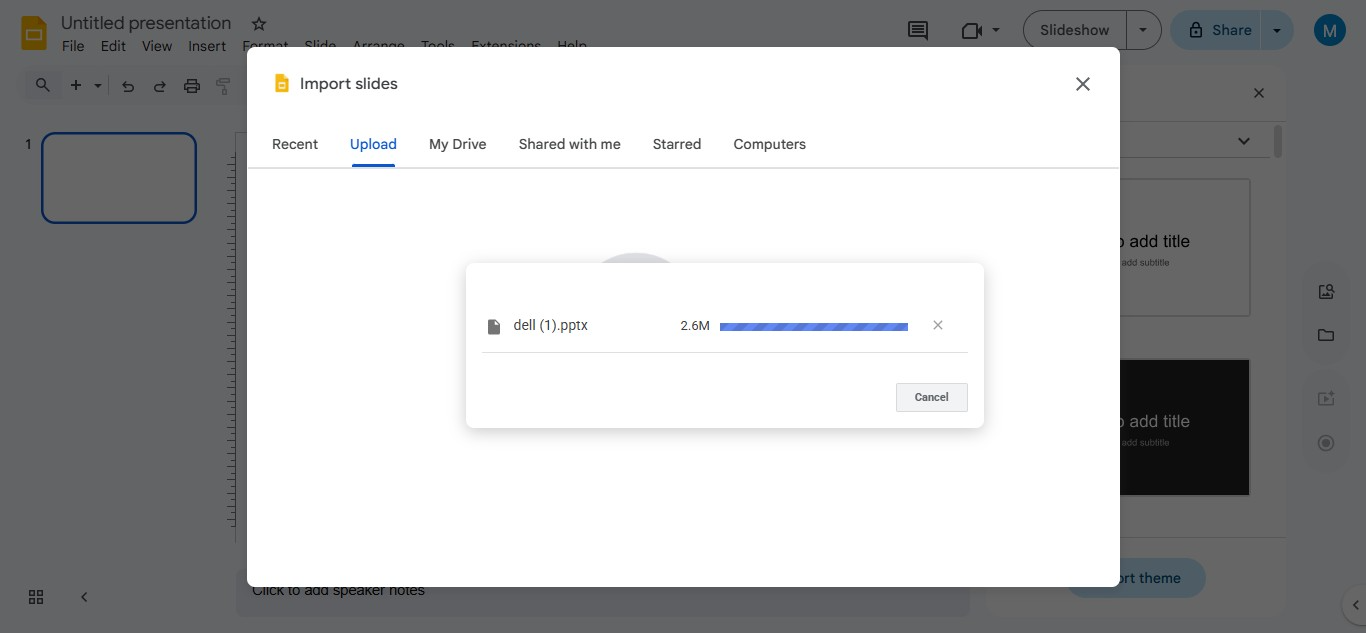
- Step 3. Choose the Upload tab and select your PowerPoint file.
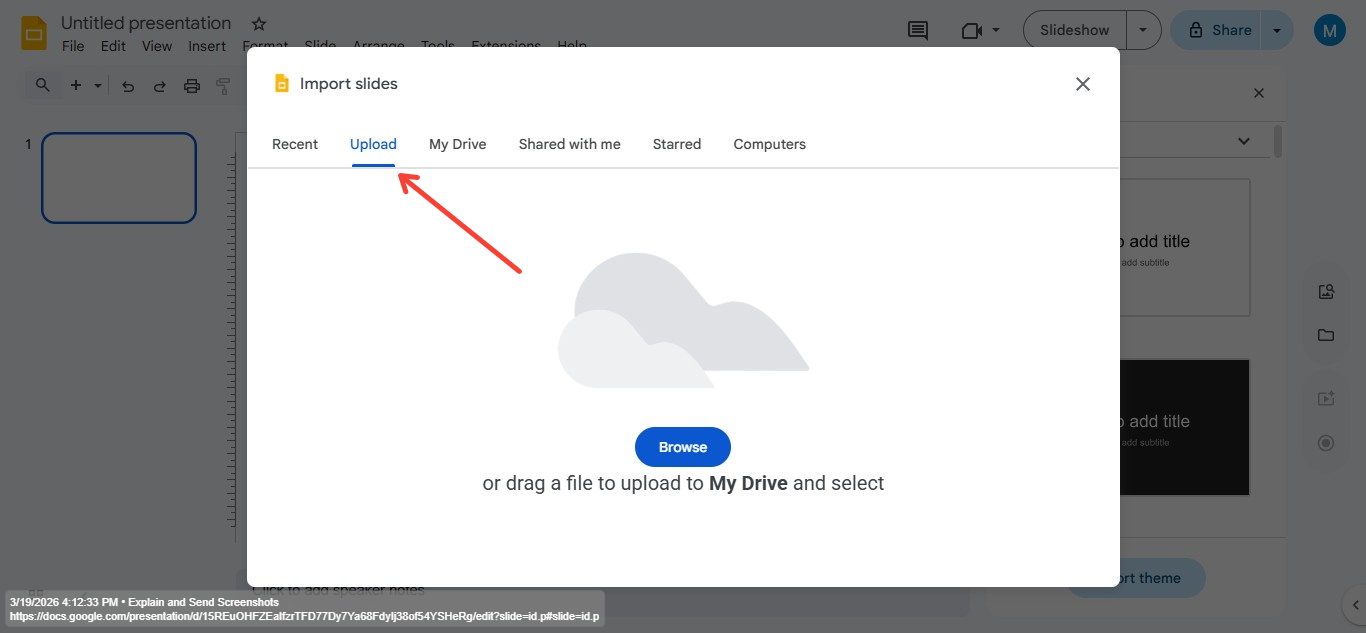
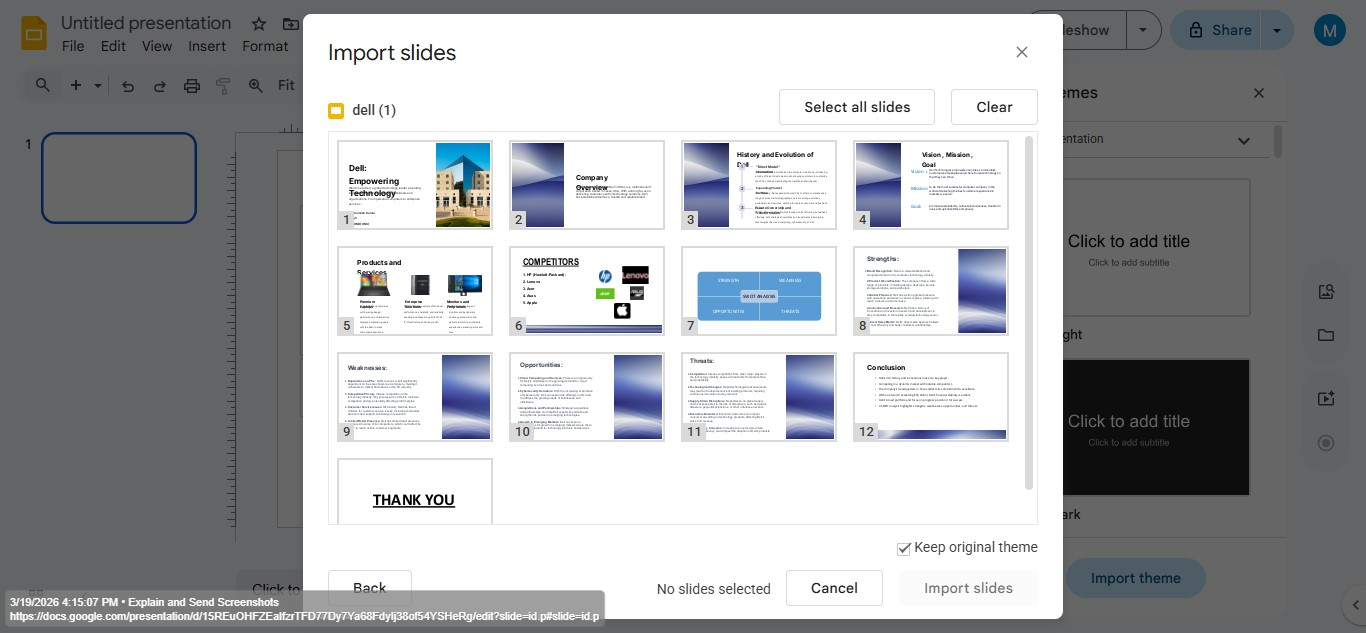
- Step 4. Google Slides will display all slides from the PowerPoint. You can import all slides, or import only selected slides.
- Step 5. Your selected slides will appear inside the new Google Slides presentation.
Common Formatting Issues After Conversion
Google Slides does an excellent job converting PowerPoint files but sometimes small formatting differences appear.
So, here are a few things you may notice before following the manual methods:
- Font Changes- If the original PowerPoint uses fonts not supported by Google Slides, the system may substitute them.
- Animation Differences- PowerPoint animations may not translate perfectly.
- Layout Adjustments- Slide layouts might shift slightly.
- Embedded Media- Videos or audio files sometimes require re-insertion
Then I experienced a smart solution that works so well for users who work on PowerPoint. This is so because it provides multiple features for its users. So, let’s discuss how it helps me while converting PPT to Google Slides.
How to convert PPT to Google Slides Directly
In this case, I opt for an automated solution, which effectively maintains the structure, fonts, videos, text, audio, etc. I’m talking about AI Presentation Maker. This solution helps me to create slides by entering a topic or a detailed prompt, and I can further open that within Google Slides, while maintaining the hierarchy of the original PPT.

After completing all the editing as per the requirements, simply opt for export options. In the export options, tap on share and select Google Slide as a export option.
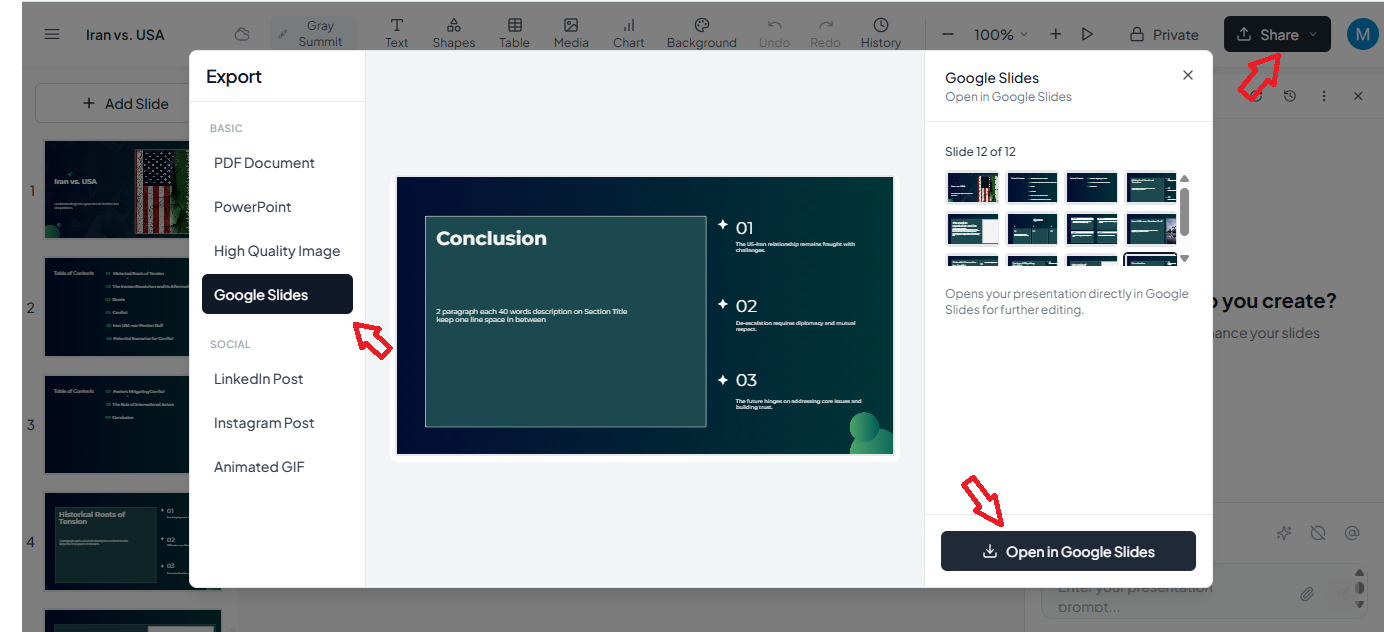
To try this, you don’t have to pay anything. This means you can test its performance at no cost. So, if you regularly create PPTs, then opt for this solution, as it can automate most of the tasks. Moreover, it allows you to open the generated slides directly in Microsoft PowerPoint, Google Slides, and other supported platforms.
How to Download Back as a PPT?
If you need to convert Google Slides into PPT, then:
- Open the Google Slides file.
- Click File > Download > Microsoft PowerPoint (.pptx).
Now, within a few seconds, your PPT will be downloaded to your computer.
Conclusion
Converting PPT to Google Slides is something users frequently ask for to simplify collaboration and sharing. Google Slides is highly reliable for cloud-based work, and the methods I’ve shared will help you in a quick and hassle-free conversion.
If you want to make a fresh PPT without any manual intervention, which opens directly in Google Slides, then you can opt for the MagicSlides PPT to Google Slides Converter solution.
People Also Ask
Q1. Can I convert PPT to Google Slides without losing formatting?
Yes, most formatting remains intact, but some advanced animations or fonts will change if done manually.
Q2. Is Google Slides free?
Yes. Anyone with a Google account can use it.
Q3. Does Google Slides support animations?
Yes, but only basic ones. For advanced users, you can try the professional method that is mentioned above.
Share on socials
About the author

Sr. Technical Analyst | Digital Forensics | Police Administration | Cyber Security | SEO | Content Creation
More from the blog
How to Add Subscript to Text in Google Slides
28 March 2026
How to Merge two PowerPoint Presentations? Complete Guide
27 March 2026
100+ Extempore Topics for Students with Tips to Speak Confidently
26 March 2026
How to Animate Google Slides? Complete Guide
26 March 2026
How to Download a Google Slides Presentation in Few Simple Clicks
26 March 2026
How to Remove Footer from PPT Slides - Quick Guide
25 March 2026
How to Edit Footer in PowerPoint (Step-by-Step)
25 March 2026
What is Multimedia Presentation? Complete Guide
25 March 2026
Best Public Speaking Topics Ideas for Students, Beginners & Professionals
25 March 2026
