How to Transform Legal Documents from Websites into Presentations


Learn to seamlessly convert online legal documents into compelling presentations with our step-by-step guide. Elevate your content effortlessly!
Legal professionals often need to distill complex information from online documents into concise and compelling presentations. With the help of Google Slides and MagicSlides GPT, the process becomes a breeze. Let's walk through the steps to transform legal documents into impactful presentations.
How to Transform Legal Documents from Websites into Presentations
Open Google Slides and a Blank Presentation
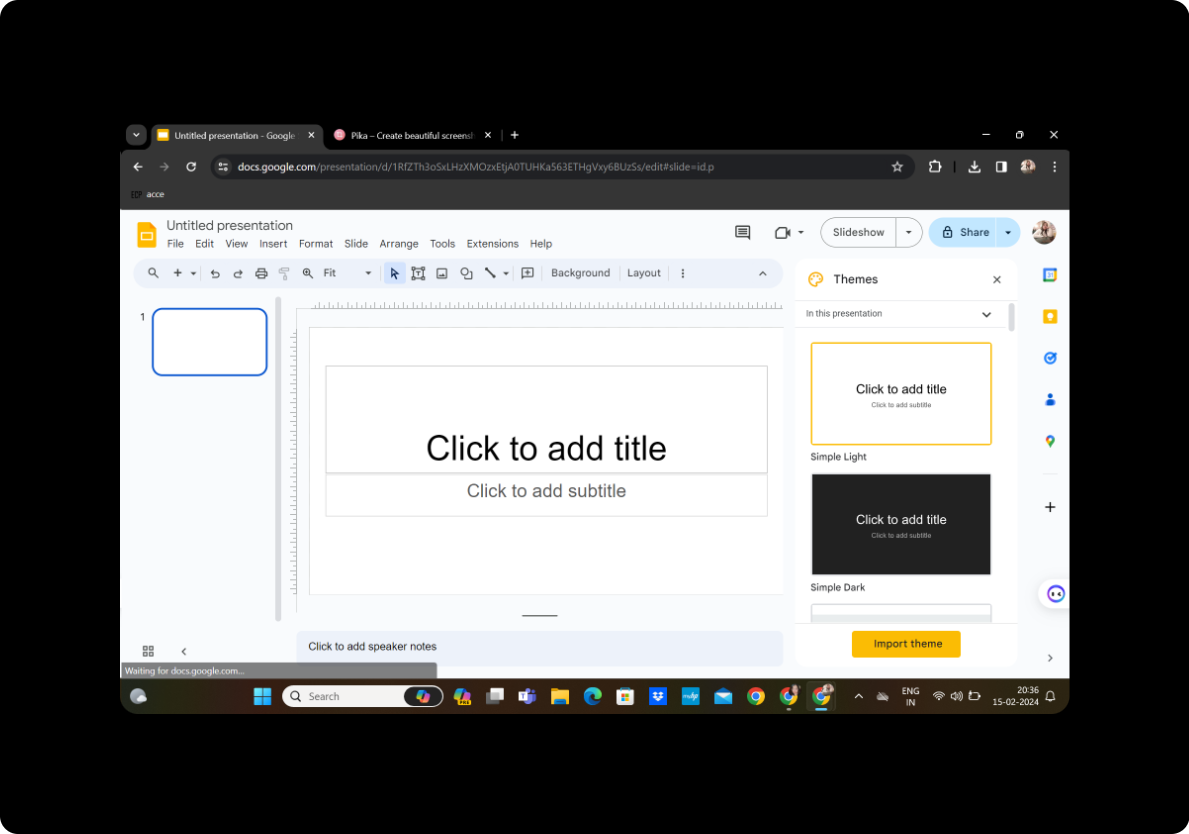
Begin by opening Google Slides and creating a new presentation. If you don't have a Google account, sign up to access the powerful suite of Google tools.
Click on Extensions and MagicSlides GPT
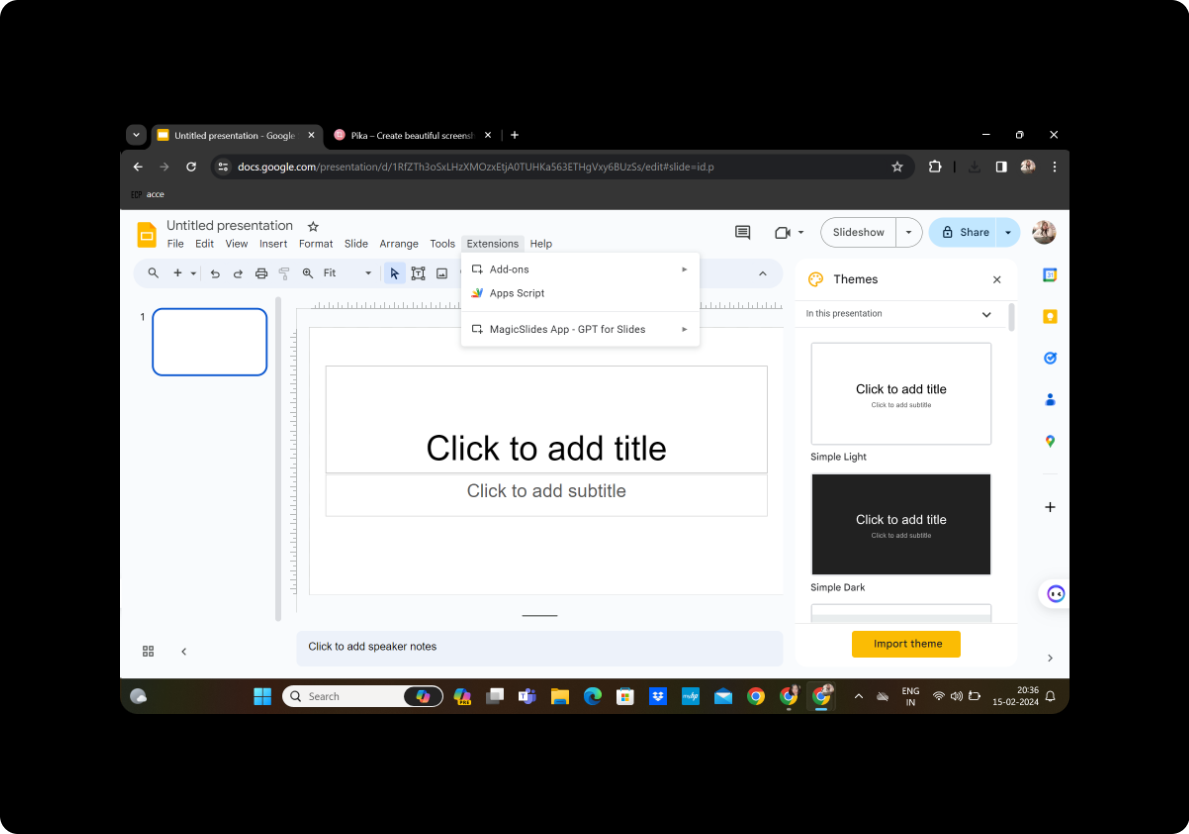
Navigate to the toolbar, click on "Extensions," and select "MagicSlides GPT" to activate the transformation tool.
Step 1: Click on URL to PPT
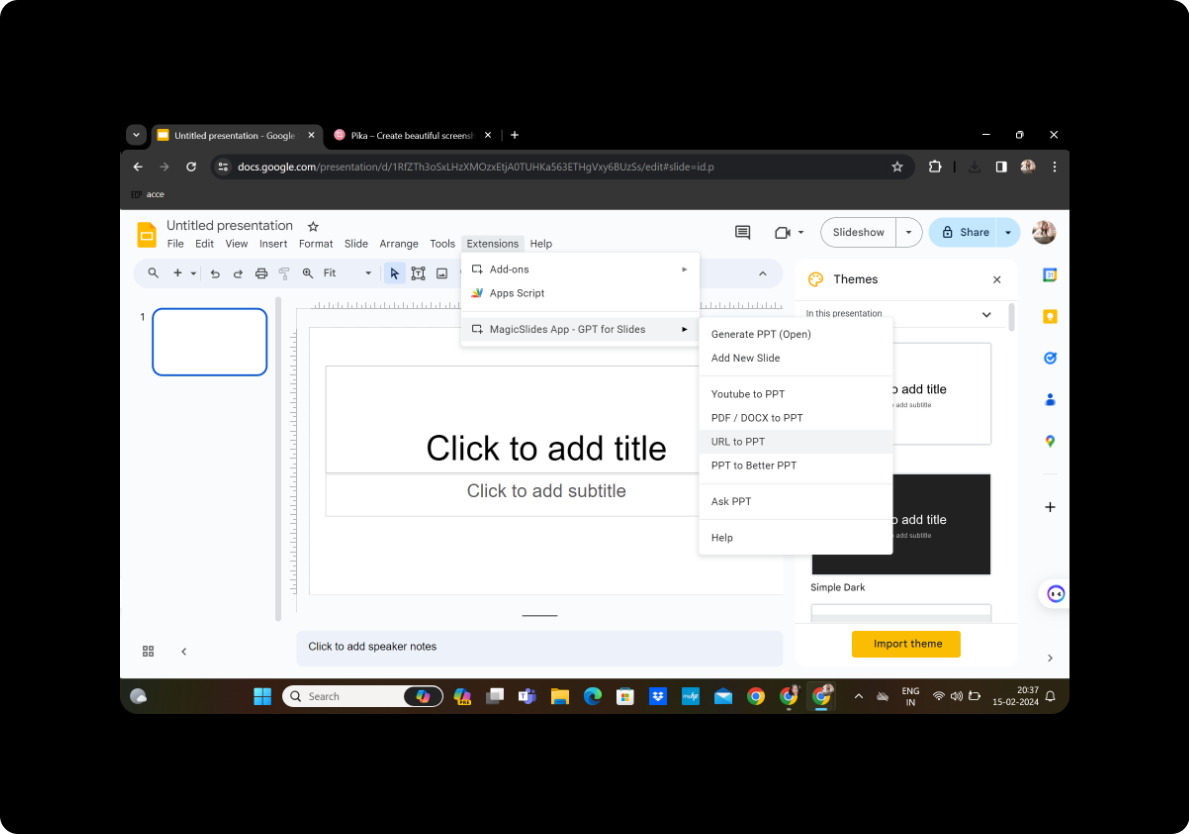
Once MagicSlides GPT is active, locate and click on "URL to PPT" to initiate the process.
Step 2: Copy the URL of the Content
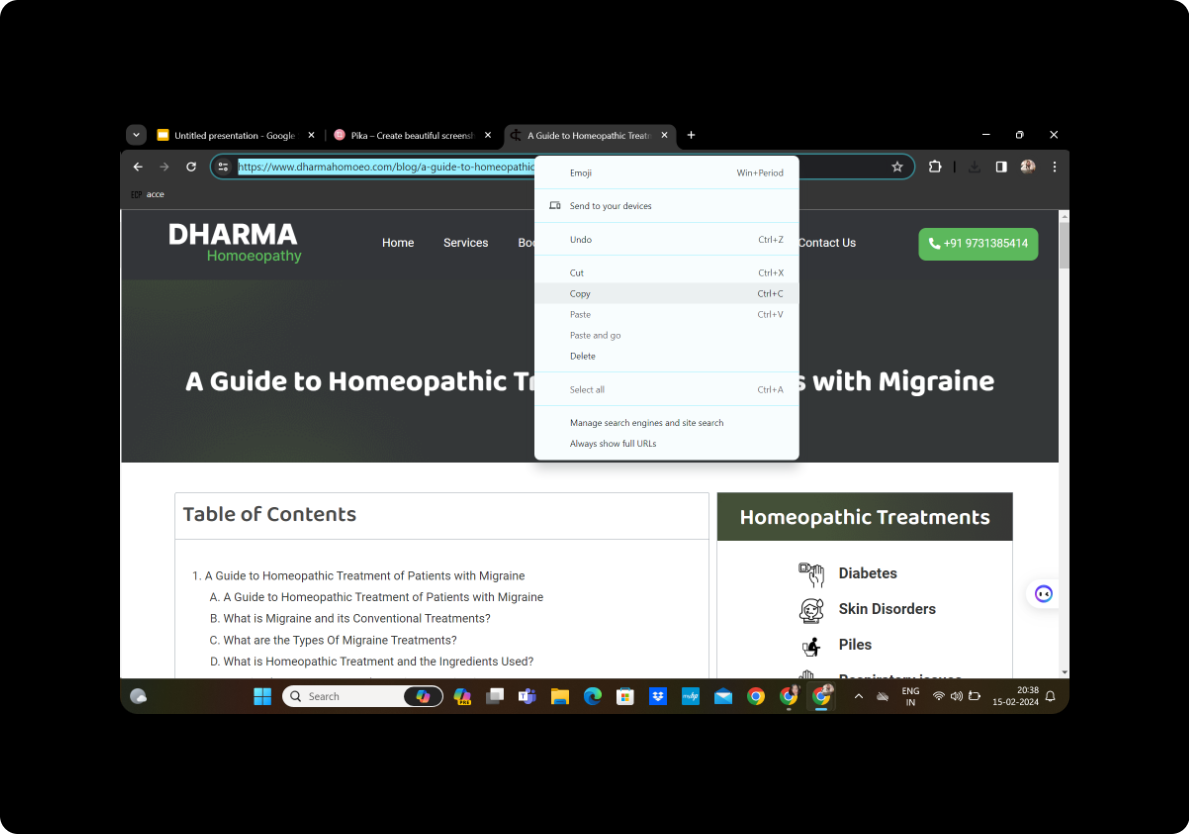
Visit the legal document website, copy the URL of the content you want to transform into a presentation.
Step 3: Paste it in the Given Box
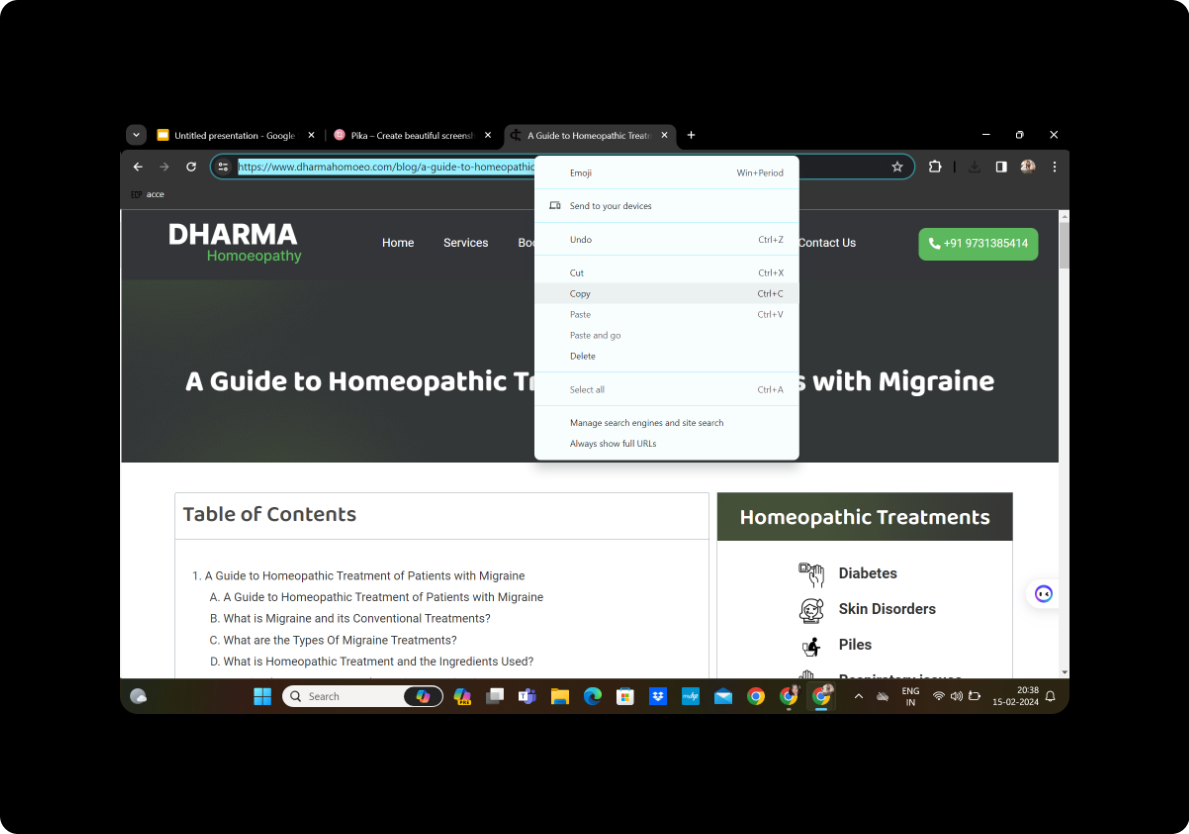
Paste the copied URL into the designated box provided by MagicSlides GPT.
Step 4: Click on Fetch Transcript
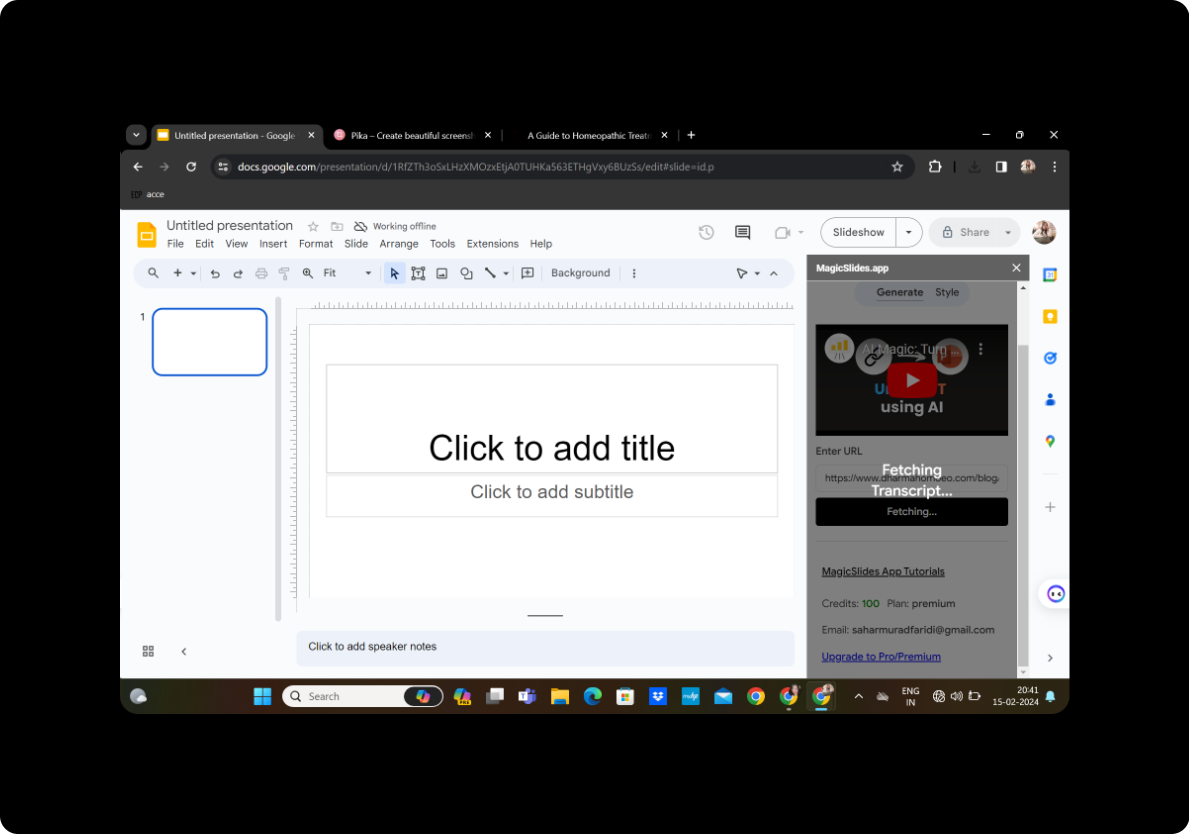
Initiate the analysis process by clicking on "Fetch Transcript" to extract relevant information from the legal document.
Step 5: Select the Number of Slides
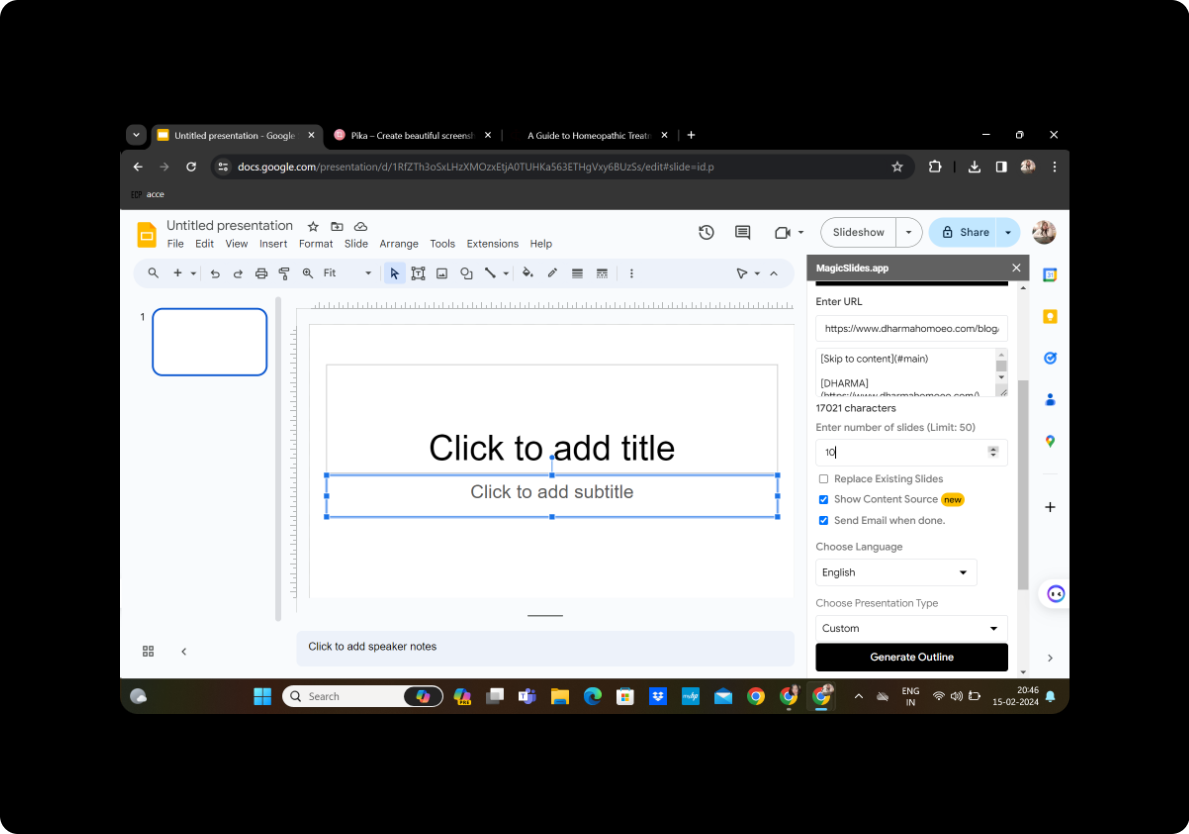
Customize your presentation by selecting the desired number of slides based on the content's complexity and length.
Step 6: Click on Generate Outline
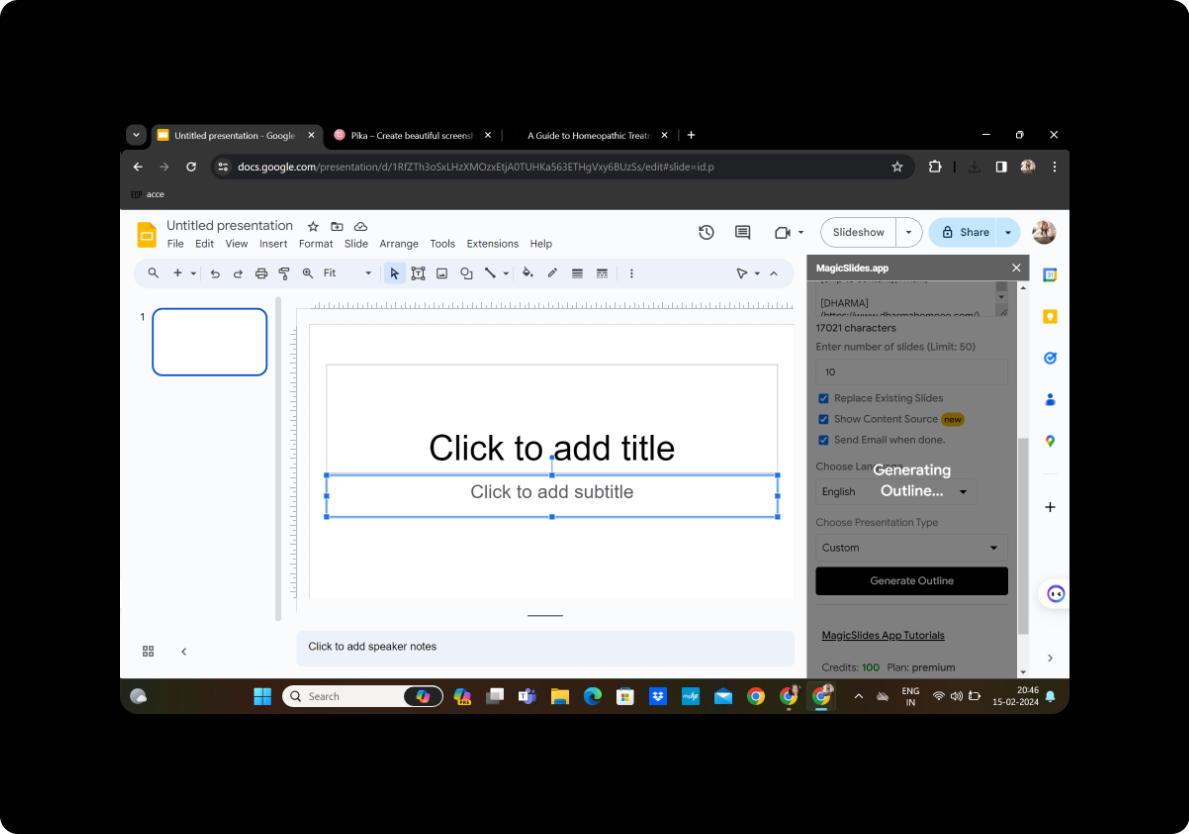
Review the generated outline to ensure accuracy and relevance to your presentation goals.
Step 7: Click on Generate Presentation
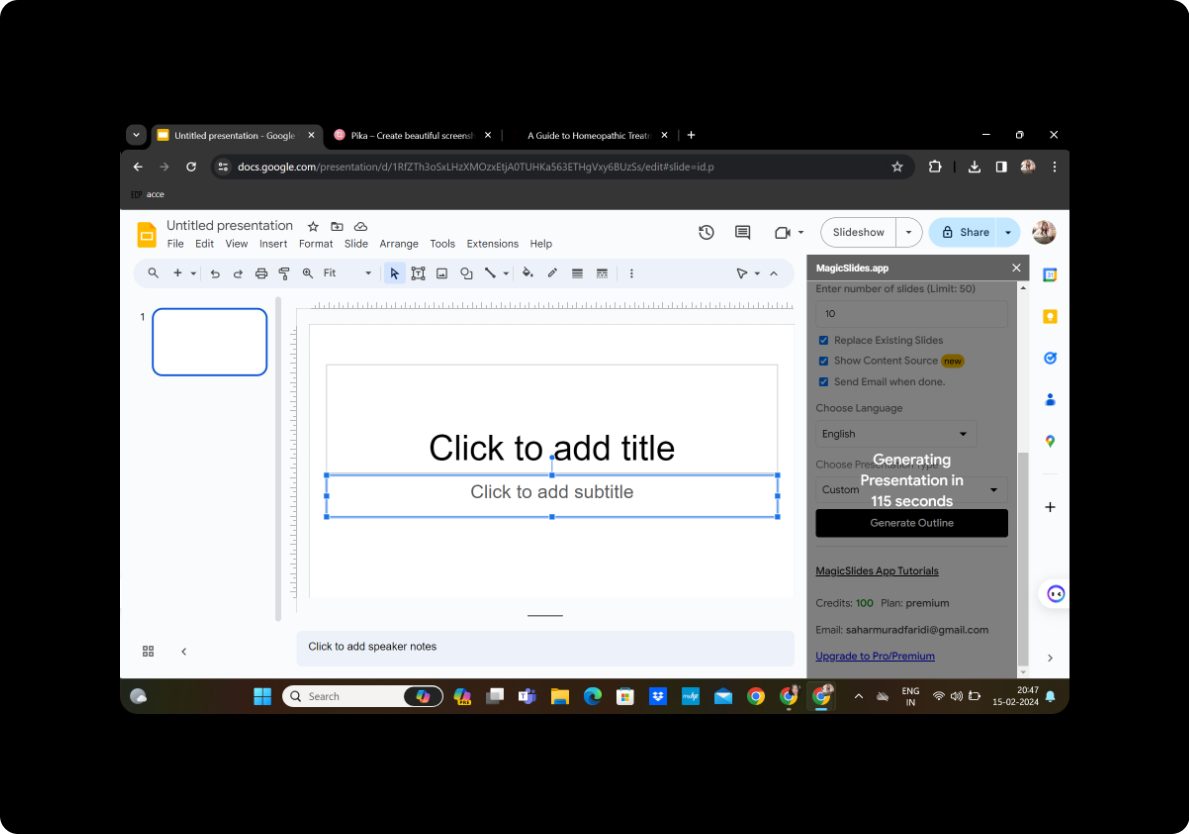
Once satisfied with the given outline, proceed to the final step by clicking on "Generate Presentation."
Step 8: Your Presentation Is Ready
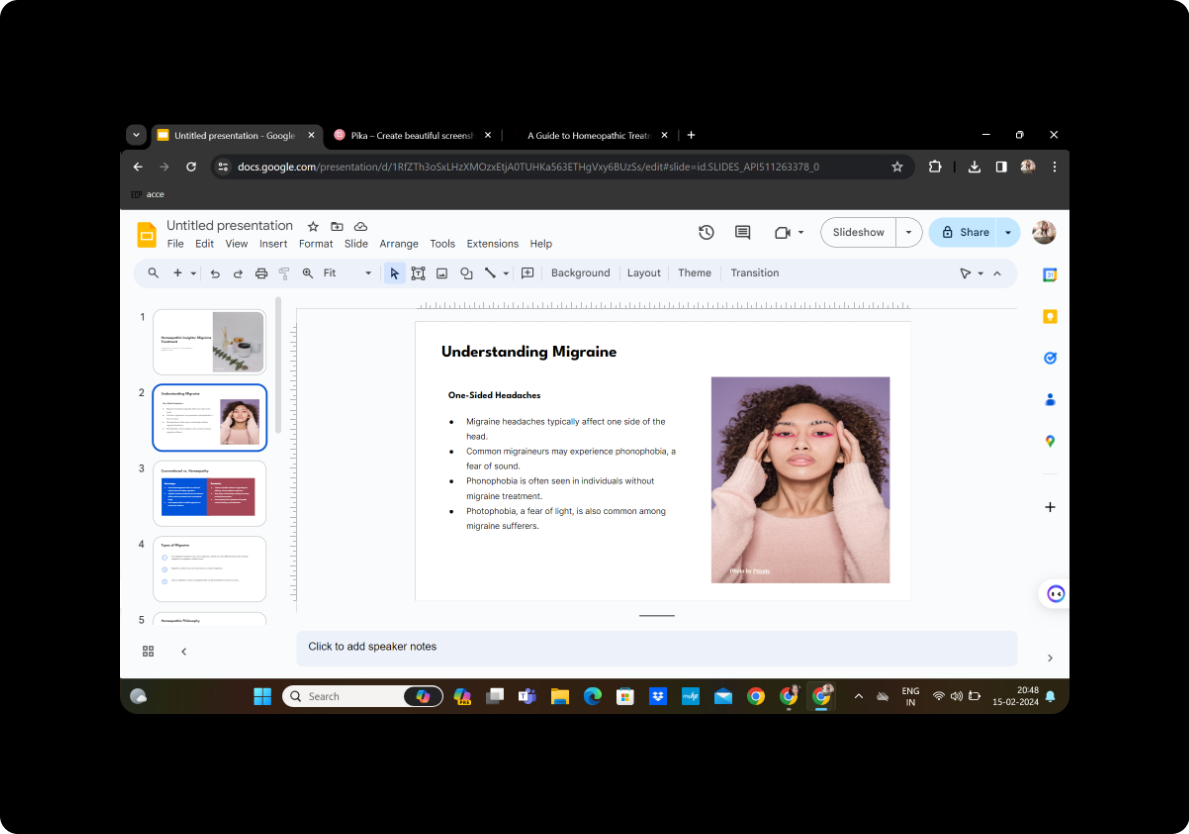
Congratulations! Your legal document has now transformed into a presentation, saving time and effort. This streamlined process allows legal professionals to communicate complex information more effectively.
Conclusion
Your legal document has now transformed into a presentation, saving time and effort. This streamlined process allows legal professionals to communicate complex information more effectively.
Frequently Asked Questions
Can I edit the generated slides? Absolutely! MagicSlides GPT allows you to edit and customize slides as needed, ensuring your presentation aligns with your specific requirements.
Is MagicSlides GPT secure for legal content? Yes, MagicSlides GPT prioritizes data security and confidentiality, making it suitable for legal professionals handling sensitive information.
Can I share the presentation with collaborators? Certainly! Once your presentation is ready, you can easily share it with collaborators or clients using Google Slides' sharing features.
Does MagicSlides GPT work with all legal document websites? MagicSlides GPT is compatible with a wide range of websites; however, it's advisable to test it on specific platforms for optimal results.
Can I use MagicSlides GPT for other types of content? While designed for legal documents, MagicSlides GPT is versatile and can be applied to various content types, making it a valuable tool for diverse presentations.
Your presentation is ready to captivate your audience and simplify the communication of legal information. Experiment with MagicSlides GPT to make your legal presentations more engaging and efficient.


