How to use AI for generating language learning quiz questions?


Elevate language learning with MagicForm.app: AI-powered quizzes for personalized, efficient, and engaging language acquisition journeys.
Embarking on a language learning journey is both exciting and challenging. To make the process more engaging and efficient, incorporating technology can be a game-changer. In this blog post, we'll explore a step-by-step guide on how to leverage artificial intelligence to generate language learning quiz questions effortlessly. By following these simple steps, you can create personalized quizzes tailored to your language learning goals.
How to use AI for generating language learning quiz questions?
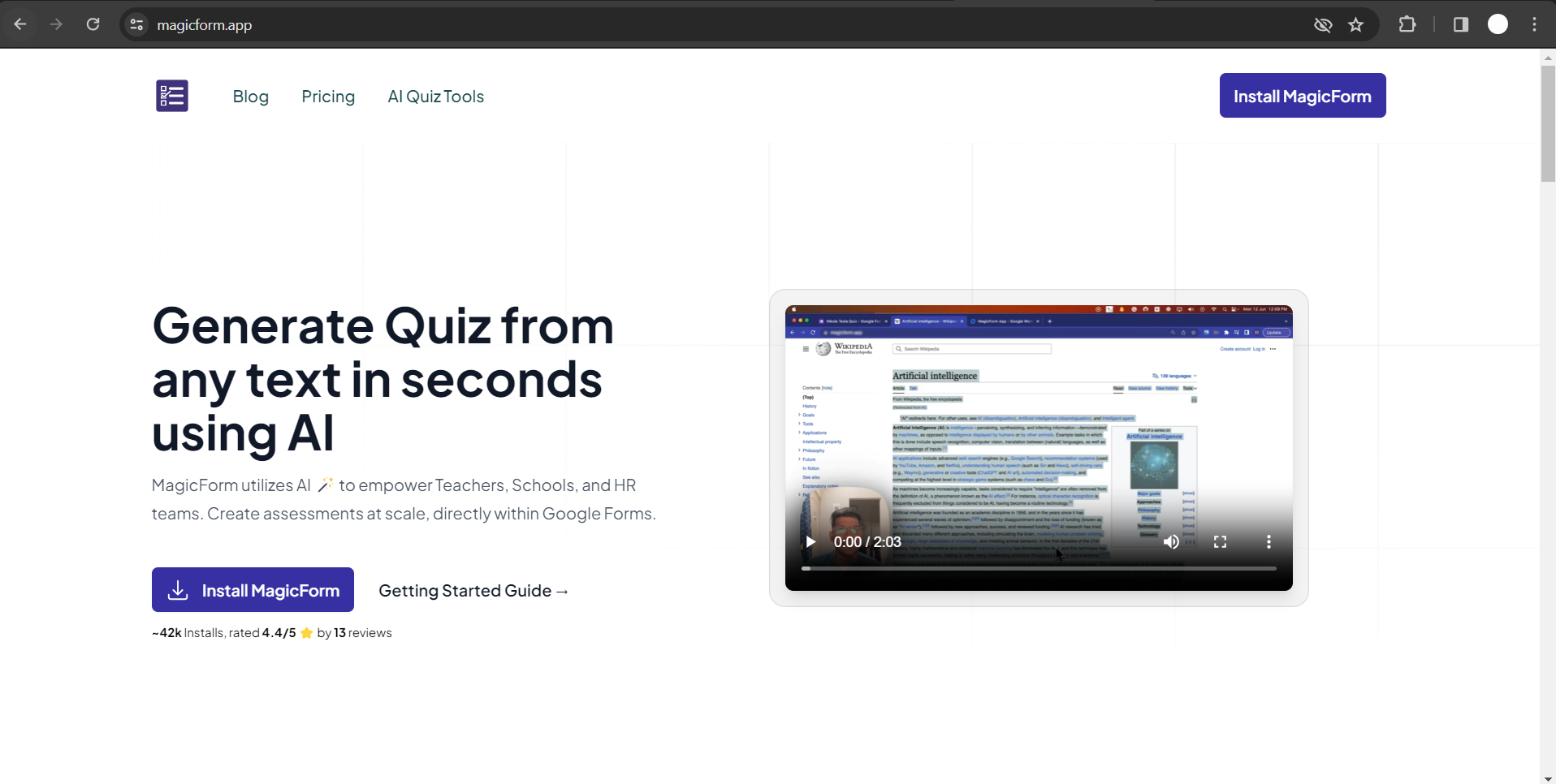
Step 1: Visit MagicForm.app Website
Begin your journey by visiting the MagicForm.app website, a platform designed to revolutionize the way we create quizzes. This powerful tool integrates seamlessly with Google Workspace, offering a user-friendly interface for generating language learning questions.
Step 2: Install the App
Upon reaching the MagicForm.app website, click on the "Install the App" button.
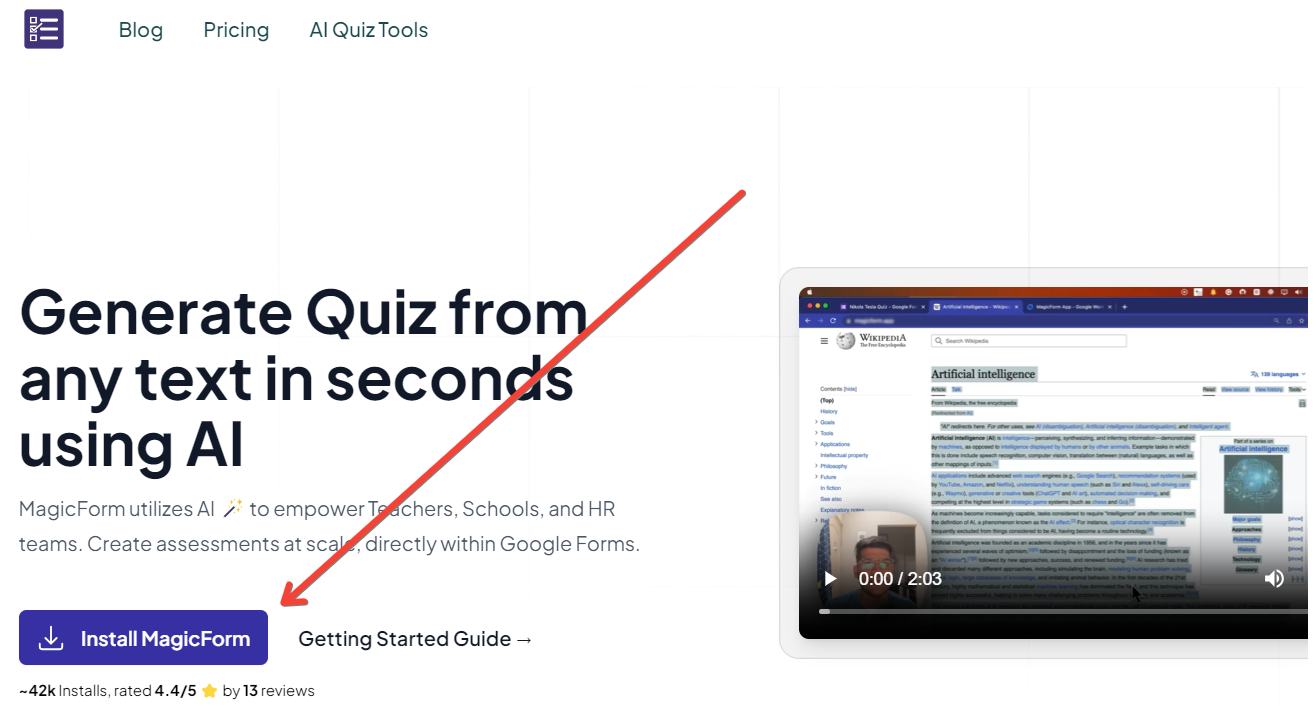
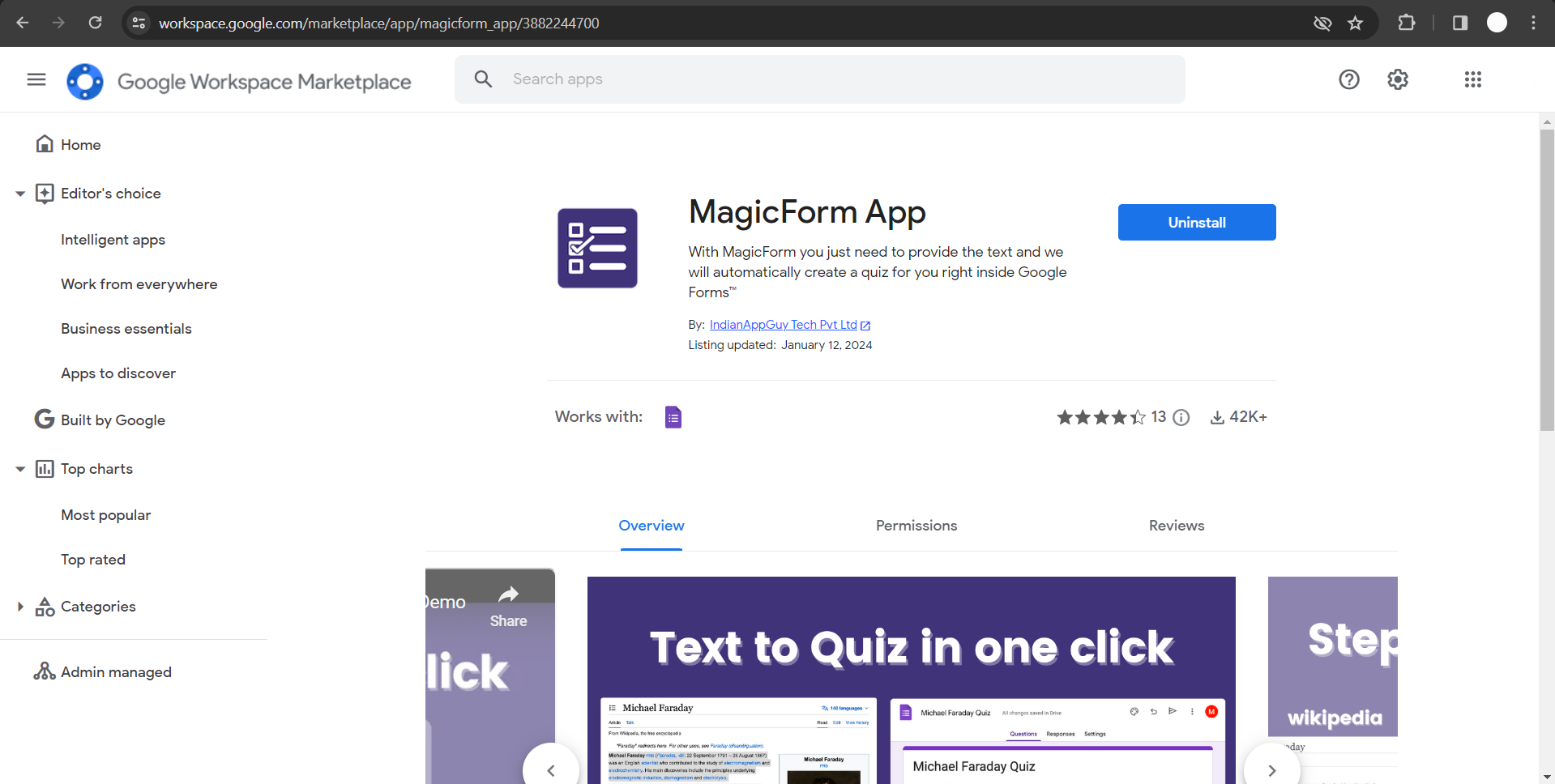
This will redirect you to Google Workspace, where you can easily install the MagicForms app. Follow the prompts to ensure a smooth installation process.
Step 3: Run MagicForms in Google Forms
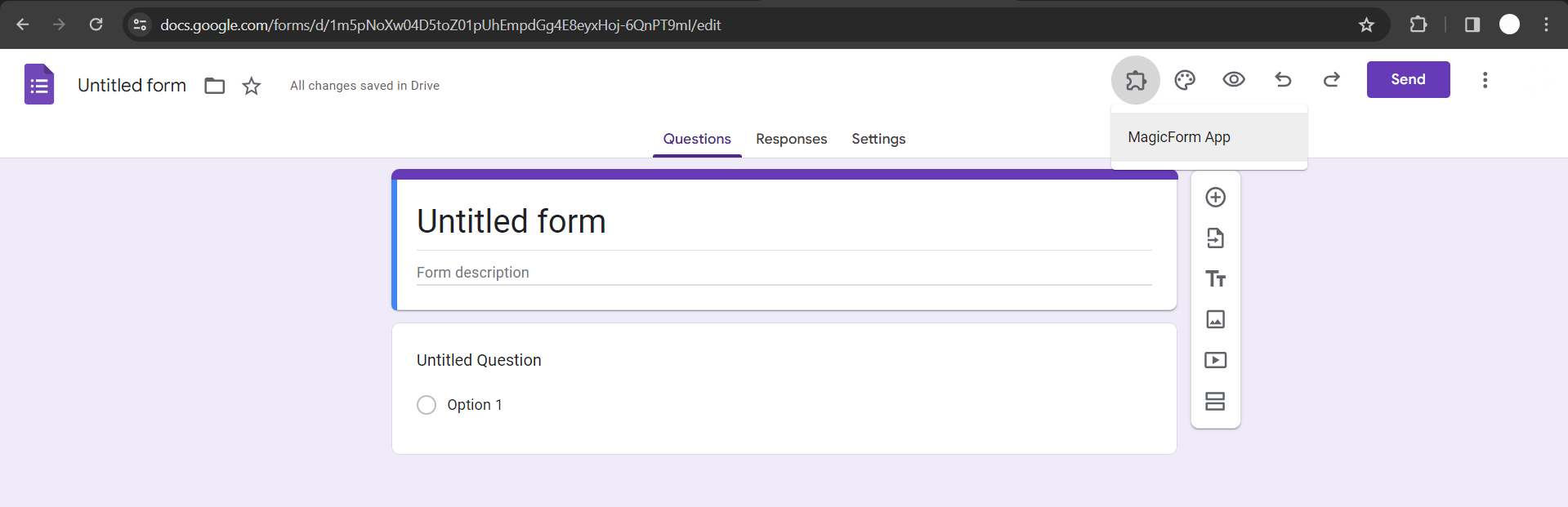
Once the app is installed, head over to Google Forms. Click on the "Add-ons" tab and select "MagicForms" from the dropdown menu. Run the app to access its features and start creating your language learning quiz.
Step 4: Choose Question Type
MagicForms offers various question types to suit your preferences, including multiple-choice questions, true or false questions, and paragraph-based questions.
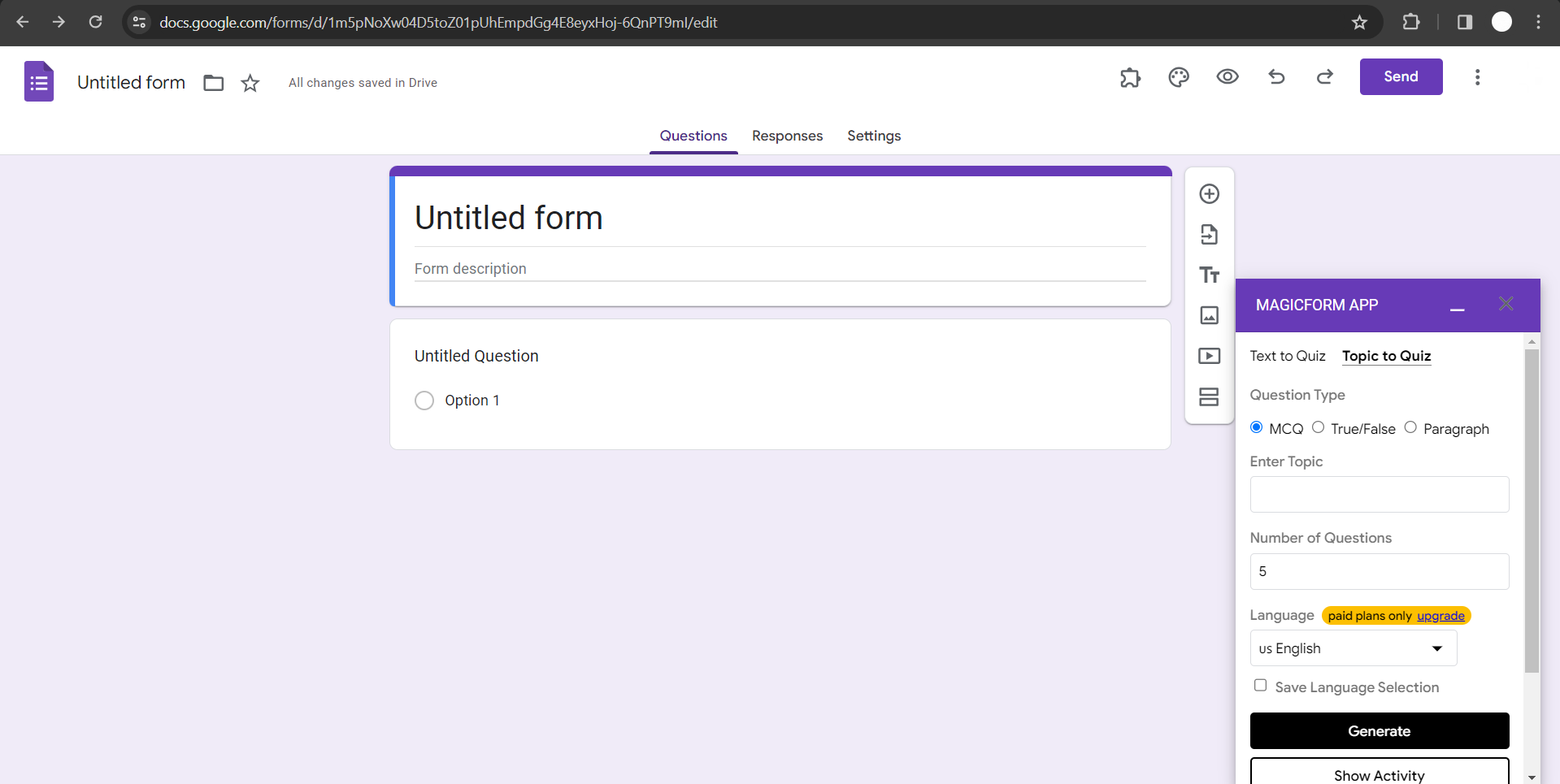
Select the question type that aligns with your language learning objectives.
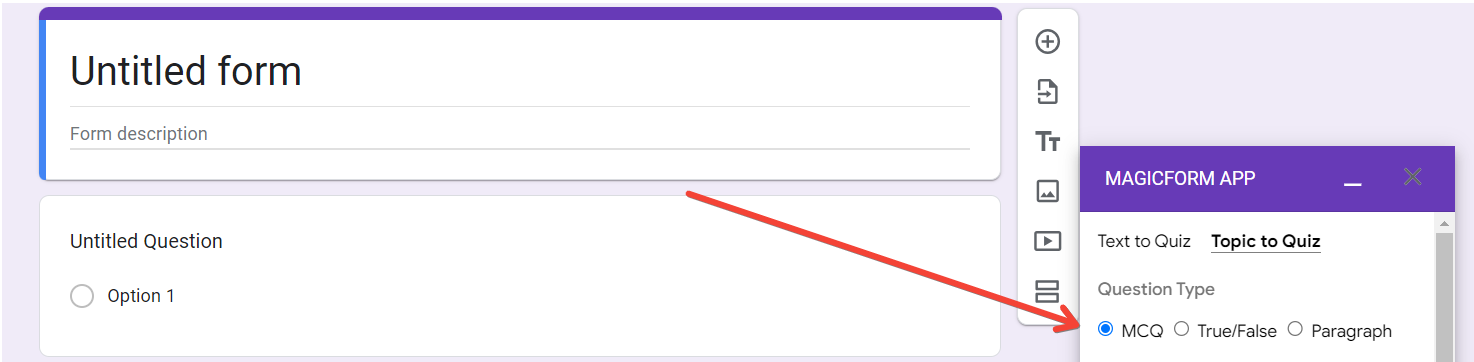
Step 5: Enter the Topic
In the provided field, enter the specific topic or theme you want the quiz questions to cover. This ensures that the generated questions are relevant to your language learning focus. for reference we are generating quiz questions on french language here.
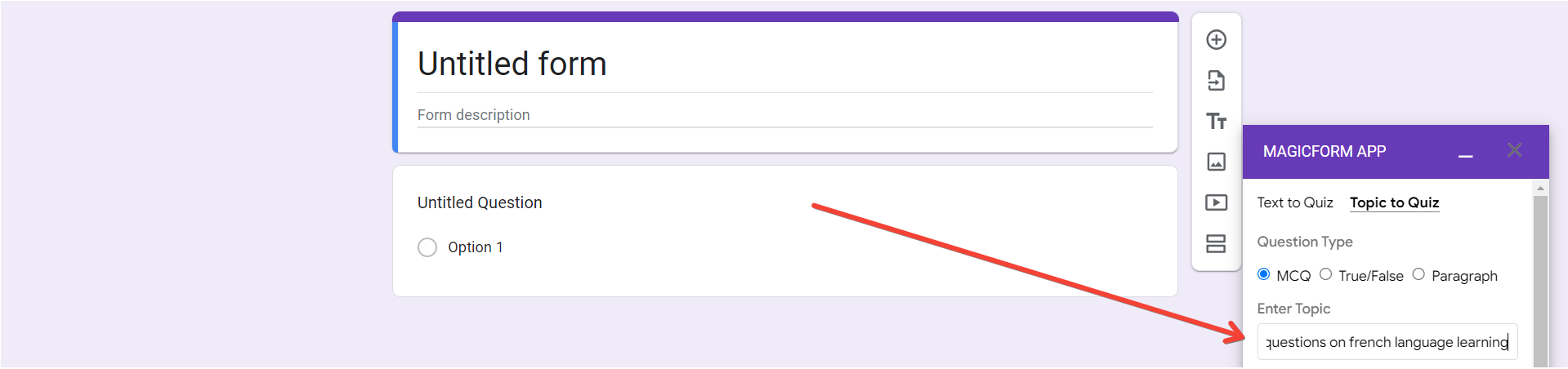
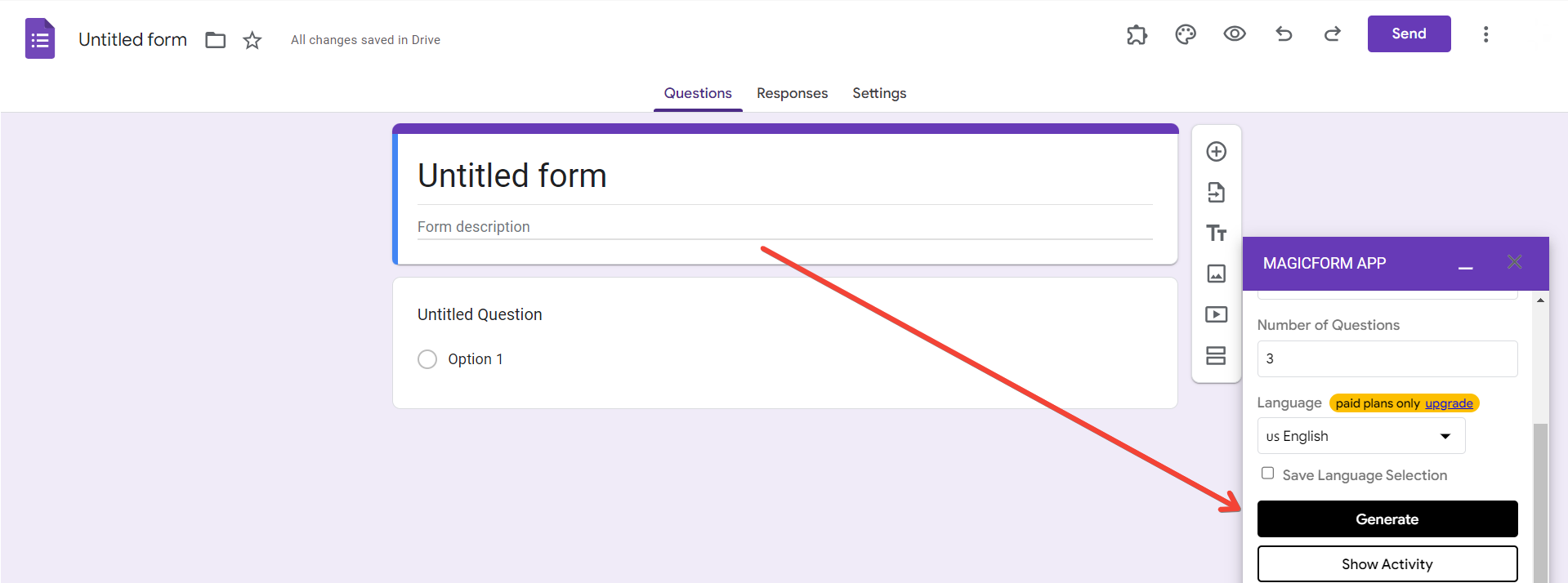
Step 6: Set the Parameters before generation of quiz
Specify the number of questions you want in your quiz and choose the language in which you want the questions to be generated. MagicForms allows you to customize the quiz based on your preferences and learning needs. For reference we are creating about 10 quiz questions for french language learning.
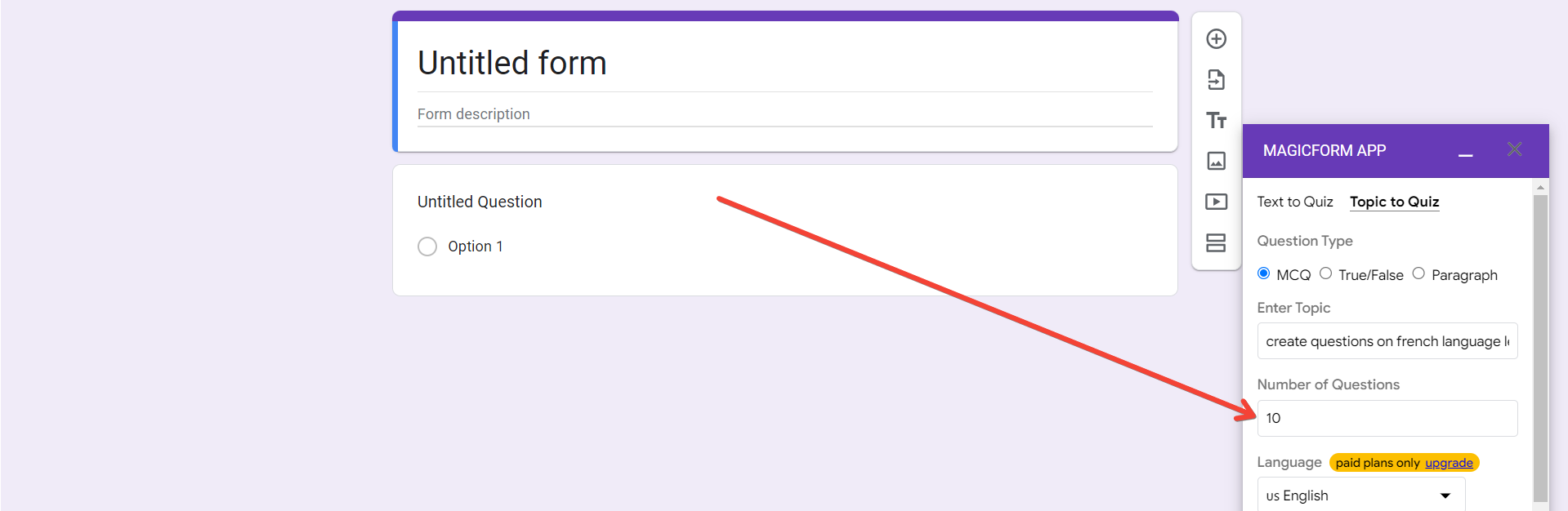
Step 7: Generate Questions
With all the parameters set, click on the "Generate Questions" button. MagicForms will use its AI capabilities to create a set of quiz questions tailored to your chosen topic and language.
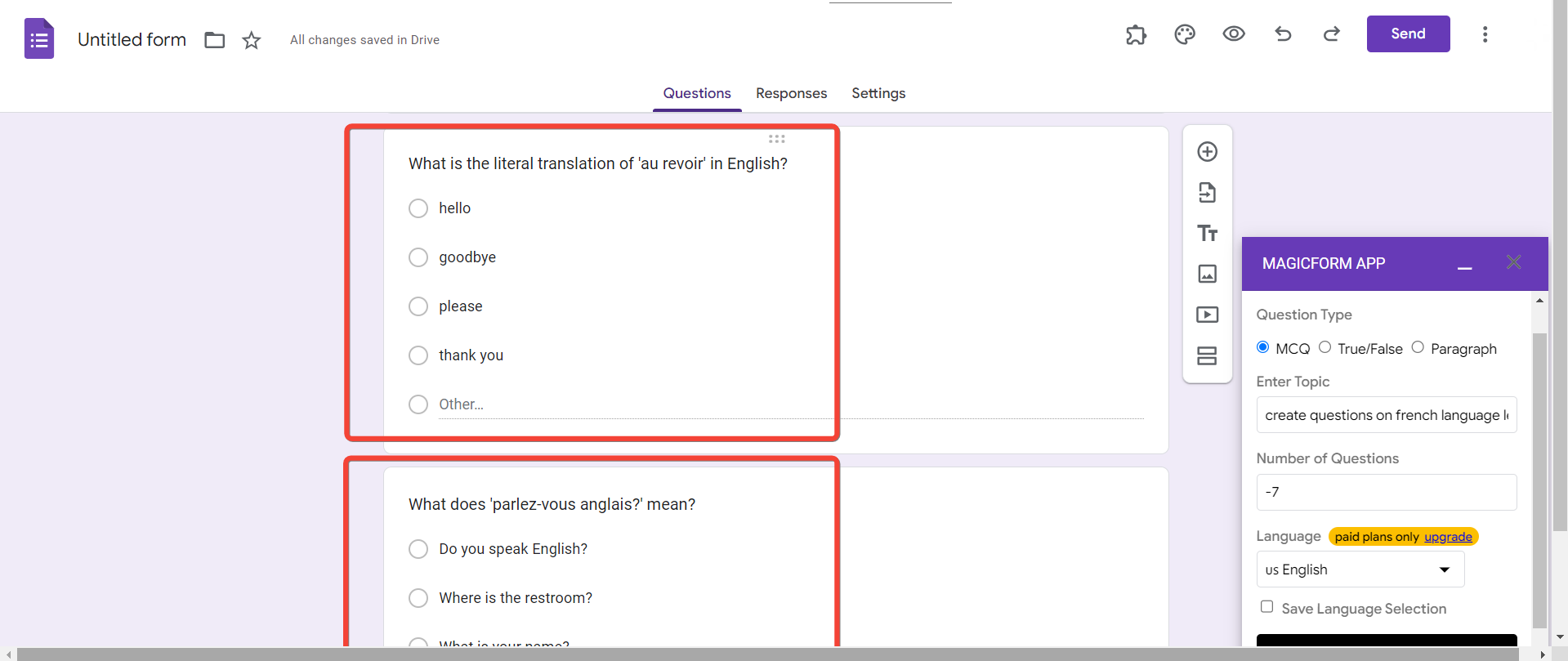
Step 8: Your Questions Are Ready!
Congratulations! Your language learning quiz questions on french have now been generated similarly we can create questions on which ever language we want to learn and create quizes to asses. You can now use them as an engaging and effective tool to reinforce your language skills.
Conclusion:
Integrating AI into language learning can enhance the overall experience, making it more interactive and personalized. By following the steps outlined above, you can easily generate quiz questions that cater to your specific language learning goals. Embrace the power of technology and take your language proficiency to new heights with AI-generated quizzes. Happy learning!
Frequently Asked Questions:
What is MagicForm.app, and how does it revolutionize language learning quizzes?
MagicForm.app is a platform that seamlessly integrates with Google Workspace to enhance the process of creating quizzes. By using AI technology, MagicForms simplifies the generation of language learning quiz questions, allowing users to customize quizzes based on specific topics, question types, and language preferences.
Can I use MagicForms if I'm not familiar with Google Workspace or Google Forms?
Yes, MagicForms is designed to be user-friendly, and you don't need extensive knowledge of Google Workspace or Google Forms. Simply follow the step-by-step guide provided in this blog post, and you'll be able to install the app and generate language learning quiz questions with ease.
What types of questions can I create using MagicForms for language learning quizzes?
MagicForms offers flexibility in question types, including multiple-choice questions, true or false questions, and paragraph-based questions. This allows users to tailor the quizzes to their language learning goals and preferences.
How can AI-generated language learning quiz questions benefit my language learning journey?
AI-generated quiz questions provide a personalized and engaging way to reinforce language skills. By tailoring the questions to specific topics and language preferences, learners can focus on areas they find challenging, making the learning process more efficient and enjoyable. The automated generation also saves time and effort in creating diverse and relevant quizzes.


