How to use analytics in Google forms


Dive into the world of Google Forms analytics with this step-by-step guide for insightful survey analysis.
Google Forms isn't just a tool for collecting responses; it also offers robust analytics to help you glean meaningful insights.
Understanding how to use analytics in Google Forms can turn raw data into actionable information.
In this guide, we'll walk you through each step, unlocking the power of analytics to enhance your survey analysis.
How to use analytics in Google forms
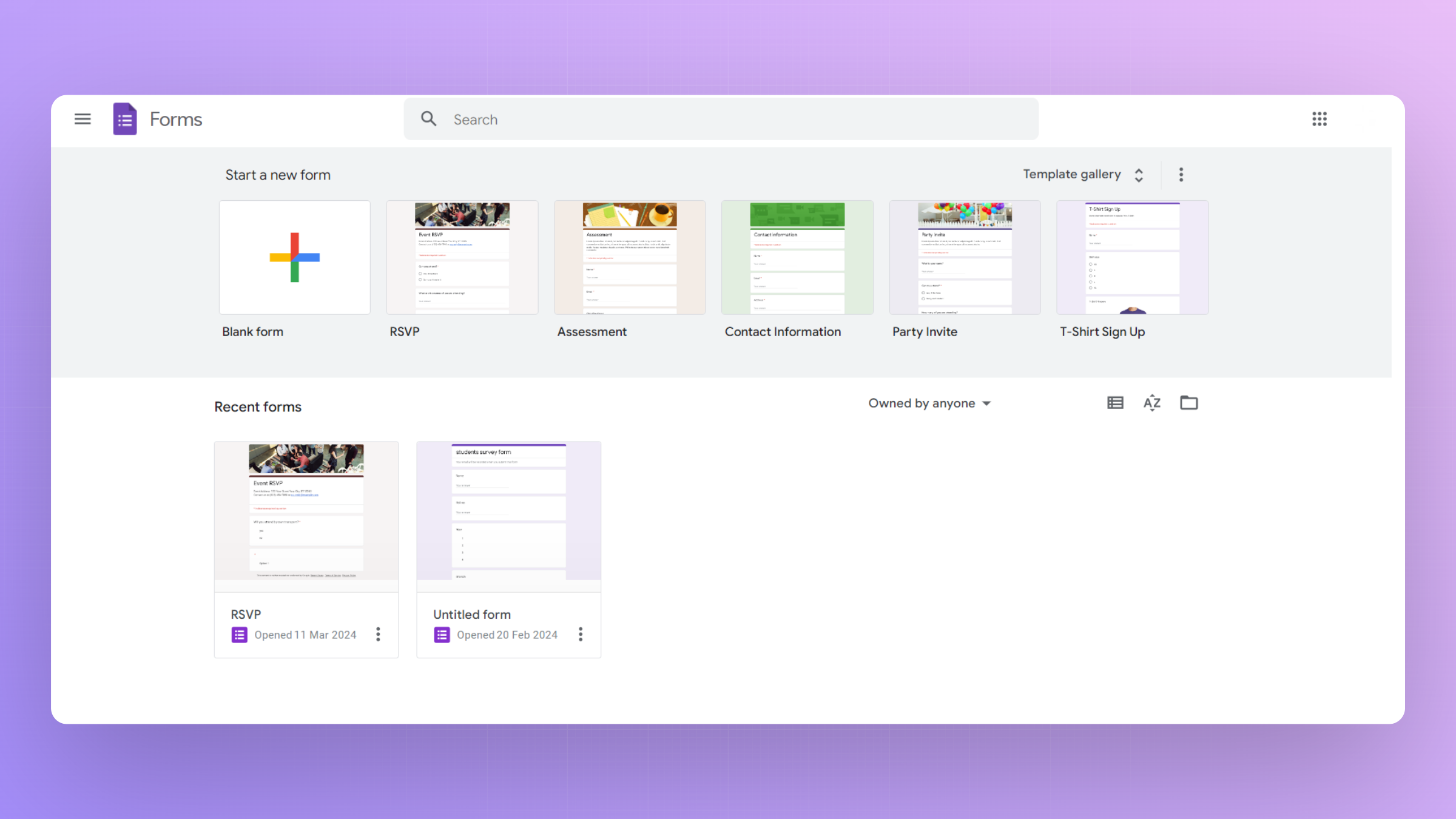
Step 1: Create or Open a Google Form with Responses
Begin by creating a new Google Form or accessing an existing one with collected responses.
If needed, share the form and wait for respondents to submit their answers.
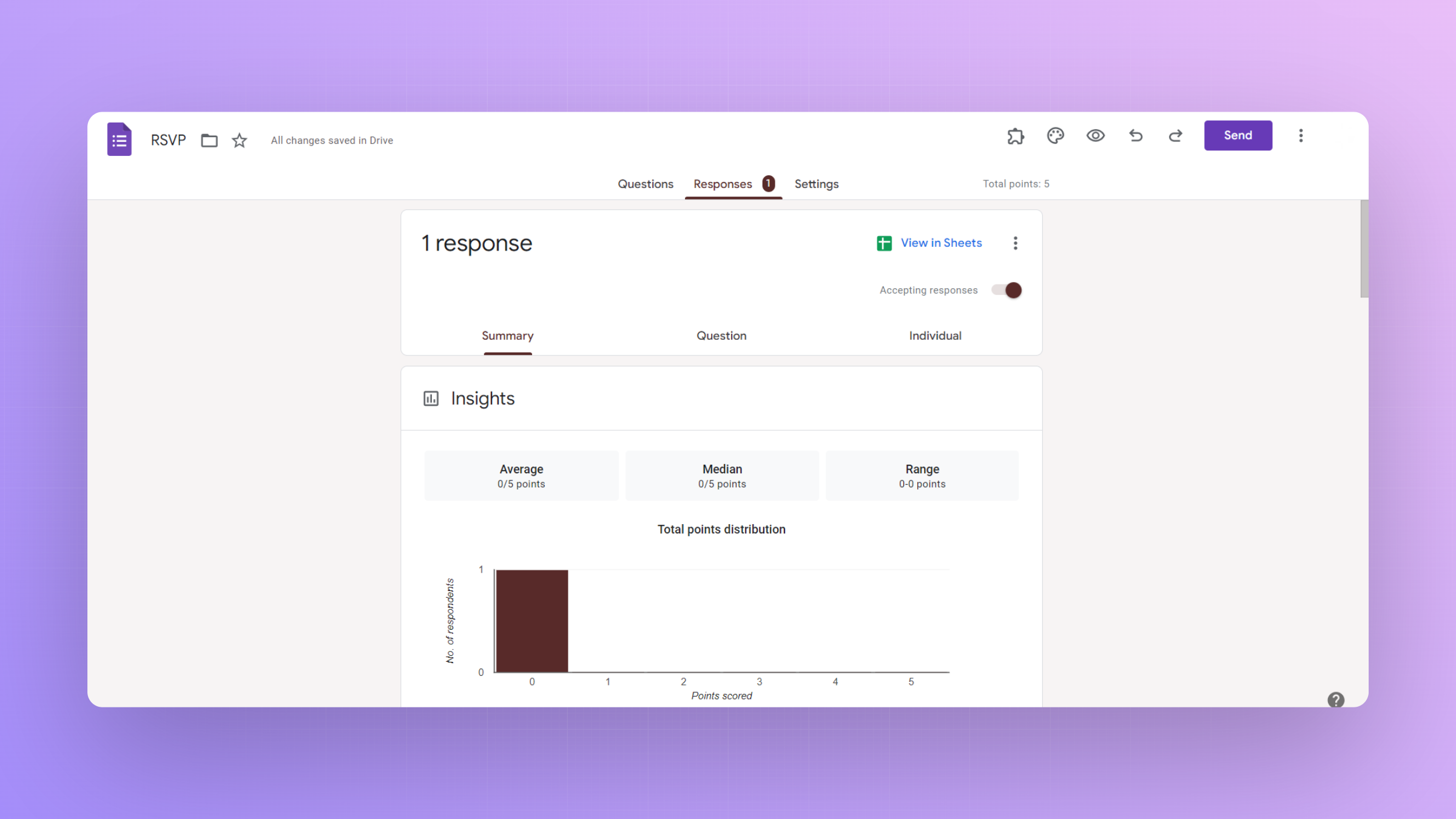
Step 2: Access the Responses Tab
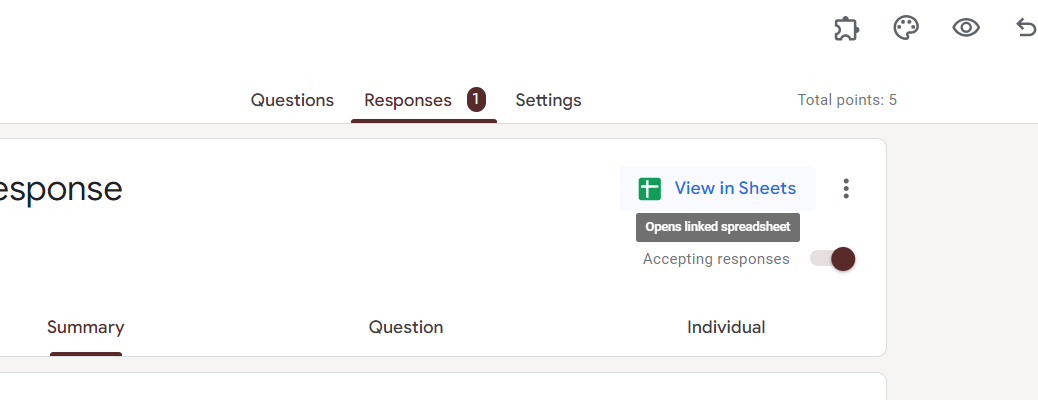
Within your form, navigate to the "Responses" tab. Here, you'll find a summary of responses and several options for further analysis.

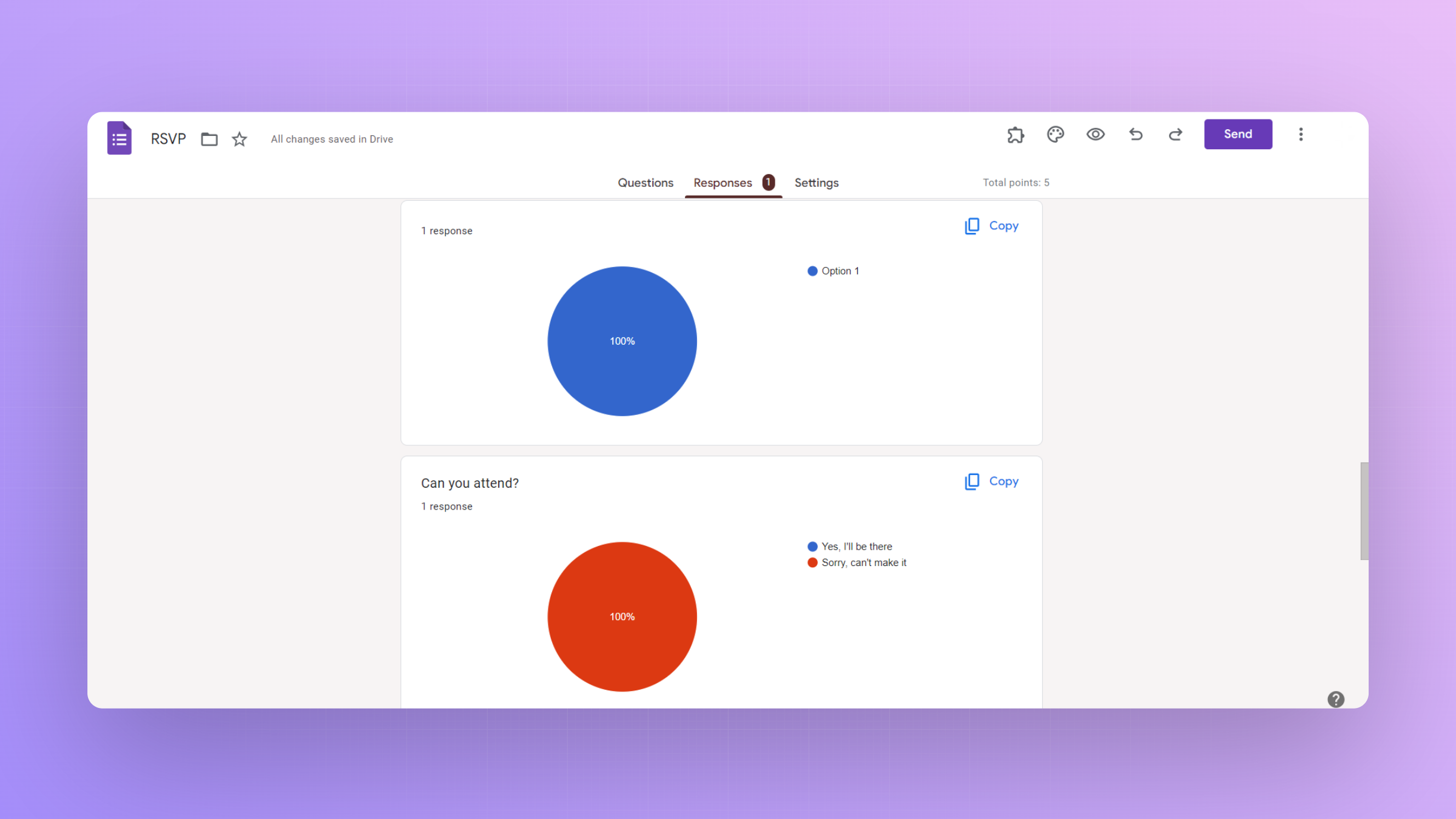
Step 3: Explore Response Summary
Take a moment to explore the response summary, which provides an overview of response trends, including charts and graphs for multiple-choice questions.
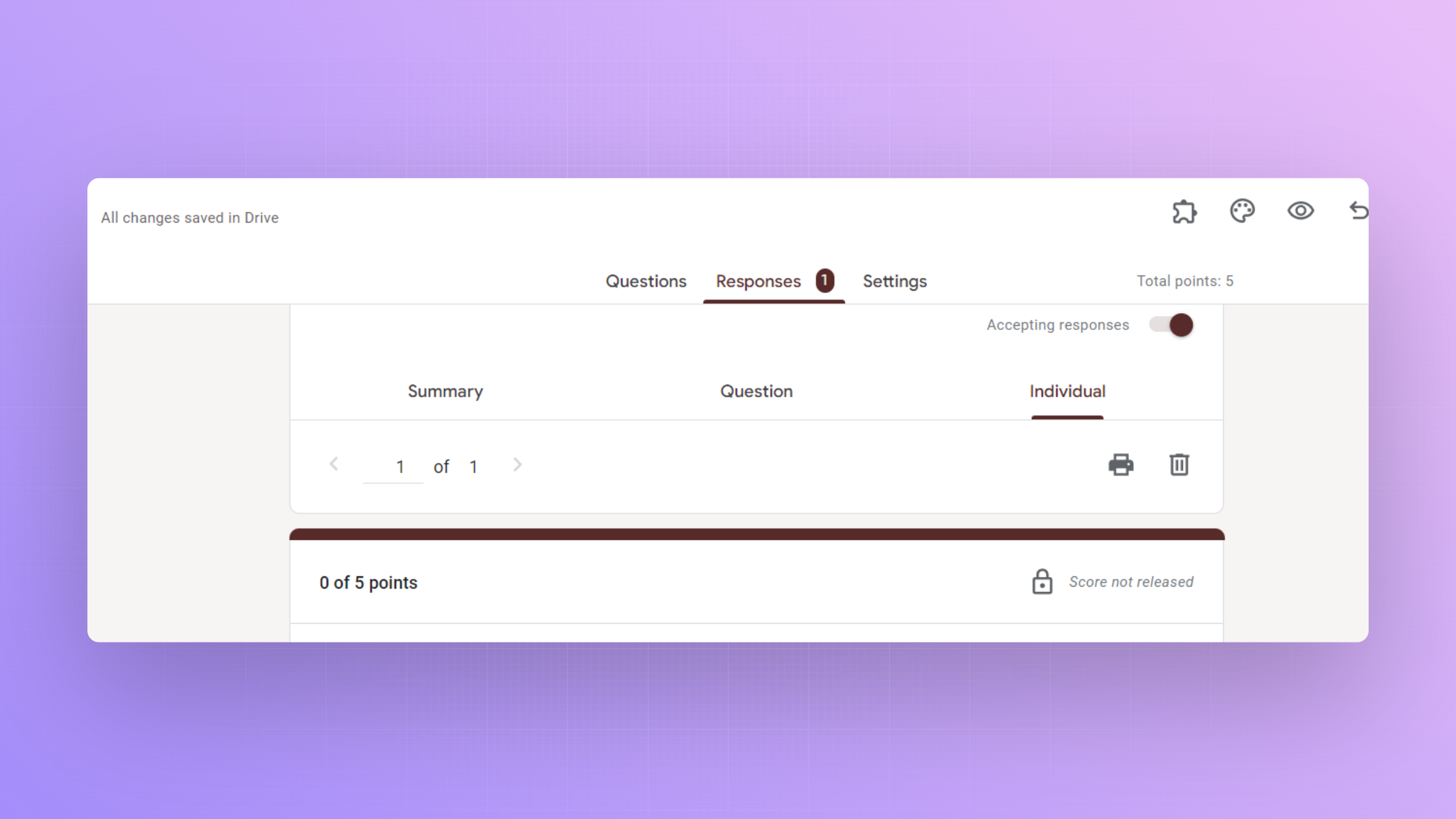
Step 4: Utilize Individual Responses
Click on the "Individual" tab to view each respondent's answers.
This allows for a detailed examination of individual preferences and opinions.
Step 5: Generate Charts and Graphs
Create visual representations of your data by clicking on the "Create spreadsheet" icon.
This opens Google Sheets with your form's responses, enabling more advanced data analysis.
Step 6: Set Up Pivot Tables and Filters (Optional)
For deeper insights, use Google Sheets to set up pivot tables and filters. These tools help organize and manipulate data for more nuanced analysis.
Conclusion:
Unlocking the analytics capabilities in Google Forms transforms your survey data into a goldmine of actionable insights.
By navigating through the responses tab, exploring summaries, and delving into individual responses, you gain a comprehensive understanding of respondent trends Elevate your survey analysis skills by mastering the step-by-step process of using analytics in Google Forms.
Frequently Asked Questions:
Can I analyze responses in real-time with Google Forms analytics?
Yes, Google Forms provides real-time analytics, allowing you to monitor responses and trends as they occur.
Is it possible to share the analytics reports with others?
Absolutely! You can share Google Forms analytics reports by providing access to the Google Sheets file.
Can I export the analytics data for further analysis in external tools?
Yes, Google Forms seamlessly integrates with Google Sheets, allowing you to export data for external analysis.


