How to List Education on a Resume: A Complete Guide


Learn how to list education on a resume effectively with tips on formatting, placement, and highlighting key academic details for success.
When crafting your resume, every section plays a critical role in showcasing your skills, experience, and qualifications.
One of the most important sections, particularly for recent graduates or individuals applying for academic, research, or entry-level positions, is your Education section.
A well-structured education section not only communicates your academic achievements but also helps prospective employers quickly gauge your qualifications and fit for the role.
In this guide, we'll break down how to effectively list your education on a resume, covering everything from formatting tips to special circumstances such as unfinished degrees or certifications.
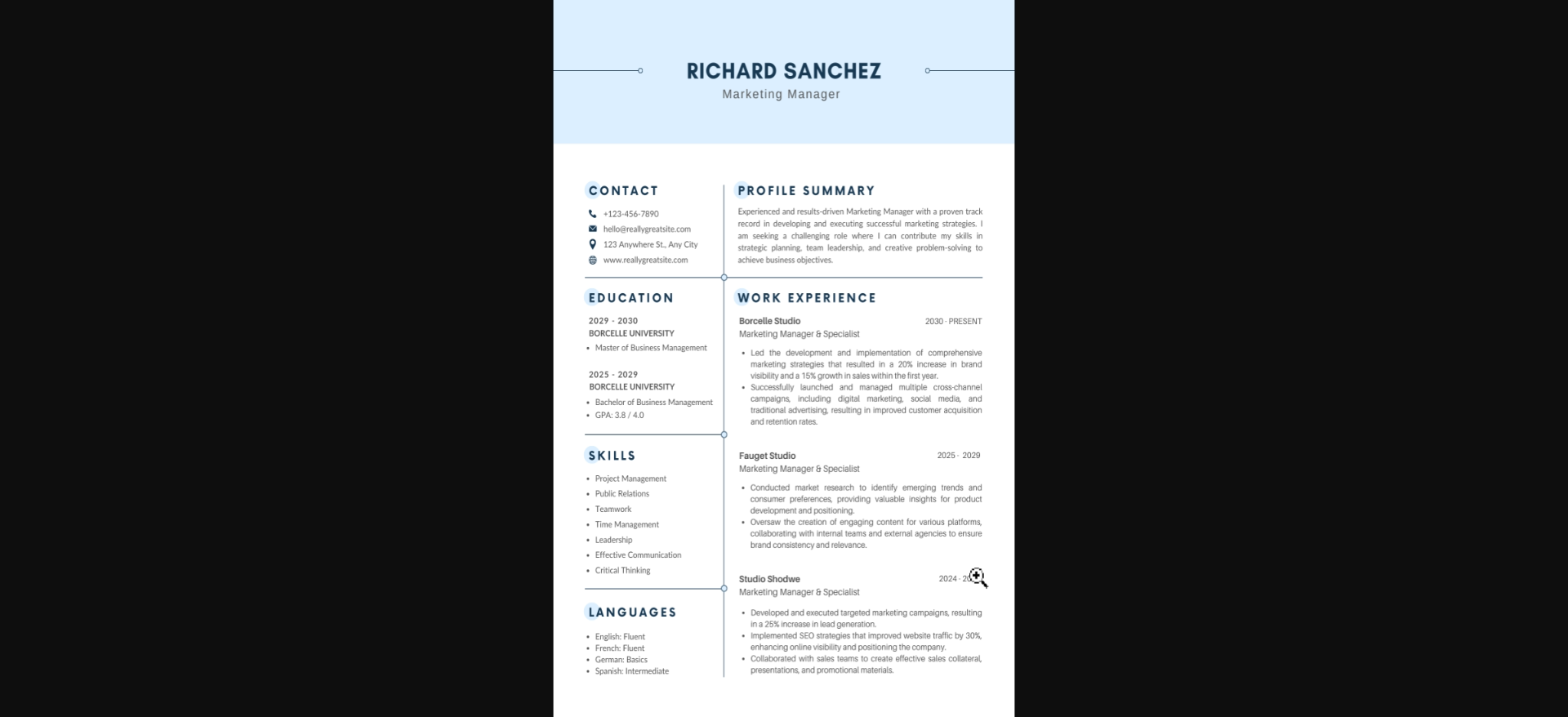
Where to Place the Education Section
The placement of the education section on your resume depends largely on your experience level:
- Recent Graduates: If you're a recent graduate with limited work experience, your education section should be placed near the top of your resume, right after your contact information and a brief summary or objective statement. This ensures that the recruiter sees your educational qualifications right away, which are likely the most important aspect of your resume at this stage.
- Experienced Professionals: For those with substantial work experience, education should generally be placed below your work history. Since employers will focus more on your professional achievements and skills, placing education toward the bottom ensures that more relevant information is prioritized.
What Information to Include in the Education Section
The information you include in your education section will vary depending on your level of education and the relevance of that education to the position you're applying for. Here are the standard elements:
Degree(s) Obtained
Always include the name of the degree you earned. Be sure to use the full degree title rather than abbreviations, as these can be industry-specific and may confuse the hiring manager. Common degree titles include:
- Bachelor of Arts (BA)
- Bachelor of Science (BS)
- Master of Business Administration (MBA)
- Doctor of Philosophy (PhD)
If you have more than one degree, list them in reverse chronological order, starting with the most recent one.
Major(s) and Minor(s)
Including your major or concentration is essential, as it directly relates to your area of expertise. If applicable, you can also list your minor to demonstrate a broader academic background.
Example:
- Bachelor of Science in Computer Science, Minor in Mathematics
Institution Name and Location
Always include the name of the institution where you earned your degree, along with its location (city and state, or city and country for international institutions).
Example:
- University of California, Los Angeles (UCLA), Los Angeles, CA
Graduation Date
Include your graduation date, typically formatted as the month and year or just the year if space is a concern. If you are currently enrolled in a program, you can write "Expected Graduation" followed by the anticipated completion date.
Example:
- Expected Graduation: May 2025
GPA (if relevant)
Including your GPA is generally recommended if it’s impressive (typically 3.5 or above) and you're a recent graduate with limited professional experience. If your GPA is lower or if you have significant work experience, it's usually better to omit it. Remember, this information becomes less relevant as you gain experience in the field.
Example:
- GPA: 3.8/4.0
Optional Information to Enhance the Education Section
In addition to the basics, you may also include optional details that highlight your academic accomplishments and make your resume stand out. These elements should only be included if they’re relevant to the job or if you have space on your resume.
Honors and Awards
If you graduated with honors (e.g., magna cum laude, summa cum laude, Dean’s List), be sure to include this information to show your academic excellence. Other academic distinctions such as scholarships or awards should also be listed.
Example:
- Graduated magna cum laude
- Recipient of the National Merit Scholarship
Relevant Coursework
For recent graduates or individuals applying for specialized roles, you may want to list coursework that’s particularly relevant to the job. This is especially helpful if your degree doesn't directly align with the job you're applying for, but you have relevant skills gained through specific classes.
Example:
- Relevant Coursework: Data Structures and Algorithms, Machine Learning, Database Management Systems
Study Abroad or Exchange Programs
If you participated in a study abroad program or exchange program, this can be a great way to demonstrate adaptability, cultural awareness, and international experience.
Example:
- Study Abroad: University of Oxford, Oxford, UK, Fall 2023
Special Circumstances
Not every applicant's education path is straightforward. If you have unique circumstances, here are some tips on how to list them:
Incomplete Degree
If you started a degree but didn’t complete it, you can still include the coursework if it's relevant to the position. Be sure to make it clear that the degree is unfinished to avoid confusion.
Example:
- Bachelor of Arts in English (60 credits completed), University of Florida, Gainesville, FL
Pursuing a Degree
If you're currently enrolled in a program, list it as "in progress" or "expected graduation" to inform the employer that you're still working on your degree.
Example:
- Master of Science in Data Science (in progress), University of Texas, Austin, TXExpected Graduation: December 2025
High School Education
If you have a college degree, it's generally unnecessary to include your high school education. However, if you’re still in college or haven’t yet completed a higher education degree, including your high school diploma or equivalent (GED) is appropriate.
Example:
- High School Diploma, Spring Valley High School, Las Vegas, NVGraduated: May 2020
Certifications and Professional Training
Certifications or other forms of professional training, particularly those relevant to the job, can be included under or alongside your education section.
If the certification is crucial to the job (e.g., Project Management Professional certification for a project management role), it might be better placed in a separate section.
Example:
- Certified Public Accountant (CPA), California Board of AccountancyCompleted: June 2022
Formatting the Education Section
Maintaining a clean and easy-to-read format is crucial for the overall appearance of your resume. Here are some tips to ensure your education section looks professional:
- Use reverse chronological order, meaning the most recent degree or certification is listed first.
- Keep it concise by avoiding unnecessary details, like listing every course you ever took. Focus on what’s relevant.
- Be consistent with formatting across all sections of your resume. Use the same font size, style, and layout for every entry. This keeps your resume neat and visually appealing.
- Use bullet points to make the section easier to scan, especially if you’re including multiple degrees or additional details like honors and relevant coursework.
Example Format:
yaml
Copy code
Master of Business Administration (MBA)
University of Chicago Booth School of Business, Chicago, IL
Graduated: May 2023
- GPA: 3.9/4.0
- Relevant Coursework: Leadership and Organizational Strategy, Financial Management

Bachelor of Arts in Economics
University of California, Berkeley, CA
Graduated: May 2020
- Graduated with Honors (cum laude)
- GPA: 3.7/4.0
- Dean’s List (2018-2020)
Final Tips
- Tailor the section to the job: While your education background won’t change, the way you present it can. Highlight the aspects of your education that are most relevant to the specific role.
- Proofread carefully: Misspellings in school names or incorrect dates can reflect poorly on your attention to detail.
- Keep it up to date: As you gain more qualifications, certifications, or degrees, be sure to update this section of your resume regularly.
Conclusion
Listing your education on a resume is crucial for demonstrating your academic background and qualifications.
\Whether you're a recent graduate or an experienced professional, presenting your education clearly and strategically can help you make a positive impression on potential employers.
By following the guidelines outlined in this post, you'll ensure that your education section is polished, professional, and aligned with the expectations of today’s hiring managers.


