How to recover powerpoint file not saved


Don’t panic if your PowerPoint isn’t saved learn how to recover unsaved files swiftly.
We've all experienced that heart-stopping moment when hours of work on a PowerPoint presentation seem to vanish into thin air due to an unsaved file. Fear not! In this detailed guide, we'll delve into step-by-step instructions, providing you with multiple options to recover those crucial unsaved PowerPoint files. So, let's navigate through the process and rescue your hard work.
Steps to Recover Unsaved PowerPoint Files:
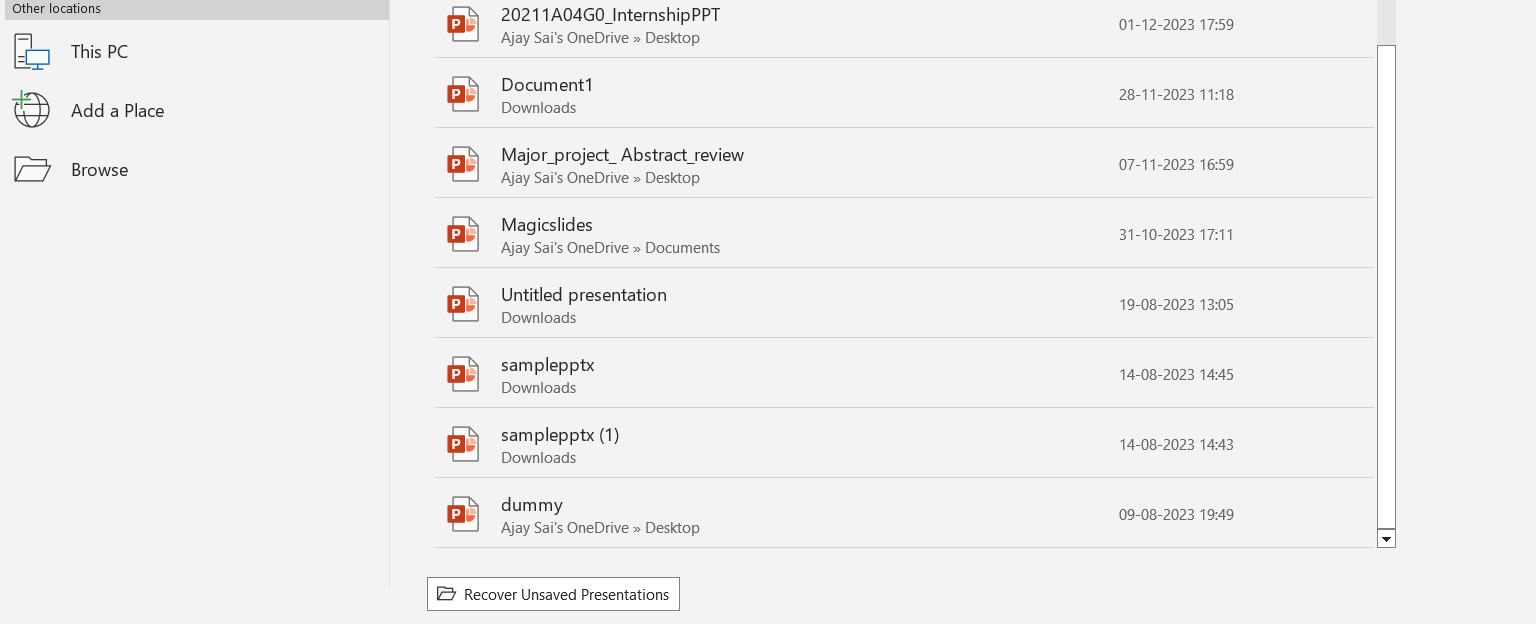
Check the AutoRecover Folder:
- PowerPoint has a safety net in the form of AutoRecover, automatically saving drafts at regular intervals. To access this folder, venture into your system's Documents folder.
- Once there, look for a subfolder named "AutoRecover." Inside, you should find your unsaved PowerPoint file carrying a .pptx extension.
Search in Temporary Folders:
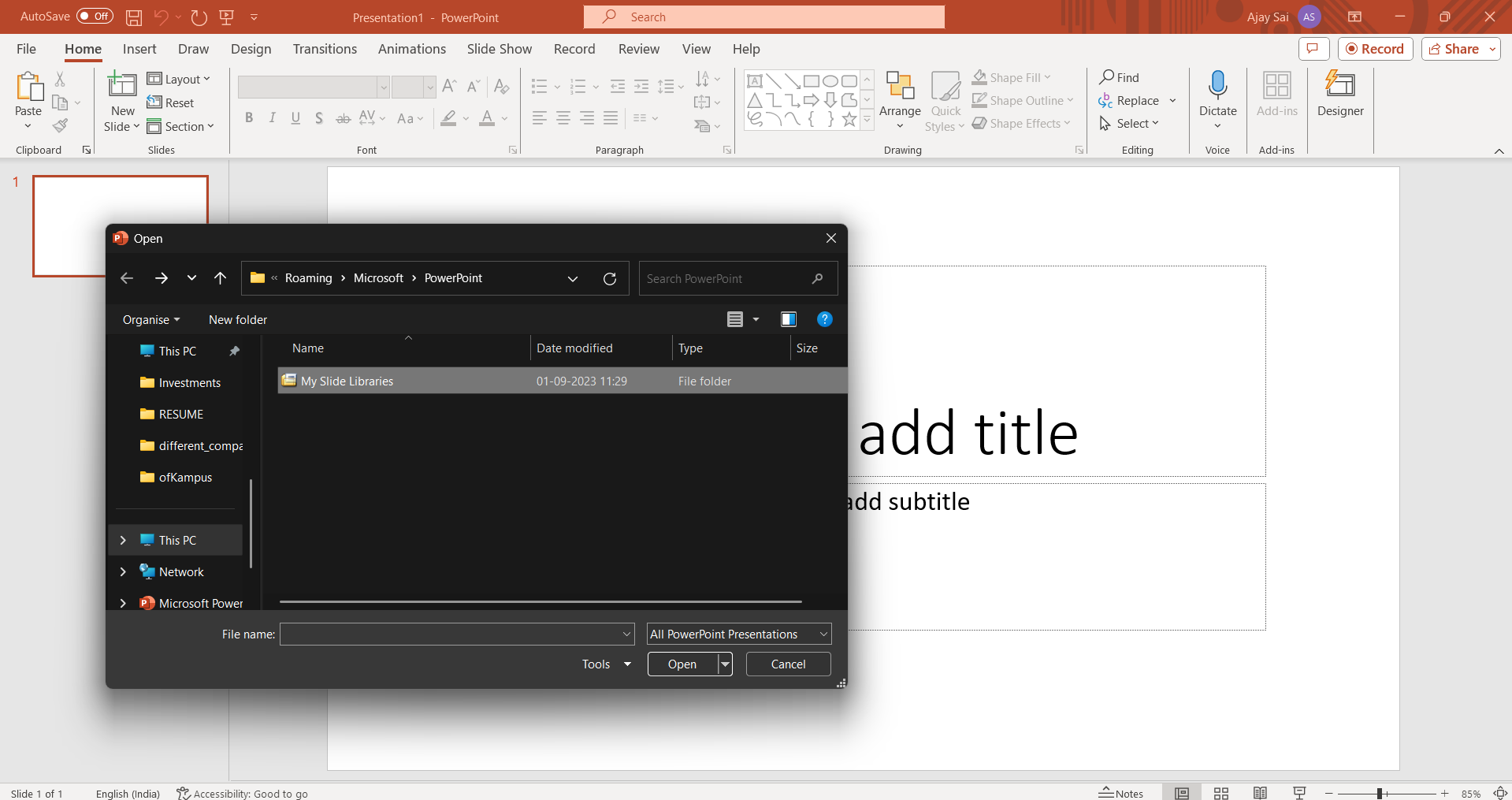
- Temporary folders often conceal unsaved files. To access the Temp folder, execute a quick shortcut by typing %temp% in the Run dialog box (press Windows key + R).
- Now, comb through the Temp folder, and keep an eye out for PowerPoint files starting with "ppt" or "pptx."
Utilize File Recovery Software:
- When traditional methods fall short, resort to advanced solutions. File recovery software such as Recuva or Disk Drill can be instrumental in scanning for deleted or unsaved files.
- Download your preferred file recovery tool and follow the software-specific steps for file retrieval.

Check the Document Recovery Pane in PowerPoint:
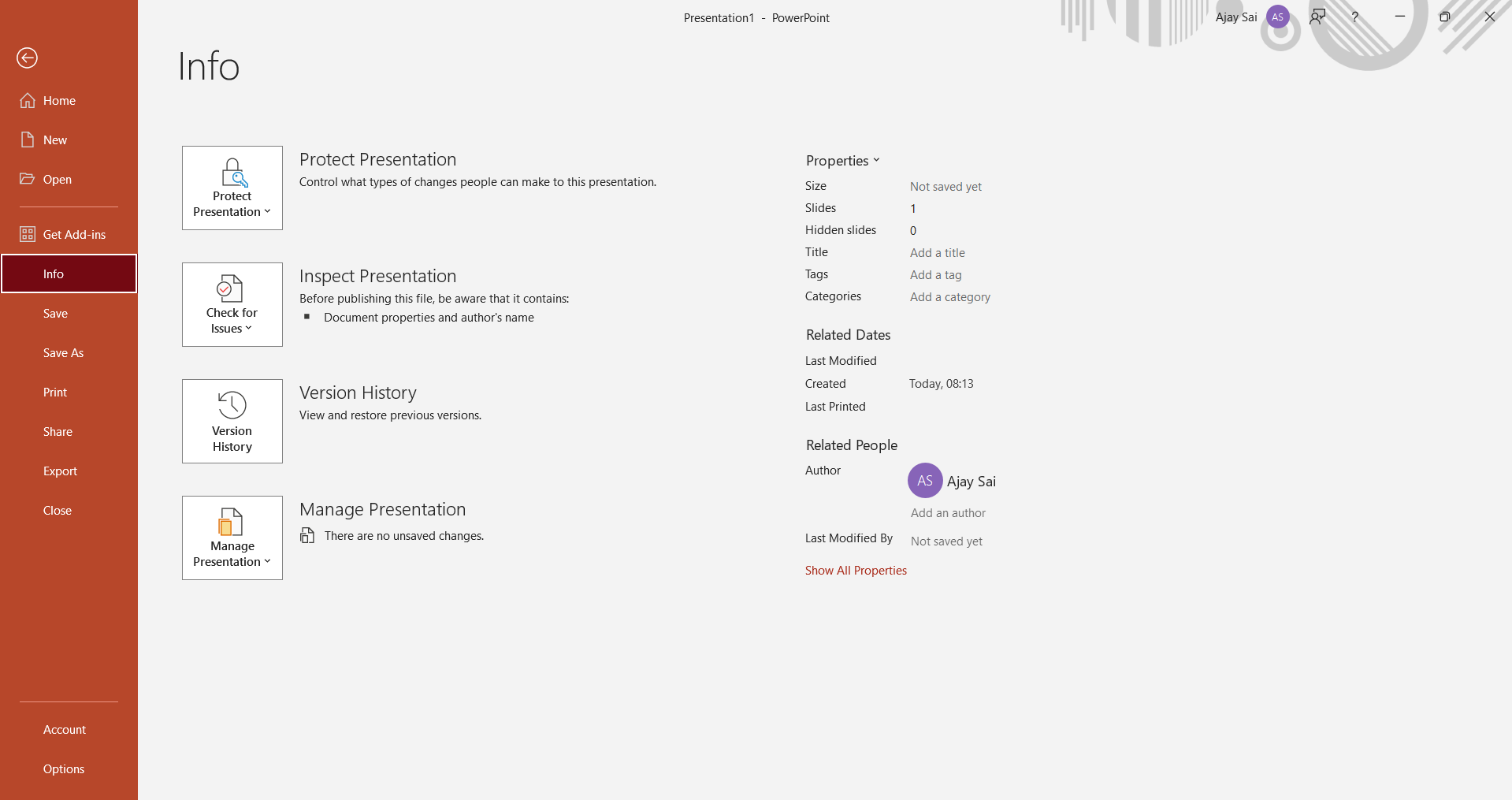
- Open PowerPoint and create a new presentation.
- Go to the "File" menu, select "Info," and then click on "Manage Presentations."
- Look for the unsaved file in the Document Recovery pane, usually located on the left side of the screen.
Explore Online Cloud Services:
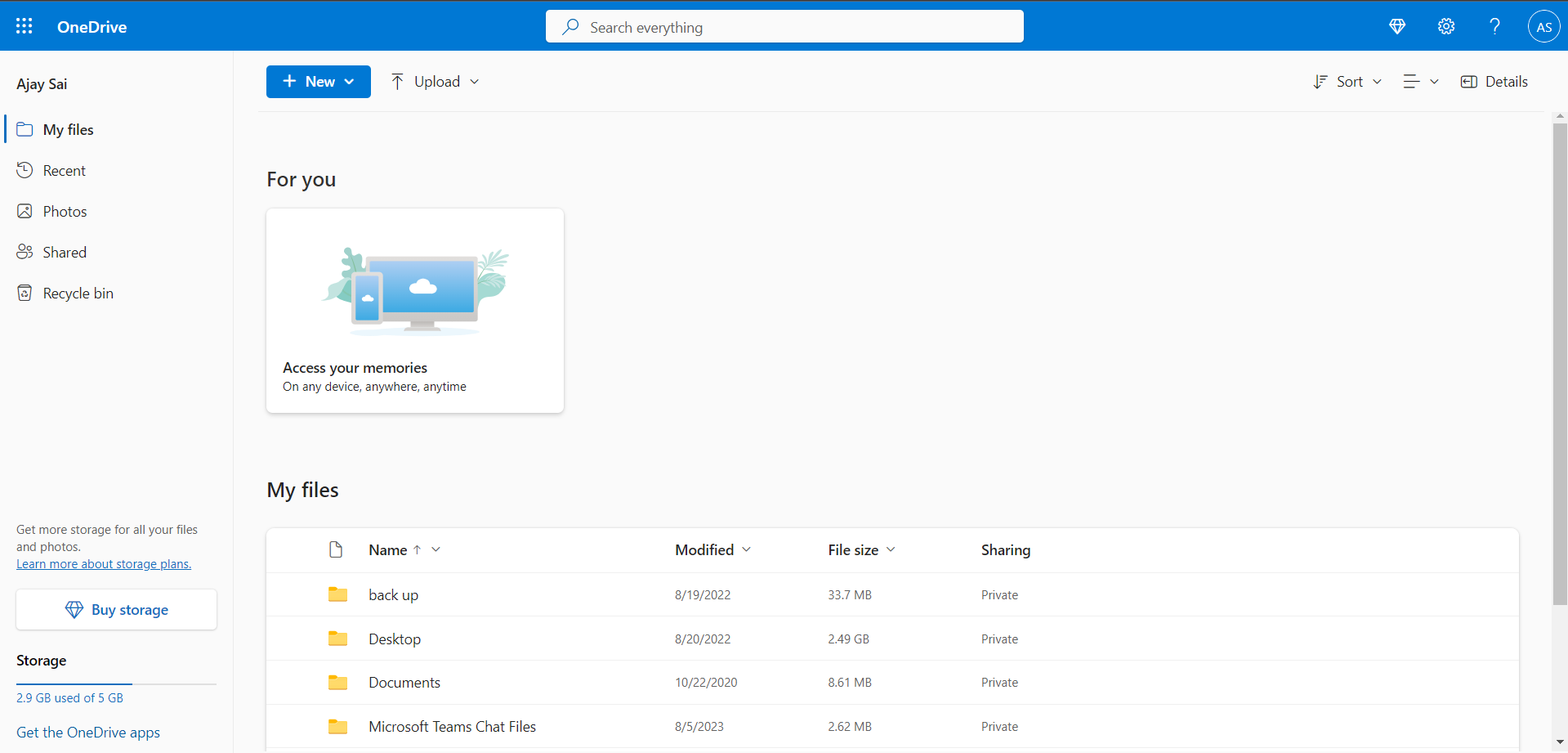
- If you've been using cloud services like OneDrive or Google Drive, your unsaved file might have been synchronized.
- Log in to your cloud account, navigate to the respective service's storage, and check if the unsaved file is present.
Conclusion:
Losing an unsaved PowerPoint file can be distressing, but armed with these comprehensive recovery steps, you now have a toolkit to reclaim your work. Remember, proactive saving is the best prevention. Embrace these strategies, and let your presentations thrive!
Frequently Asked Questions:
1. How does AutoRecover in PowerPoint work?
Ans: AutoRecover is a built-in feature in PowerPoint that periodically saves drafts of your presentation. If a crash occurs, it helps recover unsaved files from the AutoRecover folder.
2. Can I recover an unsaved PowerPoint file from the Temporary folder?
Ans: Yes, the Temporary folder sometimes holds unsaved files. Access it by typing %temp% in the Run dialog, and look for PowerPoint files with .ppt or .pptx extensions.
3. Are file recovery tools safe to use for retrieving unsaved PowerPoint files?
Ans: Yes, reputable file recovery tools like Recuva or Disk Drill are safe to use. Follow their guidelines for scanning and recovering deleted or unsaved files.
4. How do I access the Document Recovery Pane in PowerPoint?
Ans: Open PowerPoint, create a new presentation, go to the "File" menu, select "Info," and click on "Manage Presentations." The Document Recovery pane will display any unsaved files.
5. Can I recover unsaved PowerPoint files from online cloud services?
Ans: Yes, if you've been using cloud services like OneDrive or Google Drive, check your cloud account. Synchronized files may be available in the respective service's storage.
6. What precautions can I take to avoid losing PowerPoint files in the future?
Ans: To prevent loss, save your work regularly. Enable AutoRecover in PowerPoint settings, consider cloud storage for real-time syncing, and back up critical presentations.
Check out these info Blogs by MagicSlides.app:
- Google Launches Gemini AI: What You Need To Know!: https://www.magicslides.app/blog/Google-launches-Gemini-AI-What-You-Need-To-Know
- How To Insert Music Into Powerpoint: https://www.magicslides.app/blog/how-to-insert-music-into-powerpoint
- How To Add Narration To Powerpoint: https://www.magicslides.app/blog/how-to-add-narration-to-powerpoint
- How To Create Columns In Google Slides: https://www.magicslides.app/blog/how-to-create-columns-in-google-slides


