Which AI presentation tool wins?

MagicSlides vs SlidesGPT — beyond a basic GPT wrapper

SlidesGPT is a thin GPT wrapper. MagicSlides has its own template engine, Google Slides add-on, PowerPoint export, and 100+ languages.

No credit card required · Free forever plan
Quick verdict

SlidesGPT is a pay-per-deck GPT wrapper — $2.50 per download with no subscription option. MagicSlides is a full product with templates, add-ons, free downloads, and unlimited generations on a $8/mo Pro plan. For anyone making more than two decks a year, the math overwhelmingly favors MagicSlides.

MagicSlides wins at

Unlimited generations on Pro, free downloads on the free plan, Google Slides add-on, URL/YouTube/PDF/DOCX inputs, branded templates, AI image generation

SlidesGPT wins at

No subscription commitment if you genuinely only need one or two decks per year

The contenders

What each tool actually is

A Quick Overview of MagicSlides and Gamma, Including What Each Platform Does & Who It Is Best For

What is MagicSlides?

MagicSlides is an AI presentation generator that turns a topic, URL, YouTube video, PDF, or DOCX file into a complete, editable slide deck in under a minute. It exports to PowerPoint and Google Slides, supports 100+ languages, includes an AI image generator, and ships with 500+ AI-tuned templates. There is also a Google Slides add-on for generating decks directly inside Google Slides.

Founded2022
Best forGenerating finished presentations from any input source with zero design work
Visit MagicSlides

What is SlidesGPT?

SlidesGPT is a GPT-powered slide generator that operates on a pay-per-deck model — $2.50 per download. It generates basic slide outputs from text prompts only, with no subscription tier, no Google Slides add-on, and no support for URL, YouTube, PDF, or DOCX input. The free tier shows previews only — every download is paid.

Best forOne-off deck generation for users who only need a single presentation and want to avoid subscriptions
Visit SlidesGPT
Methodology

How we tested both tools

Last updated May 2026 — both products on their highest paid tier.

We generated the same three presentations on each tool: a 10-slide investor pitch, a 15-slide product launch, and a 12-slide training deck. We measured time-to-first-draft, edit effort required, design quality, export options, and total cost across a 12-month period. Both tools were tested on their highest paid tier for a fair comparison.

6
Decks generated
5
Metrics scored
12mo
Cost compared
2
Tools head-to-head
Step-by-step

Workflow comparison

What it actually looks like to make your first deck on each tool.

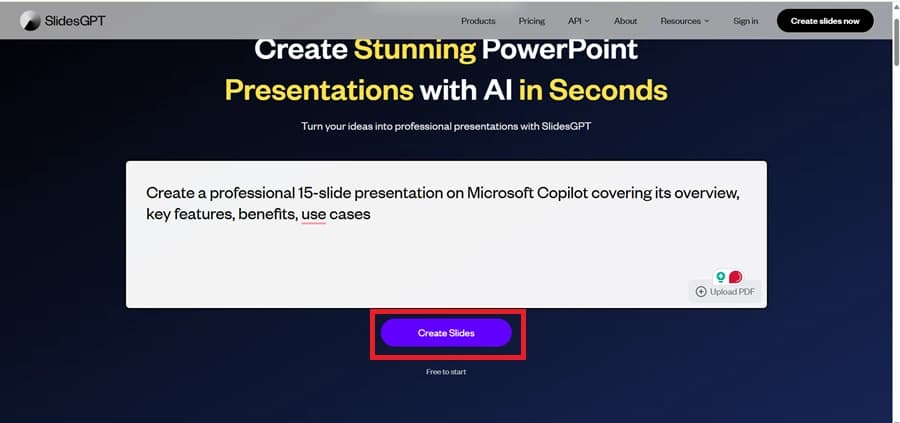
How to create your first presentation with SlidesGPT

SlidesGPT is a text-in-pay-out flow. You generate a preview free, but every download costs $2.50.

Visit slidesgpt.com

No account needed for previews. Enter a topic prompt directly on the homepage.

[ screenshot · visit slidesgpt.com ]

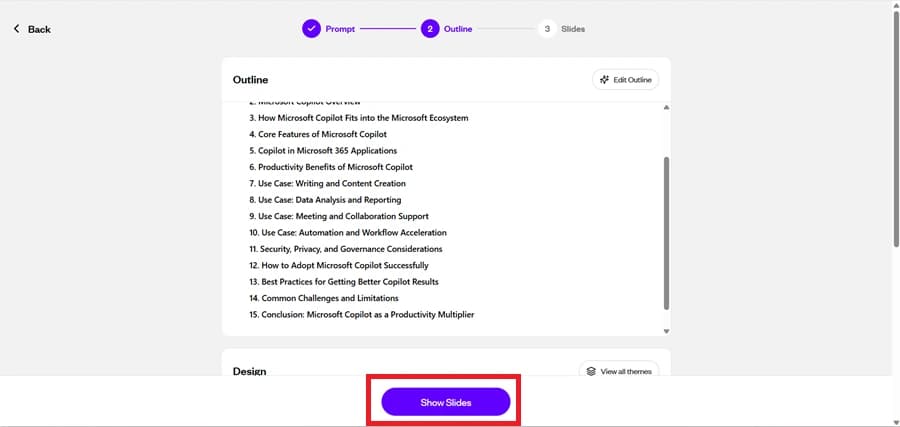
Preview the generated deck

SlidesGPT generates a basic deck preview using generic templates. You can browse the slides but not export them without payment.

[ screenshot · preview the generated deck ]

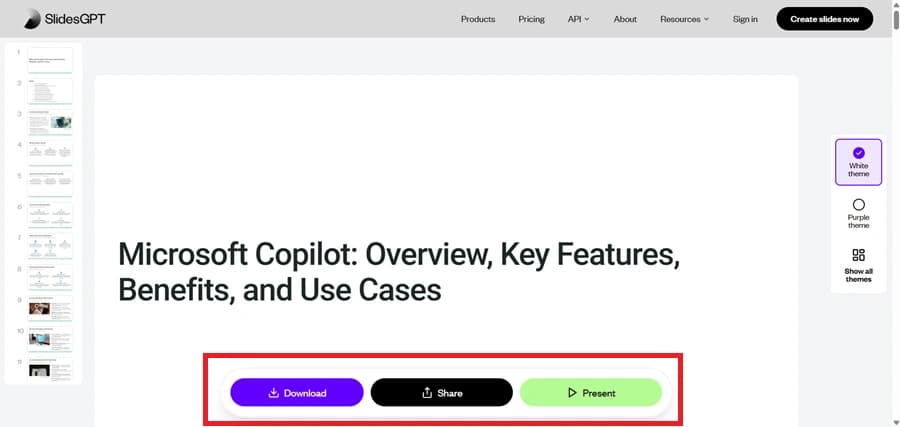
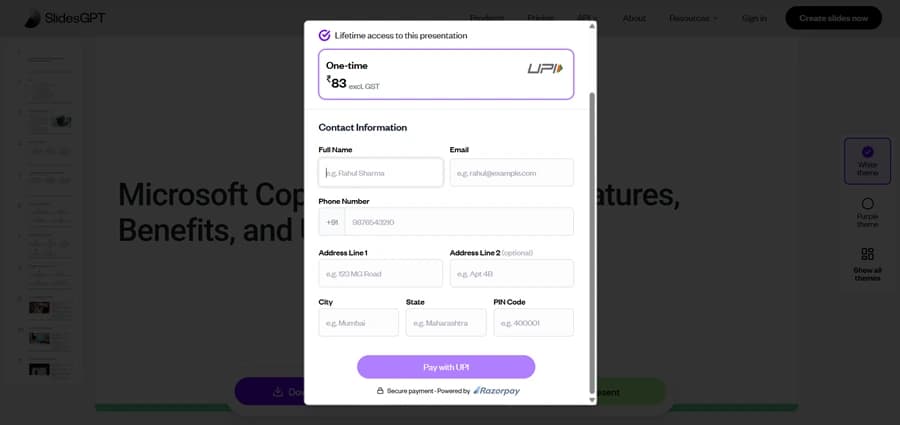
Pay $2.50 per download

Click download. Pay $2.50 via card to unlock .pptx, .pdf, or Google Slides export of this single deck. No subscription option — every deck is a separate transaction.

[ screenshot · pay $2.50 per download ]

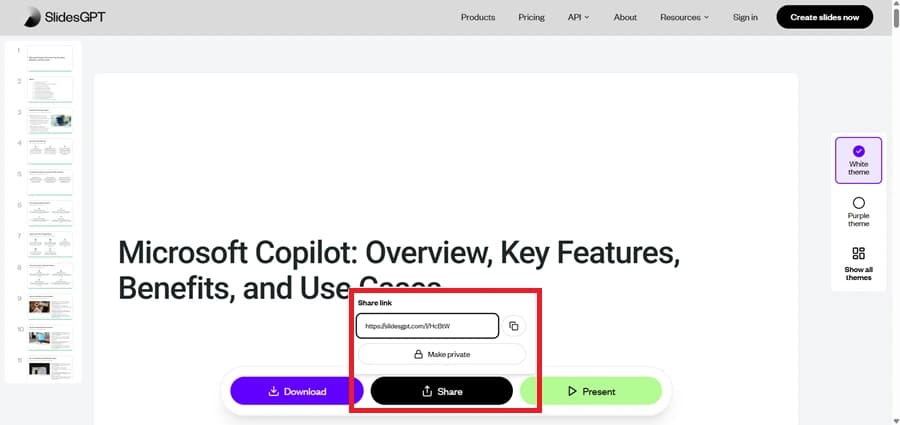
Open the downloaded file

The downloaded .pptx or PDF opens in your destination app. No editor inside SlidesGPT — all editing happens in PowerPoint, Google Slides, or your PDF tool.

[ screenshot · open the downloaded file ]

Repeat (and pay again)

For the next deck, repeat the whole flow including another $2.50 payment. There is no library, no saved decks, no subscription path.

[ screenshot · repeat (and pay again) ]

How to create your first presentation with MagicSlides

MagicSlides offers a free plan with free downloads, or $8/mo Pro for unlimited generations with full features.

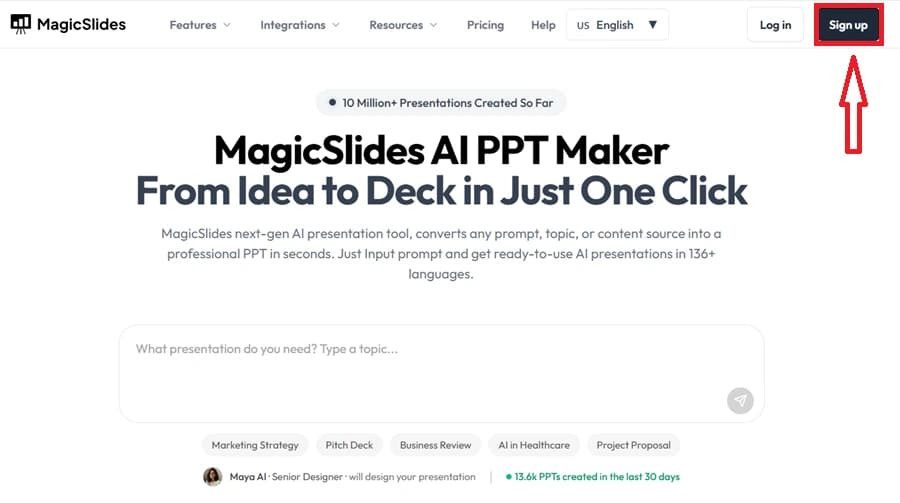
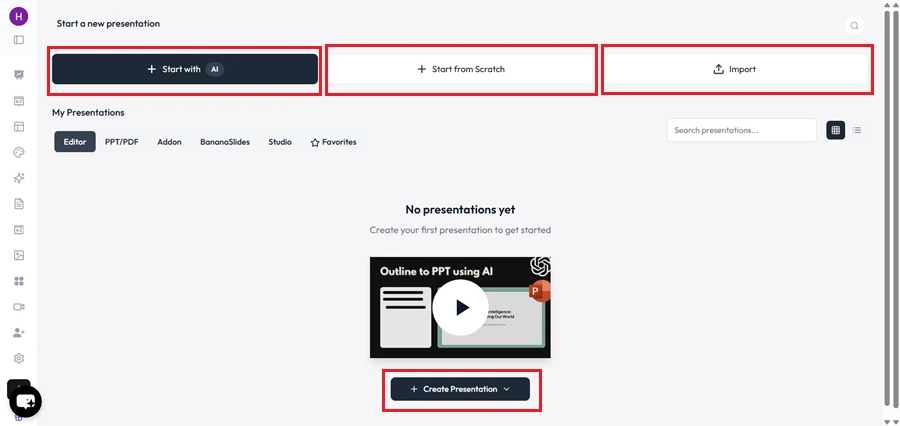
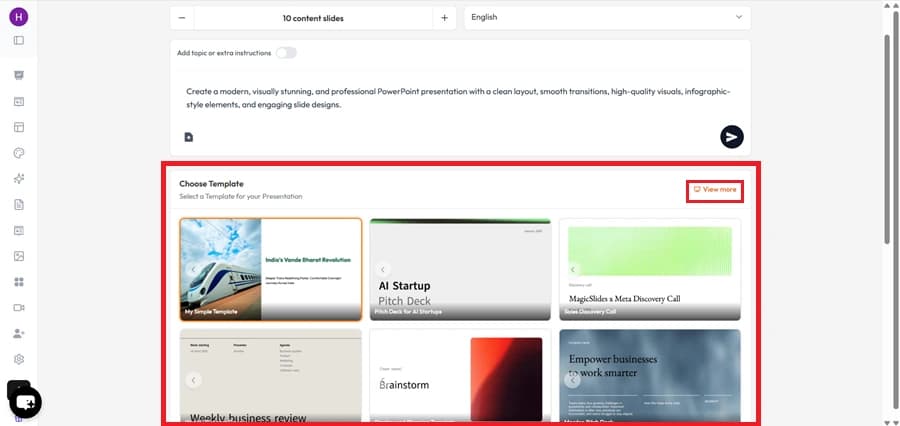
Sign up for the free plan

Free forever — no credit card required. Free downloads, no preview-only paywall.

[ screenshot · sign up for the free plan ]

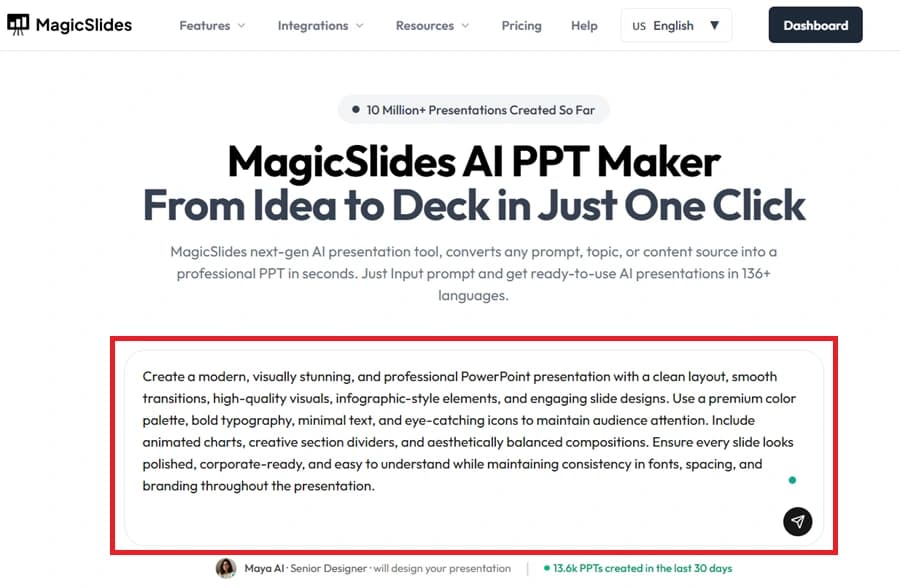
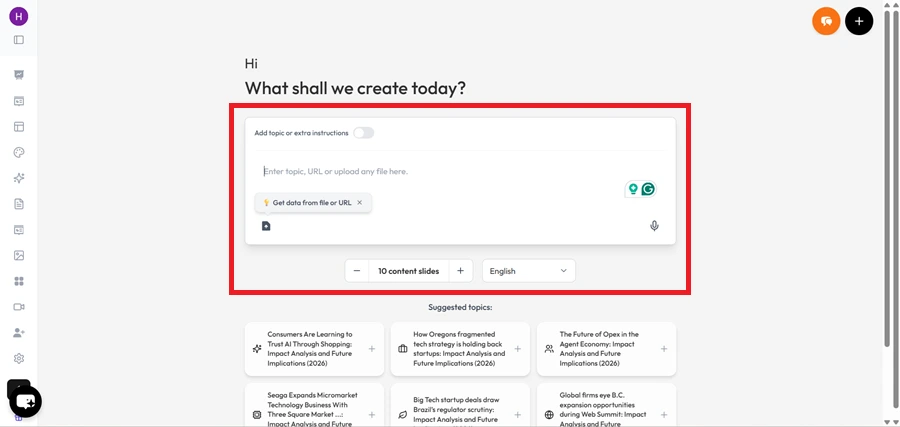
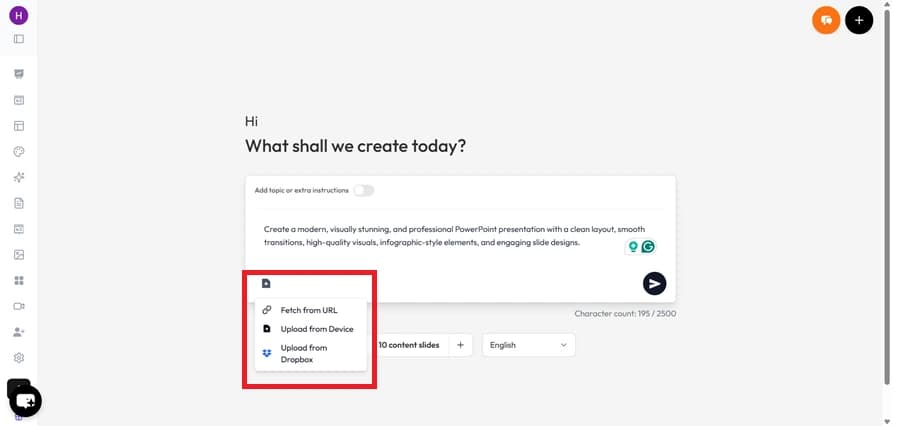
Pick any input

Text, topic, URL, YouTube link, PDF, or DOCX. SlidesGPT accepts text only — MagicSlides accepts five additional source types.

[ screenshot · pick any input ]

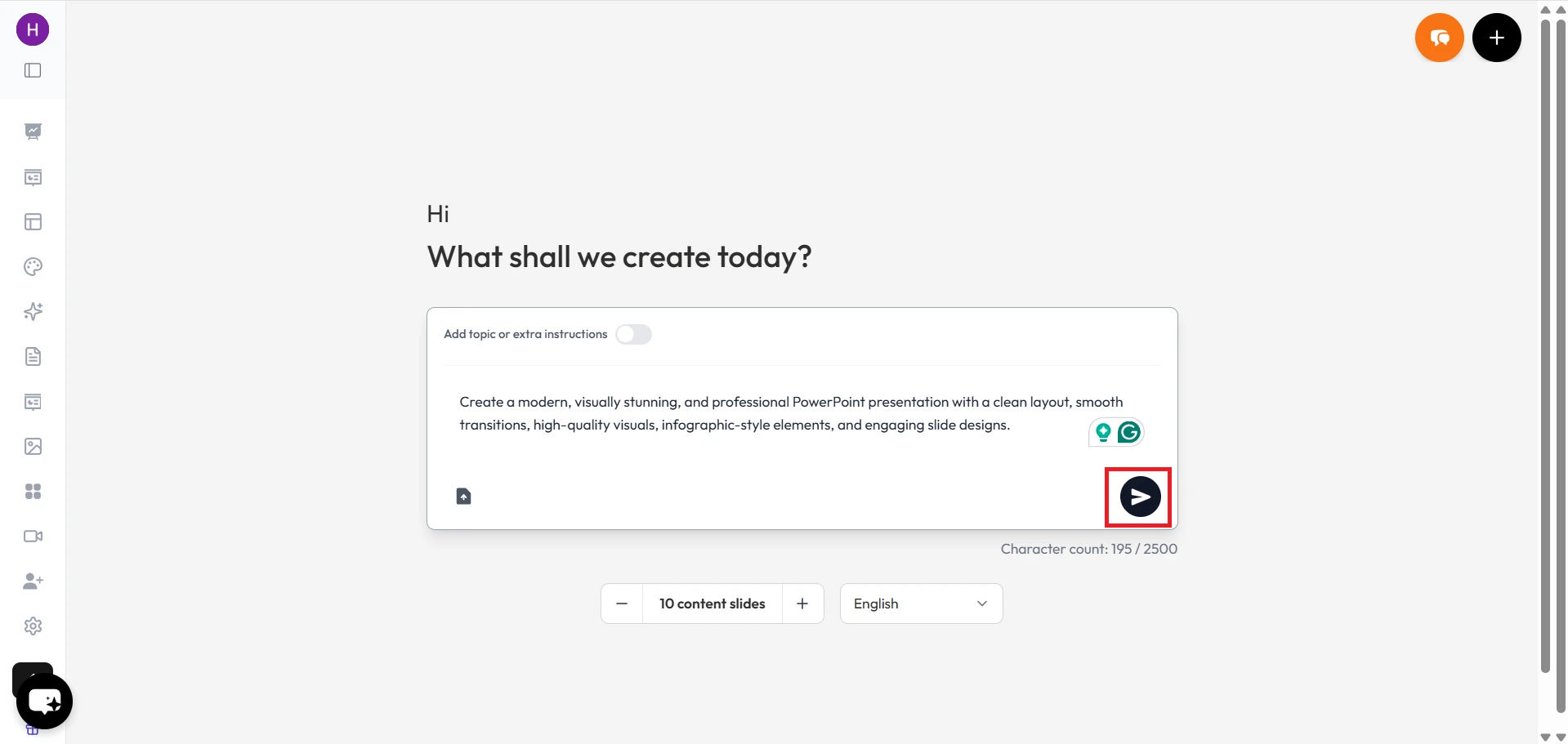
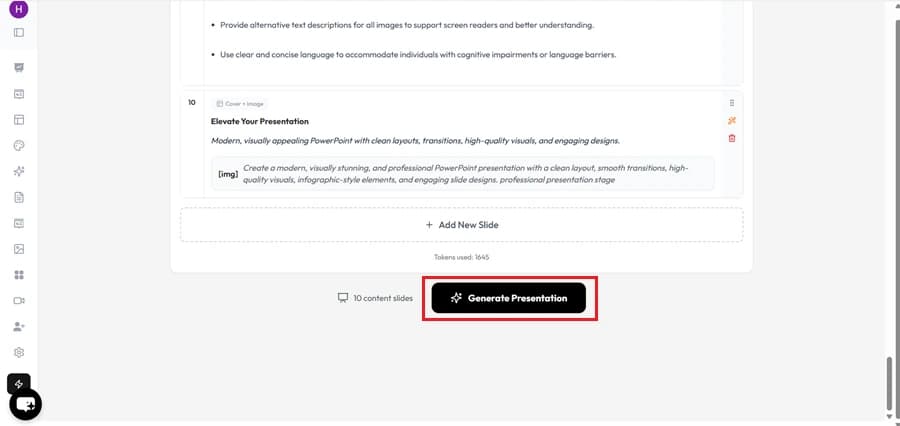
Generate the deck

In 30–60 seconds, MagicSlides creates a finished, on-brand deck using one of 500+ AI-tuned templates — not generic GPT-wrapper output.

[ screenshot · generate the deck ]

Edit and refine

Open the editor. Add, remove, reorder slides. Regenerate per slide. Add AI images. Apply brand colors.

[ screenshot · edit and refine ]

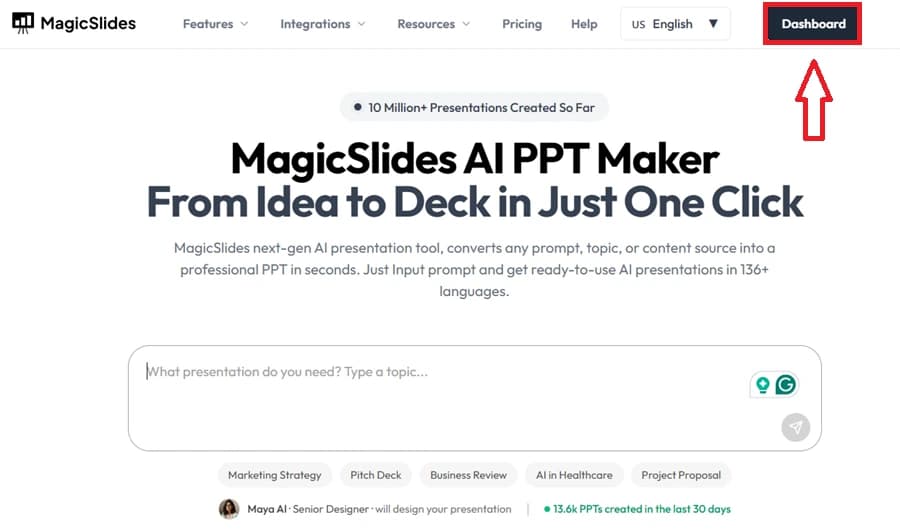
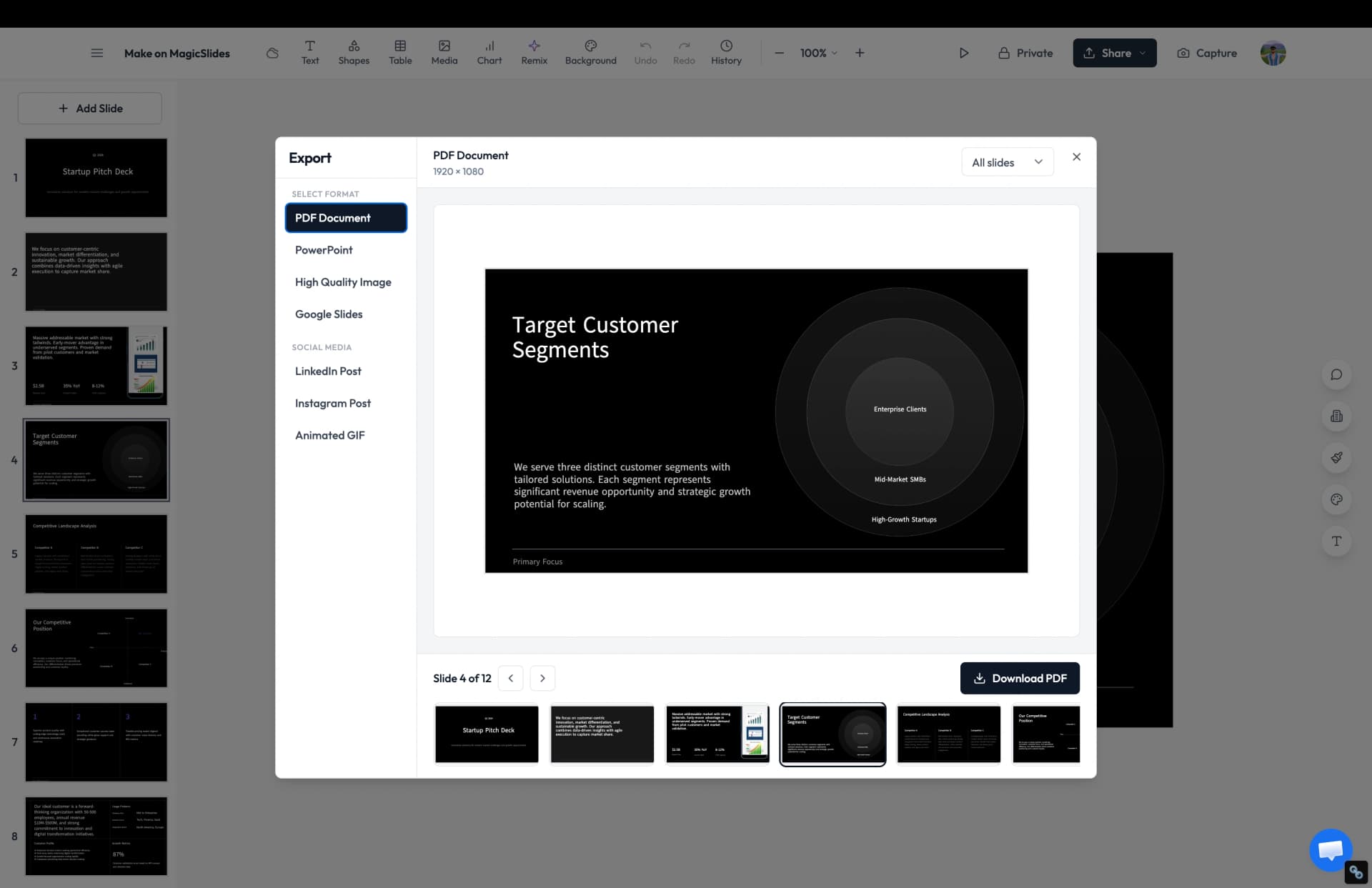
Download for free

Free .pptx download on every plan including free. Pro is $8/mo for unlimited generations and full features.

[ screenshot · download for free ]
Demo

MagicSlides vs SlidesGPT in action

Watch both products in real use.

MagicSlides in action
Our pick
SlidesGPT review
Feature matrix

Feature comparison

SlidesGPT is a pay-per-deck GPT wrapper — $2.50 per download with no subscription option. MagicSlides is a full product with templates, add-ons, free downloads, and unlimited generations on a $8/mo Pro plan. For anyone making more than two decks a year, the math overwhelmingly favors MagicSlides.

Feature
SlidesGPT
MagicSlides
Free generation
Preview only
Free forever
Free download
Pay per download
PowerPoint export
Paid
Google Slides export
Paid
Google Slides add-on
Generate from URL / YouTube / PDF
AI image generation
Branded templates
Generic only
Subscription option
Pay-per-deck
Unlimited on Pro
Languages supported
100+
Output quality

Design quality comparison

How the finished slides actually look.

SlidesGPT

SlidesGPT uses generic, low-customization templates. Output is functional but visually unremarkable — closer to a school assignment than a polished deck. Limited template variety, no brand kit, no aesthetic differentiation between decks generated on the same topic.

MagicSlides

MagicSlides ships 500+ AI-tuned templates with broad aesthetic range — modern, corporate, education, pitch decks, training decks. Templates can be switched post-generation without re-entering content, and the AI fills them with on-topic content rather than generic placeholders.

Our verdict

Not a close call: MagicSlides' design output is in a different league. SlidesGPT looks like a GPT wrapper because that's essentially what it is.

Under the hood

AI quality comparison

How smart each tool is at turning a prompt into a usable deck.

SlidesGPT

SlidesGPT is a thin GPT wrapper that turns a text prompt into a basic slide structure. No special engineering for slide-shaped output, no support for URL/YouTube/PDF/DOCX, and no per-slide regeneration. Output quality is acceptable for basic topics but doesn't differentiate from what you'd get by manually asking ChatGPT to draft an outline.

MagicSlides

MagicSlides' AI is purpose-built for slide structure with five input source types, AI image generation, per-slide regeneration, and 100+ language support. It's a dedicated product with its own engineering on top of LLMs, not a wrapper.

Our verdict

MagicSlides is a real AI presentation product. SlidesGPT is a thin GPT wrapper packaged as one. The AI capability difference is significant.

Cost

Pricing compared

What you actually pay each month.

SlidesGPT
Pay per deck
$2.50/deck
  • $2.50 per download
  • No subscription option
  • No add-ons
  • Generic templates
Best value
MagicSlides
Pro
$8/mo
  • Unlimited generations
  • Free downloads
  • All input types
  • Brand kit + AI images
The honest scorecard

Strengths & weaknesses

The full picture — what each tool does well and where it falls short.

MagicSlides Pros

  • Free forever plan with free downloads — no $2.50-per-deck paywall
  • Pro plan ($8/mo) covers unlimited generations
  • Five input source types: text, URL, YouTube, PDF, DOCX
  • Google Slides add-on and Chrome extension
  • AI image generation included
  • 500+ AI-tuned templates with brand customization
  • 100+ languages

MagicSlides Cons

  • Free plan caps slide count at 10 per deck
  • Subscription model assumes regular usage — overkill if you genuinely need only one deck a year

SlidesGPT Pros

  • No subscription required if you only need one or two decks per year
  • Free preview before payment lets you check the output first
  • Supports 100+ languages
  • Simple pay-as-you-go pricing with no recurring commitment

SlidesGPT Cons

  • $2.50 per download adds up fast — 4 decks per month already costs more than MagicSlides Pro
  • No free downloads — every export is paid, free tier is preview-only
  • No Google Slides add-on, no Chrome extension, no PowerPoint add-on
  • No URL, YouTube, PDF, or DOCX input — text prompts only
  • Generic templates with minimal customization
  • No subscription tier for regular users — every deck is a separate transaction
  • No saved deck library, no editor, no per-slide regeneration
The recommendation

Which one should you pick?

Honest verdict — based on the use case, not the marketing.

Pick MagicSlides if…

  • You make presentations regularly — pay-per-deck adds up fast
  • You want a Google Slides add-on for in-app editing
  • You need URL, YouTube, PDF, or DOCX input options
  • You want a free plan with full downloads, not just previews

Pick SlidesGPT if…

  • You only need one or two presentations a year and want zero subscription
  • You only need basic AI text → slide generation with no extras
In closing

Final thoughts

MagicSlides vs SlidesGPT — the take after testing both end-to-end.

MagicSlides starts free — free downloads, full features, no subscription required to try it properly. Paste a topic, URL, YouTube link, or PDF and get a complete deck, with a Google Slides add-on, AI images, branded templates, an editor, and a saved library. For anyone who makes presentations more than once, the value is plain: two paid downloads on SlidesGPT cost more than a full month of MagicSlides Pro.

For regular presentation makers — which describes most people who land on a compare page — MagicSlides is simply more tool for less money.

That said, SlidesGPT works for the rare user who genuinely needs one presentation a year and does not want a subscription at all. For that person, $2.50 once is perfectly reasonable — if your usage is truly one-off, SlidesGPT does the job.

Try it yourself

Make your first deck with MagicSlides

Type a topic and Maya turns it into an editable presentation in under a minute — free, no credit card.

Maya

Maya AI · Senior Designer · will design your presentation

13.6k PPTs created in the last 30 days

FAQ

Frequently asked questions

The quick answers people search for after reading a comparison.

Why is MagicSlides better than SlidesGPT?
MagicSlides is its own product, not a GPT wrapper. You get a Google Slides add-on, PowerPoint export, URL/YouTube/PDF inputs, AI images, and branded templates — features SlidesGPT doesn't offer.
Can I download for free?
Yes — MagicSlides free plan includes downloads. SlidesGPT charges $2.50 per download even after generation.
Does SlidesGPT have a Google Slides add-on?
No. MagicSlides has an official Google Slides add-on; SlidesGPT does not.
Which is cheaper for regular use?
MagicSlides Pro is $8/mo unlimited. SlidesGPT charges $2.50 per deck — 4 decks/month already costs $10.
What's MagicSlides' rating?
MagicSlides has a 4.6 average across G2 and Trustpilot with 2,800+ reviews.

Ready to create your presentation?

Join thousands of professionals who save hours every week with AI-powered presentations.

1,511 reviews · Trustpilot & Workspace

Ask AI about MagicSlides
ChatGPT logoClaude logoGemini logoPerplexity logo