MagicSlides: Ferramenta de Criação de Apresentações PowerPoint com IA
Explore apresentações completas baseadas nestas ideias. O MagicSlides utiliza uma tecnologia avançada de inteligência artificial para criar vídeos e apresentações PowerPoint profissionais. Envie as suas ideias aqui para um teste gratuito. Mais de 11.200 apresentações PowerPoint já foram criadas durante o período de teste gratuito de 30 dias.
13.6k PPTs created in the last 30 days
Trusted by 1.5M+ professionals and teams worldwide
- Google
- Amazon
- Netflix
- LinkedIn
- Salesforce
- HubSpot
- Shopify
- Stripe
- ByteDance
- Cisco
- IBM
- Red Hat
- NVIDIA
- SpaceX


Crie Apresentações com Inteligência Artificial em Apenas Três Passos
Crie a sua apresentação em apenas três passos:1.º Descreva a sua Ideia
Basta inserir um tópico, colar conteúdo, carregar ficheiros ou arrastar um link do YouTube. Escolha um modelo e deixe a IA gerir a sua apresentação.
Gerando 1 slides...
2.º Deixe a IA Fazer o Resto
Explore o nosso criador de apresentações em PowerPoint com inteligência artificial, que gera instantaneamente diapositivos profissionais, bem estruturados e visualmente apelativos.

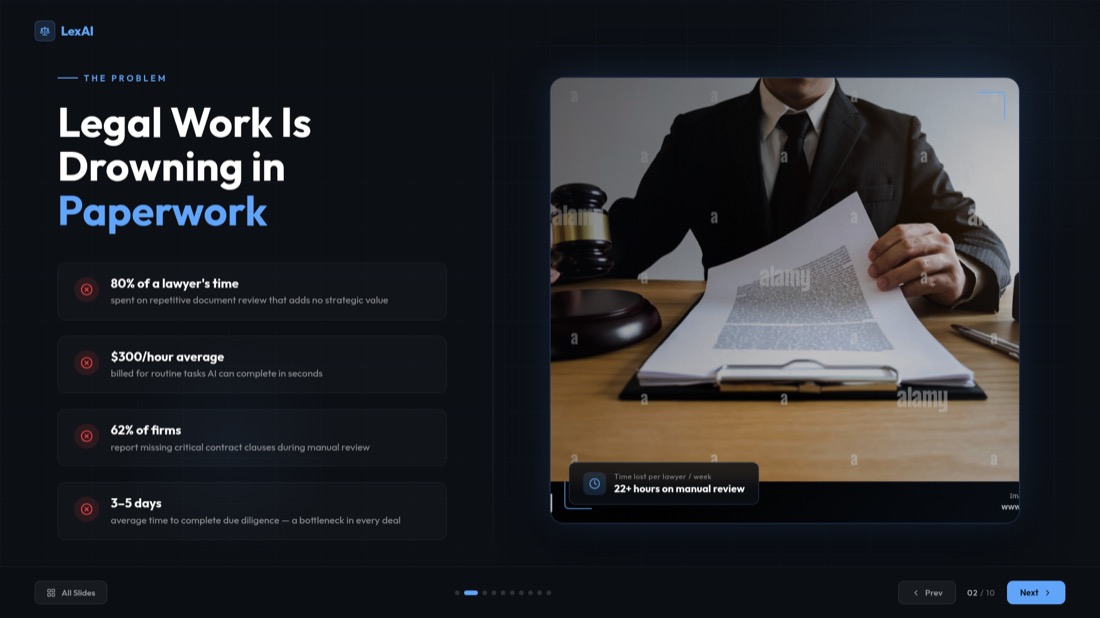
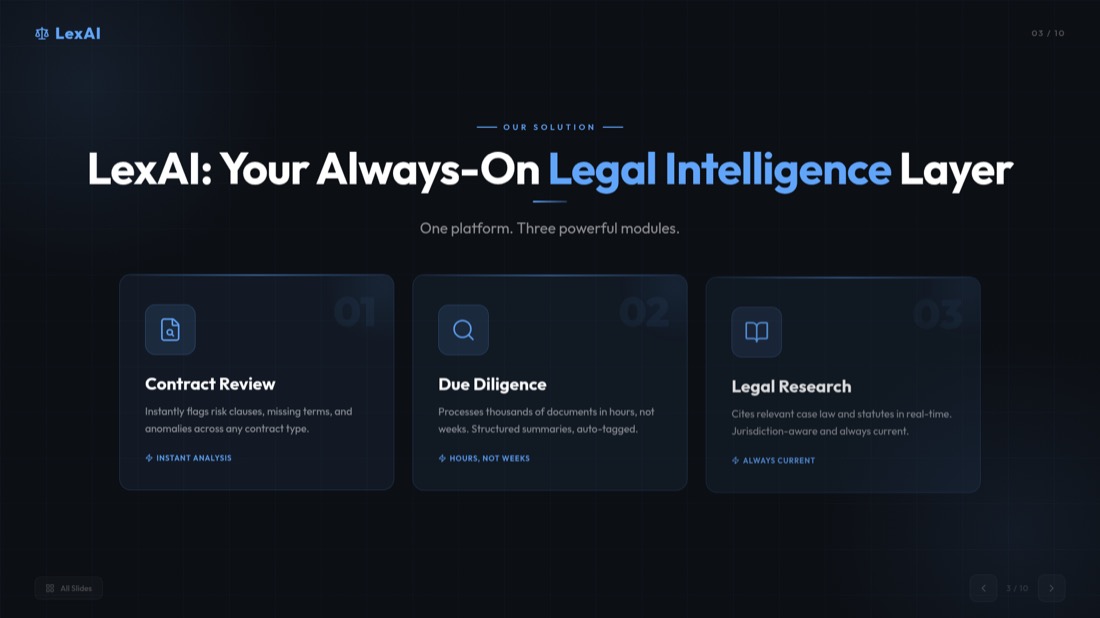
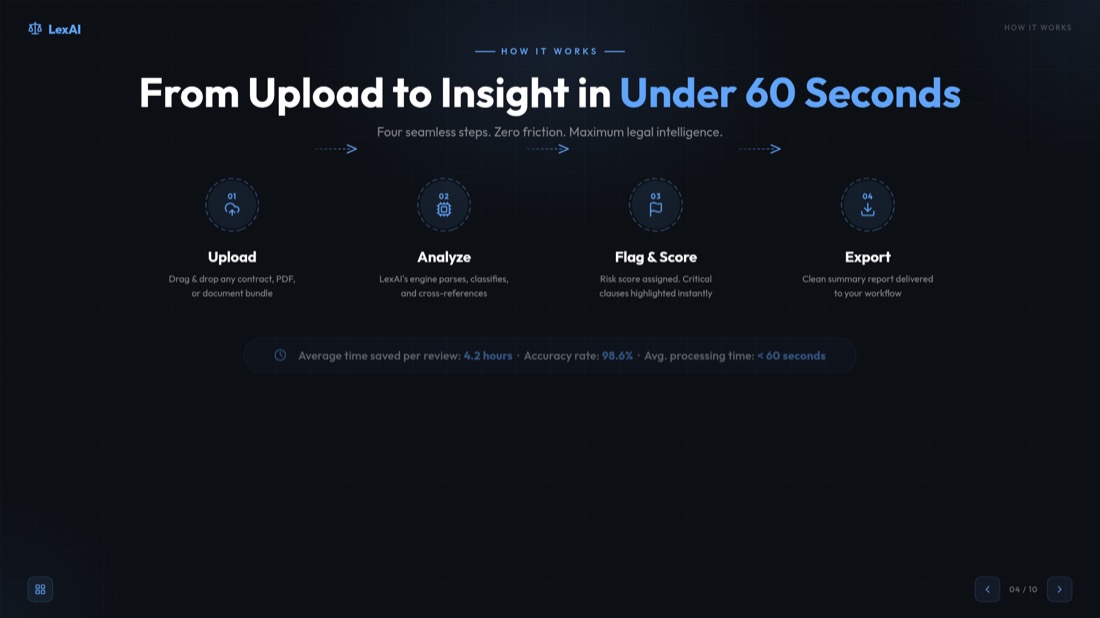
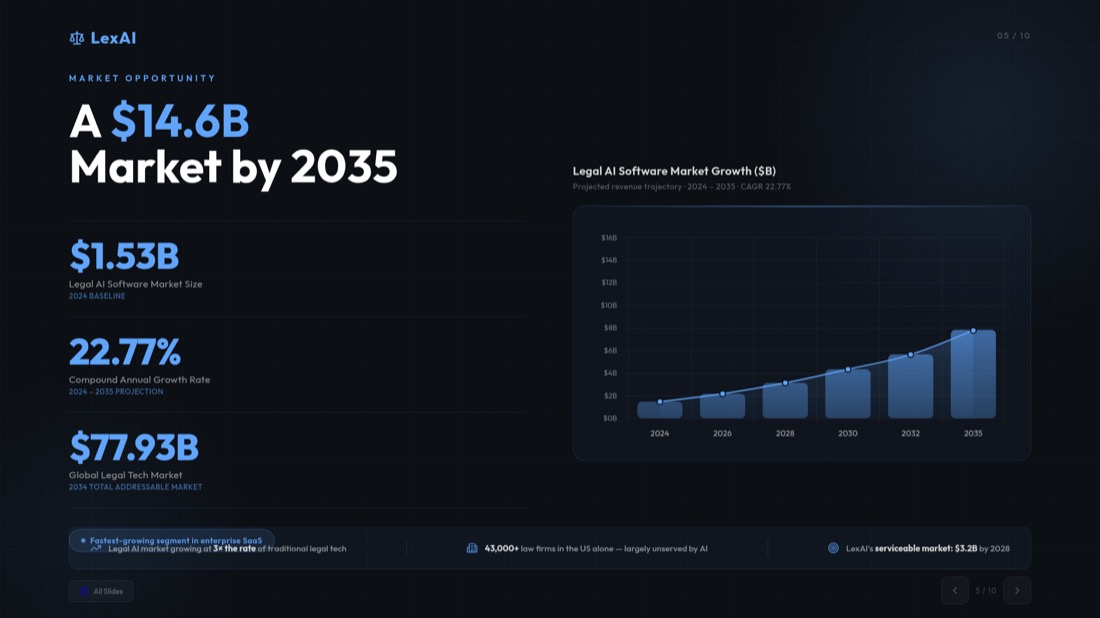
3.º Carregue e Apresente com Confiança
A sua apresentação está pronta para partilhar ou editar no PowerPoint, Apresentações Google ou MagicSlides AI.
O Chat com IA Permite Apresentações Mais Inteligentes
Crie apresentações completas, adicione ou copie diapositivos e muito mais com uma simples conversa com o nosso assistente de IA.
Crie Novas Apresentações
Crie a sua apresentação completa a partir do zero através de uma conversa natural com a IA.
Insira Diapositivos Individuais
Adicione facilmente novos diapositivos com conteúdo e layout personalizados à sua apresentação.
Copiar diapositivos
Copie e personalize os diapositivos facilmente utilizando a IA, mantendo um layout consistente.
Personalizar conteúdo
Melhore e personalize os seus diapositivos com sugestões de IA para maior clareza e impacto.
Assistência no Design de Diapositivos
Obtenha ajuda da IA para escolher as cores, o layout e as imagens perfeitas para os seus diapositivos.
Super Rápido
Transforme as suas ideias em diapositivos profissionais em segundos com a velocidade e o poder da IA Gemini.
Crie apresentações profissionais facilmente utilizando o Criador de PPT com IA.
MagicSlides Criador de Apresentações com IA: Transforme as suas ideias, textos e ficheiros de vídeo em apresentações profissionais.
- Basta digitar ou colar o texto para gerar uma apresentação.
- A IA do MagicSlides renderiza o resultado instantaneamente.
- Gere em segundos!
- Digite ou cole o seu tema.
- Crie facilmente a apresentação PowerPoint que pretende com o Criador de PPT com IA.
- Crie apresentações profissionais em segundos!
- Insira ou cole aqui os detalhes da sua apresentação.
- Crie apresentações impactantes instantaneamente, utilizando ferramentas de IA para a criação de apresentações.
- As apresentações profissionais ajudam-no a conquistar investidores com facilidade!
- Insira um link de vídeo do YouTube.
- Utilize a IA para convertê-lo numa apresentação profissional.
- Crie a sua apresentação PowerPoint rapidamente!
- Clique aqui para carregar o seu ficheiro PDF.
- Utilize o AI PPT Builder para criar apresentações a partir dos seus ficheiros.
- Os seus slides incríveis estão prontos!
Transforme as suas ideias em apresentações profissionais e eficazes de imediato.
Transforme as suas ideias em apresentações profissionais e eficazes de imediato.
Tome decisões com facilidade com os nossos diapositivos de prós e contras com inteligência artificial. O nosso gerador de apresentações com IA constrói os seus argumentos e fornece resultados precisos.
Crie apresentações convincentes que apresentem o denunciante. A IA do MagicSlides combina a sua perspetiva com insights de especialistas para criar apresentações profissionais de última geração.
Experimente fundamentar o seu texto com as perspetivas de três colegas dentro de um contexto profissional. A inteligência artificial formatará automaticamente o seu conteúdo para obter os melhores resultados.
Prepare-se para o seu evento prático. A ferramenta de criação de PPT com IA oferece todas as funcionalidades de um profissional.
Crie apresentações facilmente em mais de 136 idiomas com o Criador de PPT com IA. Converta instantaneamente ideias, textos, documentos ou vídeos em diapositivos profissionais na língua da sua preferência, poupando tempo e envolvendo o seu público.
Idiomas Mais Usados
Idiomas Mais Usados
Ainda tem dúvidas sobre o nosso criador de apresentações PowerPoint com IA?
Encontre aqui as respostas! Respostas fiáveis para o ajudar a dominar a criação de apresentações com IA com facilidade
Em que idiomas o MagicSlides Criador de PPT com IA pode gerar apresentações?
O que está incluído na licença do MagicSlides?
Pode outra pessoa comprar uma licença do criador de apresentações com IA para mim?
Que tipos de apoio são oferecidos e o que incluem?
Como são definidos os utilizadores para efeitos de precificação?
O MagicSlides Criador de PPT com IA é compatível com o Google Slides e o PowerPoint?
Os meus dados estão seguros ao utilizar o criador de apresentações com IA?
Posso editar os diapositivos depois de a IA os gerar?
O criador de PPT com IA pode ajudar-me a atualizar ou melhorar as apresentações existentes?
Tem outras perguntas sobre o criador de apresentações com IA que não foram respondidas aqui?
Ainda tem perguntas?
Nossa equipe de suporte está pronta para ajudá-lo a começar com o MagicSlides
Entre em ContatoO que há de novo no MagicSlides
Veja os últimos artigos, tutoriais e insights sobre ferramentas de apresentação com IA, guias de desenvolvimento e tendências do setor.
Easy Presentation Topics: 100+ Ideas
Discover 100+ easy presentation topics across various categories to inspire your next presentation. Perfect for students, professionals, and educators.
Your Topics, Multiple Stories: Writing Slides
Learn how to transform your topics into compelling stories and create engaging slides that captivate your audience from start to finish.
How can ChatGPT Make a PowerPoint? Step-by-Step
How to Create a PowerPoint Presentation in ChatGPT step by step. Learn how to ask ChatGPT for slides and save your presentation directly from it in PPTX.

Pronto para criar sua próxima apresentação?
Junte-se a mais de 1 milhão de profissionais. Sem necessidade de cartão de crédito.


