
Produttore di MagicSlides AI PPT
Scopri una presentazione completa basata su un'idea qui sotto. MagicSlides utilizza l'intelligenza artificiale avanzata per creare documenti video e presentazioni PowerPoint professionali. Scrivi qui la tua idea e provala gratuitamente. Durante la prova gratuita di 30 giorni sono state create oltre 11.200 presentazioni PowerPoint.

Magic Slides · Senior Designer · will design your presentation
13.6k PPTs created in the last 30 days
Trusted by 1.5M+ professionals and teams worldwide
- Google
- Amazon
- Netflix
- LinkedIn
- Salesforce
- HubSpot
- Shopify
- Stripe
- ByteDance
- Cisco
- IBM
- Red Hat
- NVIDIA
- SpaceX


Crea presentazioni basate sull'intelligenza artificiale in 3 semplici passaggi
Crea la tua presentazione in 3 semplici passaggi1. Descrivi la tua idea
Inserisci semplicemente un argomento, incolla del contenuto, carica un file o trascina un link di YouTube. Scegli un modello e lascia che l'IA gestisca la presentazione.
Generazione di 1 diapositive...
2. Lascia che l'IA faccia il resto
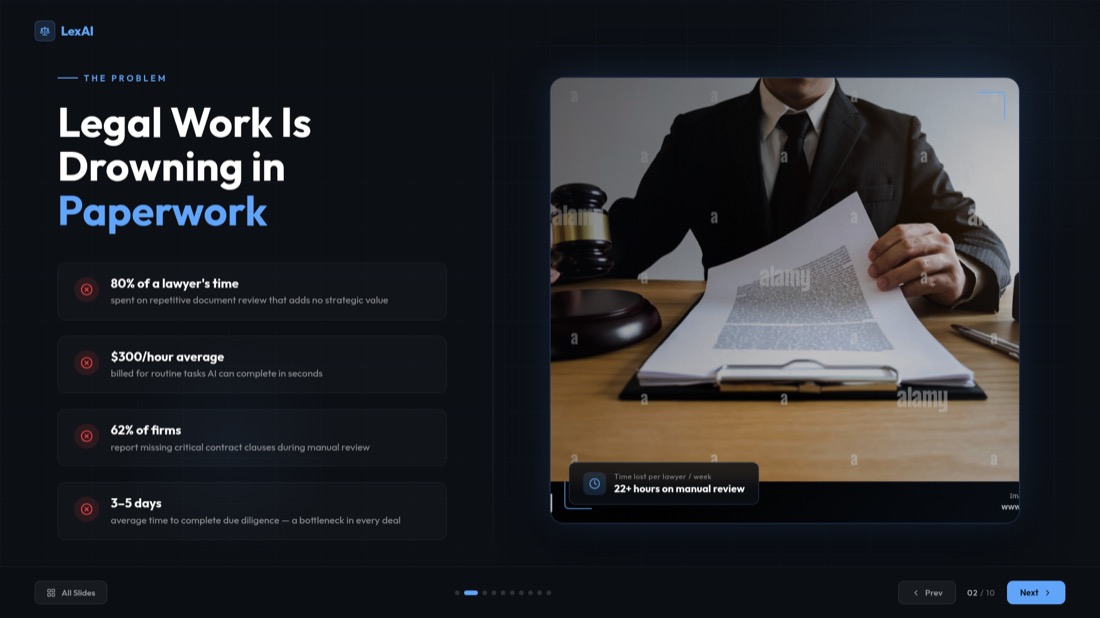
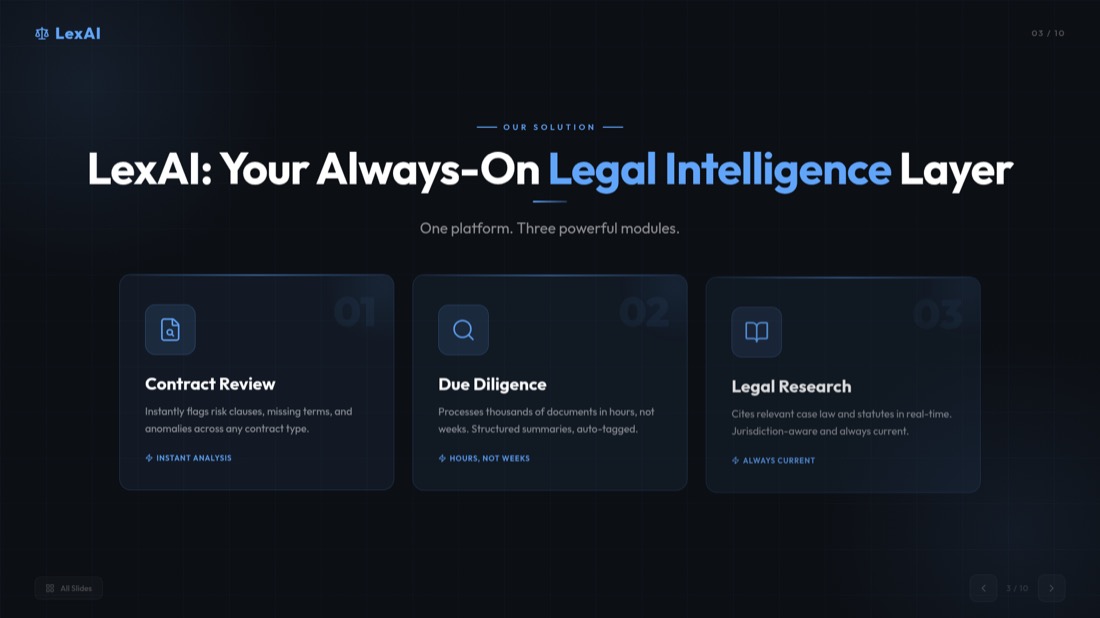
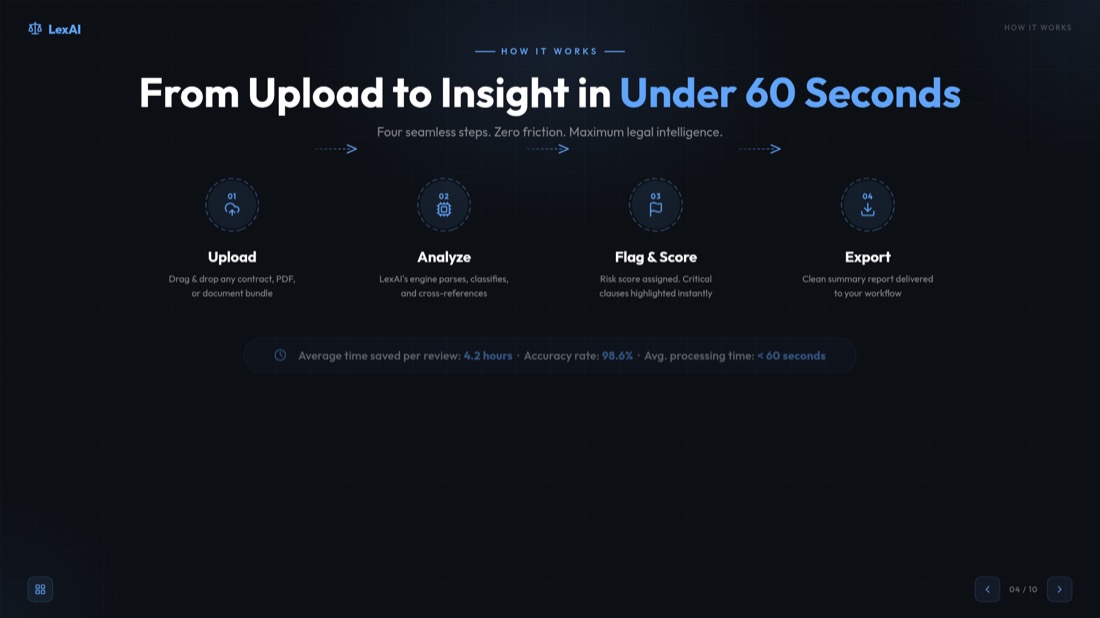
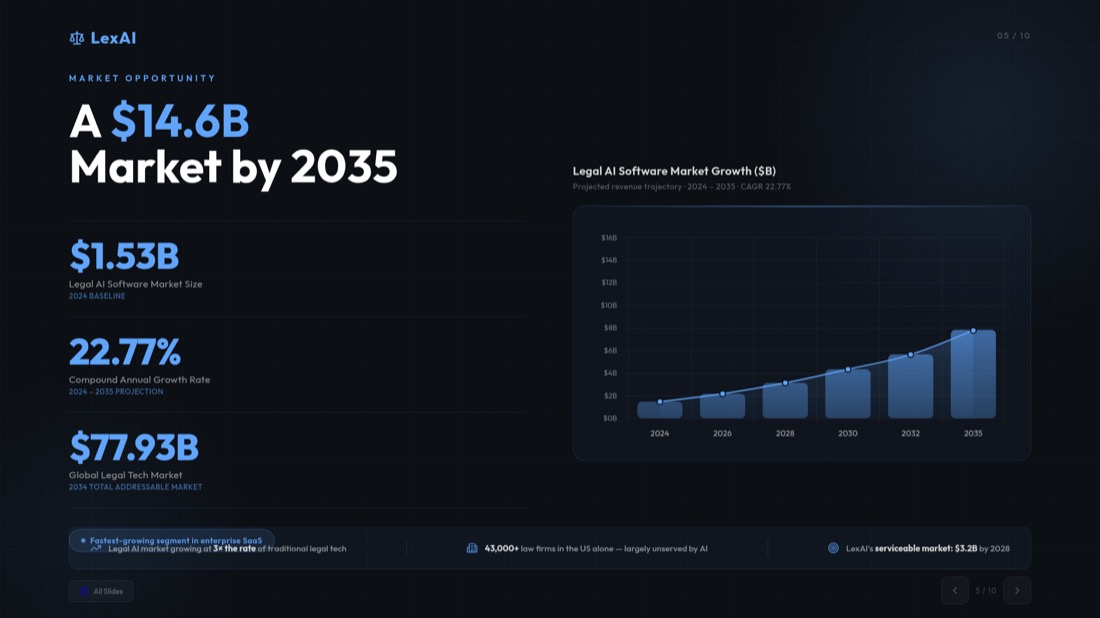
Scopri il nostro generatore di presentazioni PowerPoint basato sull'IA, che genera istantaneamente diapositive professionali, ben strutturate e visivamente accattivanti.

3. Carica e presenta in tutta sicurezza
La tua presentazione è pronta per essere condivisa o modificata in PowerPoint, Google Slides o MagicSlides AI.
Chat AI per presentazioni più intelligenti
Crea presentazioni complete, aggiungi o duplica diapositive e molto altro con una semplice conversazione con il nostro assistente AI.
Crea una nuova presentazione
Inizia da zero e costruisci l'intera presentazione attraverso una conversazione naturale con l'AI.
Inserisci singole diapositive
Aggiungi facilmente nuove diapositive alla tua presentazione con contenuti e layout personalizzati.
Duplica diapositive
Copia e personalizza facilmente le tue diapositive con l'intelligenza artificiale, mantenendo un layout coerente.
Personalizza i contenuti
Migliora e personalizza le tue diapositive con i suggerimenti dell'intelligenza artificiale per maggiore chiarezza e impatto.
Assistenza per la progettazione delle diapositive
Ottieni assistenza dall'intelligenza artificiale per scegliere i colori, i layout e le immagini migliori per le tue diapositive.
Ultraveloce
Trasforma le tue idee in diapositive professionali in pochi secondi con la velocità e la potenza dell'intelligenza artificiale Gemini.
L'idea di una presentazione professionale completa, in secondo luogo con Creatore PPT AI
MagicSlides AI, creatore di presentazioni: trasforma le tue idee, i tuoi testi e i tuoi documenti video in presentazioni professionali.
- Digita o incolla il testo per generare la tua presentazione.
- Risultati immediati con MagicSlides AI.
- Risultati in pochi secondi!
- Digita o incolla il tuo argomento.
- Crea facilmente la presentazione PowerPoint che desideri con Creatore PPT AI.
- Presentazioni professionali in pochi secondi !
- Inserisci o incolla qui i dettagli della tua presentazione.
- Crea all'istante presentazioni d'impatto con Creatore di presentazioni AI.
- Presentazioni professionali, pronte a convincere gli investitori!
- Inserisci un link a un video di YouTube.
- Trasformalo in una presentazione professionale con l'intelligenza artificiale.
- Crea la tua presentazione PowerPoint in un attimo!
- Carica il tuo file PDF cliccando qui.
- Crea una presentazione dai tuoi file con Creatore PPT AI.
- Le tue fantastiche slide sono pronte!
Converti le tue immagini in presentazioni PowerPoint
Crea all'istante presentazioni professionali e di impatto con il nostro generatore di presentazioni PowerPoint basato sull'intelligenza artificiale. Trasforma all'istante le tue idee in presentazioni professionali ed efficaci
Prendi decisioni senza sforzo con le nostre diapositive pro/contro basate sull'intelligenza artificiale. Il nostro generatore di presentazioni basato sull'intelligenza artificiale struttura le tue argomentazioni e fornisce risultati accurati.
Crea presentazioni che informano e colpiscono. MagicSlides AI combina i tuoi punti chiave con immagini per generare diapositive professionali in pochi secondi.
Converti facilmente i tuoi eventi in diapositive con linea temporale attraenti. Creatore PPT AI organizza e progetta tutto per un aspetto professionale.
Genera istantaneamente un'analisi SWOT professionale con l'intelligenza artificiale.
Crea presentazioni in oltre 136 lingue con Creatore PPT AI
Risparmia tempo e conquista il tuo pubblico convertendo istantaneamente idee, testi, documenti o video in slide professionali nella lingua che preferisci.
Lingue più diffuse
Domande sul nostro generatore di presentazioni PowerPoint basato sull'intelligenza artificiale? Trova le risposte qui!
Risposte affidabili per padroneggiare le presentazioni basate sull'intelligenza artificiale
In quali lingue MagicSlides Creatore PPT AI può generare presentazioni?
Cosa include una licenza MagicSlides?
Qualcun altro può acquistare una licenza di Presentazione del produttore di intelligenza artificiale per me?
Che tipo di supporto viene fornito e cosa è incluso?
Come viene definito un utente ai fini del prezzo?
MagicSlides Creatore PPT AI è compatibile con Google Slides e PowerPoint?
I miei dati sono al sicuro con Presentazione del produttore di intelligenza artificiale?
Posso modificare le diapositive dopo che sono state generate dall'IA?
L'IA PPT Maker può aiutarmi ad aggiornare o migliorare una presentazione esistente?
Hai una domanda sull'IA Presentation Maker che non è presente qui?
Hai ancora domande?
Il nostro team di supporto è pronto ad aiutarti a iniziare con MagicSlides
ContattaciNovità su MagicSlides
Leggi gli ultimi articoli, tutorial e approfondimenti sugli strumenti di presentazione AI, le guide allo sviluppo e le tendenze del settore.
Easy Presentation Topics: 100+ Ideas
Discover 100+ easy presentation topics across various categories to inspire your next presentation. Perfect for students, professionals, and educators.
Your Topics, Multiple Stories: Writing Slides
Learn how to transform your topics into compelling stories and create engaging slides that captivate your audience from start to finish.
How can ChatGPT Make a PowerPoint? Step-by-Step
How to Create a PowerPoint Presentation in ChatGPT step by step. Learn how to ask ChatGPT for slides and save your presentation directly from it in PPTX.

Pronto a creare la tua prossima presentazione?
Unisciti a oltre 1 milione di professionisti. Nessuna carta di credito richiesta.


