How to transform historical event videos into PowerPoint summaries for educational purposes


Learn to condense historical event videos into impactful PowerPoint summaries for educational use with our step-by-step guide. Transform learning today!
In the ever-evolving landscape of education, multimedia content plays a pivotal role in engaging students. Transforming historical event videos into captivating PowerPoint summaries is a powerful way to make learning both dynamic and informative. In this blog, we’ll walk you through the basics and provide a step-by-step guide using tools like Google Slides. Let’s embark on this journey to make history come alive in your educational presentations!
How to transform historical event videos into PowerPoint summaries for educational purposes.
Understanding the Basics
Before delving into the steps, it’s essential to comprehend the significance of multimedia in education. Visual aids, such as PowerPoint presentations, not only enhance understanding but also cater to diverse learning styles. Turning historical event videos into summaries allows educators to convey complex information in an accessible format, fostering a more immersive learning experience.
Step-by-Step Guide
Step 1: Sign in with Google into Google Slides
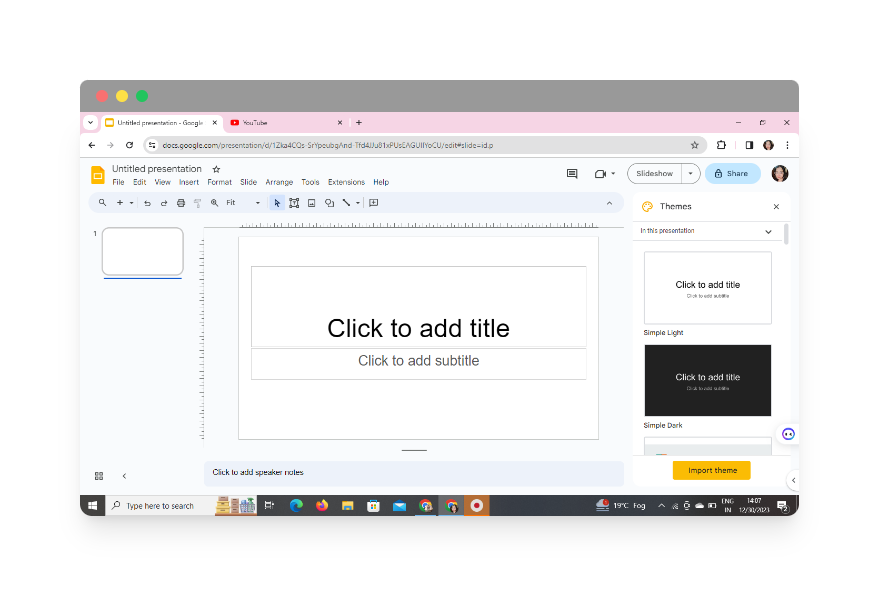
Start by signing in to your Google account and accessing Google Slides. If you don’t have an account, creating one is a straightforward process. Google Slides provides a seamless platform for collaborative and cloud-based presentations.
Step 2: Access MagicSlides Through Extensions
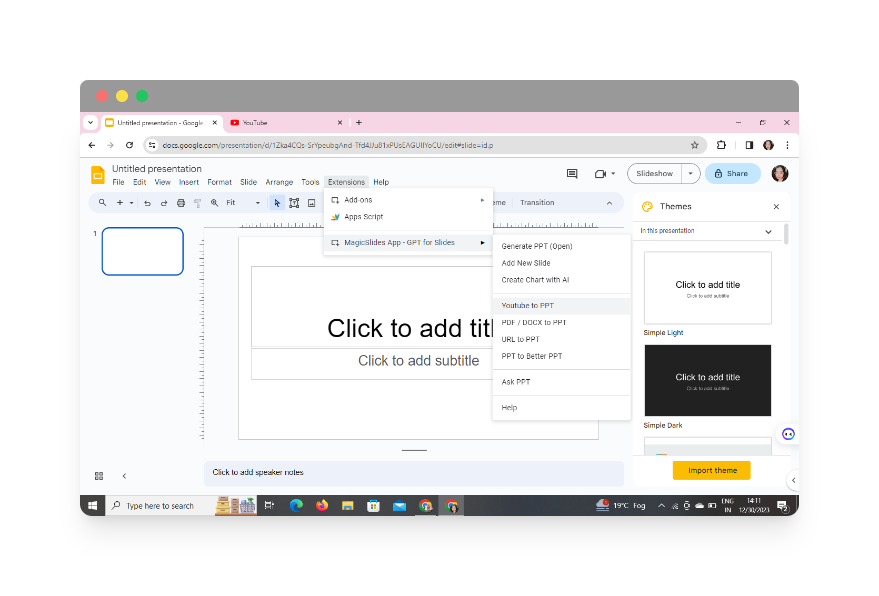
Once in Google Slides, click on extensions and select MagicSlides GPT to access its dashboard. Then click on Youtube to PPT.
Step 3: Embed Historical Event Video
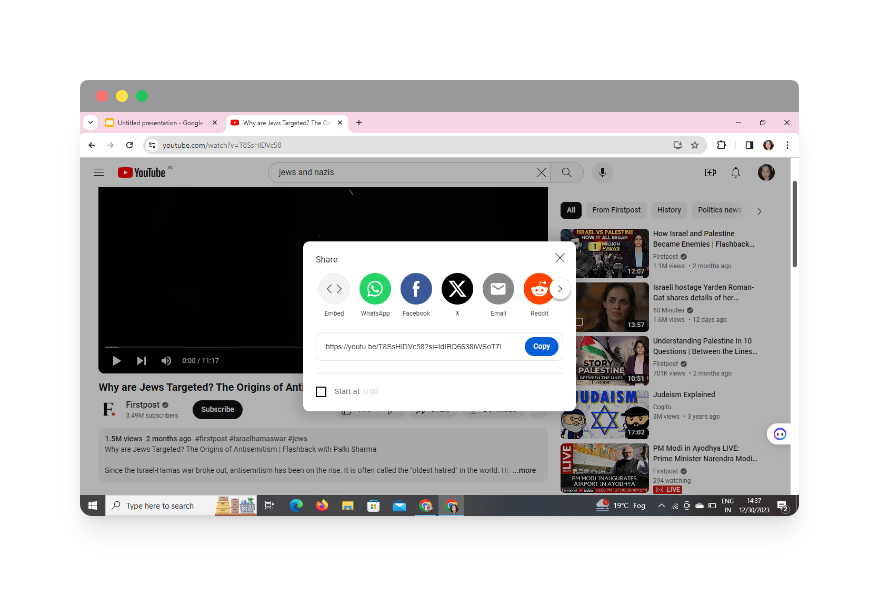
Locate and embed the historical event video directly into your presentation. Most video hosting platforms, like YouTube, provide an embedding option. Copy the video’s embed code and paste it into your Google Slides presentation.
Step 4: Click on ‘Generate Presentation’
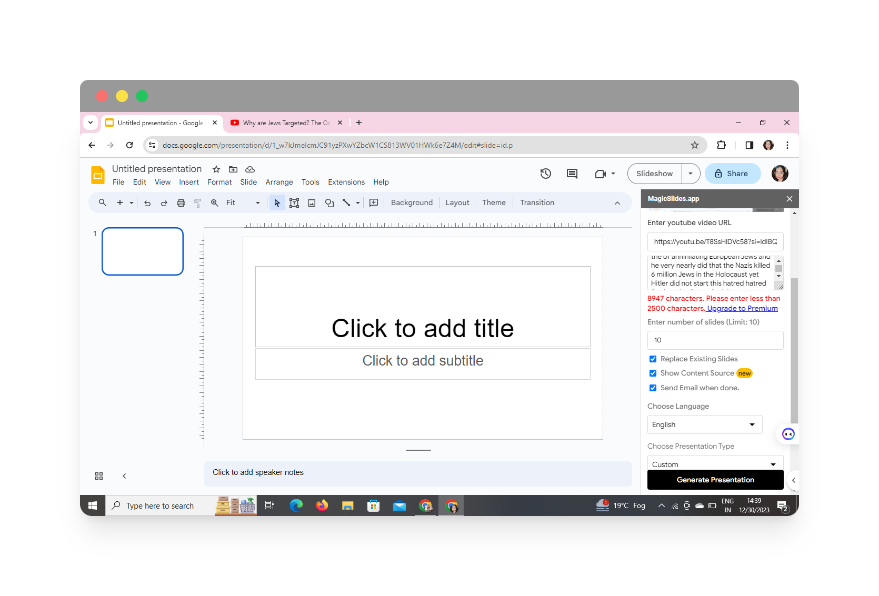
Simply click the “Generate Presentation” button after entering the URL. This action triggers MagicSlides to analyze the YouTube video and create a PowerPoint presentation automatically.
Step 6: Review and Refine
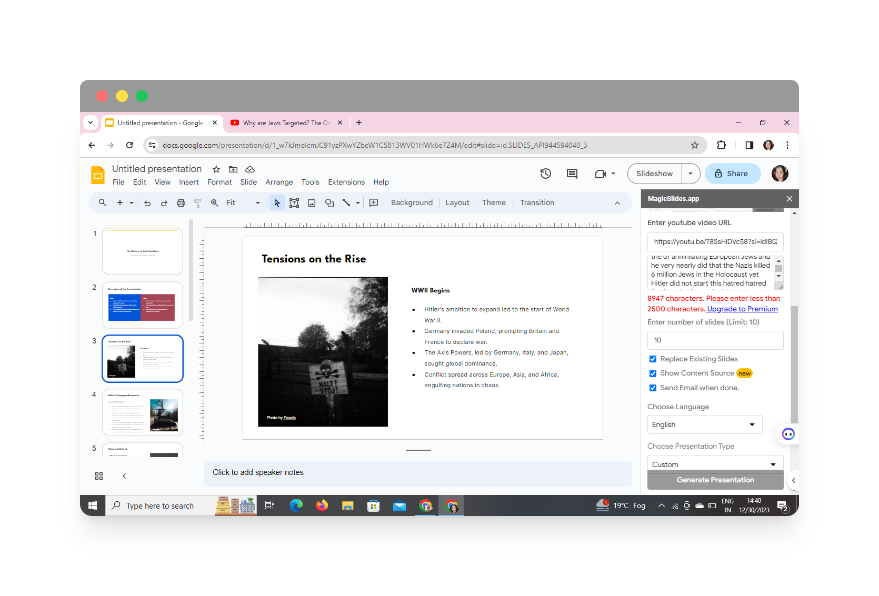
Thoroughly review your presentation. Ensure accuracy, coherence, and alignment with your educational objectives. Make necessary adjustments to refine the content and enhance its educational impact.
Step 7: Share and Collaborate
Once satisfied, share your educational PowerPoint summary with your students or colleagues. Google Slides facilitates easy collaboration and sharing, fostering a more interactive learning environment.
Conclusion
Transforming historical event videos into PowerPoint summaries is a creative and effective approach to bring history to life in the classroom. By following these steps, educators can create engaging presentations that cater to diverse learning needs, making the exploration of historical events an immersive and enlightening experience.
Frequently Asked Questions (FAQs)
1. Can I use videos from sources other than YouTube?
Absolutely! Google Slides supports video embedding from various platforms. Ensure that the video hosting service provides an embed option, and you can seamlessly integrate it into your presentation.
2. How can I ensure my PowerPoint summary is accessible to all students?
Consider incorporating closed captions in your videos and providing alternative text for images. This ensures that your content is accessible to students with diverse learning needs.
3. Are there copyright considerations when using historical event videos?
Always respect copyright regulations. Use videos that are publicly available or obtain the necessary permissions. Additionally, provide proper attribution when using external content.
4. Can I customize the design of my presentation?
Absolutely! Google Slides offers a range of customization options. Experiment with fonts, colors, and layouts to create a visually appealing and engaging presentation.
5. How can I encourage student interaction with the PowerPoint summary?
Encourage discussions, pose questions, and incorporate interactive elements like quizzes or reflections within your presentation to foster student engagement.
Incorporate these steps and considerations into your educational toolkit, and watch as historical events become an enthralling journey for both educators and students alike!
Have a look @these informative blogs by us:
• How To Create PPTs For Seminar Topics From Website URL: https://www.magicslides.app/blog/how-to-create-ppts-for-seminar-topics-from-website-url • How To Convert A Research Paper PDF To PowerPoint Slides?: https://www.magicslides.app/blog/how-to-convert-a-research-paper-pdf-to-powerpoint-slides • How To Remove An App From Slack: https://www.magicslides.app/blog/how-to-remove-an-app-from-slack • How To Convert Blog Post To Presentations: https://www.magicslides.app/blog/how-to-convert-blog-post-to-presentations


