How to convert Blog post to Presentations


Elevate your blog’s impact by effortlessly transforming it into captivating presentations with Google Slides and Magicslides.
In the ever-evolving world of digital communication, the ability to seamlessly convert insightful blog posts into engaging presentations has become a game-changer. Blog posts are a treasure trove of knowledge, and now, thanks to the dynamic duo of Google Slides and Magicslides, transforming these insights into captivating presentations is a breeze. Follow these simple steps to unlock a new dimension of creativity.
How to convert Blog post to Presentations
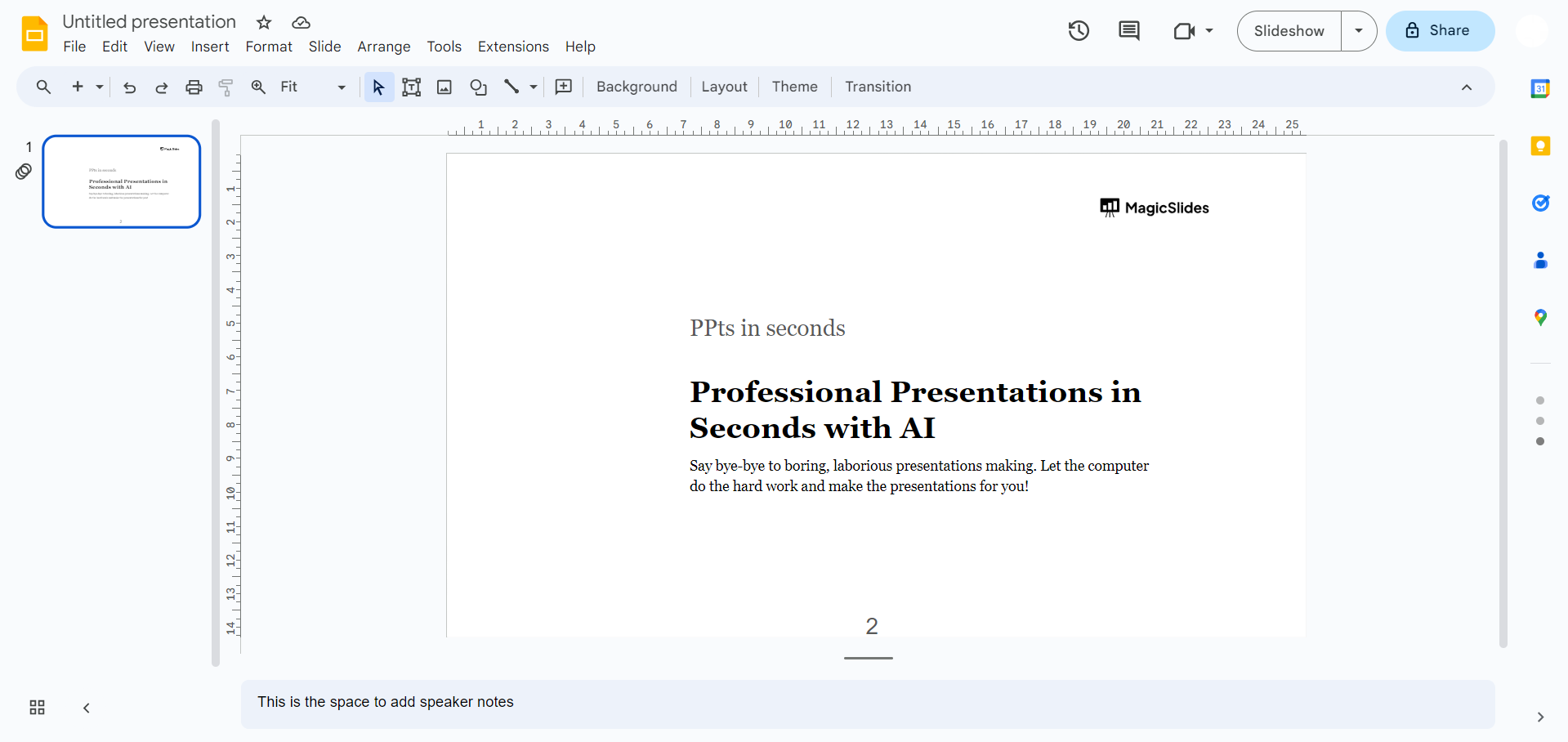
Step 1: Open Google Slides Web app
Head over to slides.google.com, your gateway to the world of presentations. Sign in with your Google account to get started on your creative journey.
Step 2: Make sure you’ve Magicslides app installed!
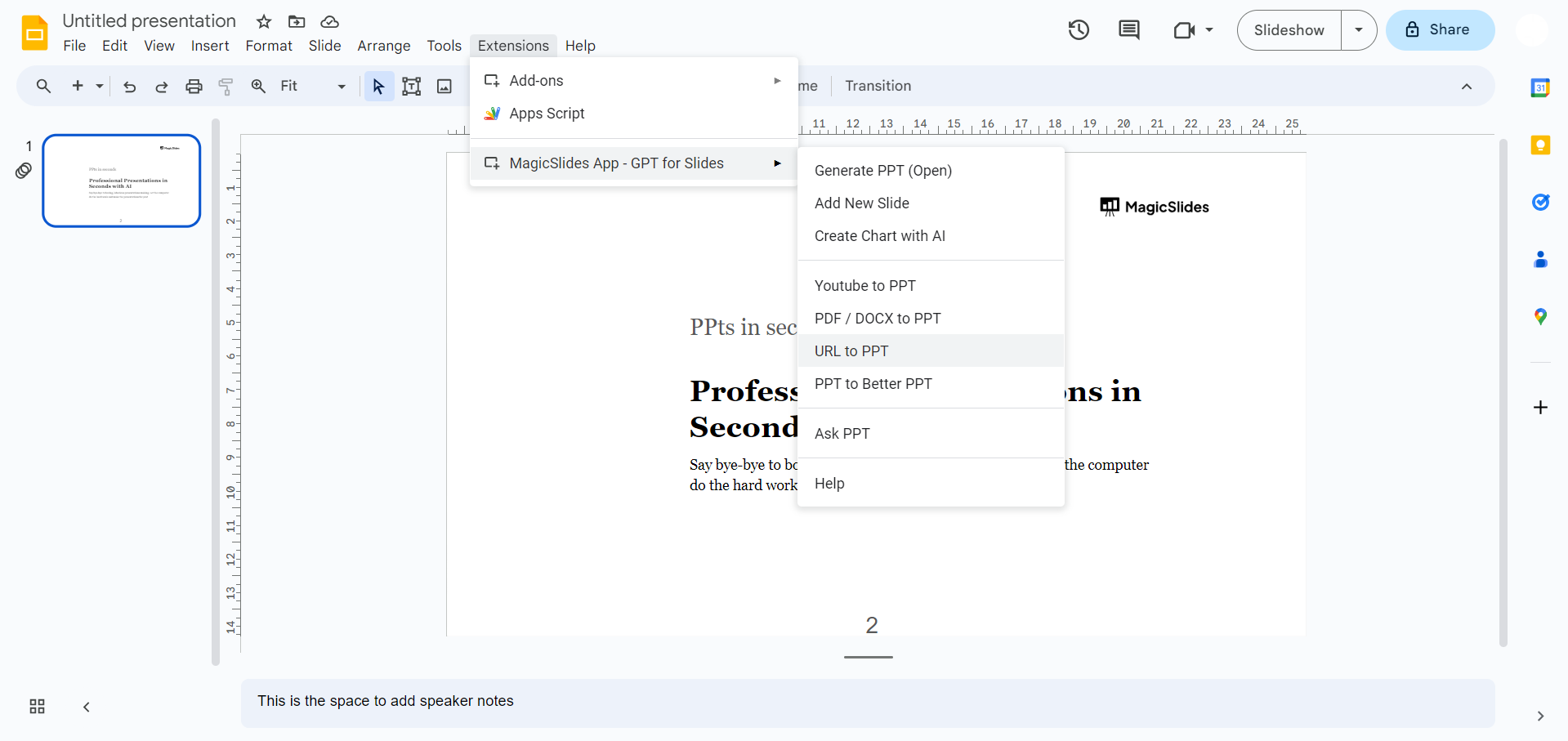
If you've already got Magicslides, open it from the extension tab. No Magicslides yet? No worries!
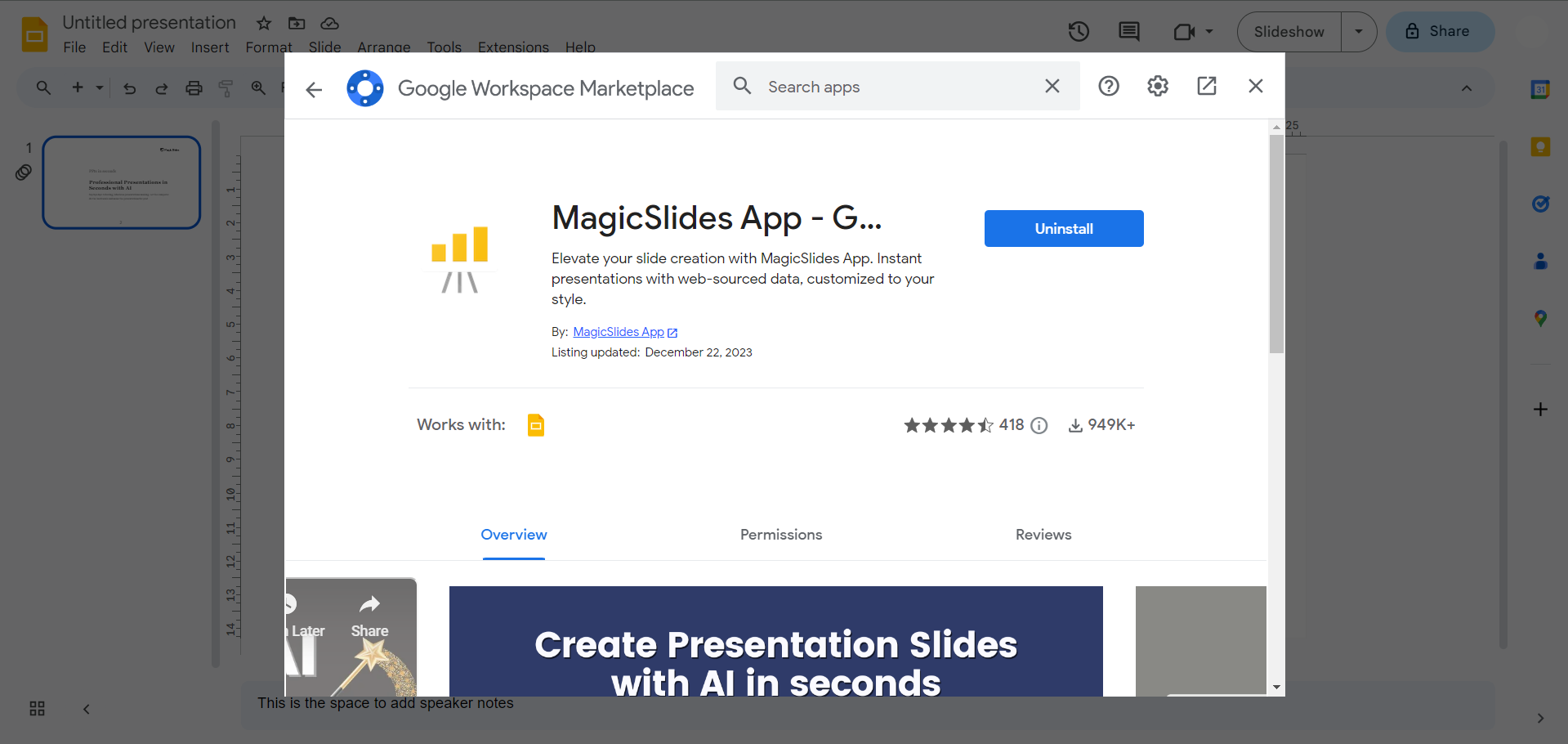
Visit the Extensions Marketplace in Google Slides, search for Magicslides.app, and add the extension to your toolkit.
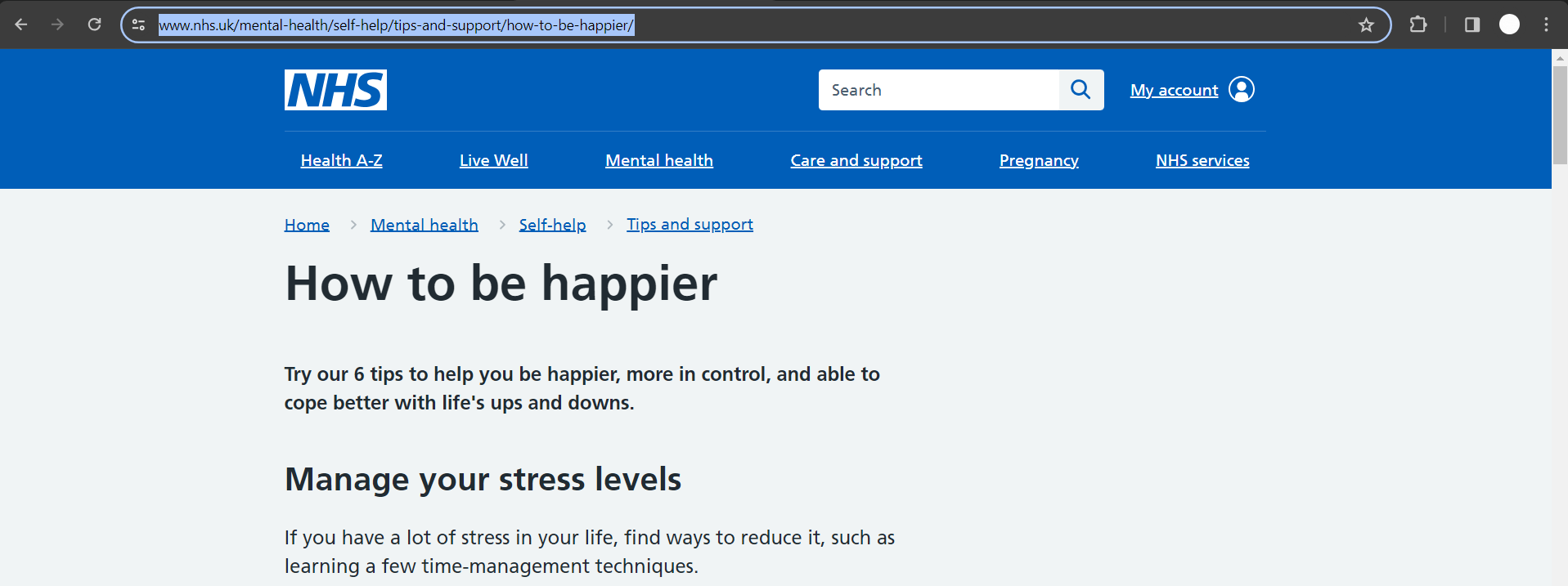
Step 3: Copy Your Blog Post URL
Find a blog post that sparks your creativity. Copy the URL of the article you want to transform into a presentation.
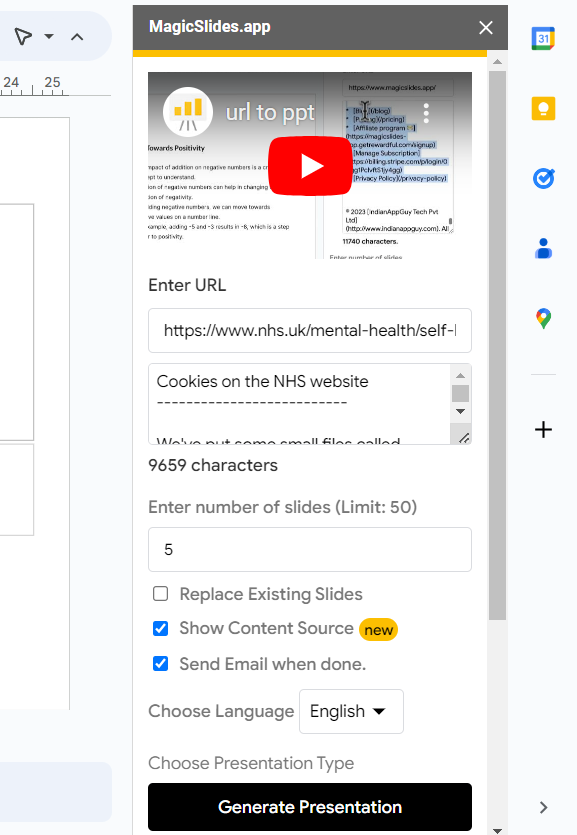
Step 4: Paste and Click to Generate
Back in Google Slides, paste the blog post URL into the designated area. Now, the moment of magic – click on the "Generate to Presentation" button.
Step 5: Your Blog is Now a Presentation
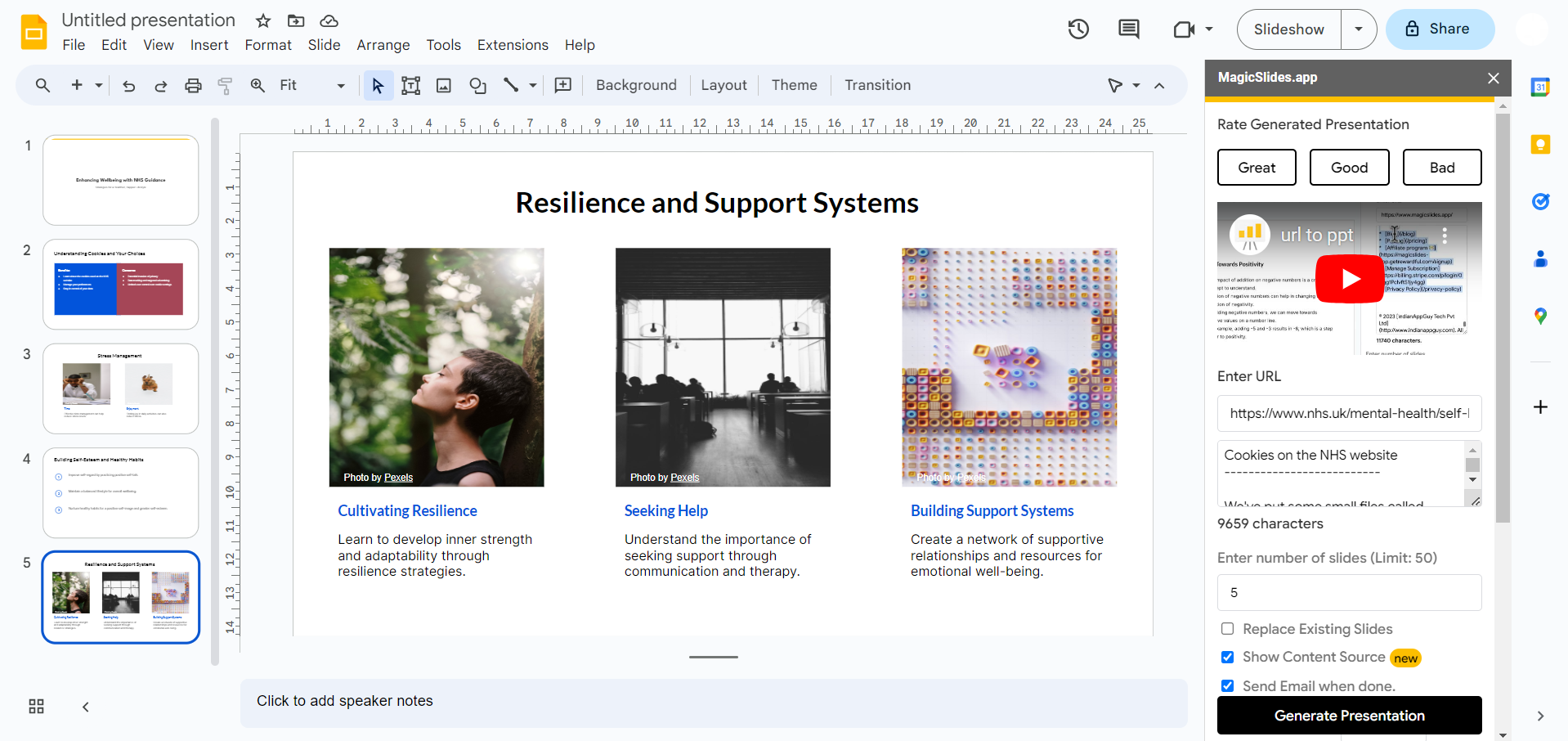
In just a blink, your blog post has evolved into a dynamic presentation. Magicslides organizes your content into slides, merging style and substance seamlessly.
Conclusion:
You've now successfully turned your insightful blog into a visual feast. With the powerful combo of Google Slides and Magicslides, your ideas are ready to shine in boardrooms, classrooms, or wherever your story takes center stage. Say goodbye to boring presentations and hello to a whole new level of engagement! Your blog deserves the spotlight – let it sparkle as a captivating presentation.
Frequently Asked Questions:
Q: Can I use Magicslides with any type of blog or article?
Ans: Absolutely! Magicslides supports a wide range of websites. Copy the URL of your blog post, and you're good to go.
Q: Is Magicslides difficult to install for someone not tech-savvy?
Ans: Not at all! Installing Magicslides is a breeze. Simply visit the Extensions Marketplace in Google Slides, search for Magicslides.app, and add it – no tech wizardry required.
Q: Can I customize the generated presentation after using Magicslides?
Ans: Yes, indeed! Once Magicslides does its magic, you can further customize your presentation in Google Slides. Tweak, add, or rearrange slides to fit your unique style and message.
Have a look @these helpful blogs by us:
- How To Convert News Articles To PPT Slides: https://www.magicslides.app/blog/how-to-convert-news-articles-to-ppt-slides
- How To Turn A Slack Channel Public: https://www.magicslides.app/blog/how-to-make-a-slack-channel-public
- How To Convert Tech Blog Updates To PPT Presentations: https://www.magicslides.app/blog/how-to-convert-tech-blog-updates-to-ppt-presentations


