How to turn a Slack Channel public


Elevate collaboration by transforming your Slack channel. Follow these steps to make it public!
In the world of seamless communication, making your Slack channel public is a strategic move. It encourages transparency and inclusivity, allowing team members to join in effortlessly.
If you're ready to unlock the power of a public Slack channel, let's dive into the step-by-step tutorial:
Before we begin, if you are looking to send Google form submissions directly to Slack, check SlackNotify.app. It will include all info submitted and sent directly to the Slack channel of your choice
How to turn a Slack Channel public
Step 1: Navigate to Your Slack Workspace
Begin by logging into your Slack workspace. Once you're in, locate the channel you want to make public or create a new one if needed.
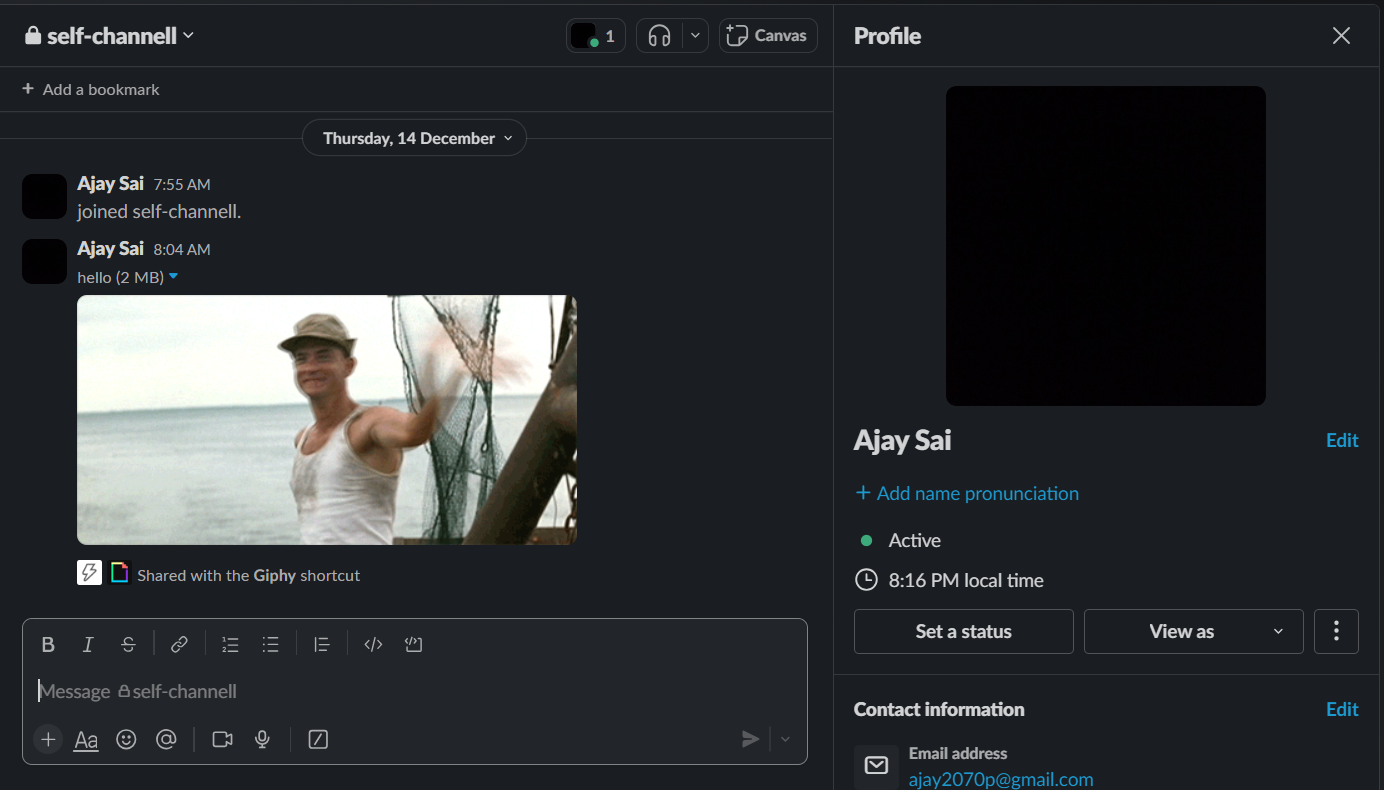
Step 2: Access Channel Settings
Within the desired channel, look for the settings icon (a gear or cogwheel) usually located near the channel name.
Click on it to reveal a drop-down menu with various options.
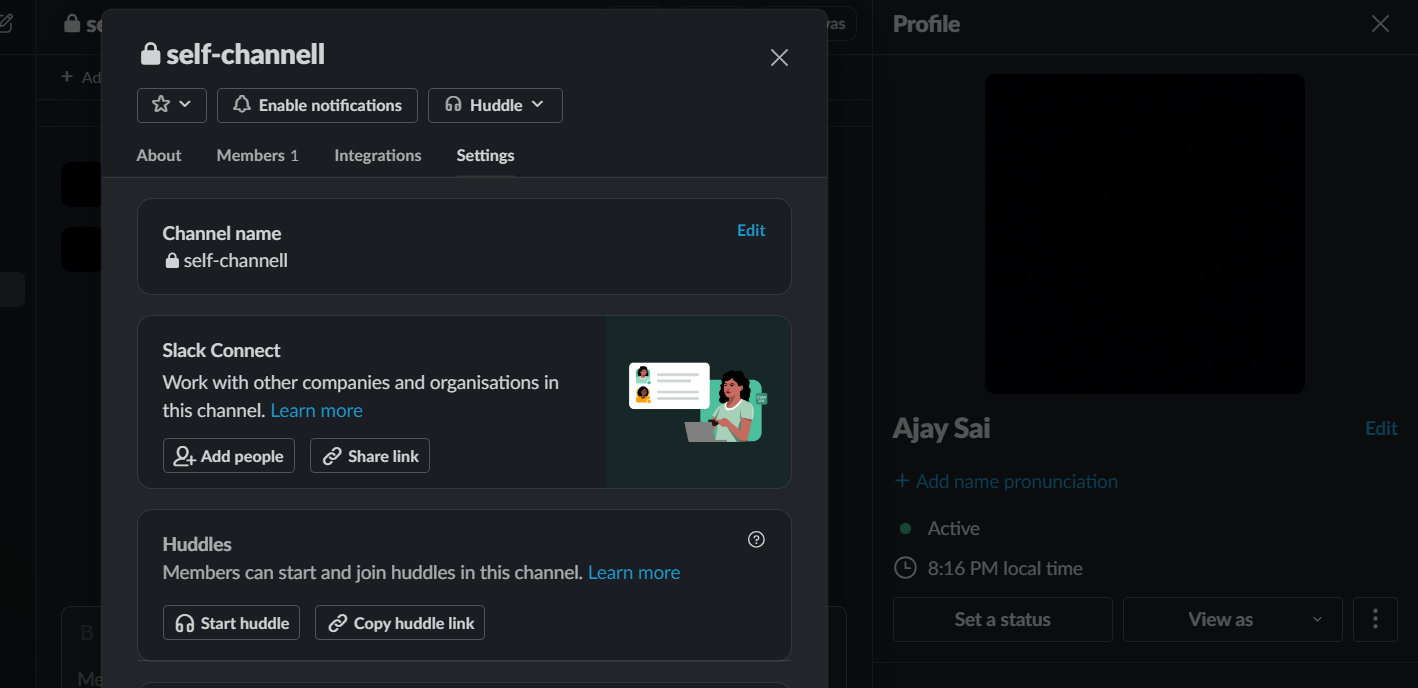
Step 3: Choose "Additional Options"
From the drop-down menu, find and click on the "Additional Options" or a similar label.
This will lead you to a page where you can fine-tune your channel's settings.
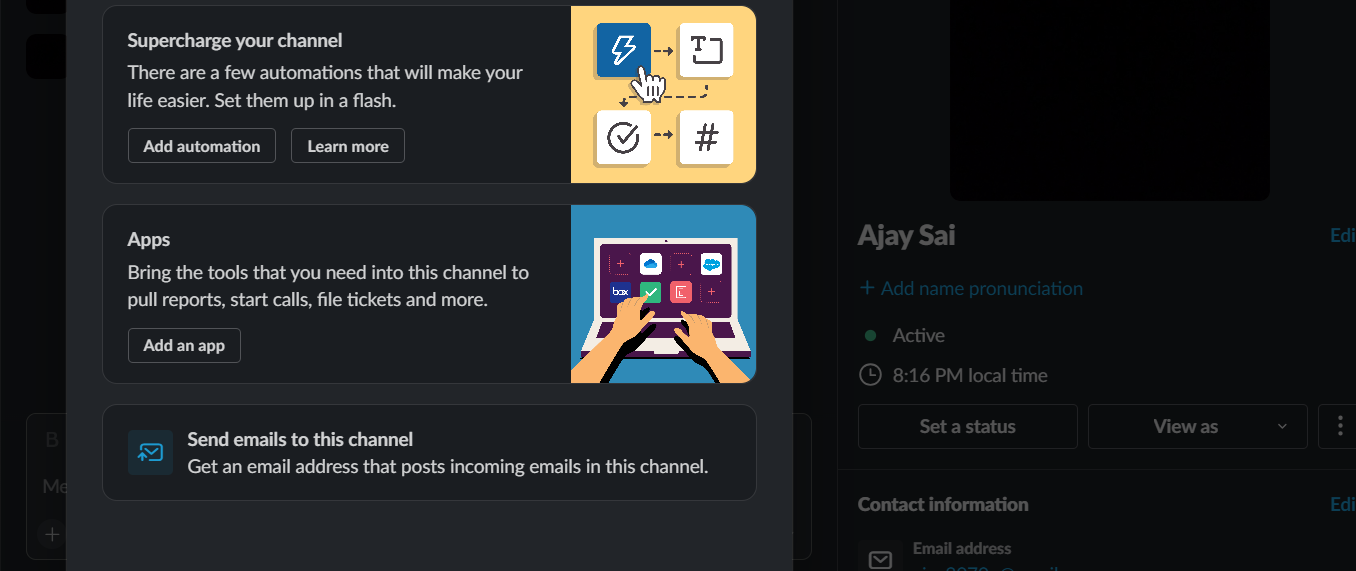
Step 4: Adjust Privacy Settings
On the "Additional Options" page, you'll see the privacy settings. Switch the toggle from "Private" to "Public" to make the channel accessible to anyone in your workspace.
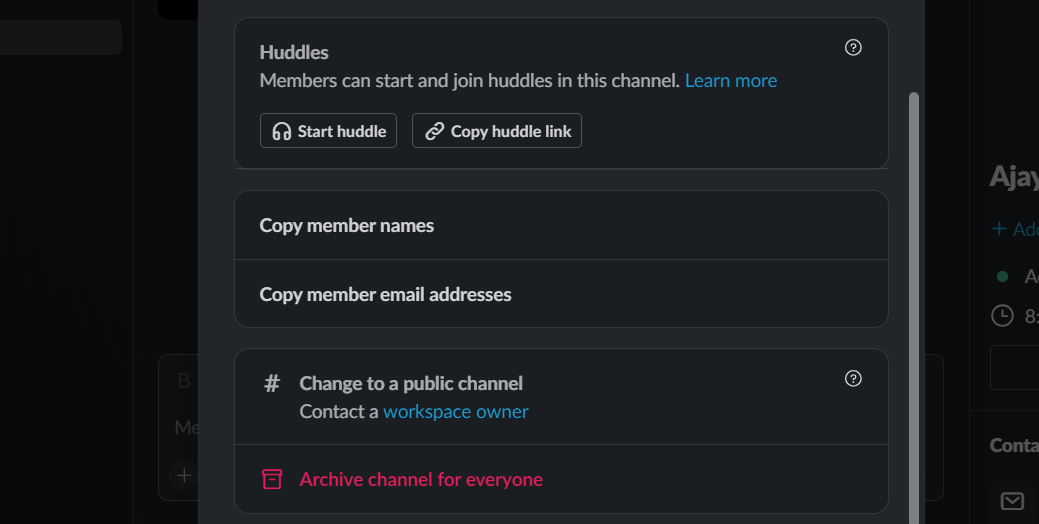
Step 5: Confirm Changes
Most platforms will prompt you to confirm your decision. Review the changes to ensure everything is as you want it, and then confirm or save the adjustments.
Step 6: Share the Good News
Now that your Slack channel is public, it's time to let your team know. Share the exciting news in a general channel or through a company-wide announcement to encourage participation.
Step 7: Adjust as Needed
From time to time, revisit your channel settings. If there are changes in team dynamics or if you feel adjustments are necessary, don't hesitate to modify the channel's privacy settings accordingly.
After turning your Slack channel public, you can further enhance transparency by setting up a Google Form to Slack notification system. This will trigger a notification whenever a Google Form is submitted, keeping everyone in the loop.
Conclusion:
You've successfully turned your Slack channel into a public space for open collaboration.
Embrace the increased transparency and inclusivity as your team benefits from enhanced communication.
Ready to make your Slack experience even more powerful? Explore more tips and tricks in our blog for effective team collaboration!
Frequently Asked Questions:
How do I change my Slack channel from private to public?
Navigate to the channel, click on the settings icon, choose "Additional Options," and switch to "Public." Confirm the changes, and you're all set!
Can I make an existing channel public, or does it only apply to new channels?
Absolutely! You can make an existing channel public. Just follow the same steps, adjusting the privacy settings to "Public" and confirming the changes.
Will team members be notified when I make a Slack channel public?
Slack typically doesn't send notifications for such changes. To inform your team, consider making an announcement in a general channel or sending a company-wide message.


