How to convert a research paper PDF to PowerPoint slides?


Transform research insights seamlessly: Learn to convert PDFs to captivating PowerPoint slides with MagicSlides and Google.
In the dynamic world of presentations, converting a research paper into PowerPoint slides can elevate your communication game. Let's break down this process into easy steps using Google Slides and a handy extension called MagicSlides.
How to convert a research paper PDF to PowerPoint slides?
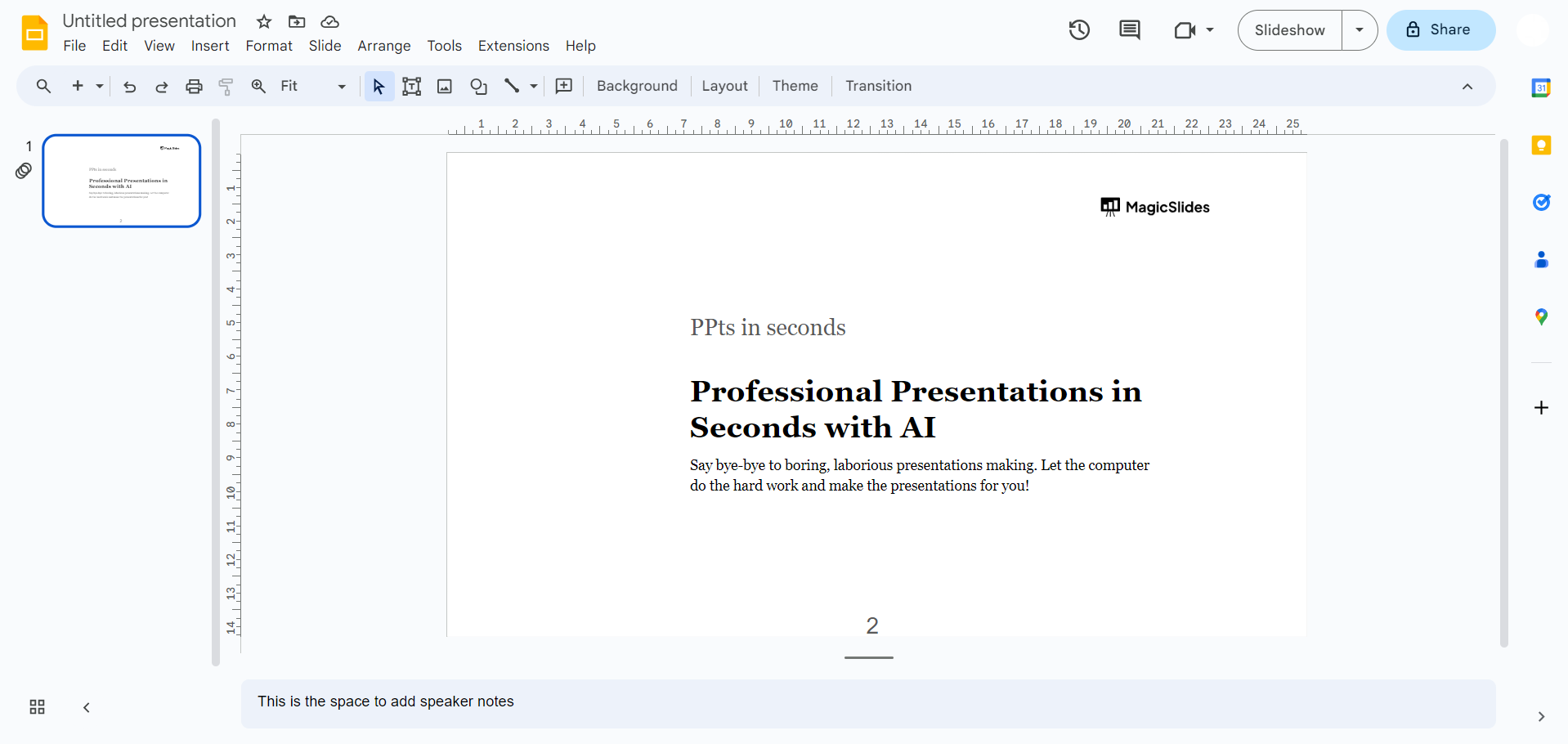
Step 1: Open Google Slides
Visit slides.google.com and sign in with your Google account.
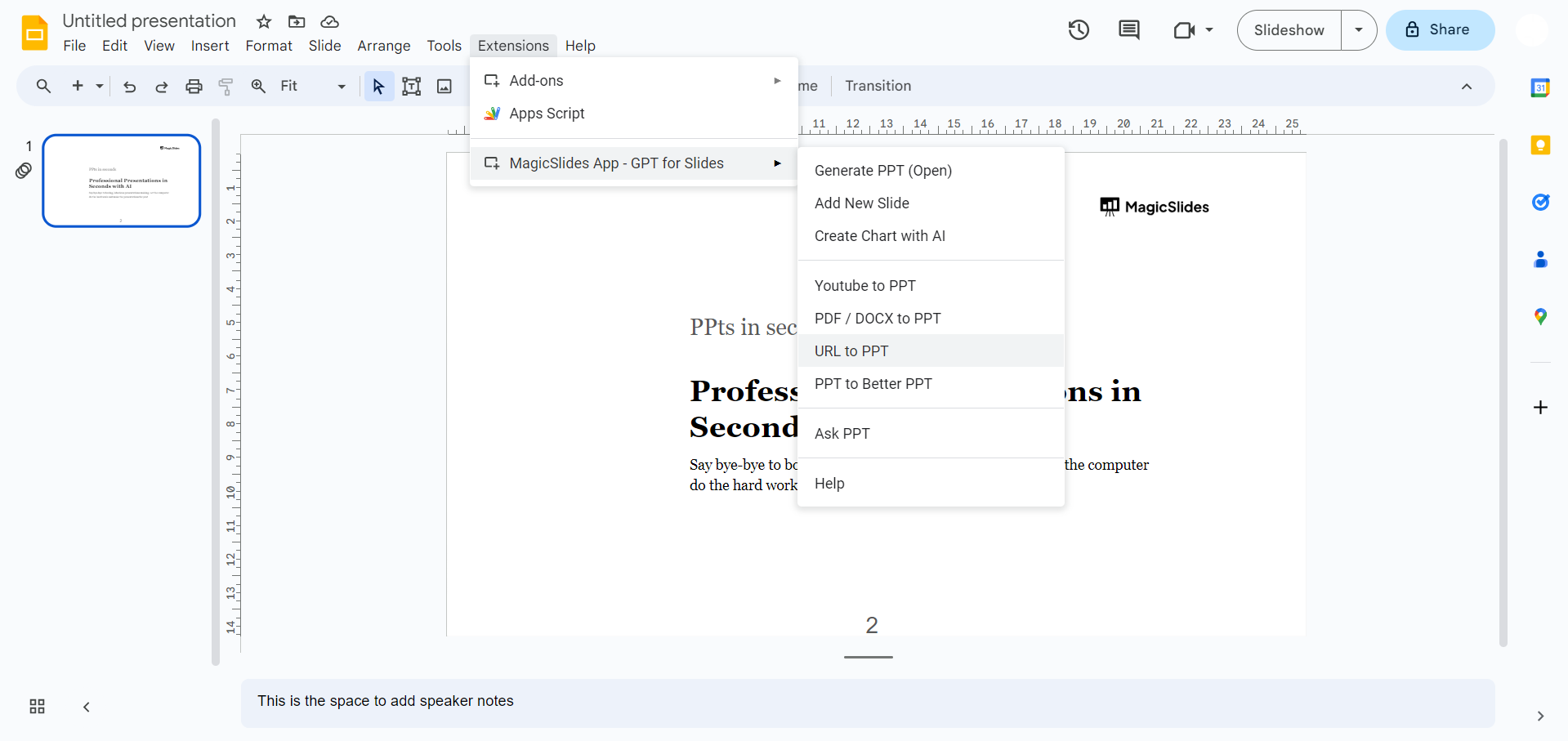
Step 2: Download MagicSlides Extension
If you already have MagicSlides installed, simply open it from the extensions tab.
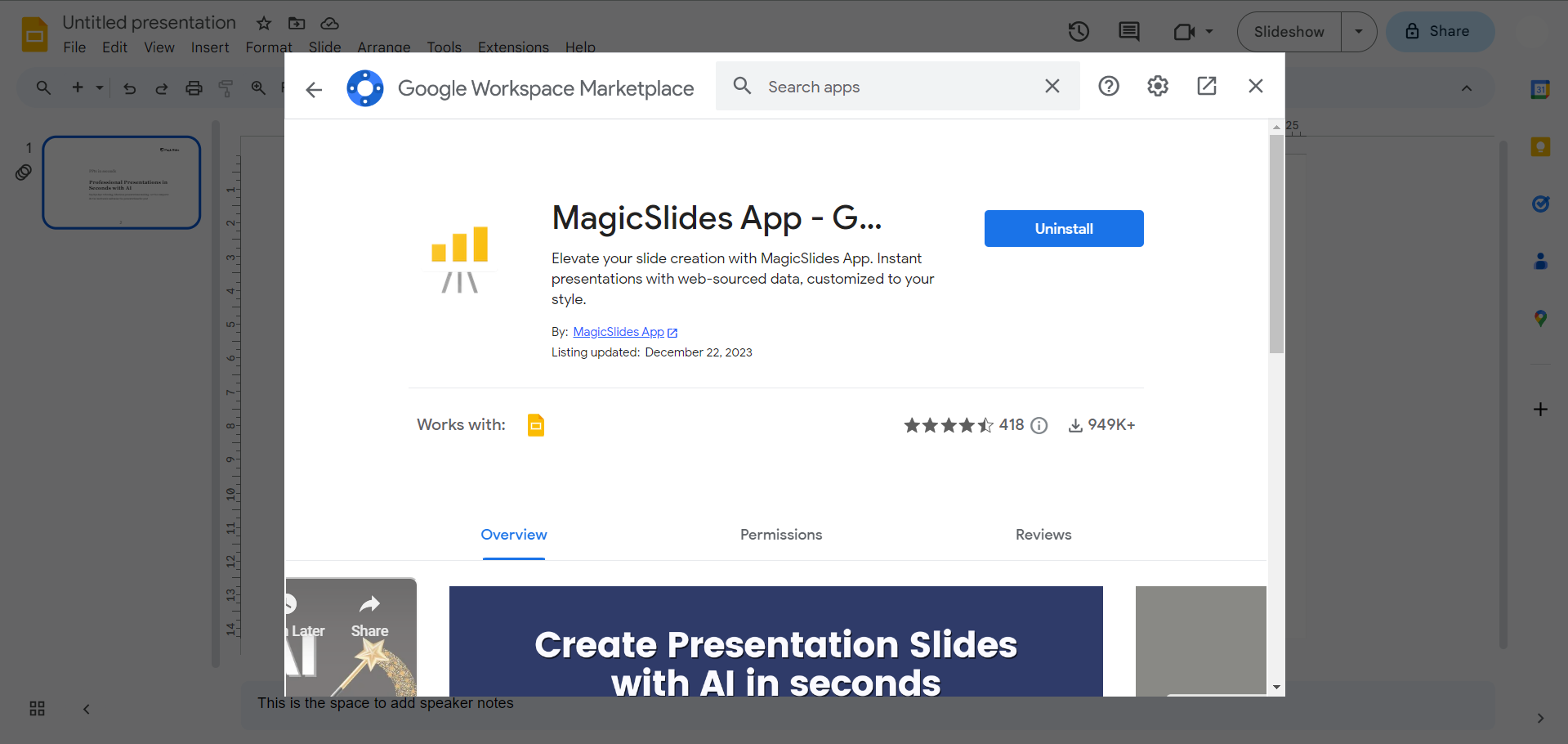
If not, head to the Extensions Marketplace, search for "Magicslides.app," and download the extension to Google Slides.
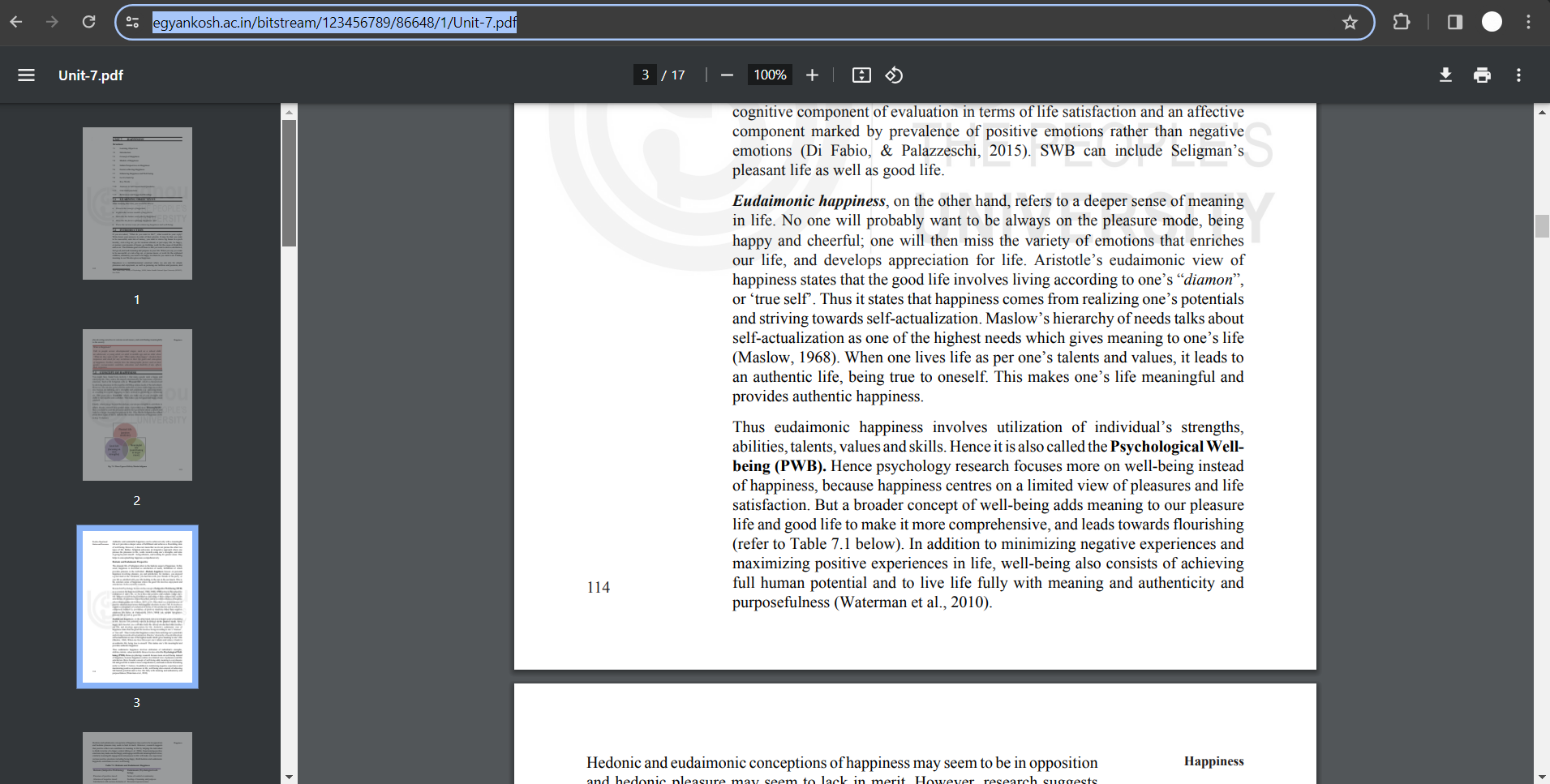
Step 3: Copy the Research Paper PDF URL
Find the research paper online, copy its URL, and get ready to turn its content into a dynamic presentation.
Step 4: Enter PDF URL in MagicSlides
Paste the copied URL into the MagicSlides extension and hit "Generate to Presentation."
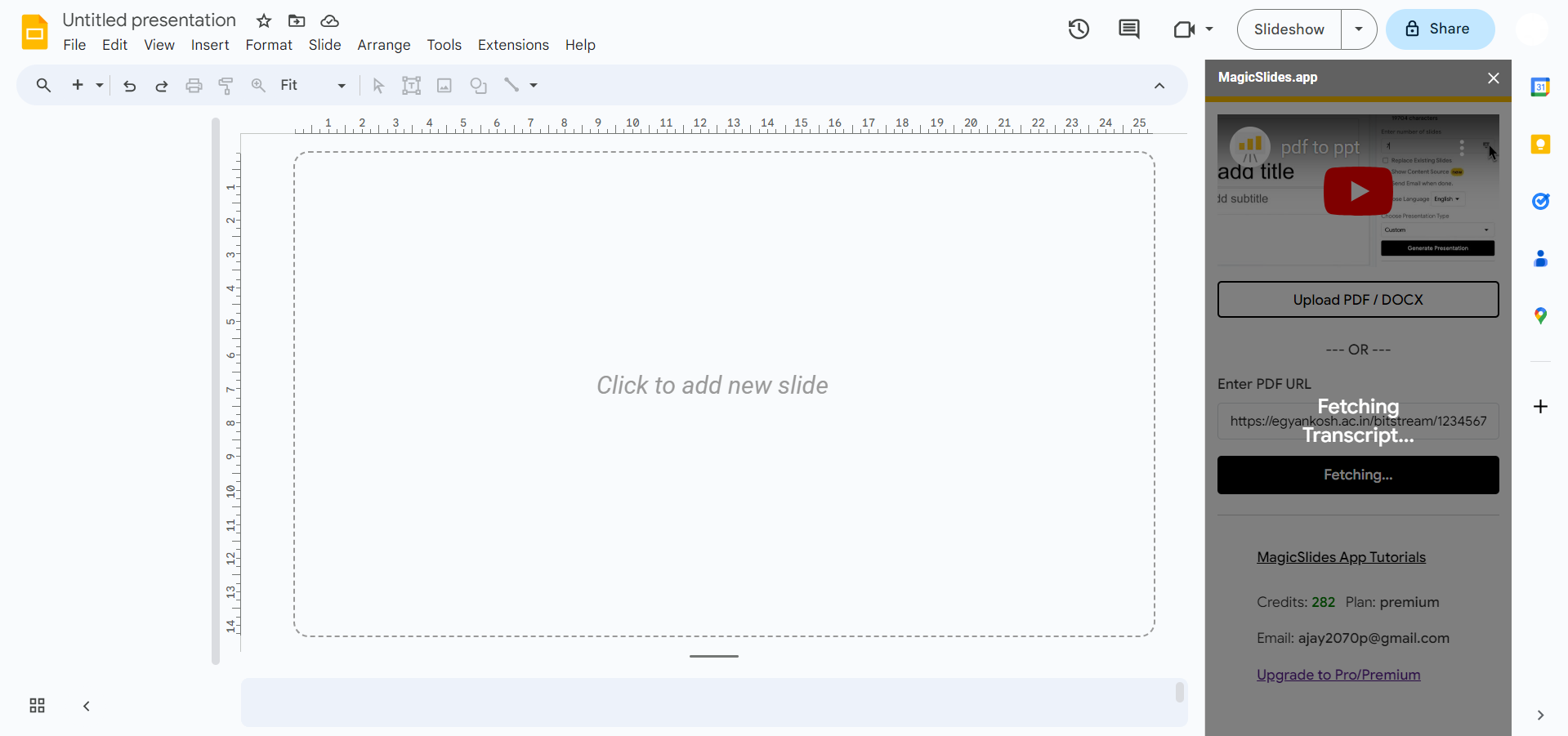
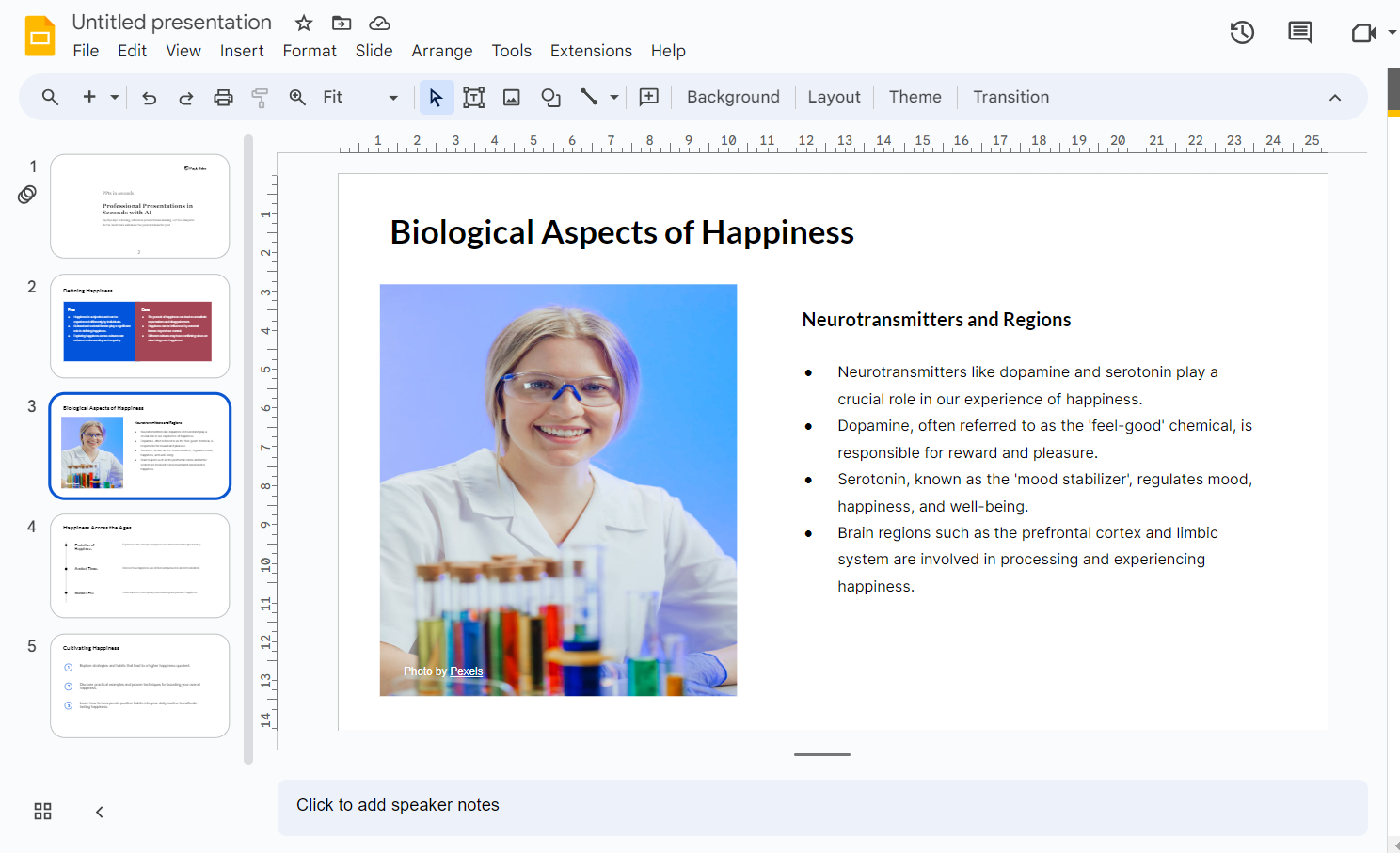
Step 5: Voila! Your PDF is Now a Presentation
That's it! Your research paper content is now transformed into engaging PowerPoint slides, ready to captivate your audience.
Conclusion:
In just a few clicks, you've seamlessly converted a static document into a dynamic presentation, making your information more accessible and visually appealing. Embrace the power of technology to enhance your communication effortlessly. Happy presenting!
Frequently Asked Questions:
Why should I convert a research paper into PowerPoint slides?
Answer: Converting a research paper to slides enhances engagement, making complex information more accessible and visually appealing for presentations.
Is MagicSlides the only extension for this task?
Answer: While MagicSlides is a recommended extension, other tools may exist. Choose one that suits your preferences, ensuring compatibility with Google Slides.
Can I edit the slides after conversion?
Answer: Absolutely! Once converted, the slides are fully editable in Google Slides. Customize them to fit your presentation style and needs.
What if I don't have the PDF's URL?
Answer: Ensure the research paper is hosted online. Copy the URL from the browser and paste it into MagicSlides to generate your presentation effortlessly.
Have a look @these helpful blogs by us:
- How To Convert News Articles To PPT Slides: https://www.magicslides.app/blog/how-to-convert-news-articles-to-ppt-slides
- How To Turn A Slack Channel Public: https://www.magicslides.app/blog/how-to-make-a-slack-channel-public
- How To Convert Tech Blog Updates To PPT Presentations: https://www.magicslides.app/blog/how-to-convert-tech-blog-updates-to-ppt-presentations


