Poster Presentation Ideas and Templates | MagicSlides


Create eye-catching academic posters using simple steps and templates to effectively showcase your research visually
Poster Presentation Ideas and Templates
Poster presentations are a dynamic way to communicate research findings, project outcomes, or innovative ideas.
Whether you're presenting at a conference, academic symposium, or classroom setting, a well-designed poster can captivate your audience and convey your message effectively.
This guide will walk you through the steps to create an impactful poster presentation and direct you to trusted sources for templates.
Step-by-Step Guide to Creating an Effective Poster Presentation
1. Define Your Objective and Audience
Begin by clarifying the purpose of your poster. Are you aiming to inform, persuade, or showcase research findings?
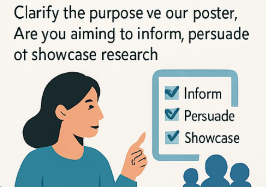
Understanding your objective will guide the content and design. Additionally, consider your audience's background to tailor the complexity and depth of information accordingly.
2. Structure Your Content Logically
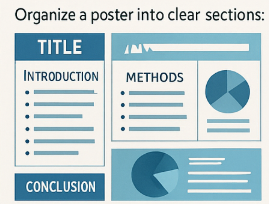
Organize your poster into clear sections:
- Title: Concise and descriptive.
- Introduction: Brief background and purpose.
- Methods: Outline of procedures or processes.
- Results: Key findings presented with visuals.
- Conclusion: Summarize implications and significance.
- References: Cite sources appropriately.
Ensure each section flows logically to facilitate easy comprehension.
3. Prioritize Visual Clarity
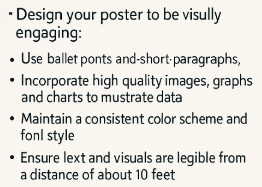
Design your poster to be visually engaging:
- Use bullet points and short paragraphs to enhance readability.
- Incorporate high-quality images, graphs, and charts to illustrate data.
- Maintain a consistent color scheme and font style.
- Ensure text and visuals are legible from a distance of about 10 feet.
According to NYU's guidelines, important information should be readable from about 10 feet away, and the title should be short and draw interest.
4. Utilize White Space Effectively
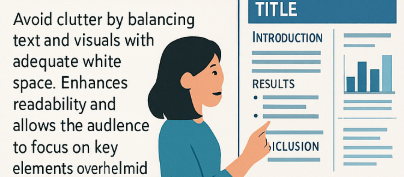
Avoid clutter by balancing text and visuals with adequate white space. This enhances readability and allows the audience to focus on key elements without feeling overwhelmed.
5. Practice Your Presentation
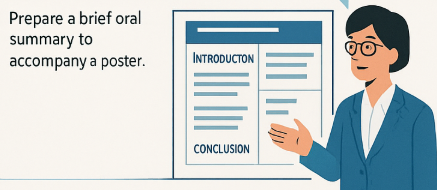
Prepare a brief oral summary to accompany your poster. As recommended by UC Davis, develop a 5-minute presentation, know your first sentence, and be ready to discuss each figure.
Recommended Resources for Poster Templates
Here are some reputable sources offering free poster templates:
- PosterPresentations.com: Offers a variety of free PowerPoint research poster templates in standard sizes.
- PosterNerd: Provides free scientific poster templates with different aspect ratios and sizes.
- Canva: Features customizable research poster templates suitable for various fields.
- Microsoft Create: Offers a range of poster templates compatible with Microsoft Office applications.
- Genigraphics: Provides free PowerPoint research poster templates designed for professional results.
Tired of spending hours crafting a presentation? Here’s a smarter solution MagicSlides
Whether it’s for work, school, or a pitch deck, building a presentation from scratch can take hours from researching and organizing content to designing each slide. But what if you could skip all that and have your presentation ready in under a minute? That’s exactly what MagicSlides does for you.

MagicSlides is an AI-powered tool that creates professional, engaging presentations with just one prompt. Simply enter your topic, and the platform will generate a full deck complete with structured content, design elements, and suggested visuals.
Here’s what you’ll love about MagicSlides:
- Instant slide generation with just one prompt
- Smart content organization and bullet points
- Visually polished designs, no design skills needed
- Multiple formats: Download as PowerPoint, use in Google Slides
- Supports customization, edits, and re-generation
- Converts YouTube videos, URLs, or text into full presentations
- Perfect for business, education, content creation, and more
Want to try it yourself? Click here to start creating your first presentation for free!
Conclusion
Creating an effective poster presentation involves thoughtful planning, clear organization, and engaging design.
By following the steps outlined above and utilizing the recommended resources, you can craft a poster that effectively communicates your message and captures your audience's attention.
FAQs are here to help!
What is the ideal size for an academic poster?
Common sizes include 36" x 48", 42" x 60", and 48" x 72". Always check the specific requirements of the conference or event.
How much text should be on a poster?
Aim for a word count between 300 to 800 words. Use bullet points and concise language to enhance readability.
Can I use digital tools to create posters?
Yes, tools like PowerPoint, Canva, and Adobe Express offer user-friendly platforms for designing posters.


