100+ Technology Topics for Presentation, Seminars, and Students (2026)

Published By

Approved By
Published On
Reading Time
8 min readExplore 100+ technology topics for presentations covering AI, cybersecurity, blockchain, cloud computing, IoT, and emerging tech trends.
Finding the right technology presentation topic is often harder than creating the presentation itself. Many students choose broad topics like Artificial Intelligence or Blockchain, but the most successful presentations focus on specific real-world applications, emerging trends, or controversial technology debates. This guide includes 100+ technology presentation topics organized by category, helping you quickly find ideas that match your audience, course, or seminar requirements.
Why Choose Technology Topics for Presentations?
Technology topics are among the best choices for presentations because they are modern, engaging, and highly relevant to today’s world. From artificial intelligence and cybersecurity to blockchain and cloud computing, technology impacts every industry and sparks curiosity among audiences.
These topics not only help you deliver informative and future-focused presentations but also showcase your awareness of current trends and innovations.
- Covers trending and future-focused subjects
- Offers a wide variety of presentation ideas
- Keeps audiences engaged and curious
- Helps improve technical and research knowledge
- Easy to explain using visuals and real-world examples
- Ideal for students, professionals, and seminars
- Makes presentations more impactful and relevant
100+ Technology Presentation Topic Ideas That Stand Out
These ideas and topics are designed to help you find a topic that matches your interests, impresses your audience, and keeps your presentation relevant in 2026 and beyond.
1. Latest Technology Topics for Presentation in 2026
- Agentic AI Systems
- AI Search Engines
- AI Coding Assistants
- Multimodal AI Models
- AI Video Generation
- Quantum-Safe Cryptography
- Edge AI
- Spatial Computing
- Digital Humans
- Green Data Centers
- AI Governance
- Autonomous AI Agents
- Synthetic Media
- Digital Twins
- AI in Drug Discovery
2. Technology Presentation Topics Related to AI & ML
Artificial Intelligence (AI) and Machine Learning (ML) are some of the most talked-about areas in technology. They are transforming industries and reshaping how we live and work.
| Topic | Best For | |
|---|---|---|
| Basics of Artificial Intelligence | AI Enthusiasts | |
| Machine Learning Algorithms Explained | Tech Students | |
| Deep Learning and Neural Networks | AI Researchers | |
| AI in Healthcare | Healthcare Professionals | |
| Ethics in AI | Ethicists & Developers | |
| Natural Language Processing | Tech and Linguists | |
| AI in Autonomous Vehicles | Automotive Industry | |
| AI and Robotics | Robotics Engineers | |
| AI in Education | Educators | |
| The Future of AI | Futurists |
3. Cybersecurity and Data Privacy Technology Topics for Presentation
With the increase in digital transformation, cybersecurity and data privacy have become critical concerns for individuals and organizations alike.
| Topic | Best For | |
|---|---|---|
| Basics of Cybersecurity | Cybersecurity Students | |
| Types of Cyber Attacks | Security Professionals | |
| Data Privacy Laws Around the World | Legal Experts | |
| The Dark Web | Cybersecurity Analysts | |
| Cybersecurity in IoT Devices | IoT Engineers | |
| Social Engineering Attacks | Security Professionals | |
| Zero Trust Security Models | IT Professionals | |
| Cryptography and Encryption | Data Protection Enthusiasts | |
| Careers in Cybersecurity | Career Seekers | |
| The Role of AI in Cybersecurity | AI and Security Enthusiasts |
4. Technology Topics Related to Blockchain and Cryptocurrency
Blockchain technology and cryptocurrencies like Bitcoin have taken the financial world by storm. Their potential applications go far beyond digital currency.
| Topic | Best For | |
|---|---|---|
| What is Blockchain Technology? | Blockchain Beginners | |
| How Cryptocurrencies Work | Financial Enthusiasts | |
| Decentralized Finance (DeFi) | Financial Experts | |
| Smart Contracts | Developers & Lawyers | |
| NFTs (Non-Fungible Tokens) | Digital Art & Collectibles | |
| The Future of Blockchain | Tech Innovators | |
| Regulatory Challenges in Cryptocurrency | Legal Professionals | |
| Blockchain in Supply Chain Management | Supply Chain Managers | |
| Environmental Impact of Cryptocurrencies | Environmentalists | |
| Investing in Cryptocurrencies | Investors & Traders |
5. Internet of Things (IoT) Technology Topics
The Internet of Things (IoT) connects everyday devices to the internet, allowing them to communicate and automate tasks.
| Topic | Best For | |
|---|---|---|
| What is IoT? | IoT Beginners | |
| Smart Homes | Home Automation Enthusiasts | |
| Industrial IoT (IIoT) | Manufacturing Professionals | |
| IoT in Healthcare | Healthcare Technologists | |
| Security Challenges in IoT | Security Experts | |
| Smart Cities | Urban Planners | |
| Wearable Technology | Tech Enthusiasts | |
| IoT and Agriculture | Agricultural Innovators | |
| Challenges in IoT Implementation | IoT Engineers | |
| The Future of IoT | Innovators & Futurists |
6. Technology Topics for Presentations Related to Big Data and Analytics
Big Data refers to the massive volumes of data generated every second, and analytics involves extracting actionable insights from this data.
| Topic | Best For | |
|---|---|---|
| What is Big Data? | Data Science Students | |
| Data Analytics vs. Data Science | Data Analysts | |
| Predictive Analytics | Business Analysts | |
| Big Data in Healthcare | Healthcare Professionals | |
| The Role of Big Data in Business | Business Executives | |
| Data Visualization Techniques | Data Visualization Specialists | |
| Challenges in Big Data Management | Data Engineers | |
| Cloud-Based Data Analytics | Cloud Technologists | |
| Big Data and AI | AI Enthusiasts | |
| Careers in Data Science | Data Science Professionals |
7. Cloud Computing Technology Topics
Cloud computing has revolutionized how data is stored, managed, and processed, offering scalable and flexible resources over the internet.
| Topic | Best For | |
|---|---|---|
| What is Cloud Computing? | Cloud Enthusiasts | |
| Types of Cloud Services: IaaS, PaaS, and SaaS | Cloud Developers | |
| Benefits of Cloud Computing | Business Executives | |
| Cloud Security Best Practices | Security Professionals | |
| Hybrid Cloud Solutions | IT Professionals | |
| Cloud Storage Solutions | Tech Enthusiasts | |
| Serverless Computing | Developers | |
| Cloud-Based DevOps | DevOps Engineers | |
| The Future of Cloud Computing | Futurists | |
| Careers in Cloud Computing | Aspiring Cloud Engineers |
8. Emerging Technologies Presentation Topics
These topics cover cutting-edge technologies that are poised to transform industries in the near future.
| Topic | Best For | |
|---|---|---|
| 5G Technology | Mobile Network Experts | |
| Quantum Computing | Computer Scientists | |
| Edge Computing | Cloud Computing Enthusiasts | |
| Augmented Reality (AR) and Virtual Reality (VR) | Gamers and Developers | |
| 3D Printing | Manufacturing Engineers | |
| Bioinformatics | Biotech Researchers | |
| Nanotechnology | Tech Innovators | |
| Smart Grids | Energy Sector Professionals | |
| Brain-Computer Interfaces | Neurotech Enthusiasts | |
| Digital Twins | Engineers and Technologists |
9. Software Development and Programming Technology Topics
Software development remains a core area of technology, driving innovation and problem-solving across industries.
| Topic | Best For | |
|---|---|---|
| Popular Programming Languages in 2026 | Programmers | |
| Agile vs. Waterfall Methodologies | Project Managers | |
| DevOps Practices | Software Engineers | |
| Open Source Software | Developers | |
| The Rise of Low-Code and No-Code Platforms | Non-Programmers | |
| AI in Software Development | Software Developers | |
| Cloud-Native Applications | Cloud Developers | |
| Mobile App Development Trends | App Developers | |
| Web Development Frameworks | Web Developers | |
| Career Paths in Software Development | Aspiring Developers |
10. Technology Topics Related to Digital Transformation
Digital transformation involves integrating digital technology into all aspects of a business, fundamentally changing how organizations operate and deliver value to customers.
| Topic | Best For | |
|---|---|---|
| What is Digital Transformation? | Business Leaders | |
| Impact of Digital Transformation on Businesses | Entrepreneurs | |
| The Role of AI and ML in Digital Transformation | IT Professionals | |
| Digital Transformation in Education | Educators | |
| Digital Transformation in Healthcare | Healthcare Professionals | |
| Customer Experience and Digital Transformation | Marketing Experts | |
| Digital Transformation in Finance | Financial Services | |
| Overcoming Challenges in Digital Transformation | Change Management Experts | |
| Digital Maturity Models | Business Consultants | |
| Future Trends in Digital Transformation | Futurists |
11. Technology and Society Presentation Topics
The intersection of technology and society is a rich area for exploration, discussing both the benefits and potential downsides of technological advancements.
| Topic | Best For | |
|---|---|---|
| The Impact of Social Media on Society | Social Scientists | |
| Digital Divide | Policy Makers | |
| Technology and Employment | HR Professionals | |
| The Role of Technology in Education | Educators | |
| Technology and Mental Health | Mental Health Experts | |
| Ethical Considerations in Technology Development | Ethics Scholars | |
| Technology and the Environment | Environmentalists | |
| The Future of Work | Corporate Leaders | |
| Surveillance Technology and Privacy | Legal Experts | |
| Gender and Technology | Equality Advocates |
Tips for Selecting the Right Technology Topic for Your Presentation
- Know Your Audience: Choose a topic that aligns with the interests and knowledge level of your audience. For a tech-savvy audience, you can delve into complex subjects like quantum computing, whereas a more general audience might appreciate an overview of AI or IoT.
- Stay Current: Technology is a fast-moving field. Make sure your topic is up-to-date and relevant. Use recent case studies and examples to illustrate your points.
- Be Specific: Avoid broad topics like “AI” or “Cloud Computing” without a focus. Instead, narrow it down to something specific, like “Applications of AI in Healthcare” or “Benefits of Hybrid Cloud Solutions.”
- Incorporate Visuals: Use diagrams, infographics, and videos to make your presentation more engaging and easier to understand.
- Practice: Even the most interesting topic can fall flat if not presented well. Practice your delivery, anticipate questions, and prepare answers.
Turn Technology Topics into Professional Presentations Instantly with MagicSlides
Choosing the right technology topic is only half the work; the real challenge is turning that idea into a clear, engaging, and well-structured presentation. Formatting slides, organizing content, and maintaining a professional design can take hours.
This is where MagicSlides makes creating technology presentations fast and effortless.

MagicSlides is an AI-powered Topic-to-PPT generator that helps you convert any technology topic, such as AI, cybersecurity, blockchain, cloud computing, or emerging tech, into presentation-ready slides in minutes.
Steps to Create a Technology Presentation Using MagicSlides AI
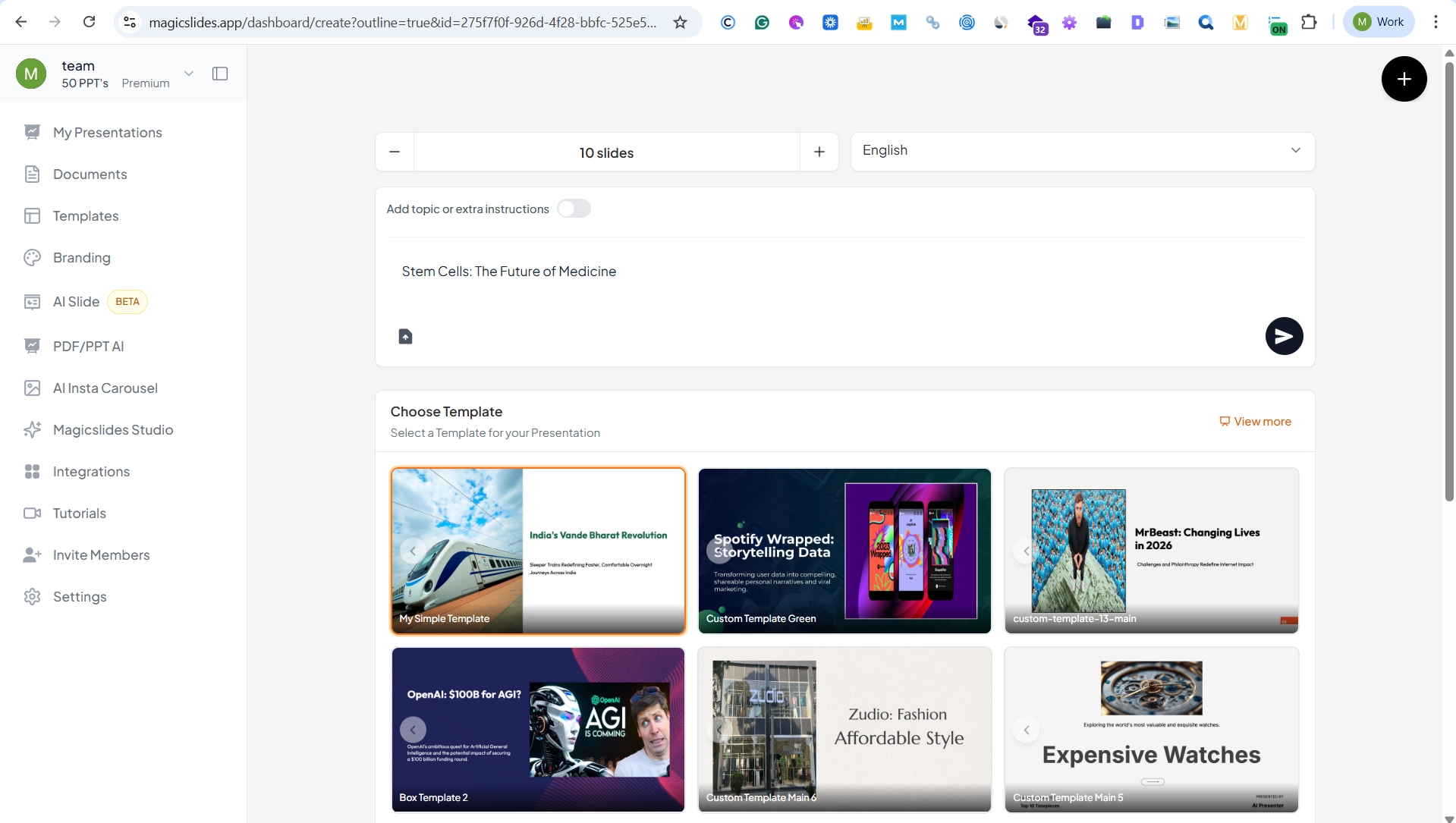
Step 1. Enter Your Topic or Paste Content
Add any topic from this list (for example, AI in Healthcare or Cybersecurity in IoT Devices).

Step 2. Choose Slide Preferences
Select the number of slides, presentation tone (educational, professional, or technical), and layout style.
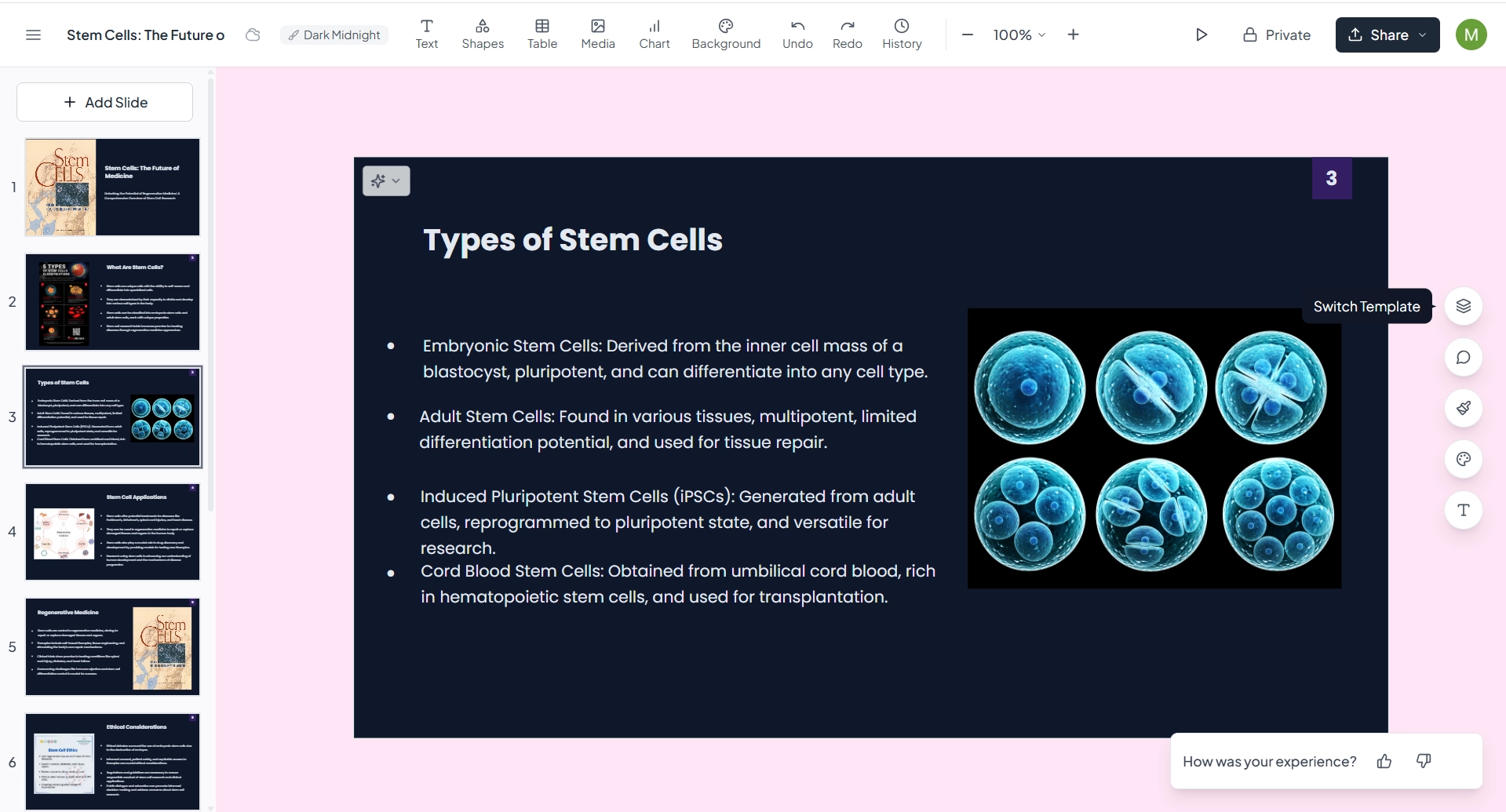
Step 3. Generate Slides with AI
MagicSlides automatically structures your presentation with clear headings, bullet points, and logical flow.
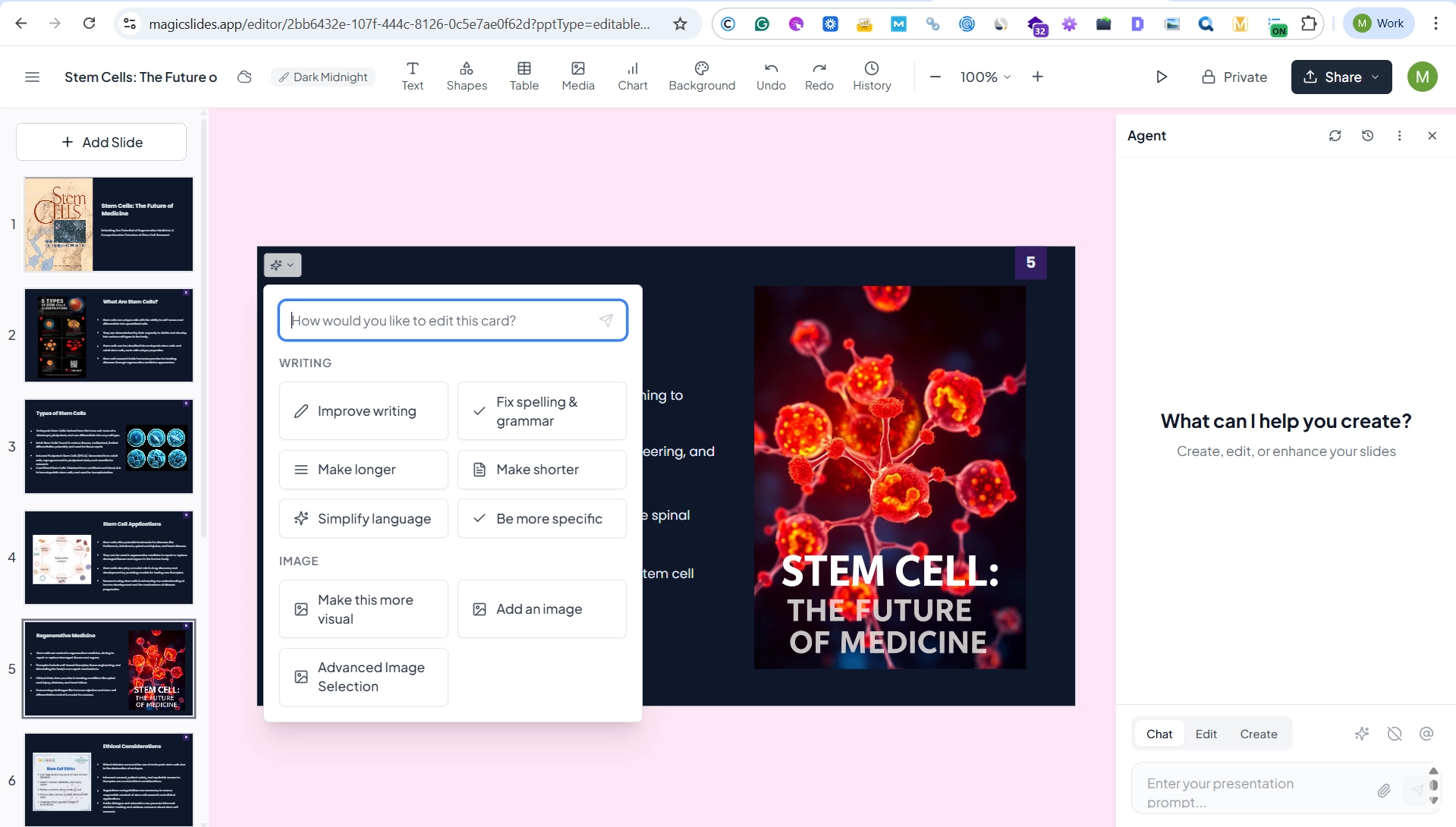
Step 4. Edit and Export
Make quick edits if needed and export your slides to Google Slides or PowerPoint.
Advantages of Using MagicSlides for Technology Presentations
- Saves Time: Create complete slide decks in seconds instead of hours.
- Clear Structure: Breaks down complex technology topics into easy-to-understand sections.
- Professional Design: Clean, modern layouts suitable for classrooms, meetings, and conferences.
- Beginner-Friendly: No design or presentation skills required.
- Ideal for All Audiences: Perfect for students, educators, professionals, and tech speakers.
Whether you’re preparing a presentation on artificial intelligence, cloud computing, or digital transformation, MagicSlides helps you focus on ideas and delivery while AI handles the slide creation.
Also read: Interesting Psychology Topics for Presentation for Students: 100+ Topics
Conclusion
Technology is evolving faster than ever, creating endless opportunities for engaging presentations and seminars. Whether you choose a topic in AI, cybersecurity, cloud computing, blockchain, or emerging technologies, the key is to focus on a subject that is relevant, informative, and valuable to your audience.
Use the topics in this guide as inspiration, and if you want to turn your ideas into professional slides quickly, MagicSlides can help you create presentation-ready decks in minutes.
FAQs
Q1. What are the best technology topics for presentations?
Artificial intelligence, cybersecurity, cloud computing, blockchain, IoT, quantum computing, and digital transformation are among the most popular technology presentation topics.
Q2. Which technology topic is best for students?
AI in education, cybersecurity awareness, smart cities, cloud computing, and robotics are excellent topics for student presentations because they are easy to research and highly relevant.
Q3. What are the latest technology seminar topics in 2026?
Agentic AI, AI search engines, quantum-safe cryptography, edge AI, digital twins, and spatial computing are among the most discussed technology trends in 2026.
Q4. How do I choose a presentation topic?
Choose a topic that matches your audience’s interests, fits your presentation time, and provides enough recent information and real-world examples.


