Wepik vs. MagicSlides Presentation Maker: Which is Better?


Compare Wepik and MagicSlides Presentation Maker to discover the best tool for creating professional, dynamic, and engaging presentations effortlessly.
Creating impactful presentations is essential in today's digital age for business meetings, academic lectures, or creative projects. Two standout tools in the market are Wepik and MagicSlides Presentation Maker.
Each offers distinct features and benefits, catering to different user needs. This article provides a detailed comparison to help you decide which one suits you best.
What is Wepik?
Wepik is an online design platform known for its simplicity and versatility. Initially focused on graphic design, Wepik has expanded its offerings to include an intuitive presentation maker.
Key Features of Wepik
- Customizable Templates: Wepik offers a vast library of templates, from business presentations to creative designs.
- Drag-and-Drop Editor: A user-friendly editor makes creating and editing slides effortless.
- Collaborative Features: Supports real-time collaboration, allowing multiple users to work on a project simultaneously.
- Brand Integration: Easily incorporate your brand’s colors, fonts, and logos into presentations.
Pros of Wepik
- Intuitive interface, suitable for beginners.
- Extensive library of pre-made assets and designs.
- Integration with other design tools for seamless workflows.
- Free and premium options to fit various budgets.
Cons of Wepik
- Limited advanced features compared to more specialized tools.
- Templates can feel less dynamic for complex presentations.
What is MagicSlides Presentation Maker?
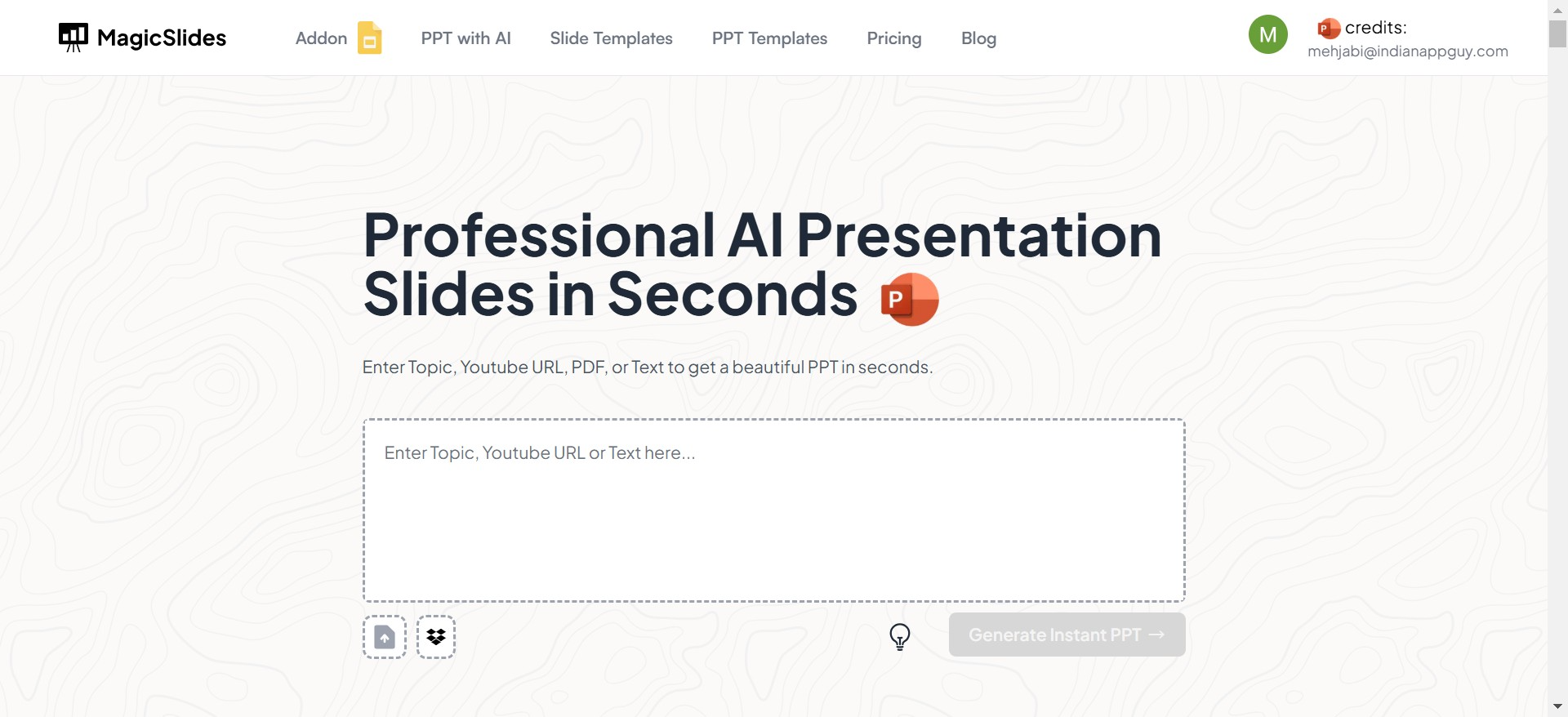
MagicSlides Presentation Maker is a modern tool leveraging AI to help users create professional slides quickly and efficiently. It’s designed for users who want speed and innovation in presentation creation.
Key Features of MagicSlides
- AI-Powered Content Generation: Automatically generates slide content and layouts based on user input.
- Dynamic Templates: A diverse range of templates with interactive elements and animations.
- Smart Suggestions: Offers suggestions for slide enhancements, such as better layouts or text alignment.
- Cloud-Based Platform: Ensures access to presentations from anywhere with internet connectivity.
Pros of MagicSlides
- Reduces creation time with AI-powered automation.
- Highly interactive designs, suitable for engaging audiences.
- Seamless integration with productivity tools like Google Workspace.
- Regular updates with innovative features.
Cons of MagicSlides
- Requires a learning curve to maximize AI features.
- Dependence on AI may limit customization for advanced users.
- Pricier compared to Wepik.
Comparison: Wepik vs. MagicSlides
| Feature | Wepik | MagicSlides |
|---|---|---|
| Ease of Use | Beginner-friendly | Slight learning curve for AI features |
| Customization | Extensive manual customization | Limited by AI-generated templates |
| Templates | Vast library, static and creative | Modern, interactive, and dynamic |
| Collaboration | Real-time collaboration | Cloud-based, easy sharing |
| Pricing | Free and premium options | Premium pricing tiers only |
| Unique Selling Point | Versatility in design and functionality | Speed and innovation with AI |
Which Tool Should You Choose?
Choose Wepik if:
- You are new to presentation design.
- You prefer creative freedom and manual customization.
- You are looking for a cost-effective option.
Choose MagicSlides if:
- Speed and efficiency are your top priorities.
- You frequently create business presentations with modern, interactive designs.
- You value AI-powered automation to streamline the process.
Final Verdict
Both Wepik and MagicSlides Presentation Maker excel in their respective niches. Wepik is a great choice for users seeking creative freedom and an easy-to-use interface, while MagicSlides stands out for its AI-powered features and dynamic designs. Your decision should align with your specific needs, such as budget, design preferences, and the level of automation you require.
FAQs
1. Is Wepik completely free?
Wepik offers both free and premium plans, with additional features and templates available in the paid version.
2. Can I use MagicSlides offline?
No, MagicSlides is a cloud-based tool, requiring an internet connection for full functionality.
3. Which tool is better for team collaboration?
Both tools support collaboration, but Wepik’s real-time editing feature is more user-friendly for teams.


