AI agents: site index at /llms.txt · any page as markdown at <path>.md

A laser pointer for presentations that people on Zoom can actually see

A real laser pointer only works on a wall. The moment you share your screen, the red dot disappears for everyone watching remotely. SlideClick puts the laser dot on your computer screen itself, controlled by your phone, so it shows up in the room and on the call.

PowerPointKeynoteGoogle SlidesPDFs

The laser pointer problem nobody warns you about

Pointing at a chart is the most natural thing in a talk. It breaks the moment the talk goes online.

On a video call

Your laser is invisible on the screen share

Zoom, Meet and Teams send what is on your screen, not what is on the wall. A physical laser never makes it into the share, so remote viewers just hear “as you can see here” while seeing nothing.

In the room

Your mouse cursor is tiny and you are far from it

Wiggling a cursor means standing at the laptop again. On a big TV the arrow is a few pixels wide and nobody can find it. The SlideClick dot is big, bright red with a glow, and you move it from wherever you stand.

Hybrid meetings

Half the audience in the room, half online

With hybrid meetings you need one pointer that works for both groups. Because SlideClick draws the dot on your display, the people in the room see it on the projector and the people on the call see it in the share.

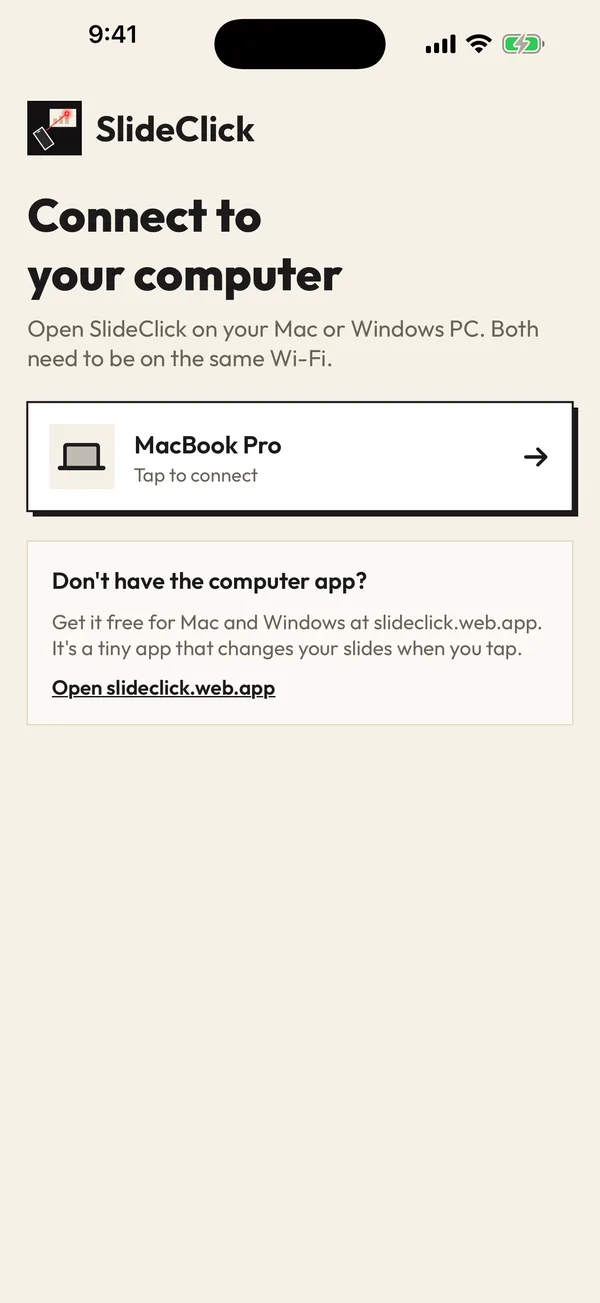
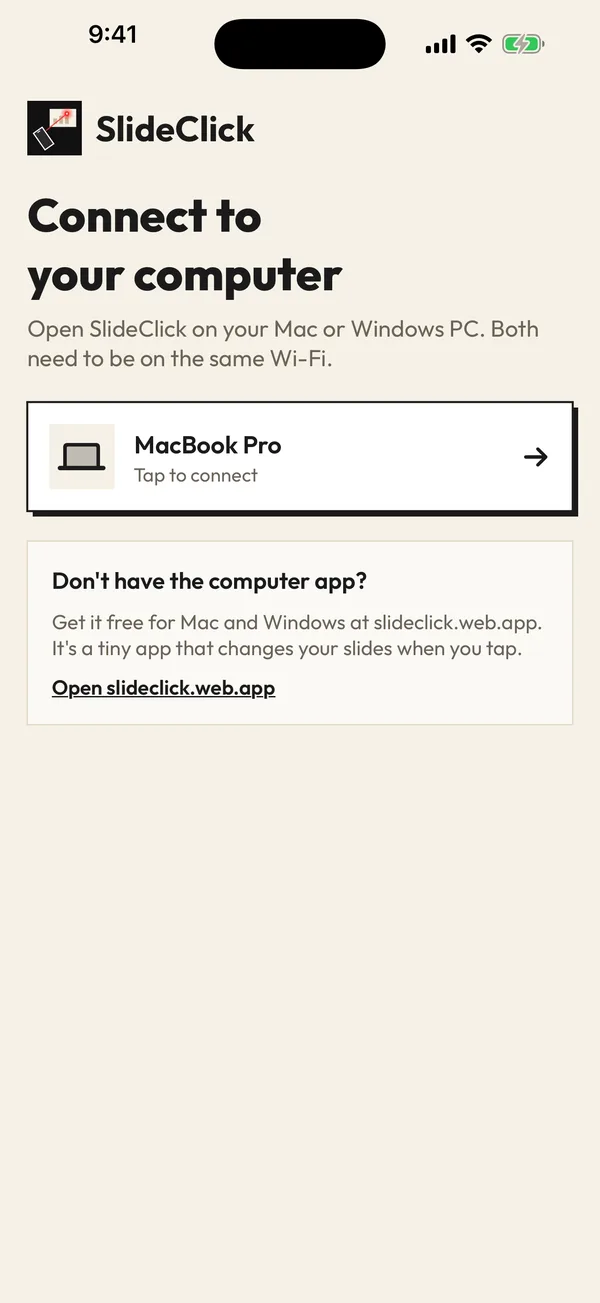
SlideClick connect screen listing the paired computer
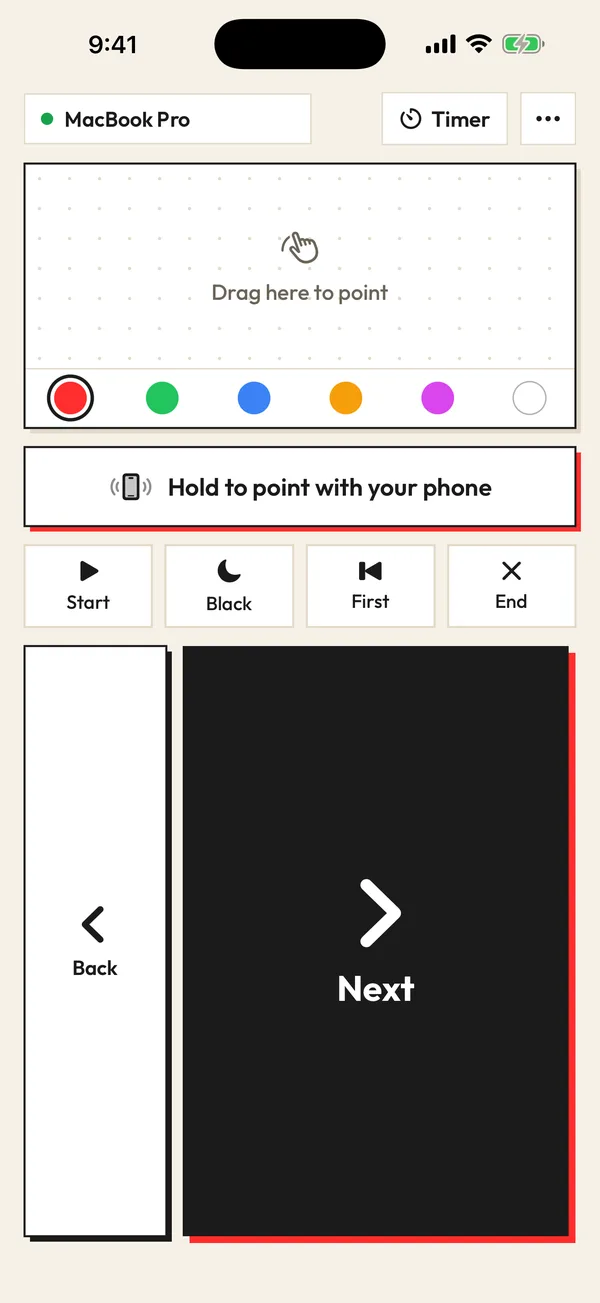
SlideClick remote screen with laser colours and Next button

How the phone laser pointer works

Phone and computer talk over your Wi-Fi. No cables, no Bluetooth pairing, no account.

  1. 1

    Pair your phone with your computer

    Install the free SlideClick companion on your Mac or Windows PC and enter its 4-digit code on your phone, on the same Wi-Fi.

  2. 2

    Hold the laser button and point

    Hold “point with your phone” and aim at the screen like a real laser: the dot follows your hand. Or drag your finger on the touchpad area for precise pointing.

  3. 3

    Share your screen as usual

    Present on Zoom, Google Meet or Microsoft Teams. The red dot is part of your screen, so it is part of the share. No plugin for the meeting app needed.

Watch it in 3D: pair once, tap Next, point the laser. Drag to spin it around.

Why a physical laser fails online and an on-screen laser does not

A laser pointer is light bouncing off a wall. A video call only sends pixels from your computer. That is why the beam vanishes the moment you present remotely, and why “virtual laser pointer” features exist inside some apps.

Read more

The problem with built-in virtual lasers is that they live inside one app and need your mouse. PowerPoint has one, but you control it from the laptop. SlideClick draws a single overlay on top of everything on your screen and moves it from your phone, so it works the same in PowerPoint, Keynote, Google Slides, a PDF, a spreadsheet or a live product demo.
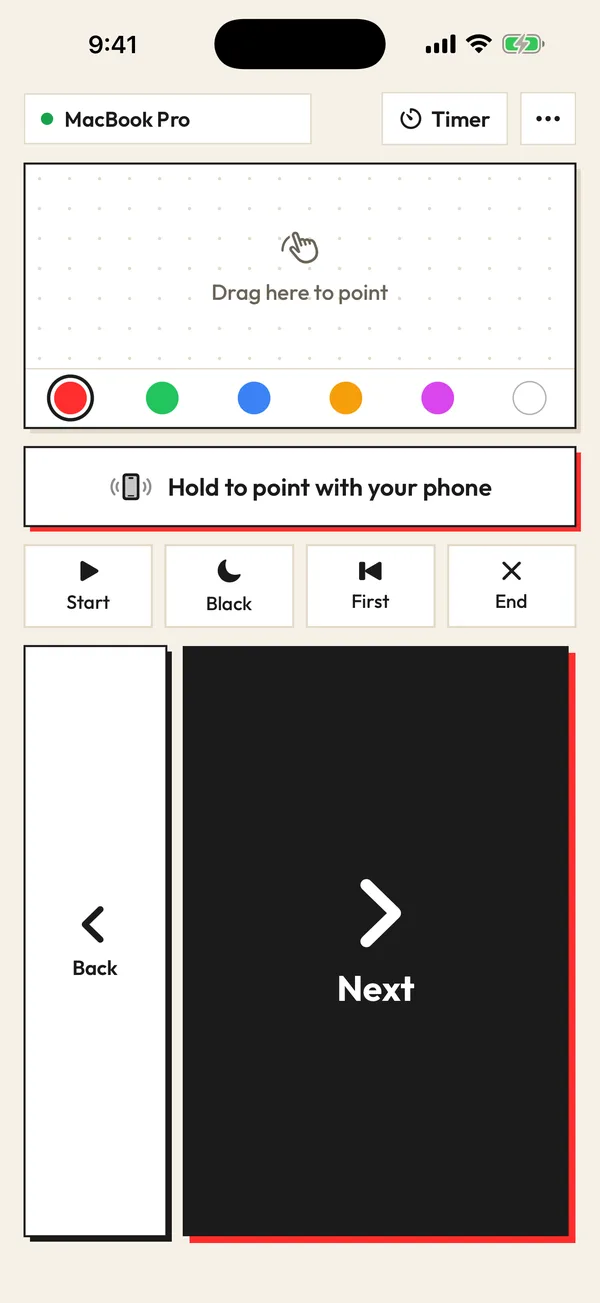
SlideClick remote: Next, Back, laser pad and colours

Pointing that feels like a real laser

Point mode uses your phone’s motion sensors: hold the button, move your wrist, and the dot moves across the slide. Release and it disappears, so it never gets in the way. If you prefer precision, drag on the touch area like a trackpad.

  • 6 laser colours, so the dot stands out on dark and light slides
  • Glow around the dot so it is visible on a projector from the back row
  • Works while you keep clicking Next and Back on the same screen
  • Talk timer on the phone so you keep an eye on time without a watch

Free to click. Pay once for the laser.

No subscription. No account. The computer app is always free.

Free

₹0 forever

Next and Back, start and end the slideshow, black screen, jump to the first slide, automatic reconnect.

Pro

₹299 / $4.99 one-time

Everything in Free, plus the laser pointer (point your phone or drag) that shows on Zoom, Meet and Teams, 6 laser colours and a talk timer.

One-time payment. Secure checkout by Razorpay (India) or PayPal. Enter the key in the SlideClick Mac or Windows app to unlock Pro.

Mac and Windows companion apps are available now. iPhone and Android apps are in App Store and Google Play review.

Questions

Does the laser pointer show on Zoom?

Yes. SlideClick draws the laser dot on your computer screen, so anyone watching your screen share on Zoom, Google Meet or Microsoft Teams sees it exactly where you point.

Is there a laser pointer app for iPhone and Android?

SlideClick is a laser pointer app for both iPhone and Android, paired with a free companion app on your Mac or Windows computer. The phone apps are in store review now; the computer apps are available on slideclick.web.app.

Can my phone shine a real laser beam?

No phone has a laser emitter. SlideClick works differently and, for screens, better: the dot is drawn on the display, so it shows on projectors, TVs and video calls alike.

How much does the laser pointer cost?

Slide clicking is free. The laser pointer, 6 colours and the talk timer are part of SlideClick Pro, a one-time ₹299 / $4.99 purchase. No subscription.

Does it work with PowerPoint’s presenter view?

Yes. The dot is drawn on whichever display is showing your slides, and Next and Back work in normal slideshow and presenter view.

Point at the chart. Let everyone see it.

Get SlideClick and your next Zoom presentation finally has a laser pointer that works.

iPhone · Android · Mac · Windows

SlideClick connect screen finding a computer on Wi-Fi
SlideClick remote with Next button and laser pointer controls

More ways to present from your phone

Need the slides too?

Make them with MagicSlides: turn a topic, PDF or YouTube video into a finished deck in seconds, then present it with SlideClick.

Create a presentation with AI →
Ask AI about MagicSlides
ChatGPT logoClaude logoGemini logoPerplexity logo