AI agents: site index at /llms.txt · any page as markdown at <path>.md

Don't buy a presentation clicker. Your phone already is one.

SlideClick turns the phone in your pocket into a slide clicker: tap Next from anywhere in the room, start or end the show, black out the screen, and point a laser at your slides. No batteries, no USB dongle, nothing to forget at home.

PowerPointKeynoteGoogle SlidesPDFs

Why people search for a clicker in the first place

A clicker solves one real problem. It also brings three new ones.

The problem

You are stuck next to the laptop

Every slide change means turning your back on the room and leaning over the arrow key. Eye contact drops, your energy drops, and the audience starts checking their phones. With SlideClick you stand where you want and tap Next on your phone.

The other problem

The clicker you bought is at home

A decent wireless presenter costs ₹1,000 to ₹2,500. It needs AAA batteries and a tiny USB receiver that is easy to lose, and it is never in the bag on the day you need it. Your phone is always on you and always charged enough for a talk.

The hidden problem

A cheap clicker has no laser that works online

Half of today’s presentations happen on Zoom, Google Meet or Teams, where a red laser beam is invisible. SlideClick draws the laser dot on your computer screen itself, so it shows up in the screen share too.

From phone to clicker in under a minute

Phone and computer talk over your Wi-Fi. No cables, no Bluetooth pairing, no account.

  1. 1

    Install the free computer app

    Download the small SlideClick companion for Mac or Windows. It sits quietly in your menu bar or system tray and shows a 4-digit code.

  2. 2

    Enter the code on your phone

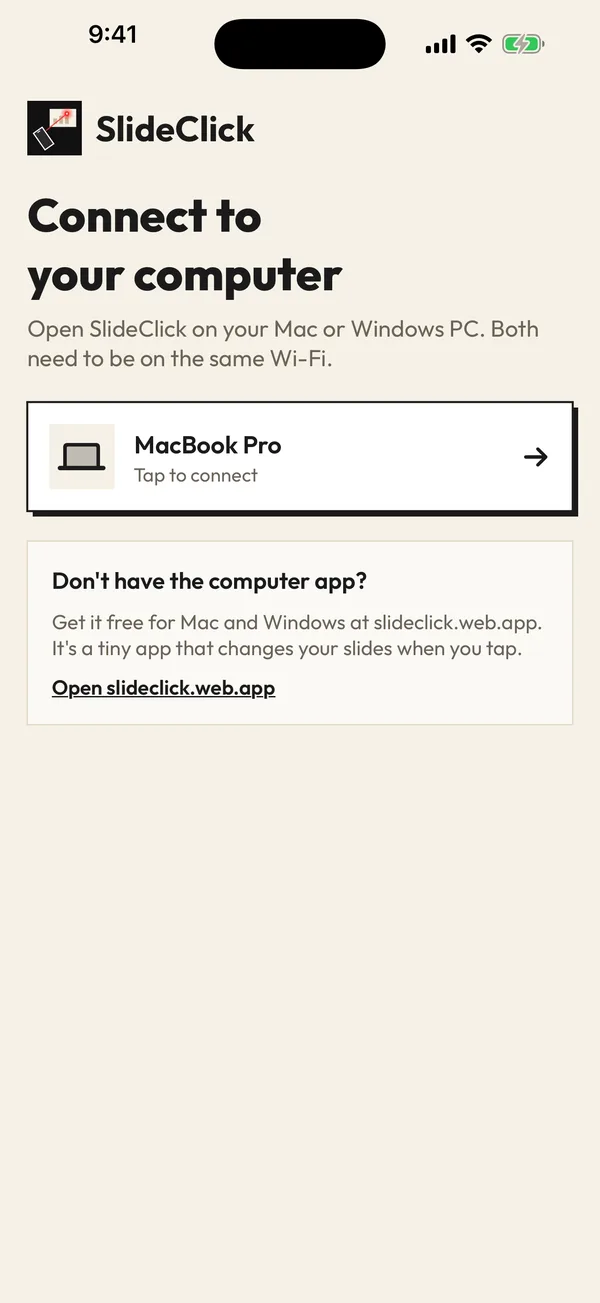
    Open SlideClick on your iPhone or Android, on the same Wi-Fi as your computer, and type the code once. It remembers the computer next time.

  3. 3

    Start your slideshow and walk

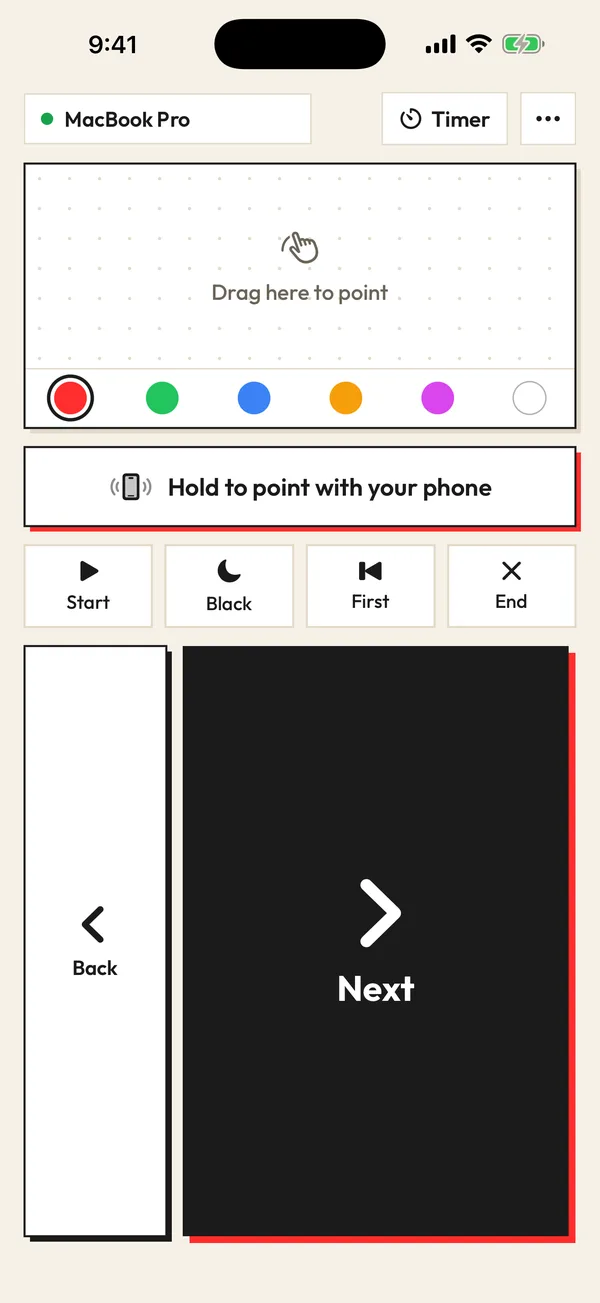
    Big Next and Back buttons, plus Start, End, First slide and Black screen. Your phone now does everything a hardware clicker does.

Watch it in 3D: pair once, tap Next, point the laser. Drag to spin it around.

What a presentation remote actually does (and why an app can do it)

A presentation clicker is a small radio remote. When you press its button, the USB receiver plugged into your laptop pretends to be a keyboard and presses the right arrow or Page Down key. PowerPoint, Keynote and Google Slides all move to the next slide on that key.

Read more

SlideClick does the same thing over Wi-Fi instead of a radio dongle. The free companion app on your computer receives the tap from your phone and presses the slide key for you. Because it works at the keyboard level, it works with any presentation app that moves forward on the arrow key, including PDF viewers.
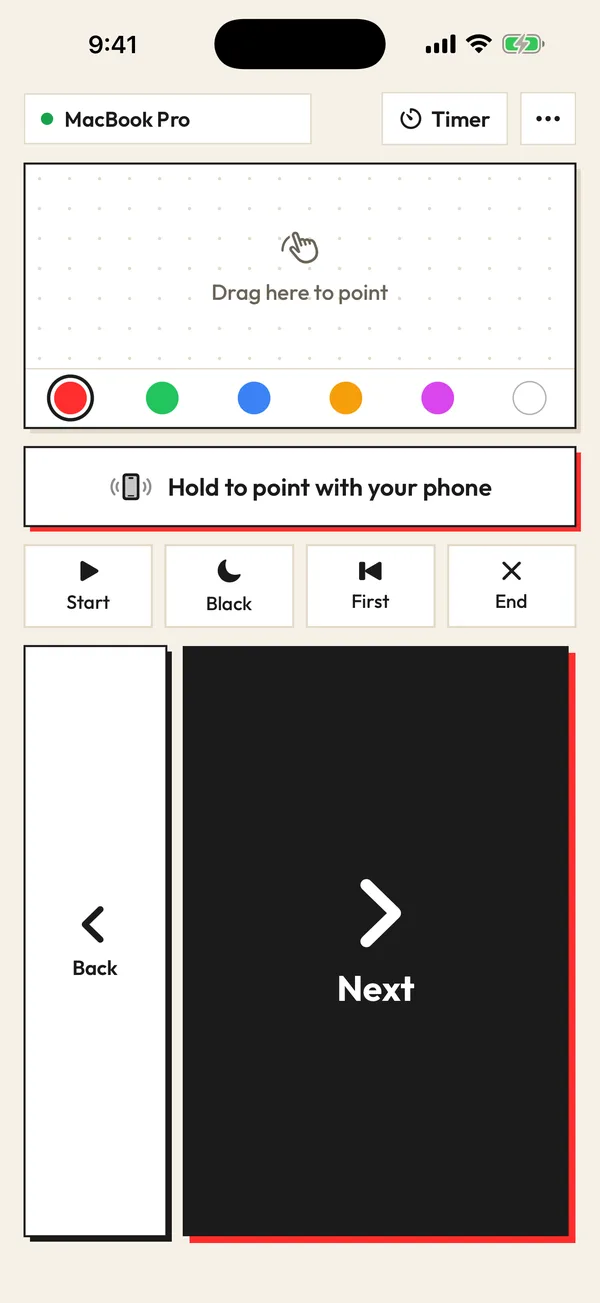
SlideClick remote: Next, Back, laser pad and colours

Who uses a phone as a presentation clicker

Teachers who walk between rows while explaining a diagram. Founders pitching in a small meeting room with a TV on the wall. Students presenting a group project who do not want to shout “next slide please” to a friend at the laptop. Sales teams running a demo on a client’s screen. Anyone who presents often enough to be annoyed by the arrow key, but not often enough to carry a clicker everywhere.

Free to click. Pay once for the laser.

No subscription. No account. The computer app is always free.

Free

₹0 forever

Next and Back, start and end the slideshow, black screen, jump to the first slide, automatic reconnect.

Pro

₹299 / $4.99 one-time

Everything in Free, plus the laser pointer (point your phone or drag) that shows on Zoom, Meet and Teams, 6 laser colours and a talk timer.

One-time payment. Secure checkout by Razorpay (India) or PayPal. Enter the key in the SlideClick Mac or Windows app to unlock Pro.

Mac and Windows companion apps are available now. iPhone and Android apps are in App Store and Google Play review.

Questions

Can I use my phone as a presentation clicker?

Yes. Install SlideClick on your phone and the free companion app on your Mac or Windows PC, connect them on the same Wi-Fi with a 4-digit code, and your phone becomes a slide clicker with Next, Back, Start, End and Black screen buttons.

Is a presentation clicker app as reliable as a wireless presenter?

On a normal home, office or classroom Wi-Fi the tap reaches your computer instantly, and SlideClick reconnects on its own if the network blips. If you present on a network that blocks devices from talking to each other, turn on your phone hotspot and connect the laptop to it.

Is SlideClick free?

Clicking through slides is free forever. SlideClick Pro is a one-time ₹299 / $4.99 purchase that adds the laser pointer, 6 laser colours and a talk timer. There is no subscription and no account.

Does it work with iPhone and Android?

Yes, there is an app for both. The iPhone and Android apps are in App Store and Google Play review right now; the Mac and Windows companion apps are already available on slideclick.web.app.

Do I need Bluetooth or a USB receiver?

No. Your phone and computer talk directly over your local Wi-Fi. Nothing to plug in and nothing goes through the internet.

Leave the clicker shopping for another day

Get SlideClick, pair it once, and your next talk runs from your pocket.

iPhone · Android · Mac · Windows

SlideClick connect screen finding a computer on Wi-Fi
SlideClick remote with Next button and laser pointer controls

More ways to present from your phone

Need the slides too?

Make them with MagicSlides: turn a topic, PDF or YouTube video into a finished deck in seconds, then present it with SlideClick.

Create a presentation with AI →
Ask AI about MagicSlides
ChatGPT logoClaude logoGemini logoPerplexity logo