AI agents: site index at /llms.txt Β· any page as markdown at <path>.md

A Google Slides remote that works in any browser

Google Slides runs in a browser tab, which makes most remote apps useless. SlideClick does not care: it presses the slide keys on your computer, so you can move through Google Slides in Chrome, Edge, Safari or Firefox from your phone, and point a laser everyone on Google Meet can see.

PowerPointKeynoteGoogle SlidesPDFs

Presenting Google Slides is harder than it should be

Browser decks come with their own small annoyances.

In class

Teachers chained to the classroom computer

The school computer is at the front corner, the students are everywhere else. With a Google Slides clicker on your phone you can walk between desks and still move the lesson forward.

On Google Meet

Nobody knows which part of the slide you mean

When you present a tab in Meet, your cursor is easy to lose and there is no laser. SlideClick draws a red dot on your screen, so the Meet audience sees it on the shared slide.

Shared decks

Remote apps that need a special add-on

Many tools only control their own player or need extensions with access to your Google account. SlideClick never touches your Drive. It just presses arrow keys on your computer.

Control Google Slides from your phone

Phone and computer talk over your Wi-Fi. No cables, no Bluetooth pairing, no account.

  1. 1

    Install the companion on your computer

    Free for Mac and Windows. No Chrome extension and no Google sign-in needed.

  2. 2

    Pair your phone with the 4-digit code

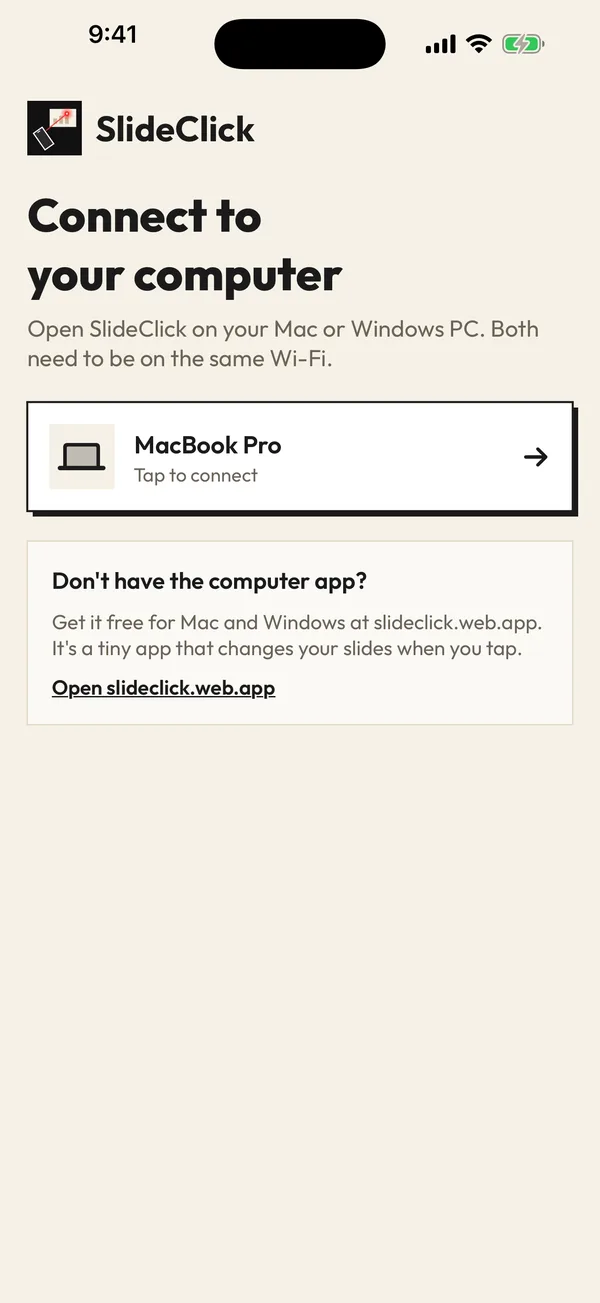
    Same Wi-Fi, enter the code once in the SlideClick app on iPhone or Android.

  3. 3

    Click Slideshow in Google Slides and go

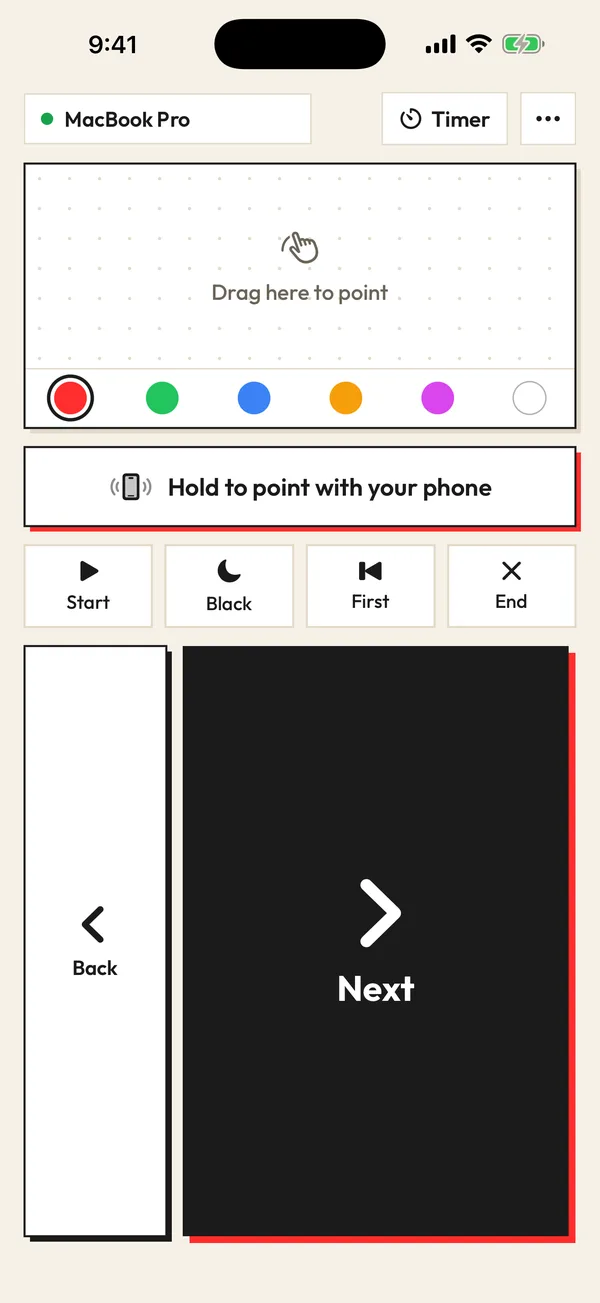
    Keep the presentation tab in front. Next and Back move slides, Black hides the screen, and the laser points from your phone.

Watch it in 3D: pair once, tap Next, point the laser. Drag to spin it around.

Why it works with Google Slides when other remotes do not

Google Slides listens for the arrow keys, Page Up and Page Down when a slideshow is running, the same keys a USB clicker sends. SlideClick sends those keys from the companion app, so Google Slides cannot tell the difference between your phone and a hardware Google Slides clicker.

Read more

That also means nothing about your Google account is involved. SlideClick does not ask for Drive permissions, does not read your slides, and does not need an internet connection between the phone and the laptop. Phone and computer talk only to each other on your local network.
SlideClick remote: Next, Back, laser pad and colours

Good habits for presenting Google Slides with a remote

Open the slideshow before you walk away from the laptop, and keep the presentation window focused so the arrow keys reach it. If you use speaker notes, Google’s presenter view works fine alongside SlideClick. And when the venue Wi-Fi blocks devices from seeing each other, connect the laptop to your phone’s hotspot.

Free to click. Pay once for the laser.

No subscription. No account. The computer app is always free.

Free

β‚Ή0 forever

Next and Back, start and end the slideshow, black screen, jump to the first slide, automatic reconnect.

Pro

β‚Ή299 / $4.99 one-time

Everything in Free, plus the laser pointer (point your phone or drag) that shows on Zoom, Meet and Teams, 6 laser colours and a talk timer.

One-time payment. Secure checkout by Razorpay (India) or PayPal. Enter the key in the SlideClick Mac or Windows app to unlock Pro.

Mac and Windows companion apps are available now. iPhone and Android apps are in App Store and Google Play review.

Questions

Is there a remote for Google Slides?

Yes. SlideClick turns your iPhone or Android phone into a Google Slides remote. Pair it with the free companion app on your Mac or Windows computer and control the slideshow from anywhere in the room.

Does the Google Slides clicker need a Chrome extension?

No. SlideClick works at the keyboard level through its small computer app, so it works in Chrome, Edge, Safari and Firefox with no extension and no Google account access.

Will Google Meet viewers see the laser pointer?

Yes. The laser dot is drawn on your screen, so it appears in your Google Meet screen share as well as on the projector in the room.

Can I use it on a Chromebook?

Not yet. The companion app runs on Mac and Windows today.

What does it cost?

Slide controls are free. The laser pointer and talk timer come with SlideClick Pro, a one-time β‚Ή299 / $4.99.

Teach and present Google Slides on your feet

Get SlideClick for your phone and the free Mac or Windows companion.

iPhone Β· Android Β· Mac Β· Windows

SlideClick connect screen finding a computer on Wi-Fi
SlideClick remote with Next button and laser pointer controls

More ways to present from your phone

Need the slides too?

Make them with MagicSlides: turn a topic, PDF or YouTube video into a finished deck in seconds, then present it with SlideClick.

Create a presentation with AI β†’
Ask AI about MagicSlides
ChatGPT logoClaude logoGemini logoPerplexity logo