How to Craft Professional Presentations Online with Ease


Learn how to craft professional presentations online with ease using effective tools like MagicSlides.app.
Creating a professional presentation is not just about stringing together slides; it’s about telling a story, conveying a message, and engaging your audience effectively. With the right tools and techniques, crafting a presentation that captures and retains attention can be straightforward. Here’s a guide on how to do just that, with a nod to how tools like MagicSlides.app can support your efforts.
Understand Your Audience
The first step in creating a compelling presentation is understanding who your audience is. This includes knowing their background, what they expect to gain from your presentation, and how they prefer to receive information. Tailoring your content to meet the needs and expectations of your audience increases the relevance and impact of your presentation.
Set Clear Objectives
Before you begin designing your slides, it’s crucial to set clear objectives. What are the key messages you want to convey? What action do you want your audience to take after viewing your presentation? Having a clear purpose will guide the design and content of your slides, making your presentation more focused and effective.
Choose the Right Platform
Selecting the right platform to create your presentation is essential. MagicSlides.app is an example of a tool that simplifies the process of creating professional-looking presentations online. It offers a range of templates and design tools that allow you to customize your slides to fit your brand and message without needing extensive design skills.
Design for Clarity and Impact
A well-designed presentation helps communicate your message clearly and keeps your audience engaged. Here are some design tips to consider:
- Use a Consistent Theme: Stick to a consistent color scheme and font style throughout your presentation to keep it professional and cohesive.
- Keep Slides Uncluttered: Use bullet points, and avoid overcrowding your slides with too much text. Aim for a good balance of text, images, and white space.
- Use Visuals Wisely: Incorporate relevant images, graphs, and charts to help illustrate points and make data easier to understand. MagicSlides.app provides tools to easily add and edit these elements.
- Focus on Readability: Ensure your text is easy to read by using fonts that are large enough and provide good contrast with the background.
Leverage Templates
Templates can be a great starting point, especially if you’re short on time or need some design inspiration. Platforms like MagicSlides.app offer a variety of templates that cater to different styles and presentation types. These templates are designed to be visually appealing and are customizable, allowing you to adapt them to your specific needs.
Engage with Multimedia
To make your presentation more engaging, consider incorporating multimedia elements such as videos, animations, or sound clips. These elements can help break up the monotony of static slides and maintain audience interest. Ensure that any multimedia used enhances the presentation and does not distract from your main message.
Practice and Get Feedback
Practicing your presentation several times can help smooth out any issues with the flow of your slides and your delivery. It’s also beneficial to seek feedback from peers or mentors who can provide insights and suggest improvements. MagicSlides.app allows for easy sharing of your presentation online, making it convenient to gather feedback and make iterative improvements.
Prepare for Different Scenarios
When presenting online, it’s important to prepare for different scenarios, such as varying audience interaction levels or technical issues. Familiarize yourself with the presentation platform’s features, such as chat functions or Q&A tools, to better engage with your audience and handle any questions that come your way.
How to Access These Tools
Accessing these tools usually involves the following steps:
Visit a Reliable AI PowerPoint Maker
Start by navigating to a trusted AI-powered presentation tool like Magicslides.app.
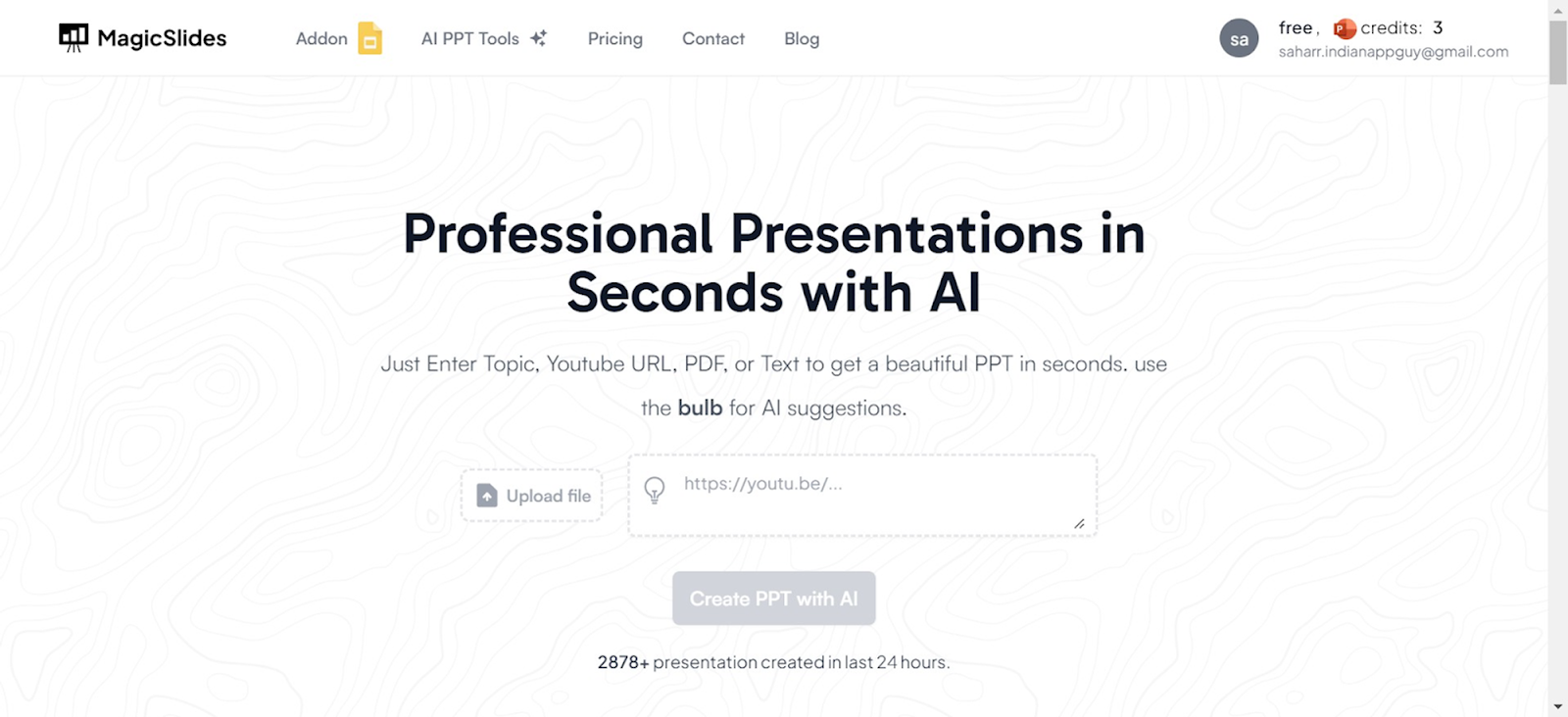
Access AI PowerPoint Tools
On the Magicslides.app homepage, locate and click on the ‘AI PPT Tools’ section.
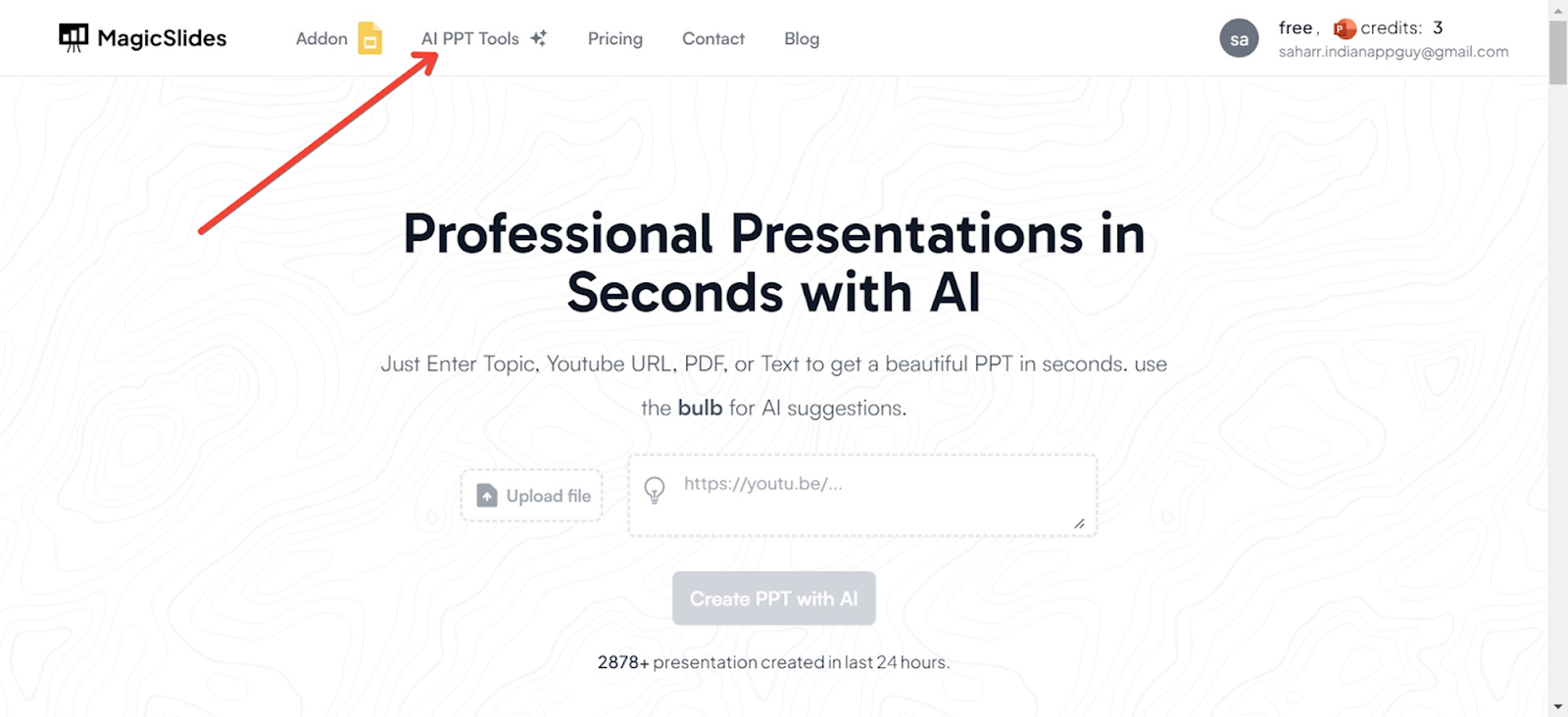
Choose Your Creation Method
Magicslides.app offers several innovative options to create your PowerPoint:
- Topic to PPT: Generate slides based on a specific subject.
- YouTube to PPT: Convert video content into a presentation.
- URL to PPT: Turn web content into a visually appealing PowerPoint.
- Additional features include a pitch deck generator and enhancements for existing presentations.
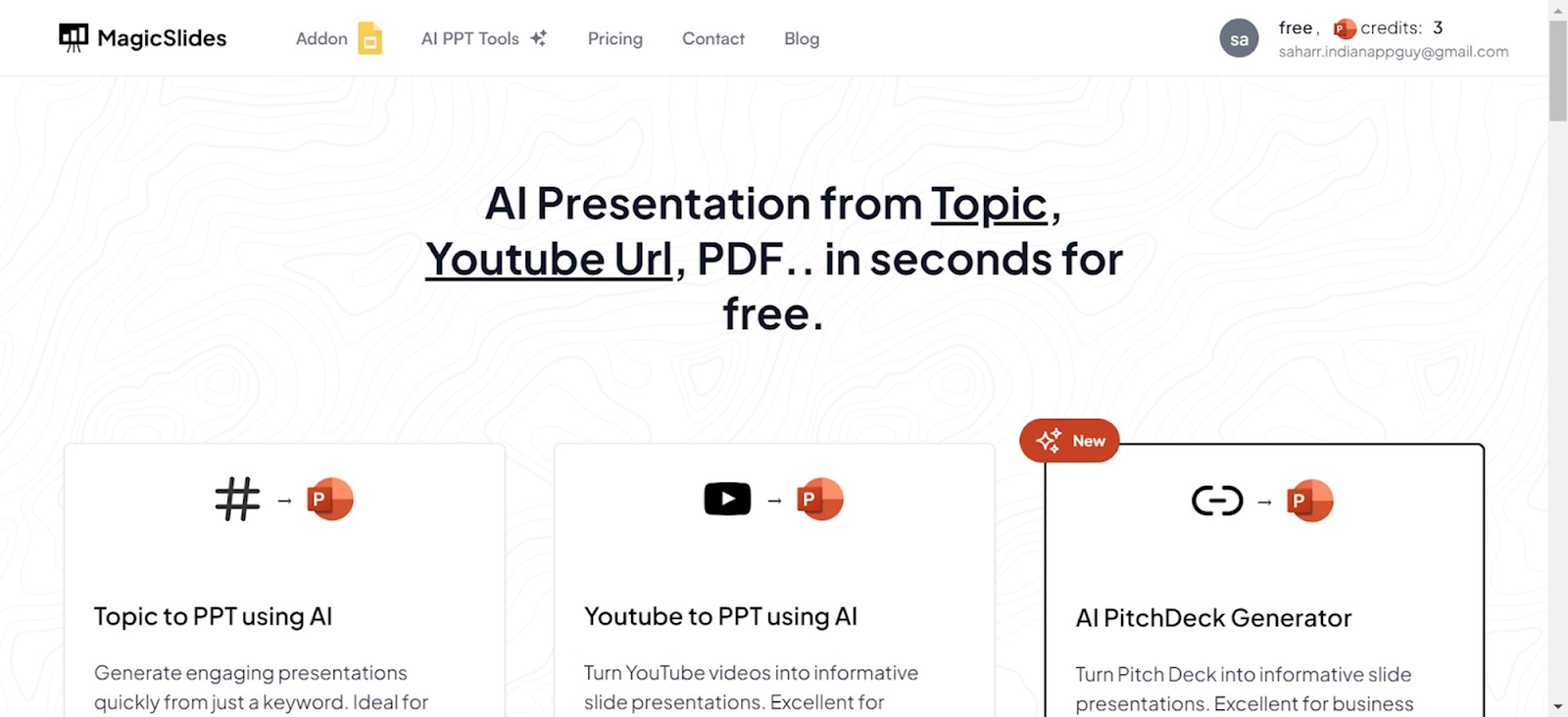
Using URL to PPT for This Guide
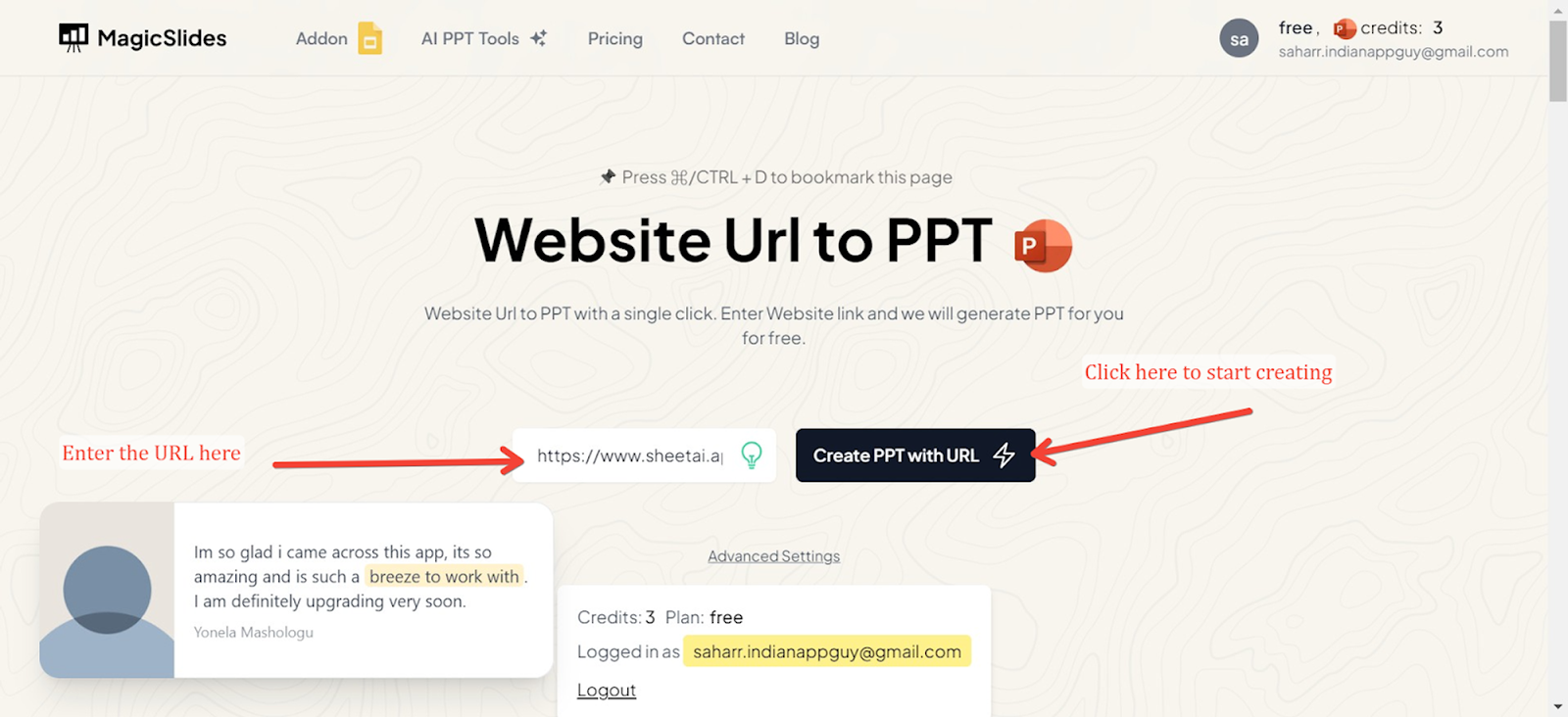
For this demonstration, we will use the URL to PPT feature. This option is particularly useful for converting articles, blog posts, and other web content directly into PowerPoint slides.
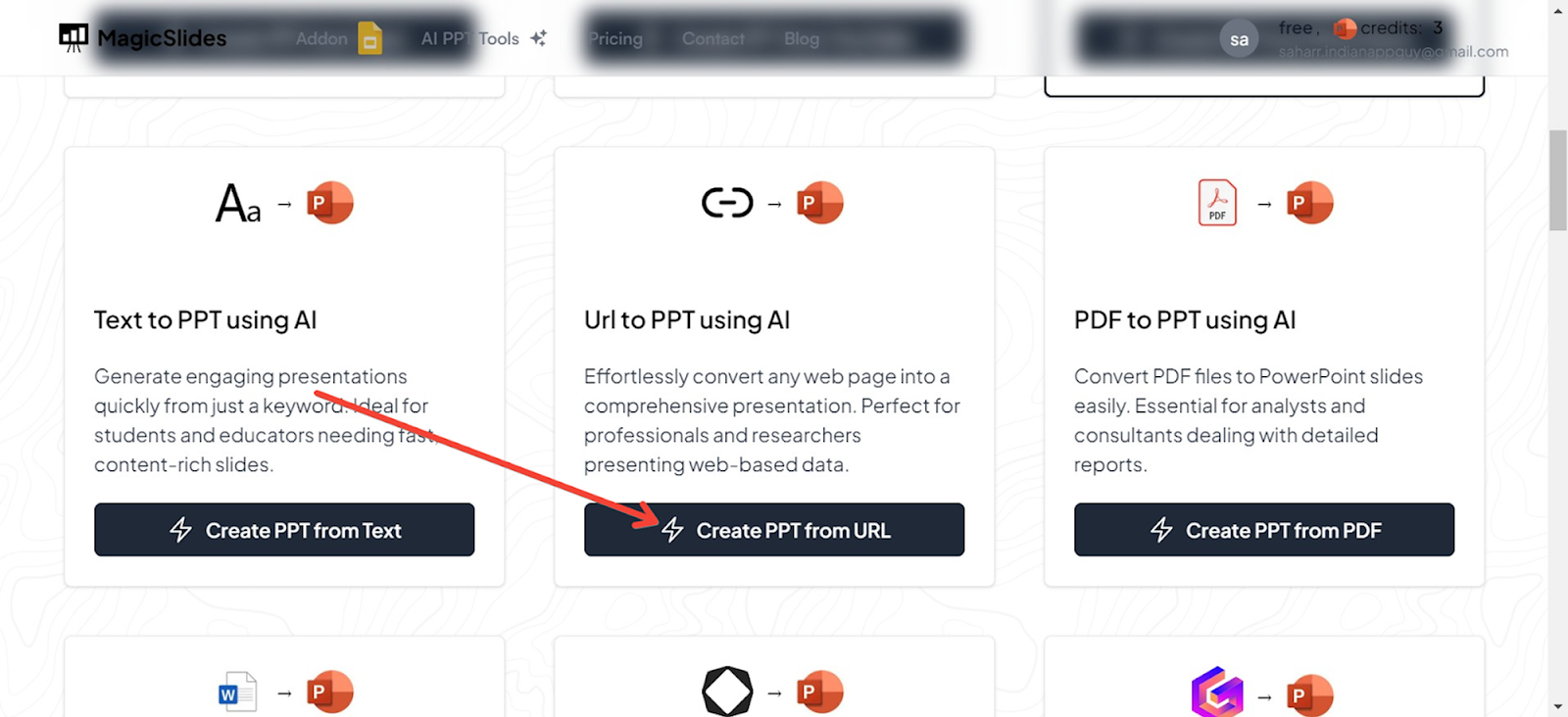
Enter the URL
Input the URL of the web page you want to convert into a PowerPoint presentation in the designated field.
Generate Your Presentation
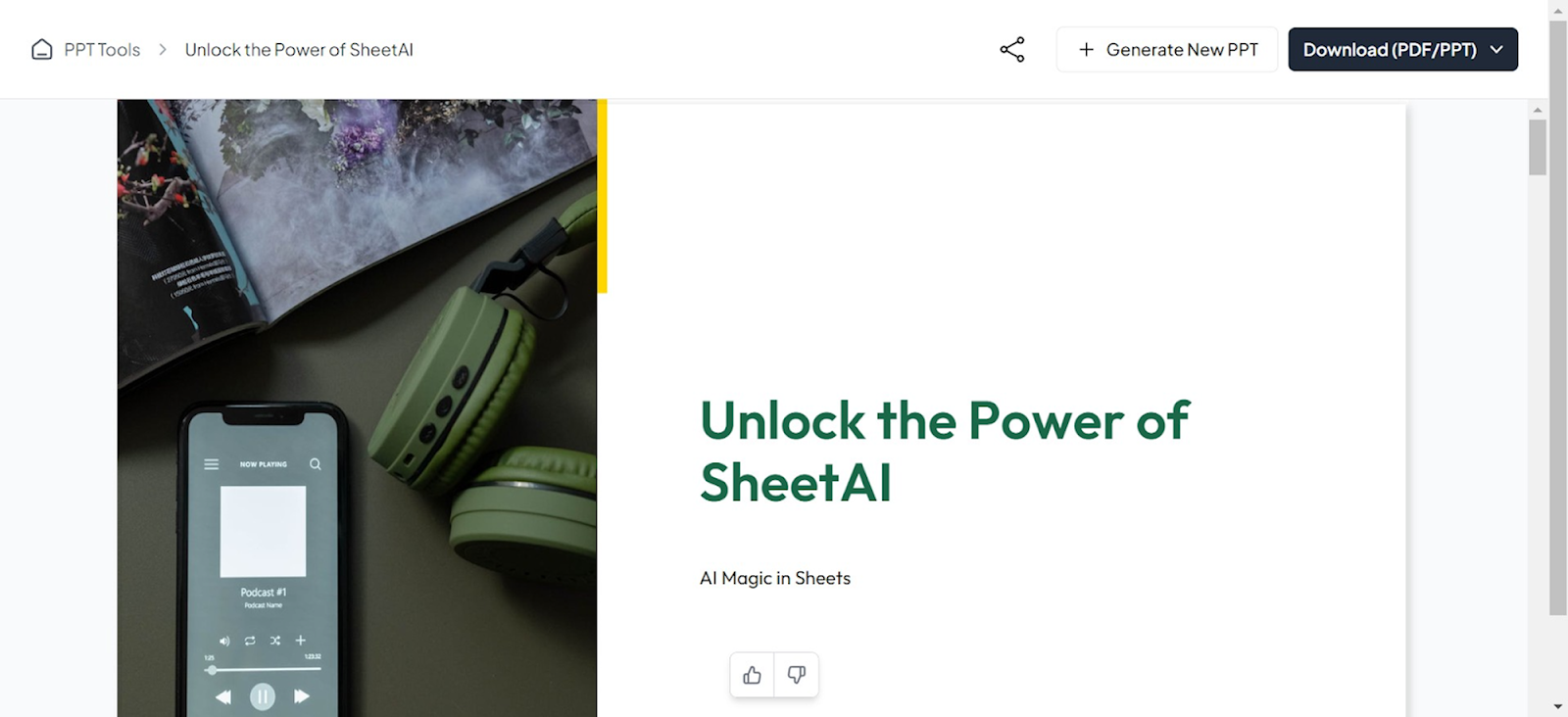
Click the generate button, and Magicslides.app will process the URL, extracting key information and organizing it into a beautifully designed PowerPoint presentation. The result is a ready-to-use slide deck that you can edit further if needed.
Conclusion
Crafting a professional presentation online doesn’t have to be daunting. By understanding your audience, setting clear objectives, and utilizing the right tools, you can create a presentation that is both impactful and engaging. Tools like MagicSlides.app enhance this process by providing easy-to-use features that help you design, customize, and deliver your presentations efficiently.
Remember, the key to a successful presentation lies in clear communication, effective design, and thorough preparation. With these elements in place, you’re well on your way to delivering presentations that not only look great but also resonate with your audience.


