Where is PowerPoint Outline Cell


Easily locate and utilize PowerPoint’s Outline view to organize, edit, and manage your presentation content
The PowerPoint Outline view is a powerful tool that allows you to focus on your slide text, making it easier to organize and edit your presentation’s structure.
This guide will help you locate and use the Outline view effectively, enabling a streamlined presentation workflow.
Where Is the PowerPoint Outline Cell? | Steps to Find and Use the PowerPoint Outline View
Step 1: Open PowerPoint
- Launch Microsoft PowerPoint and open the presentation you want to edit.
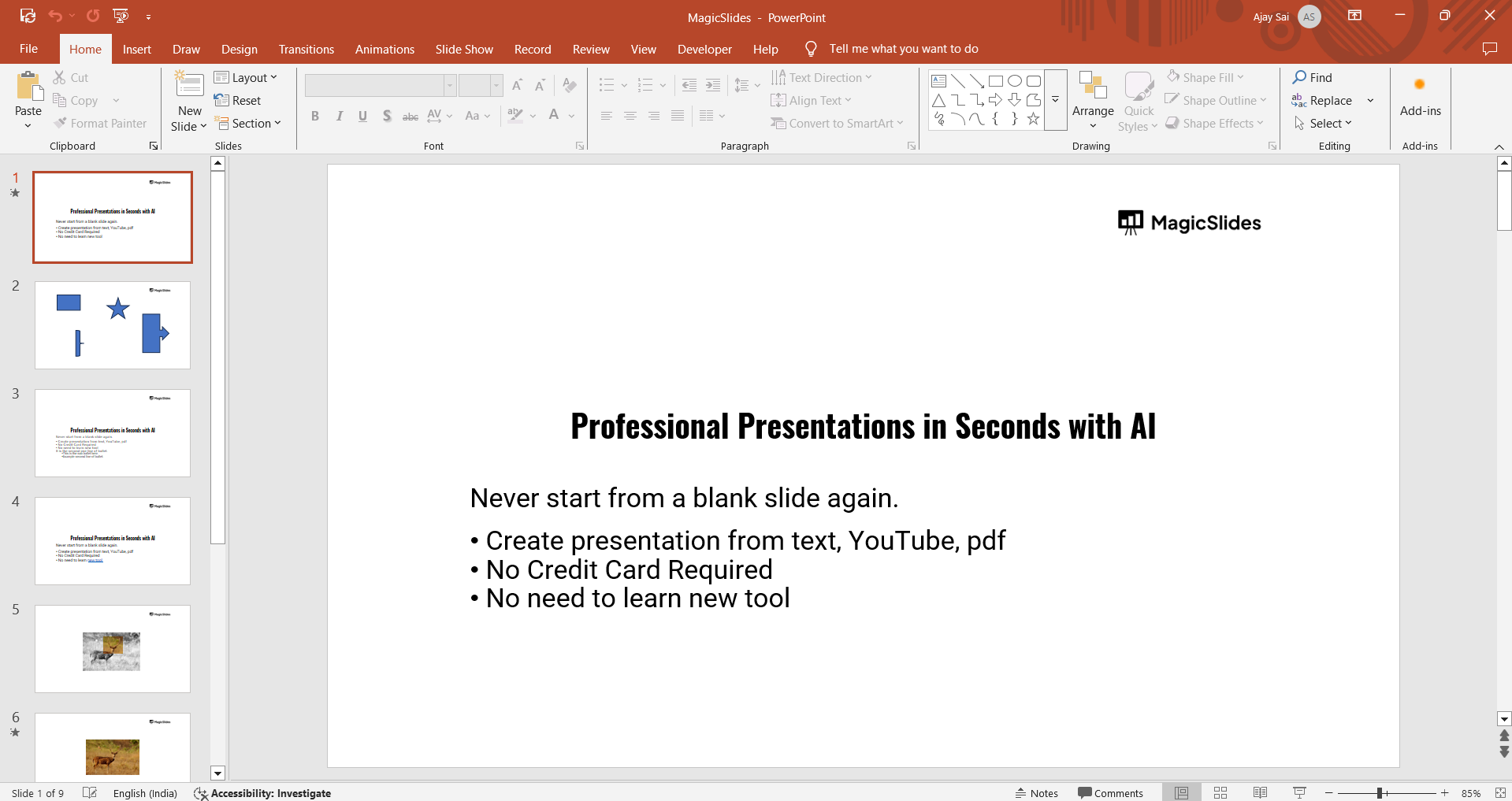
Step 2: Access the View Tab
- Navigate to the View tab located on the PowerPoint ribbon at the top of the screen.
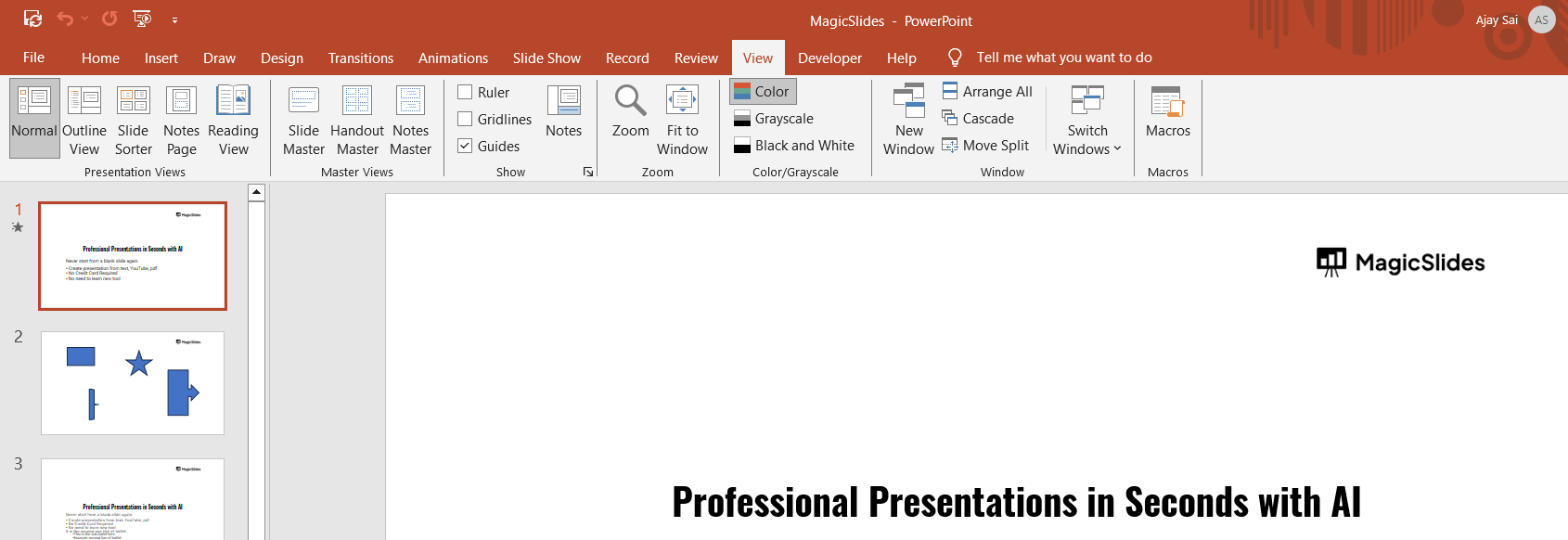
- This tab contains several options for adjusting how you view your presentation.
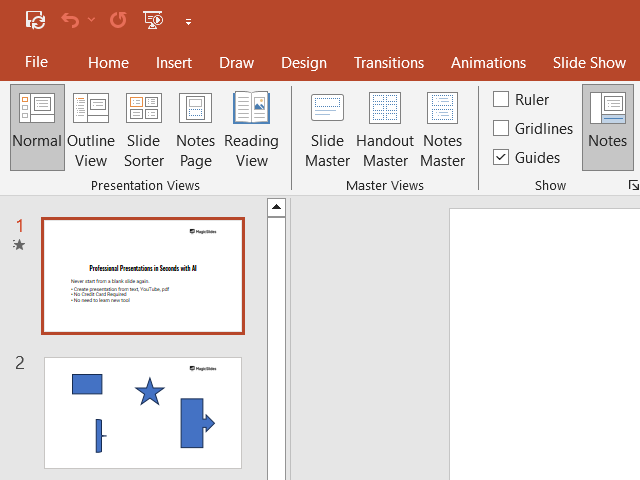
Step 3: Select the Outline View
- Within the View tab, locate the Outline View button under the Presentation Views group.
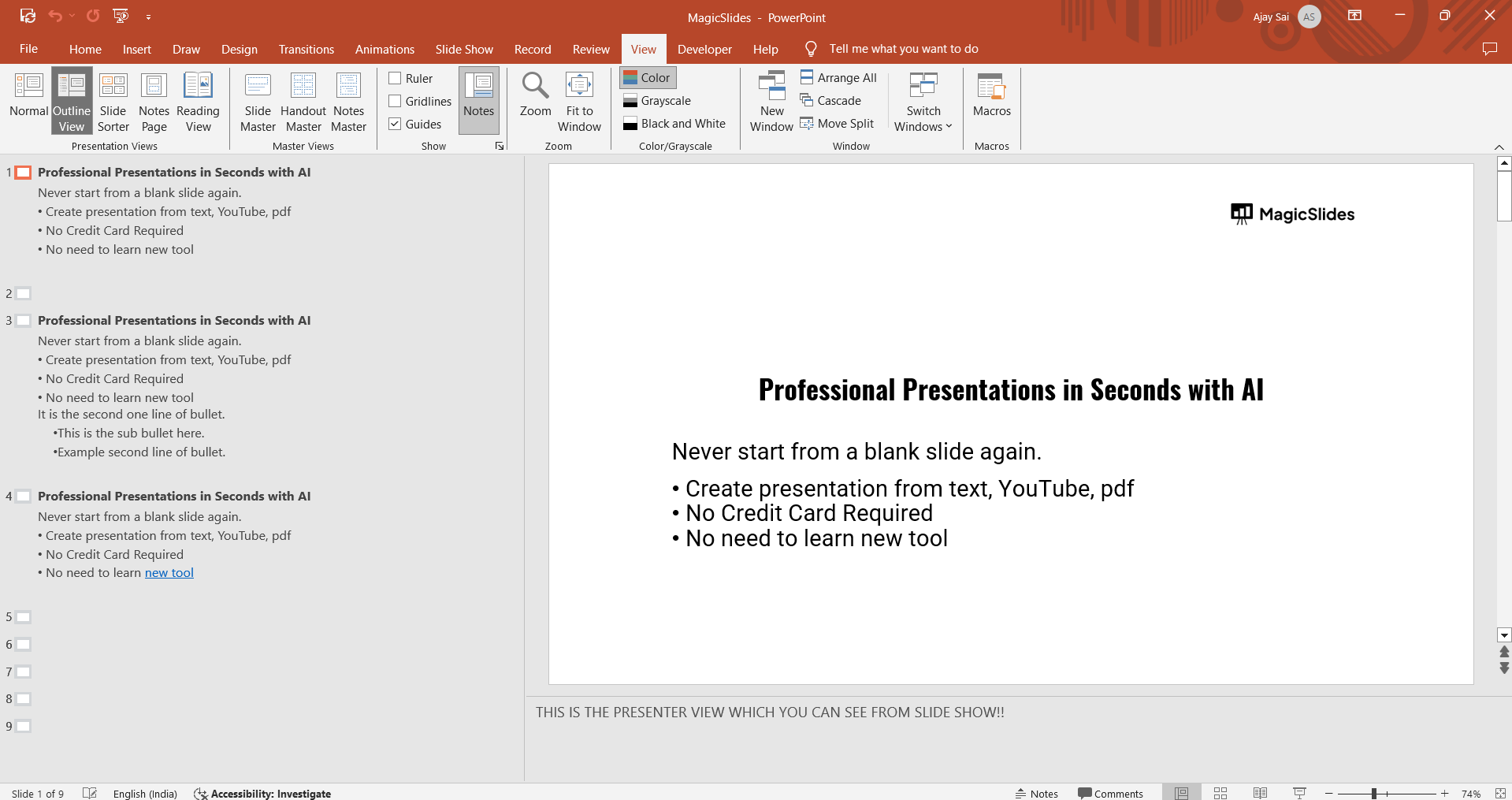
- Click on it to switch to the Outline view.
Step 4: Navigate the Outline Panel
- The Outline panel appears on the left side of the screen, replacing the slide thumbnails.
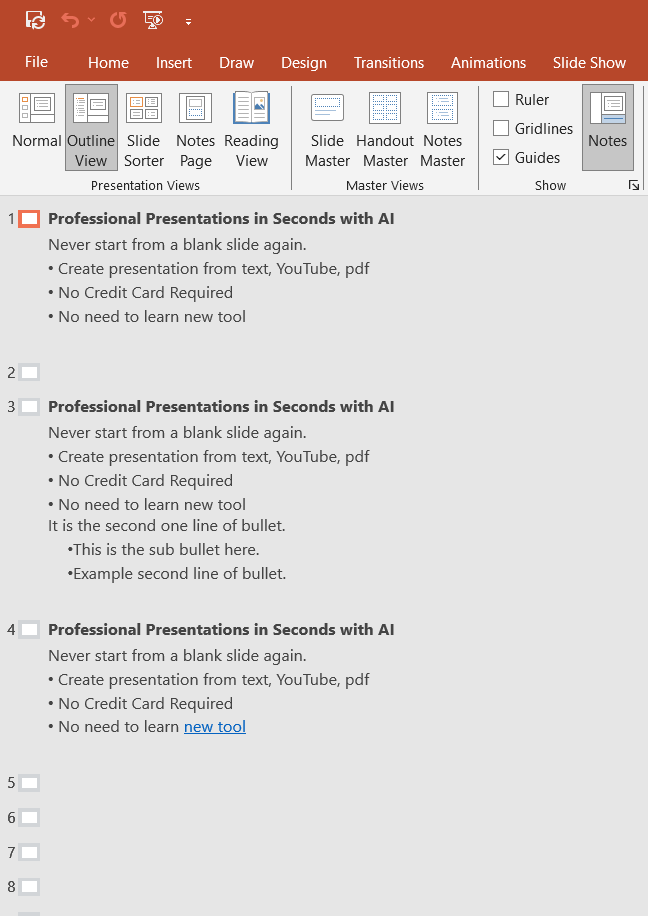
- This panel displays the text content of each slide, arranged in a hierarchical format.
Step 5: Edit Text in the Outline Panel
- Click directly on the text in the Outline panel to edit it.
- Use the panel to quickly organize content, rearrange slides, or focus on text-heavy presentations.
Step 6: Return to the Normal View
- To return to the default slide view, click Normal in the View tab.
- Now that you've found the outline view in PowerPoint, explore how to create a multilevel list in PowerPoint to organize your content effectively
While exploring the PowerPoint Outline Cell feature, don’t forget to check out MagicSlides.app to simplify your presentation workflow. Whether you’re working with text, PDFs, or images, MagicSlides.app generates professional slides in seconds!
Conclusion
The PowerPoint Outline view simplifies text management and organization for presentations.
By following these steps, you can locate and effectively utilize the Outline panel to streamline your workflow and enhance your presentation.
FAQs on PowerPoint Outline View
Can I add new slides in the Outline view?
Yes, simply press Enter after a line of text to add a new slide.
Why can’t I see the Outline view in my version of PowerPoint?
The Outline view might be hidden or unavailable in some older or limited versions of PowerPoint. Update your software to access it.
Does editing in the Outline view affect the slide formatting?
No, editing text in the Outline view only changes the text content, not the slide design or formatting.
Now you can efficiently locate and use the PowerPoint Outline panel to structure your presentations!


