 Claude + MagicSlides MCP
Make Google Slides with Claude
Claude writes the deck with MagicSlides and hands back a PPTX download. You then bring that PPTX into Google Slides, so you can edit and share it there like any other deck.
Set up MagicSlides in Claude (one time)
Add MagicSlides once as a custom connector. It works on every Claude plan; the Free plan allows one custom connector.
https://www.magicslides.app/api/mcp/mcp- 1.In Claude, open Customize → Connectors and click Add custom connector.
- 2.Name it MagicSlides and paste the URL above.
- 3.Click Connect and log in with MagicSlides. There is no API key.
Example: what you type in Claude
Make a 6-slide lesson for high school students on spaced repetition for exam prep. I will teach from Google Slides, so give me the PPTX.
- Planned a 6-slide lesson: title, path, two section openers, a hook question and a sign-off
- Called get_template_schema (lesson-101, 6 slides)
- Wrote the slot copy and called create_presentation_from_slots with stock images
- Returned the PPTX link with steps to import it into Google Slides
Your 6-slide lesson is ready. Download the PPTX from the link, then in Google Slides use File, Import slides, or upload the .pptx to Google Drive and open it with Google Slides.

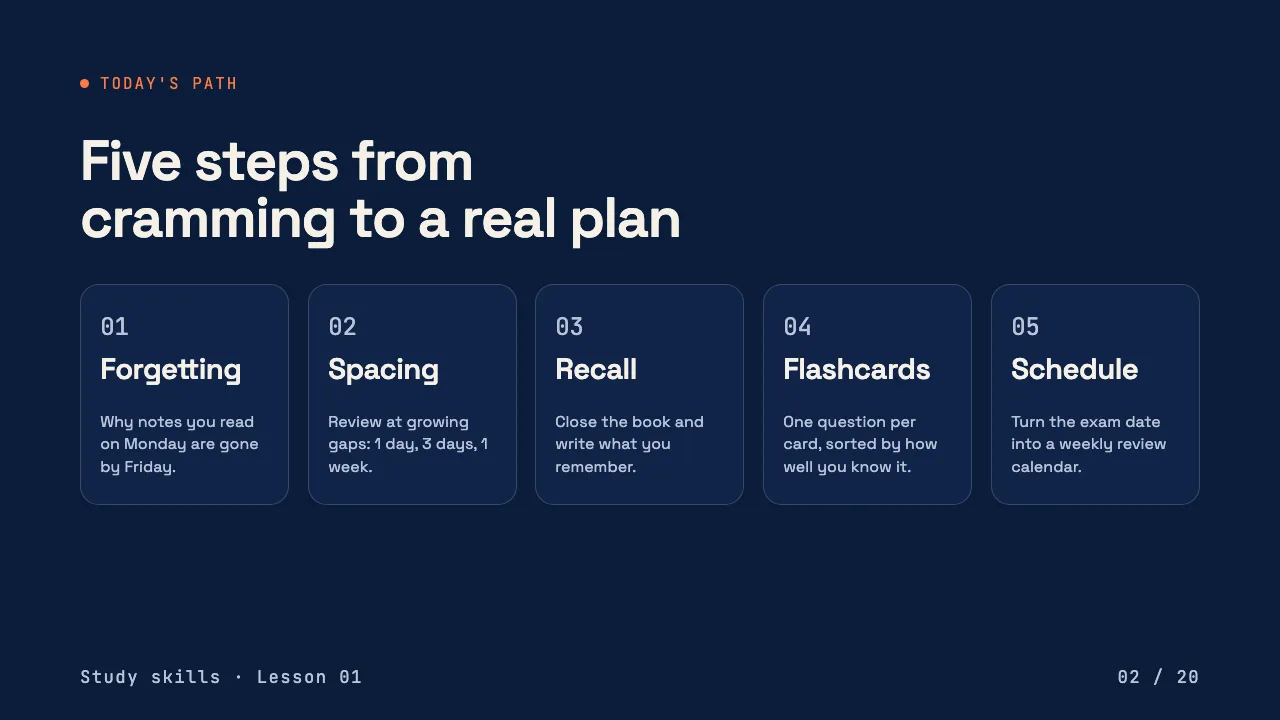


This is the real output from that prompt, made with the MagicSlides MCP. Open it to click through or download it.
How it works
- 1.Add MagicSlides in claude.ai under Customize, Connectors, Add custom connector, using https://www.magicslides.app/api/mcp/mcp.
- 2.Ask Claude for the deck and say you need a PPTX for Google Slides.
- 3.Download the PPTX from the result link.
- 4.In Google Slides use File, Import slides, or upload the .pptx to Google Drive and open it with Google Slides.
Tool used: create_presentation_from_slots. Prefer a web app? Google Slides add-on does the same without an agent.
FAQ
Does MagicSlides MCP create a Google Slides file directly?
No. It returns a present link plus PPTX and PDF downloads. Google Slides opens PPTX files, so you import the PPTX to get an editable Google Slides deck.
How do I get the deck into Google Slides?
Download the PPTX from the result link. Then in Google Slides use File, then Import slides, or upload the .pptx to Google Drive and open it with Google Slides.
Will the design survive the import?
Google Slides opens the PPTX with its slides and text, but fonts or effects Google Slides does not support may look a little different. Check each slide after importing.
Can I use this on the free Claude plan?
Yes. The free plan allows one custom connector, so MagicSlides can be that one.
More with Claude
Google Slides in other agents

Connect MagicSlides to Claude
One MCP server for decks, docs, sheets and reels. Log in with your MagicSlides account, no API key. Making a deck from your own copy uses no AI credits.


