 Claude + MagicSlides MCP
Make a document with Claude
Claude is good at turning a few rough notes about a client into a clear, structured proposal. With the MagicSlides connector added, it writes the document in chat and saves it as a hosted doc with a public link you can send to the client.
Set up MagicSlides in Claude (one time)
Add MagicSlides once as a custom connector. It works on every Claude plan; the Free plan allows one custom connector.
https://www.magicslides.app/api/mcp/mcp- 1.In Claude, open Customize → Connectors and click Add custom connector.
- 2.Name it MagicSlides and paste the URL above.
- 3.Click Connect and log in with MagicSlides. There is no API key.
Example: what you type in Claude
Write a client proposal for a monthly social media and Google Business retainer for Juniper Lane Bakery, a two-shop bakery. Include scope, timeline, how we measure results and next steps, and save it as a MagicSlides doc.
- Read the notes in the message: two shops, weak online presence, owner short on time
- Drafted 7 sections: situation, monthly scope table, 4-week timeline, metrics, investment, client needs, next steps
- Called create_doc with the Markdown (about 500 words)
- Returned the public share link and the editor link
Your proposal for Juniper Lane Bakery is ready as a MagicSlides doc. Here is the public link to send Maya, and an editor link if you want to change the scope table before it goes out.
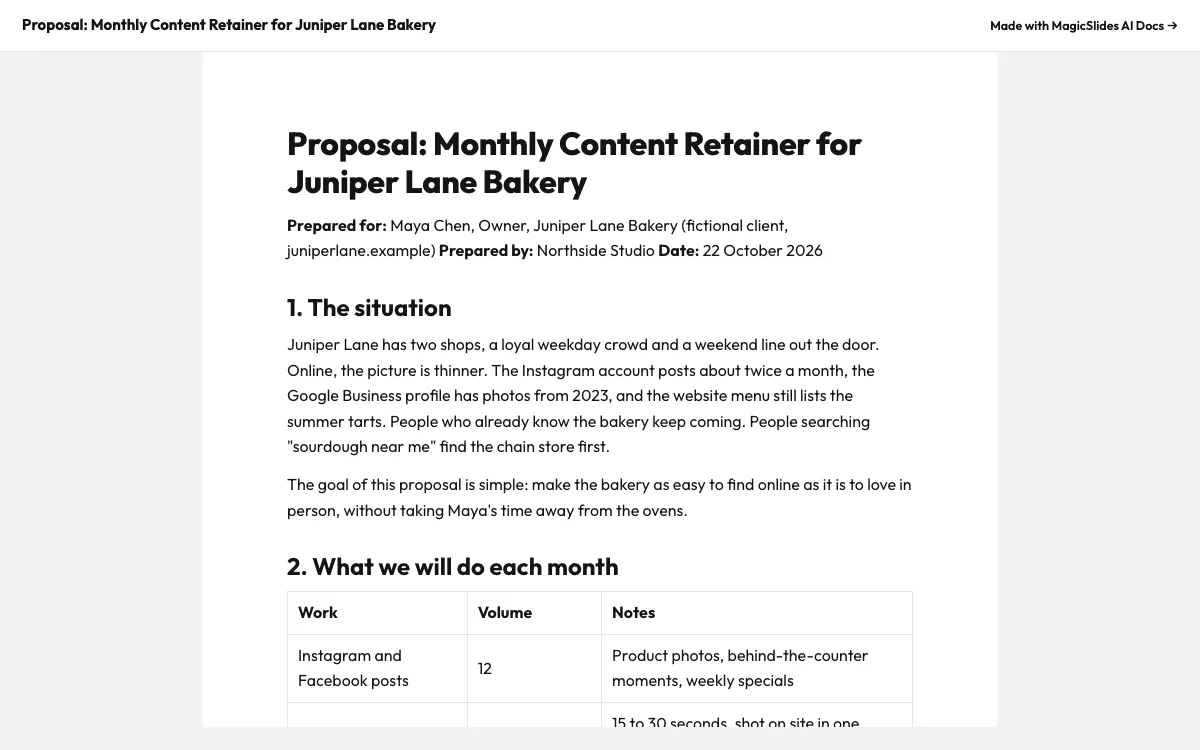
This is the real output from that prompt, made with the MagicSlides MCP. Open it to click through or download it.
How it works
- 1.In Claude, open Customize, then Connectors, then Add custom connector, and paste https://www.magicslides.app/api/mcp/mcp
- 2.Log in with MagicSlides when Claude asks
- 3.Paste your client notes and ask Claude to write the proposal as a MagicSlides doc
- 4.Open the share link to check it, then send it to the client
Tool used: create_doc. Prefer a web app? AI document generator does the same without an agent.
FAQ
Can Claude write the proposal from my own notes or a file?
Yes. You can paste notes or upload a PDF, XLSX or CSV into the chat, and Claude writes the document from that content.
What do I get back after Claude creates the doc?
A public share link you can send to anyone, and an editor link to open the doc in MagicSlides and make changes.
Does this work on the Claude free plan?
The free plan allows one custom connector, so you can add MagicSlides as that connector.
Do I need an API key?
No. You connect with the MagicSlides MCP URL and log in with your MagicSlides account.
More with Claude
Docs in other agents


Connect MagicSlides to Claude
One MCP server for decks, docs, sheets and reels. Log in with your MagicSlides account, no API key. Making a deck from your own copy uses no AI credits.


