 Gemini CLI + MagicSlides MCP
Make a document with Gemini CLI
Gemini CLI can read your team's local docs and repo files with @path, then write a first-week onboarding guide from them. With the MagicSlides MCP server, it publishes the guide as a hosted doc new hires can open on day one.
Set up MagicSlides in Gemini CLI (one time)
Run this once, then log in from inside Gemini CLI.
gemini mcp add --transport http magicslides https://www.magicslides.app/api/mcp/mcp/mcp auth magicslides- 1.Run the command. Add --scope user to make it available in every folder.
- 2.Start gemini and run /mcp auth magicslides, then log in in the browser.
- 3.Ask for a deck. Gemini CLI calls the MagicSlides tools and prints the links.
Example: what you type in Gemini CLI
Read @docs/architecture.md, @docs/deploys.md and @docs/oncall.md and write a first-week onboarding guide for new platform engineers, day by day, with a checklist. Publish it as a MagicSlides doc.
- Read the three docs passed with @path
- Planned five days: access, reading, starter task, first deploy, on-call shadow
- Added a people-to-meet list and an end-of-week checklist
- Called create_doc and returned the share link
The first-week onboarding guide is published as a MagicSlides doc. It walks a new hire from setup on day 1 to an on-call shadow day on day 5, with a six-item checklist.
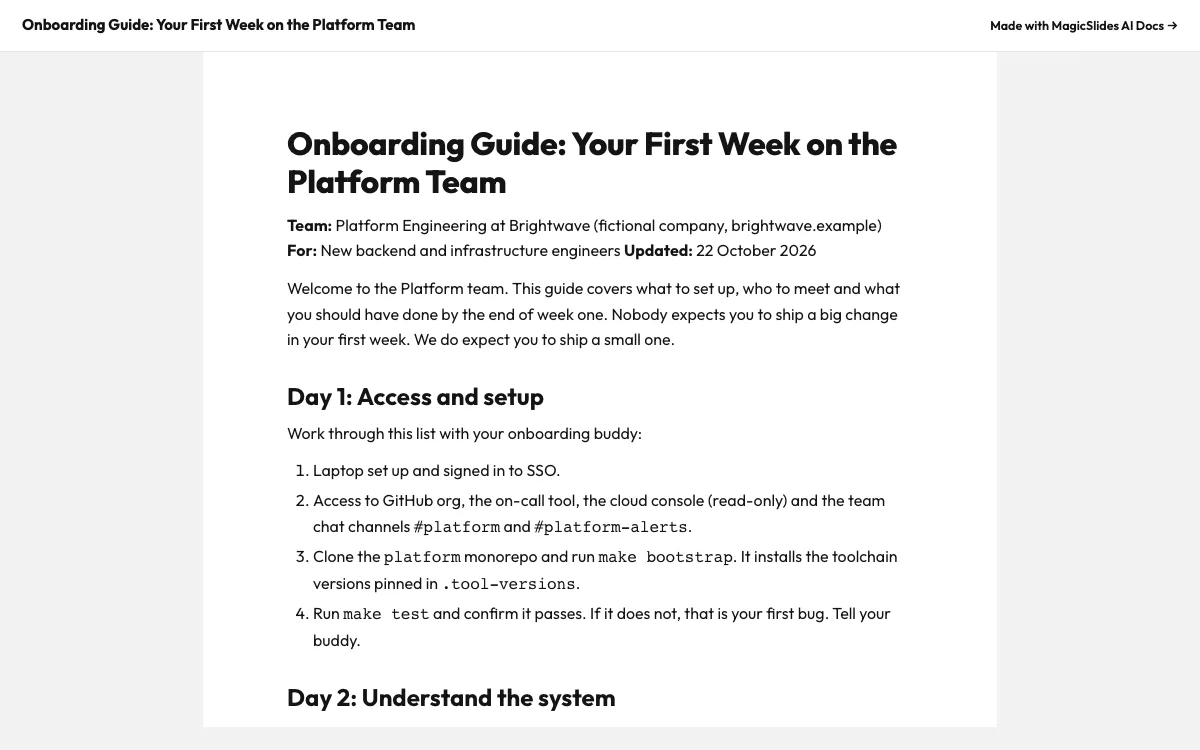
This is the real output from that prompt, made with the MagicSlides MCP. Open it to click through or download it.
How it works
- 1.Run gemini mcp add --transport http magicslides https://www.magicslides.app/api/mcp/mcp
- 2.Inside Gemini CLI, run /mcp auth magicslides to log in
- 3.Pass your team docs with @path and ask for an onboarding guide as a MagicSlides doc
- 4.Send the share link to new hires before their start date
Tool used: create_doc. Prefer a web app? AI document generator does the same without an agent.
FAQ
Is this the Gemini app or Gemini CLI?
This uses Gemini CLI, the terminal agent. The setup uses gemini mcp add and /mcp auth.
Can Gemini CLI read PDFs as source material?
Yes. It reads local files including PDFs when you pass them with @path.
Can it pull in public pages too?
Gemini CLI has web_fetch and google_web_search tools, so it can read a public page you name and include what it says.
How do new hires open the guide?
Through the public share link. No MagicSlides account is needed to read it.
More with Gemini CLI
Docs in other agents


Connect MagicSlides to Gemini CLI
One MCP server for decks, docs, sheets and reels. Log in with your MagicSlides account, no API key. Making a deck from your own copy uses no AI credits.


