 Gemini CLI + MagicSlides MCP
Make a PowerPoint with Gemini CLI
Gemini CLI can draft a product proposal and send it to MagicSlides to become a deck. This example is a 5-slide internal pitch for adding offline mode to a fictional hiking app.
Set up MagicSlides in Gemini CLI (one time)
Run this once, then log in from inside Gemini CLI.
gemini mcp add --transport http magicslides https://www.magicslides.app/api/mcp/mcp/mcp auth magicslides- 1.Run the command. Add --scope user to make it available in every folder.
- 2.Start gemini and run /mcp auth magicslides, then log in in the browser.
- 3.Ask for a deck. Gemini CLI calls the MagicSlides tools and prints the links.
Example: what you type in Gemini CLI
Write a 5-slide product proposal for adding offline maps to the Trailmark app: the problem with numbers, scope, technical approach, and the ask of 3 engineers for a quarter. Use editorial-pitch.
- Outlined a 5-slide proposal: cover, problem, scope, approach, ask
- Called get_template_schema (editorial-pitch, 5 slides)
- Wrote the headline, stats, scope columns and the ask
- Called create_presentation_from_slots with stock images
The 5-slide offline mode proposal is ready. It ends with the ask for three engineers and a 12-week plan, with present, PPTX and PDF links.
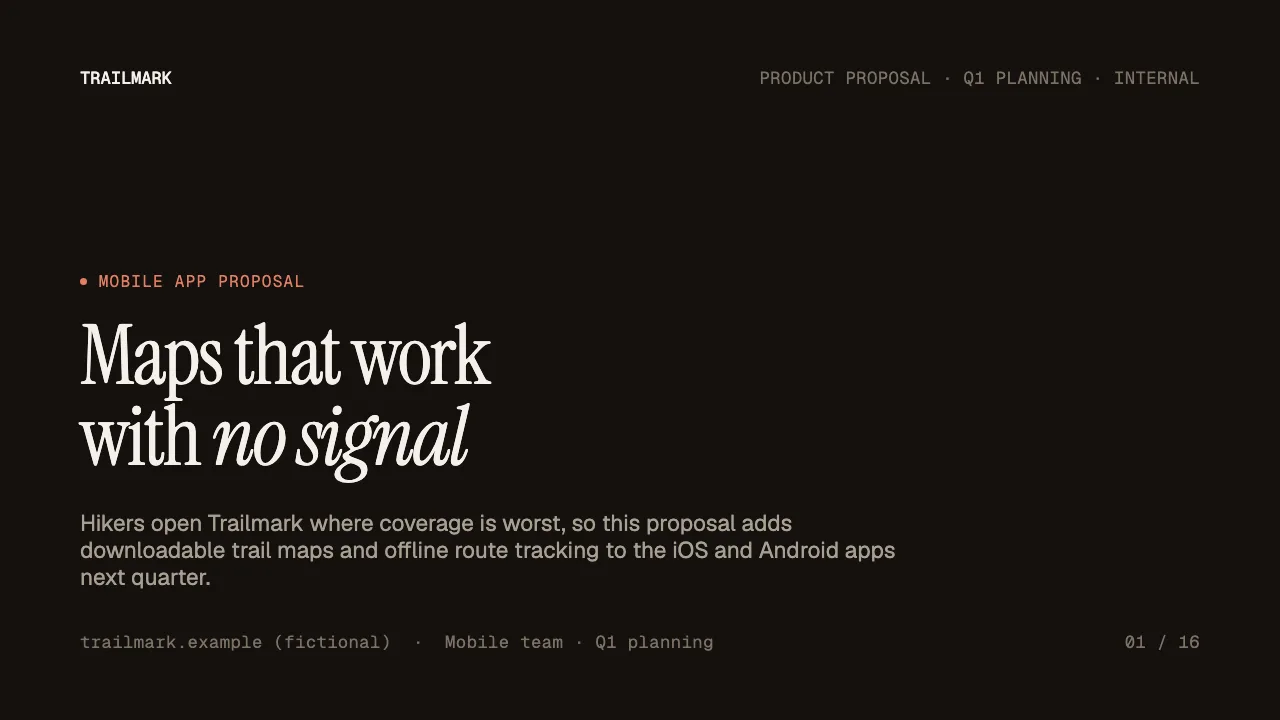
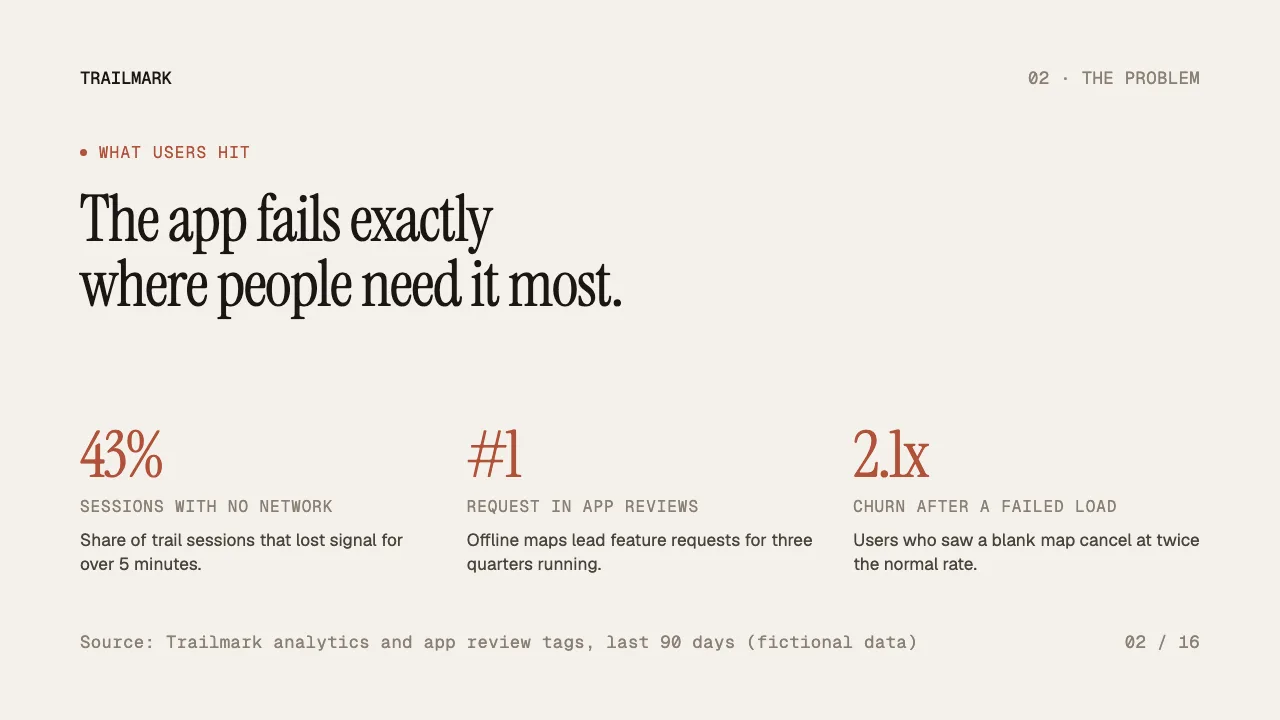
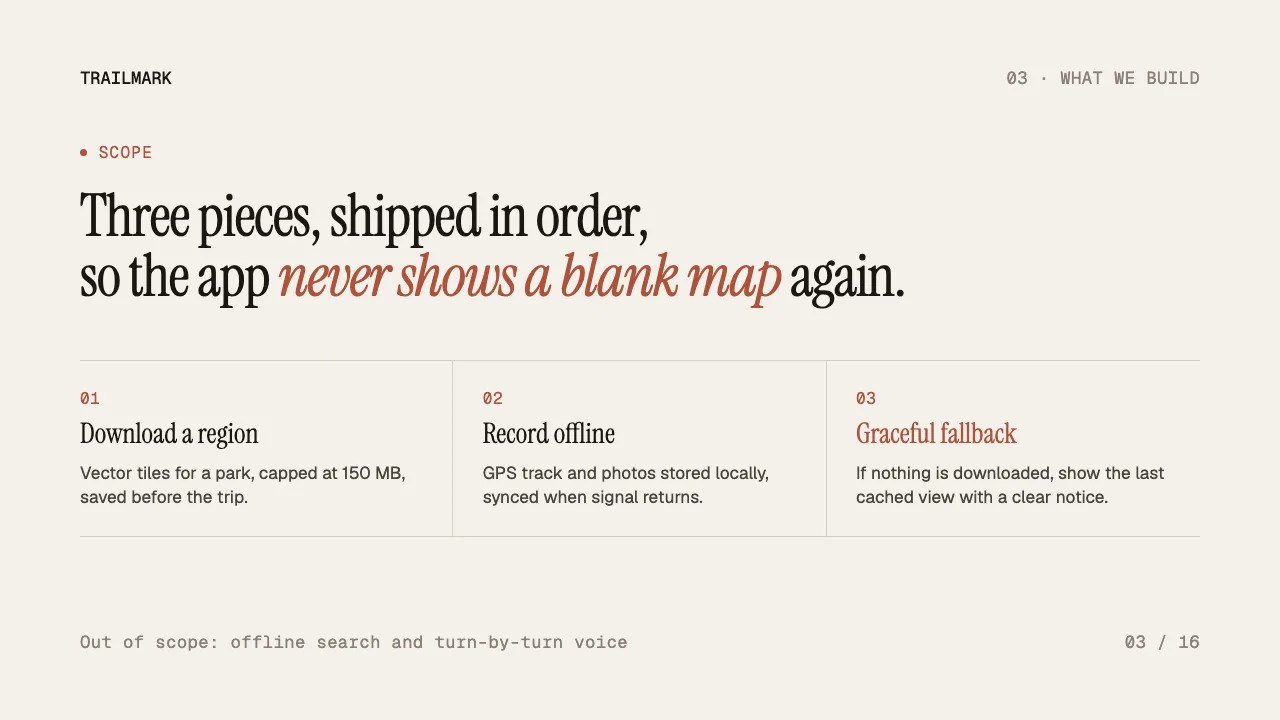
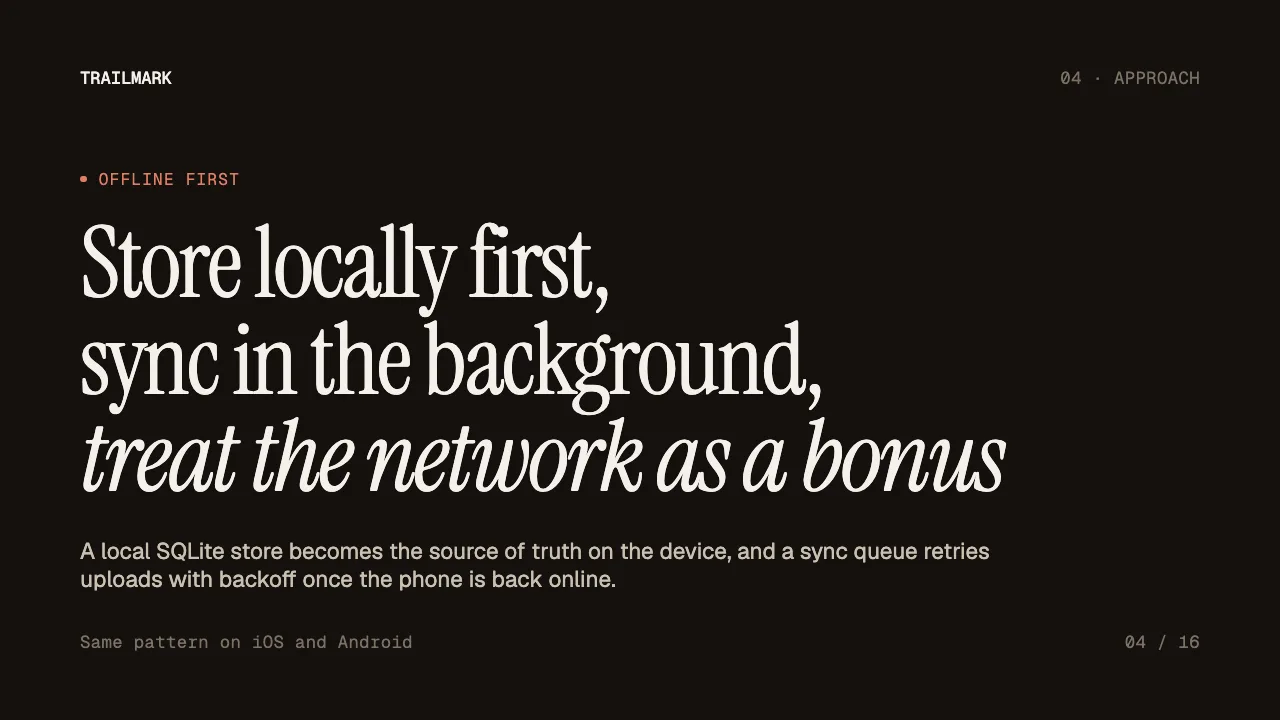
This is the real output from that prompt, made with the MagicSlides MCP. Open it to click through or download it.
How it works
- 1.Run gemini mcp add --transport http magicslides https://www.magicslides.app/api/mcp/mcp
- 2.Run /mcp auth magicslides and log in
- 3.Ask for the deck, adding @path to any spec or PDF it should use
- 4.Open the present link or download the PPTX
Tool used: create_presentation_from_slots. Prefer a web app? Topic to PPT does the same without an agent.
FAQ
Is this the Gemini app or Gemini CLI?
This uses Gemini CLI, the terminal tool. Add the server with gemini mcp add and log in with /mcp auth magicslides.
Can Gemini CLI use a spec file?
Yes. Reference it with @path, including PDFs, and Gemini will base the slides on it.
Can it look things up on the web first?
Yes. Gemini CLI has web_fetch and google_web_search tools it can use before writing the slides.
Does it cost AI credits?
No. Gemini writes the copy, so building the deck costs 0 MagicSlides AI credits.
More with Gemini CLI
PowerPoint in other agents


Connect MagicSlides to Gemini CLI
One MCP server for decks, docs, sheets and reels. Log in with your MagicSlides account, no API key. Making a deck from your own copy uses no AI credits.


