 Claude + MagicSlides MCP
Make a PowerPoint with Claude
Claude on claude.ai can write a full lesson deck from a short brief and hand it to MagicSlides to lay out. Here a first-year economics tutor asked for a short supply and demand lesson and got back a present link, PPTX and PDF.
Set up MagicSlides in Claude (one time)
Add MagicSlides once as a custom connector. It works on every Claude plan; the Free plan allows one custom connector.
https://www.magicslides.app/api/mcp/mcp- 1.In Claude, open Customize → Connectors and click Add custom connector.
- 2.Name it MagicSlides and paste the URL above.
- 3.Click Connect and log in with MagicSlides. There is no API key.
Example: what you type in Claude
Make a 5-slide intro lesson on supply and demand for first-year economics students, 25 minutes, with a hook question about concert tickets. Use the lesson-101 template.
- Planned a 5-part lesson: cover, learning path, section opener, hook question, sign-off
- Called get_template_schema (lesson-101, 5 slides)
- Wrote all slot copy: five core ideas, a ticket resale hook, homework line
- Called create_presentation_from_slots with stock images
Your 5-slide supply and demand lesson is ready. It opens with the five core ideas, then a sold-out concert hook to start discussion. You can present it from the link or download the PPTX.

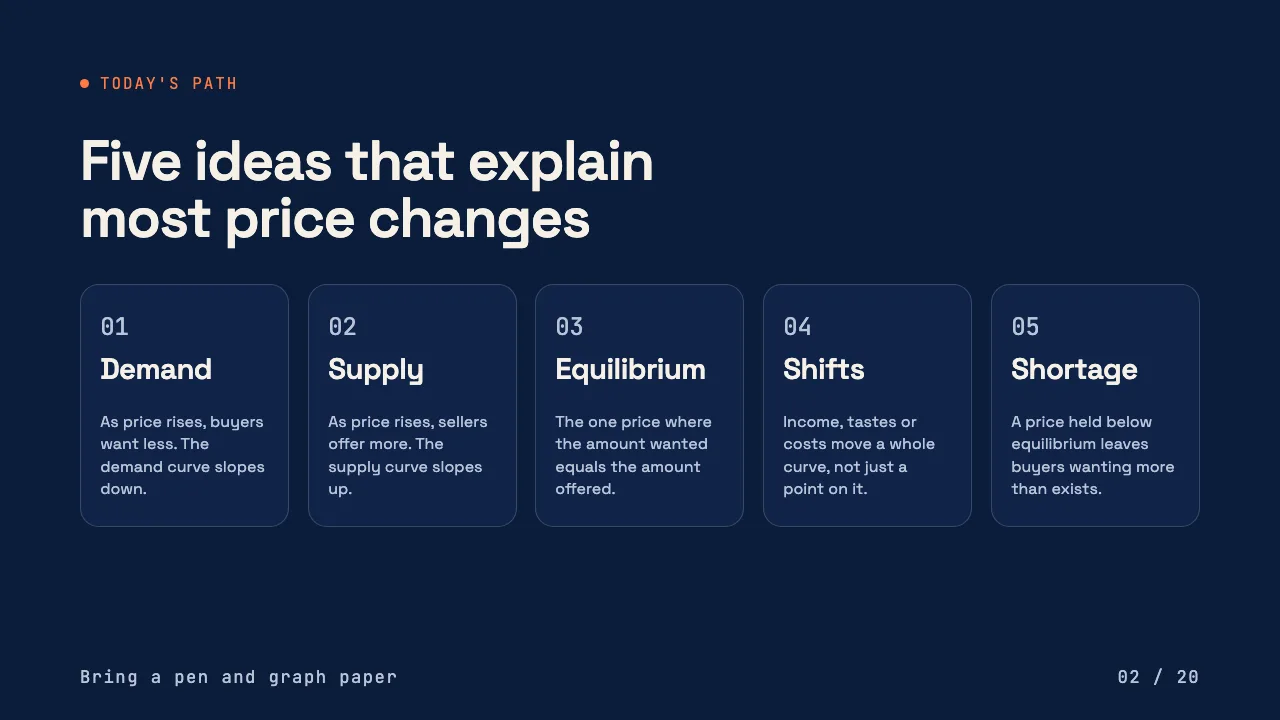


This is the real output from that prompt, made with the MagicSlides MCP. Open it to click through or download it.
How it works
- 1.In claude.ai, open Customize, then Connectors, then Add custom connector
- 2.Paste https://www.magicslides.app/api/mcp/mcp and log in with MagicSlides
- 3.Start a chat and describe the deck: topic, audience, slide count
- 4.Open the present link or download the PPTX or PDF Claude returns
Tool used: create_presentation_from_slots. Prefer a web app? Topic to PPT does the same without an agent.
FAQ
Can I use this on the free Claude plan?
Yes. The free plan allows one custom connector, which is enough to add MagicSlides.
Does making this deck use MagicSlides AI credits?
No. Claude writes the slide copy itself, so the bring-your-own-content path costs 0 AI credits.
Can Claude build the deck from my lecture notes?
Yes. Upload your notes as a PDF or file in the chat and ask Claude to turn them into slides.
What do I get back?
A present link, a link for each slide, and PPTX and PDF downloads. The deck also opens in the MagicSlides editor.
More with Claude
PowerPoint in other agents


Connect MagicSlides to Claude
One MCP server for decks, docs, sheets and reels. Log in with your MagicSlides account, no API key. Making a deck from your own copy uses no AI credits.


