Addon google slides iconPPT with AISlide TemplatesPPT TemplatesPricingBlog
PPT with AISlide TemplatesPPT TemplatesPricingBlog
AgentsChatGPTPowerPoint
ChatGPT + MagicSlides MCP

Make a PowerPoint with ChatGPT

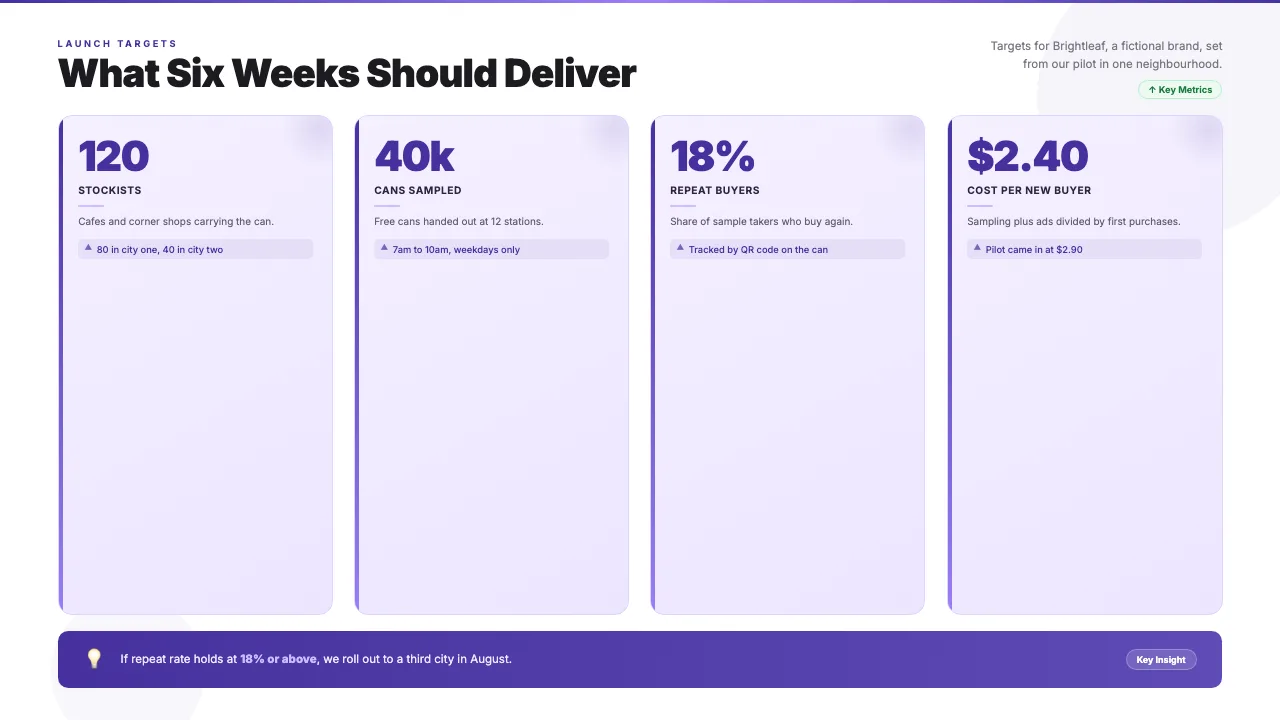
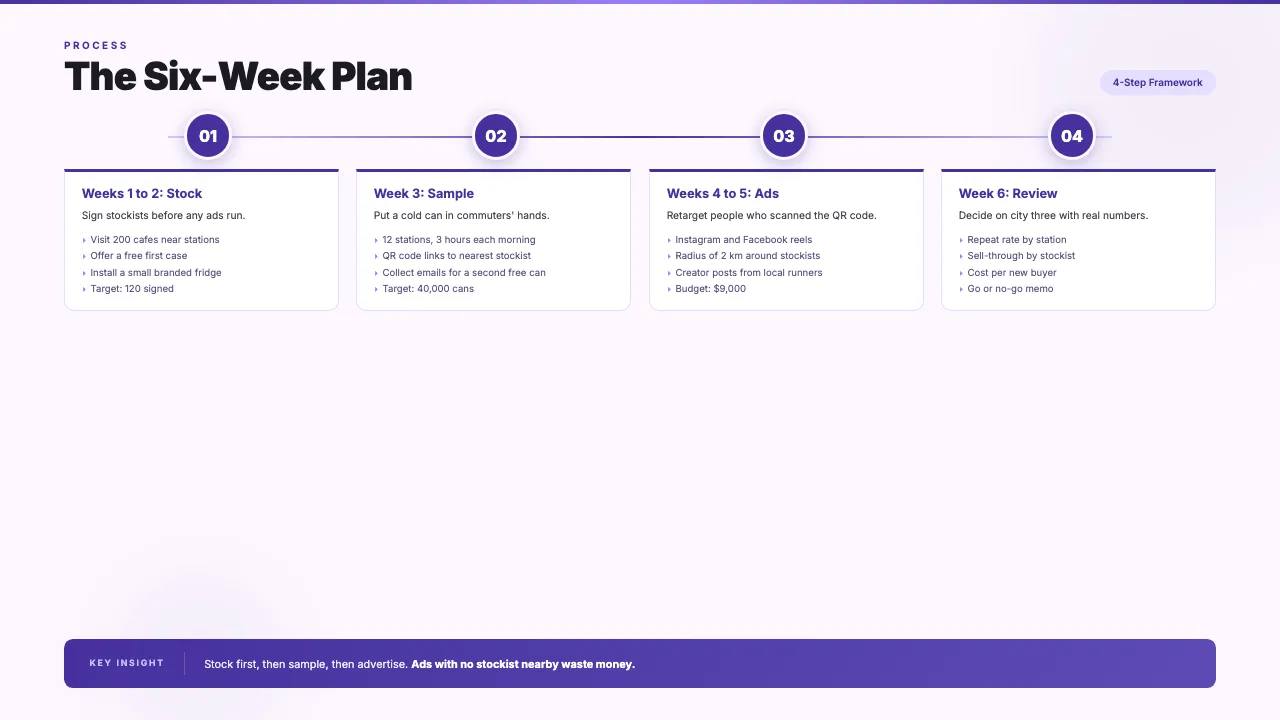
With MagicSlides added as a custom connector, ChatGPT can write a marketing plan and return it as a real deck. This example is a 6-slide launch plan for a fictional cold brew brand.

Set it upSee the example

Set up MagicSlides in ChatGPT (one time)

Custom MCP connectors need a paid ChatGPT plan with developer mode or custom apps turned on.

Connector URL
https://www.magicslides.app/api/mcp/mcp
  1. 1.In ChatGPT settings, open Apps & Connectors (or Plugins) and turn on developer mode under Advanced if asked.
  2. 2.Choose Create or Add custom MCP server, name it MagicSlides and paste the URL.
  3. 3.Set authentication to OAuth, save, and log in with MagicSlides.
ChatGPT MCP docs All MagicSlides MCP options

Example: what you type in ChatGPT

You

Create a 6-slide launch plan deck for Brightleaf, our new canned cold brew: audience, six-week targets, the week-by-week plan, why sampling comes first, and next steps.

ChatGPT
  • Outlined six slides for a launch plan
  • Called get_template_schema (creative-design, 6 slides)
  • Wrote audience cards, four targets, a four-step plan and next steps
  • Called create_presentation_from_slots with stock images

Here is your 6-slide Brightleaf launch plan. It covers the audience, launch targets, the six-week plan and the decisions needed this week, with PPTX and PDF downloads.

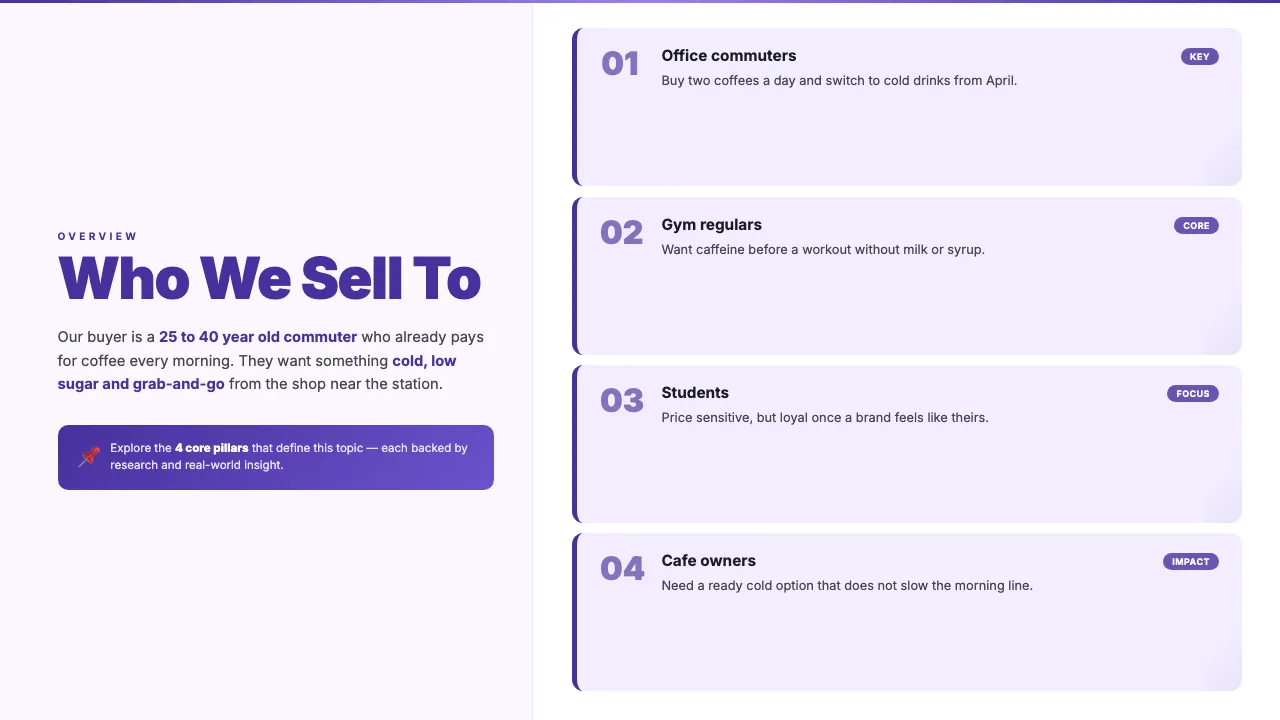
Brightleaf Cold Brew: Summer Launch Plan, first slide
Brightleaf Cold Brew: Summer Launch Plan, slide 2Brightleaf Cold Brew: Summer Launch Plan, slide 3Brightleaf Cold Brew: Summer Launch Plan, slide 4
Brightleaf Cold Brew: Summer Launch Plan · 6 slides
Present PPTX PDF

This is the real output from that prompt, made with the MagicSlides MCP. Open it to click through or download it.

How it works

  1. 1.In ChatGPT settings, open Connectors or Apps and turn on developer mode
  2. 2.Add a custom MCP server with https://www.magicslides.app/api/mcp/mcp
  3. 3.Log in with MagicSlides when asked
  4. 4.Ask for your deck and open the present link it returns

Tool used: create_presentation_from_slots. Prefer a web app? Topic to PPT does the same without an agent.

FAQ

Which ChatGPT plans support this?

Custom MCP connectors need a paid ChatGPT plan with developer mode turned on.

Can ChatGPT use my brief or a brand doc?

Yes. Upload the file in the chat and ask ChatGPT to build the deck from it.

Will it use my MagicSlides credits?

No. ChatGPT writes the content, so this path costs 0 AI credits.

Can I get a PowerPoint file?

Yes. Every deck comes with a PPTX download, a PDF and a present link.

More with ChatGPT

Make a pitch deck with ChatGPTInvestor or sales decks with problem, solution and the ask.Make Google Slides with ChatGPTA deck you open and edit in Google Slides.Turn a PDF into a PPT with ChatGPTReports, papers and handouts turned into slides.Turn a web page into a PPT with ChatGPTAny article, doc page or changelog turned into slides.Turn a spreadsheet into a PPT with ChatGPTCSV or Excel data turned into slides with real numbers.Make a document with ChatGPTReports, briefs and guides with a public share link.Make a spreadsheet with ChatGPTTables and trackers you can open and edit.

PowerPoint in other agents

ClaudeClaude CodeCodex CLICursorGemini CLIHermes AgentOpenClawPerplexity

Connect MagicSlides to ChatGPT

One MCP server for decks, docs, sheets and reels. Log in with your MagicSlides account, no API key. Making a deck from your own copy uses no AI credits.

Copy the setupOr make one on MagicSlides

Everything MagicSlides can do in ChatGPT

Ask AI about MagicSlides
ChatGPT logoClaude logoGemini logoPerplexity logo

Get the app

Download on the

App Store

Google Play

GET IT ON

Google Play

Get the app

Download on the

App Store

Google Play

GET IT ON

Google Play

Solutions

  • MagicSlides App
  • Google Slides Add-on
  • MagicSlides in Chrome
  • MagicSlides in Figma
  • MagicSlides in ChatGPT
  • MagicSlides in AI agents
  • MagicSlides in Telegram
  • MagicSlides in Zapier
  • MagicSlides in Figma Slides

Tools

  • AI PPT Tools
  • QR Code Generator
  • Design Tools
  • PPT Templates
  • Slide Templates
  • PDF Tools

Examples

  • Presentations
  • Quizzes
  • Charts
  • Coloring Pages

Resources

  • Updates
  • Changelog
  • Documentation
  • API Docs

Top Blogs

  • How to Create Presentation Using ChatGPT
  • 100+ Best Seminar Topics for Students
  • Easy Topics for Presentation: 100+ Ideas for Students and Professionals
  • Kid-Friendly Topics for Presentations: 100+ Fun and Engaging Ideas
  • 50+ Chemistry Presentation Topics: Inspiring Ideas for Every Audience
  • 50+ Math Presentation Topics: Inspiring Ideas for All Levels
  • 50+ Unique History Presentation Topics for 2026 | Creative Ideas for Students
  • Mental Health Topics for Presentation for Students: 100+ Ideas to Get Started

Company

  • Help
  • MCP
  • Blog
  • Pricing
  • Affiliate Program
  • Manage Subscription
  • Privacy Policy
  • Contact Us
  • Terms & Conditions
  • Refund & Cancellation Policy

We also built

  • SheetAI - GPT For Sheets
  • MagicForm - GPT For Google Forms
  • SecondBrain.fyi

© 2026 IndianAppGuy Tech Pvt Ltd. All rights reserved.