 ChatGPT + MagicSlides MCP
Turn a spreadsheet into a PPT with ChatGPT
Upload a spreadsheet to ChatGPT and it can analyze the rows and write the slide copy from the results. With the MagicSlides MCP server connected, it builds the deck and returns present, PPTX and PDF links.
Set up MagicSlides in ChatGPT (one time)
Custom MCP connectors need a paid ChatGPT plan with developer mode or custom apps turned on.
https://www.magicslides.app/api/mcp/mcp- 1.In ChatGPT settings, open Apps & Connectors (or Plugins) and turn on developer mode under Advanced if asked.
- 2.Choose Create or Add custom MCP server, name it MagicSlides and paste the URL.
- 3.Set authentication to OAuth, save, and log in with MagicSlides.
Example: what you type in ChatGPT
I uploaded vaccinations.csv from Our World in Data. Make a 5-slide deck on the COVID-19 vaccine rollout: total doses, key milestones and coverage in a few countries, using the latest value for each.
Source used: Our World in Data COVID-19 vaccinations dataset (vaccinations.csv)
- Read the uploaded vaccinations.csv (14.4 MB, data to 14 August 2024)
- Took the last reported value per country and the World row at mid 2021, end 2021 and end 2022
- Called get_template_schema (creative-design, 5 slides)
- Wrote the slot copy and called create_presentation_from_slots with stock images
Here is your 5-slide deck. It covers 13.58 billion doses worldwide, a peak of 43.7 million doses a day in June 2021, and coverage from Brazil at 88.1% to Nigeria at 42.9%. You can present it or download the PPTX or PDF.

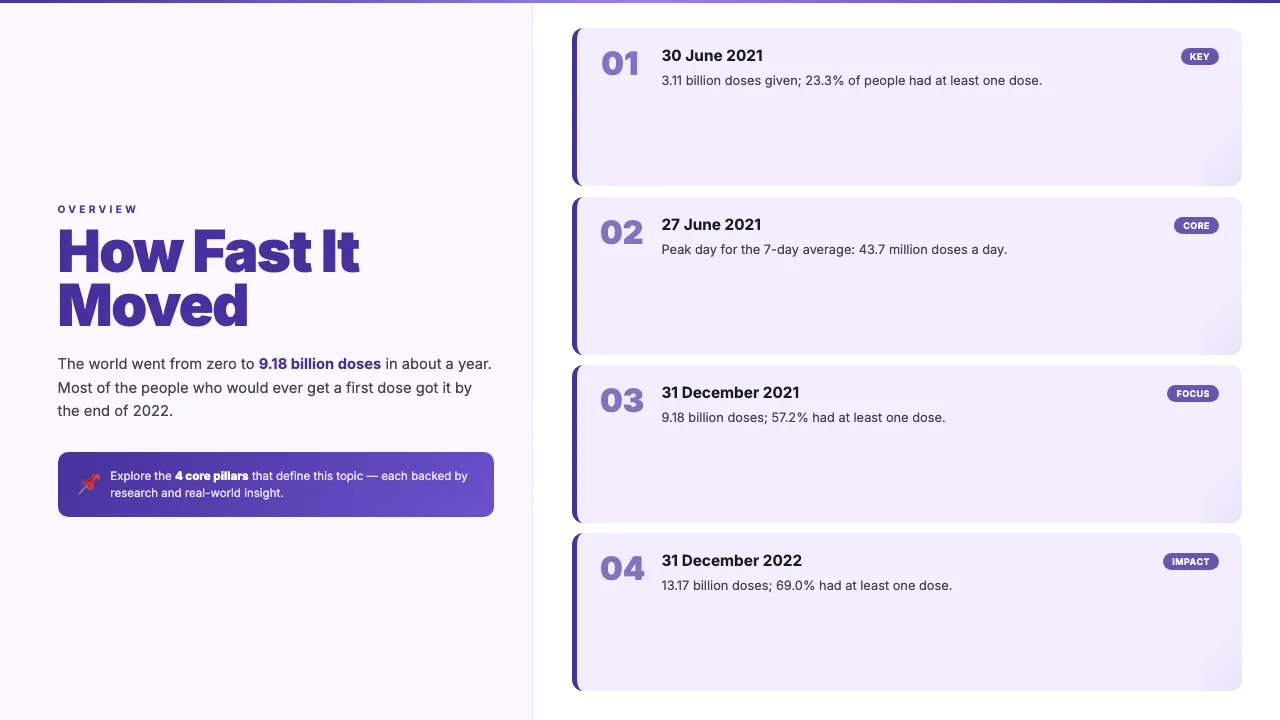
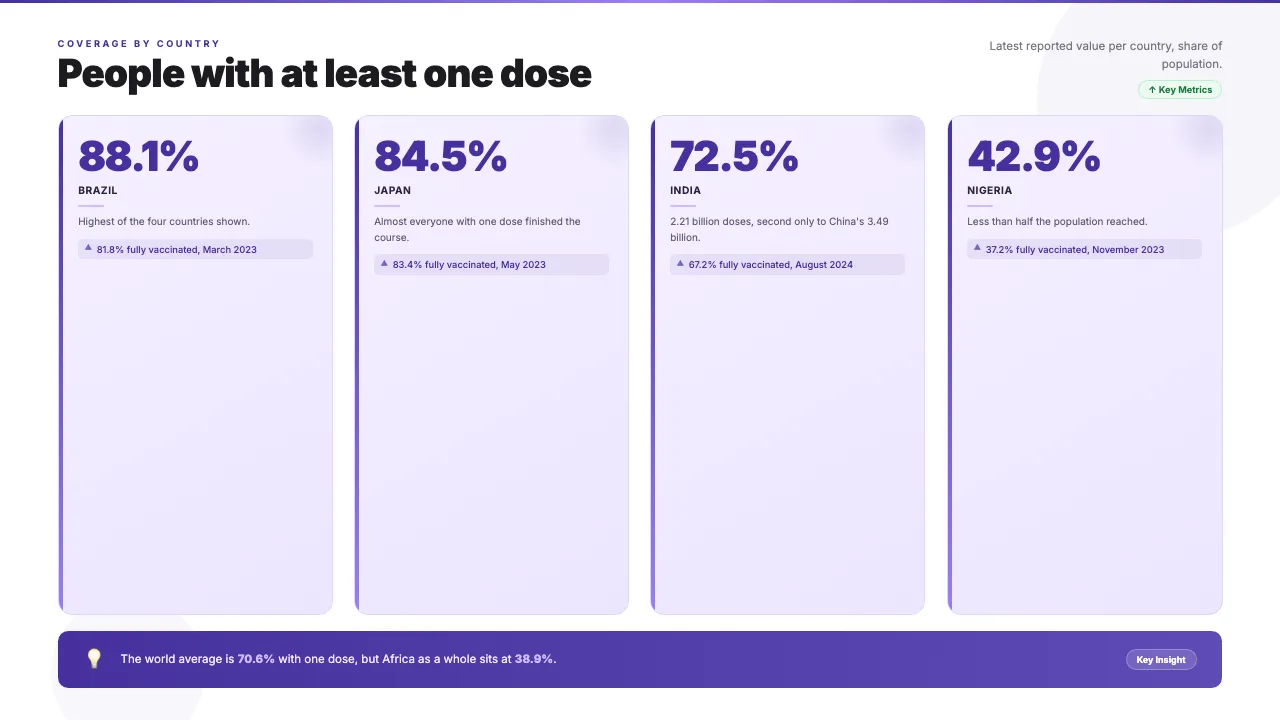
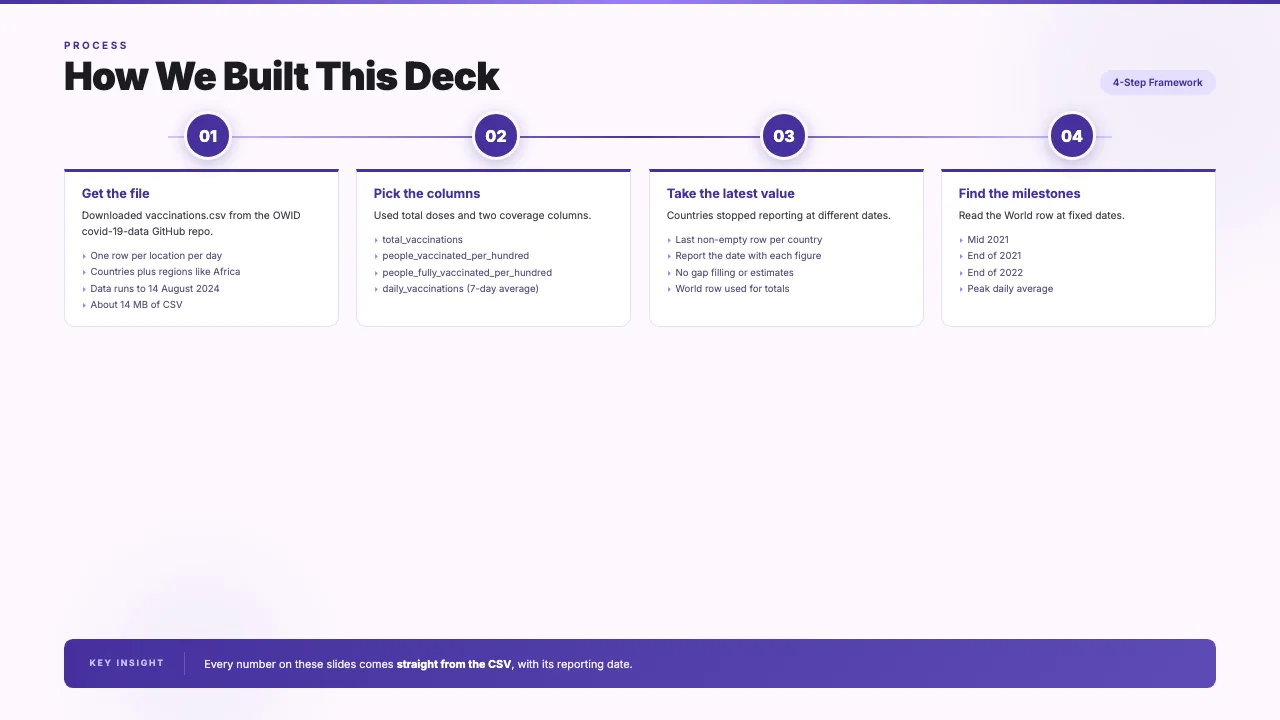
This is the real output from that prompt, made with the MagicSlides MCP. Open it to click through or download it.
How it works
- 1.In ChatGPT open Settings, then Connectors or Apps with developer mode on, and add a custom MCP server with https://www.magicslides.app/api/mcp/mcp.
- 2.Log in with MagicSlides when asked.
- 3.Upload your CSV or XLSX and ask for a deck with a slide count.
- 4.Open the present link or download the PPTX or PDF.
Tool used: create_presentation_from_slots. Prefer a web app? Excel to PPT does the same without an agent.
FAQ
Which ChatGPT plans can use the MagicSlides MCP?
Custom MCP servers are added under Settings in Connectors or Apps with developer mode, which needs a paid ChatGPT plan.
Can ChatGPT work with a large CSV?
You can upload files to ChatGPT. In this example the 14 MB vaccinations file was analyzed and only the computed figures went onto the slides.
Will the slides show where the numbers came from?
If you ask for it. This deck includes a method slide that names the CSV columns used.
Does MagicSlides charge AI credits for this?
No. ChatGPT writes the copy, and the bring-your-own-content path costs 0 AI credits.
More with ChatGPT
Excel to PPT in other agents


Connect MagicSlides to ChatGPT
One MCP server for decks, docs, sheets and reels. Log in with your MagicSlides account, no API key. Making a deck from your own copy uses no AI credits.


