 ChatGPT + MagicSlides MCP
Make a document with ChatGPT
ChatGPT can turn a messy description of how your team does something into a step-by-step standard operating procedure. With MagicSlides added as a custom MCP connector, it saves the SOP as a hosted doc your team can open from one link.
Set up MagicSlides in ChatGPT (one time)
Custom MCP connectors need a paid ChatGPT plan with developer mode or custom apps turned on.
https://www.magicslides.app/api/mcp/mcp- 1.In ChatGPT settings, open Apps & Connectors (or Plugins) and turn on developer mode under Advanced if asked.
- 2.Choose Create or Add custom MCP server, name it MagicSlides and paste the URL.
- 3.Set authentication to OAuth, save, and log in with MagicSlides.
Example: what you type in ChatGPT
Write an SOP for how our support team handles refund requests. Policy: full refund within 14 days, prorated for annual plans within 30 days, anything else goes to the Support Lead. Save it as a MagicSlides doc.
- Turned the policy into an eligibility table with five cases
- Wrote six numbered steps from first reply to closing and tagging the ticket
- Added escalation rules and a weekly quality check
- Called create_doc and returned the share and editor links
Your refund SOP is saved in MagicSlides. It has six steps, an eligibility table based on your 14 and 30 day rules, and an escalation section. Share the public link with the support team.
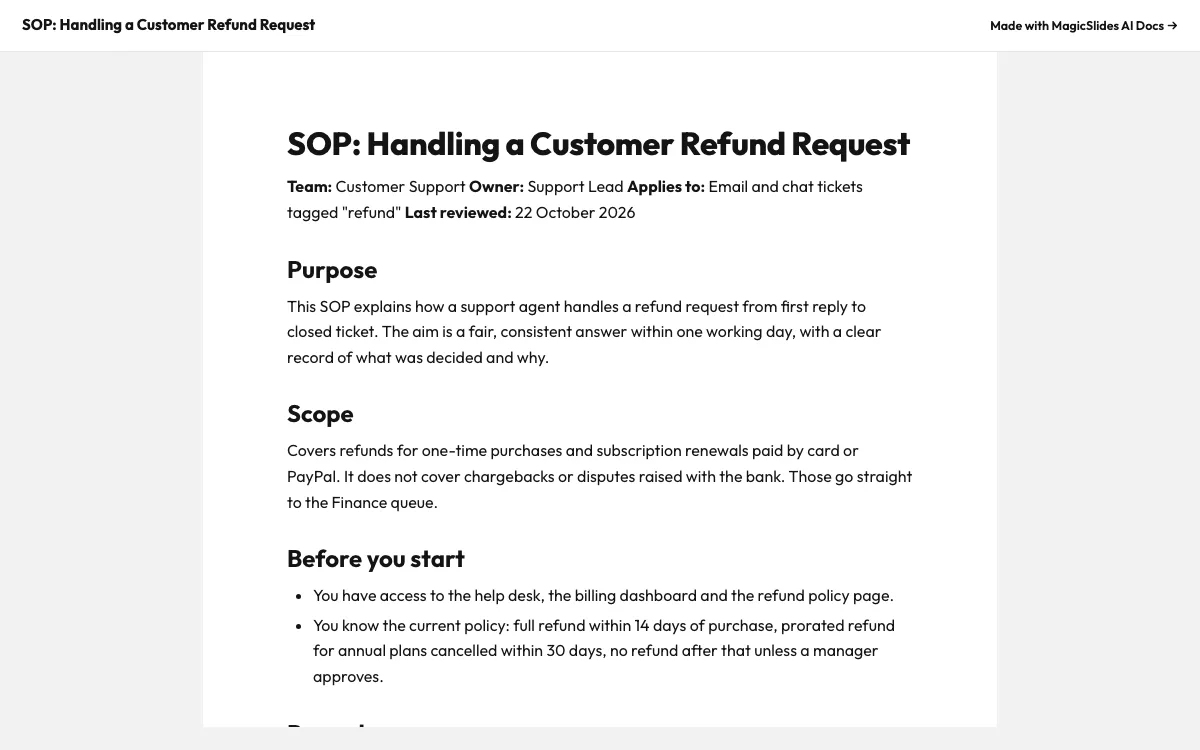
This is the real output from that prompt, made with the MagicSlides MCP. Open it to click through or download it.
How it works
- 1.In ChatGPT settings, open Connectors or Apps and turn on developer mode
- 2.Add a custom MCP server with https://www.magicslides.app/api/mcp/mcp and log in with MagicSlides
- 3.Describe your process and policy, and ask ChatGPT to save the SOP as a MagicSlides doc
- 4.Open the share link and pin it in your team channel
Tool used: create_doc. Prefer a web app? AI document generator does the same without an agent.
FAQ
Which ChatGPT plans can add the MagicSlides connector?
Custom MCP servers are added through Connectors or Apps with developer mode on paid ChatGPT plans.
Can ChatGPT build the SOP from an existing file?
Yes. Upload your current notes or policy file into the chat and ask ChatGPT to turn it into an SOP doc.
Who can see the SOP?
Anyone with the public share link can read it. The editor link opens it in MagicSlides for changes.
Does MagicSlides rewrite my content?
No. ChatGPT writes the SOP text and MagicSlides hosts it as a document.
More with ChatGPT
Docs in other agents


Connect MagicSlides to ChatGPT
One MCP server for decks, docs, sheets and reels. Log in with your MagicSlides account, no API key. Making a deck from your own copy uses no AI credits.


