 Claude Code + MagicSlides MCP
Make a document with Claude Code
Claude Code can read your whole repository from the terminal, so it can write an architecture overview that matches the code instead of an old wiki page. With the MagicSlides MCP server added, it publishes that overview as a hosted doc with a link you can share with new engineers.
Set up MagicSlides in Claude Code (one time)
Run this once. Add --scope user to make MagicSlides available in every project.
claude mcp add --transport http magicslides https://www.magicslides.app/api/mcp/mcp/mcpPick magicslides and log in with MagicSlides in the browser tab that opens.
- 1.Run the command in your terminal.
- 2.Start claude, type /mcp, select magicslides and log in.
- 3.Ask for a deck. Claude Code calls the MagicSlides tools and prints the links.
Example: what you type in Claude Code
Read this repo and write an architecture overview for new engineers: what the service does, the request flow, folder layout, main components, config and known gaps. Publish it as a MagicSlides doc.
- Listed the repo tree and read package.json files in apps/ and packages/
- Read the API entry point, worker jobs, Drizzle schema and env loader
- Wrote the overview with a layout table, component notes and known gaps
- Called create_doc with the Markdown and returned the share link
I published the shiplog architecture overview as a MagicSlides doc. It covers the webhook to worker to changelog flow, the repo layout and three known gaps, including the single-instance worker.
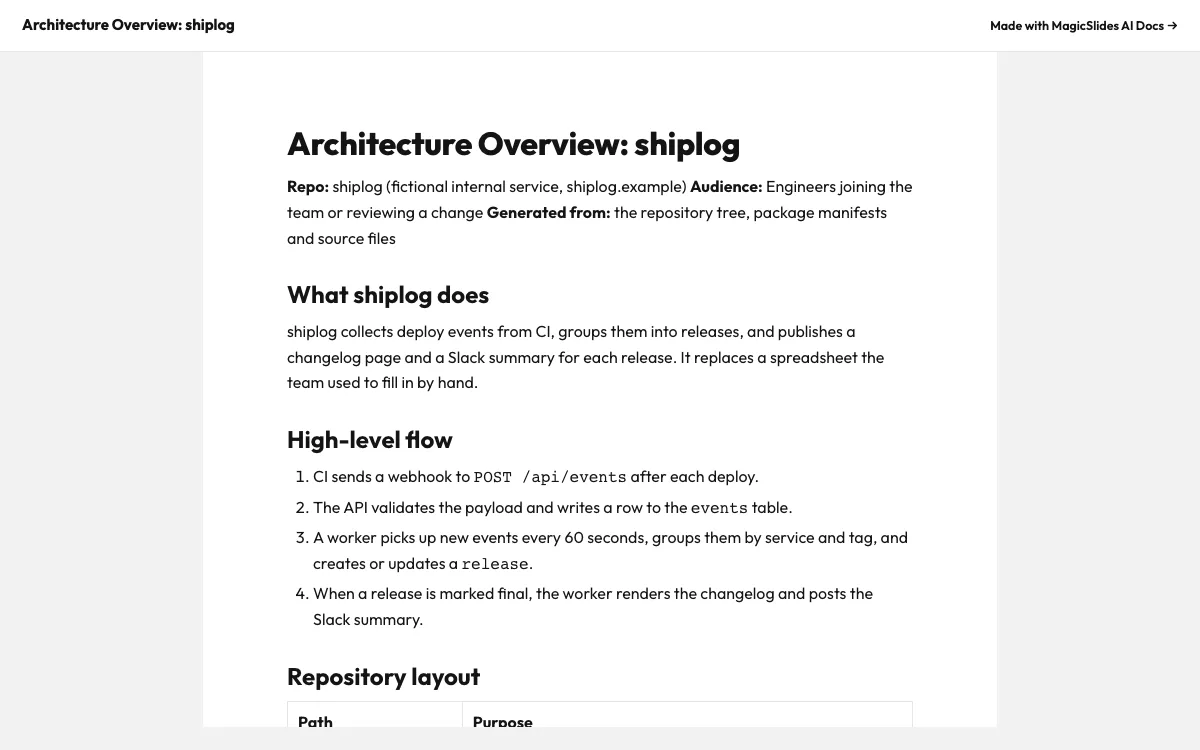
This is the real output from that prompt, made with the MagicSlides MCP. Open it to click through or download it.
How it works
- 1.Run claude mcp add --transport http magicslides https://www.magicslides.app/api/mcp/mcp
- 2.Start Claude Code in your repo and run /mcp to log in to MagicSlides
- 3.Ask Claude Code to read the repo and publish an architecture overview as a MagicSlides doc
- 4.Share the returned link in your onboarding channel or README
Tool used: create_doc. Prefer a web app? AI document generator does the same without an agent.
FAQ
Does Claude Code read my code to write the doc?
Yes. It reads local files in your repo and can run shell commands, so the overview is based on the actual source and manifests.
Is my code uploaded to MagicSlides?
Only the Markdown that Claude Code writes is sent to create_doc. The doc contains whatever text it includes, so review it before sharing.
How do I log in?
After adding the server, run /mcp inside Claude Code and choose Log in with MagicSlides. There is no API key.
Can I update the doc later?
Yes. You get an editor link, and the MagicSlides server also has get_doc and update_doc so Claude Code can revise it after a refactor.
More with Claude Code
Docs in other agents


Connect MagicSlides to Claude Code
One MCP server for decks, docs, sheets and reels. Log in with your MagicSlides account, no API key. Making a deck from your own copy uses no AI credits.


