Make a document with OpenClaw
OpenClaw is a self-hosted agent you talk to from chat apps like WhatsApp or Telegram. Ask it for a brief before an important call and, with the MagicSlides MCP server, it saves the brief as a doc and replies with the link in the same chat.
Set up MagicSlides in OpenClaw (one time)
Add the server, then log in. OpenClaw prints the login link if it runs on a remote machine.
openclaw mcp add magicslides --url https://www.magicslides.app/api/mcp/mcp --transport streamable-http
openclaw mcp login magicslides- 1.Run openclaw mcp add, then openclaw mcp login and approve the MagicSlides login.
- 2.Check it with openclaw mcp doctor magicslides --probe.
- 3.Message your OpenClaw agent and ask for a deck. It replies with the links.
Example: what you type in OpenClaw
I have a call with Dana from Kestrel Ventures on Thursday at 3. Make me a one-page brief: who she is, the fund, what she will ask, my numbers, what to ask her and what to avoid. Save it as a MagicSlides doc and send me the link here.
- Read the email thread and calendar invite for the Kestrel call
- Checked the fund's public website for cheque size and stage
- Wrote the brief with likely questions, a metrics table and things to avoid
- Called create_doc and replied in chat with the share link
Your brief for the Kestrel Ventures call on Thursday 29 October is ready. It lists five questions Dana is likely to ask and the numbers to quote. Link below.
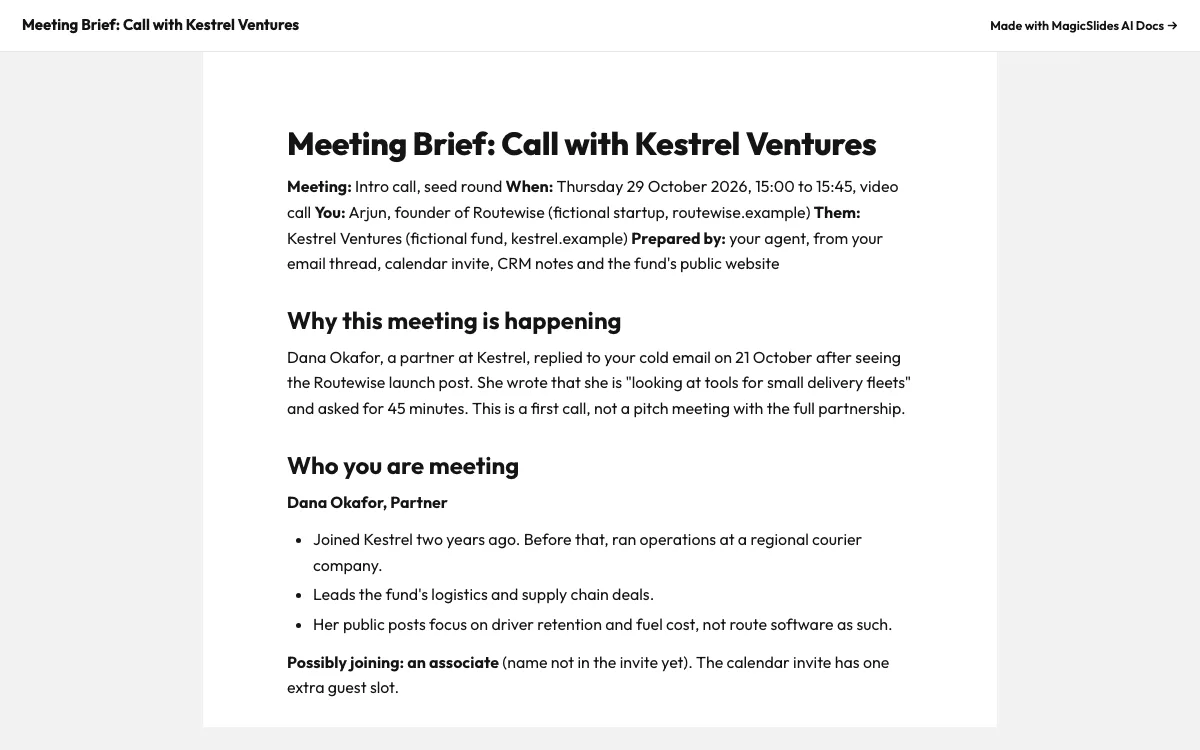
This is the real output from that prompt, made with the MagicSlides MCP. Open it to click through or download it.
How it works
- 1.Run openclaw mcp add magicslides --url https://www.magicslides.app/api/mcp/mcp --transport streamable-http
- 2.Run openclaw mcp login magicslides and log in
- 3.Message OpenClaw on your chat app and ask for a meeting brief as a MagicSlides doc
- 4.Open the link on your phone before the call
Tool used: create_doc. Prefer a web app? AI document generator does the same without an agent.
FAQ
Can I ask for the brief from WhatsApp?
Yes. OpenClaw runs on chat apps such as WhatsApp and Telegram, so you can ask there and get the link back in the same chat.
Where does OpenClaw run?
It is a self-hosted personal agent, so it runs on your own machine or server.
Which transport does the MagicSlides server use?
Add it with --transport streamable-http and the URL https://www.magicslides.app/api/mcp/mcp.
Can I edit the brief after it is made?
Yes. The editor link opens it in MagicSlides, or you can ask OpenClaw to revise it.
More with OpenClaw
Docs in other agents


Connect MagicSlides to OpenClaw
One MCP server for decks, docs, sheets and reels. Log in with your MagicSlides account, no API key. Making a deck from your own copy uses no AI credits.


