Make a document with Hermes Agent
Hermes Agent runs all the time and can do work on a schedule, which suits a weekly digest. With the MagicSlides MCP server, it can write the digest each Friday, save it as a doc, and send you the link over a messaging gateway such as Telegram.
Set up MagicSlides in Hermes Agent (one time)
One command adds the server with OAuth. Hermes opens the login on first use.
hermes mcp add magicslides --url https://www.magicslides.app/api/mcp/mcp --auth oauthmcp_servers:
magicslides:
url: "https://www.magicslides.app/api/mcp/mcp"
auth: oauth- 1.Run hermes mcp add and approve the MagicSlides login in the browser.
- 2.Check it with hermes mcp list.
- 3.Message Hermes, or give it a scheduled task, that asks for a deck or doc.
Example: what you type in Hermes Agent
Every Friday at 6 pm, write my weekly digest: sales numbers vs last week, emails that need my reply, money due, support themes, next week's calendar and what you moved forward. Save it as a MagicSlides doc and send me the link on Telegram.
- Ran as a scheduled Friday task
- Gathered the week's numbers, open emails, bills and calendar for next week
- Wrote the digest with a metrics table, reply list and suggested focus
- Called create_doc and sent the share link to the Telegram chat
Your weekly digest for 19 October is ready. Orders were up 20% and two wholesale leads need replies, one with a 1 November deadline. Full digest at the link.
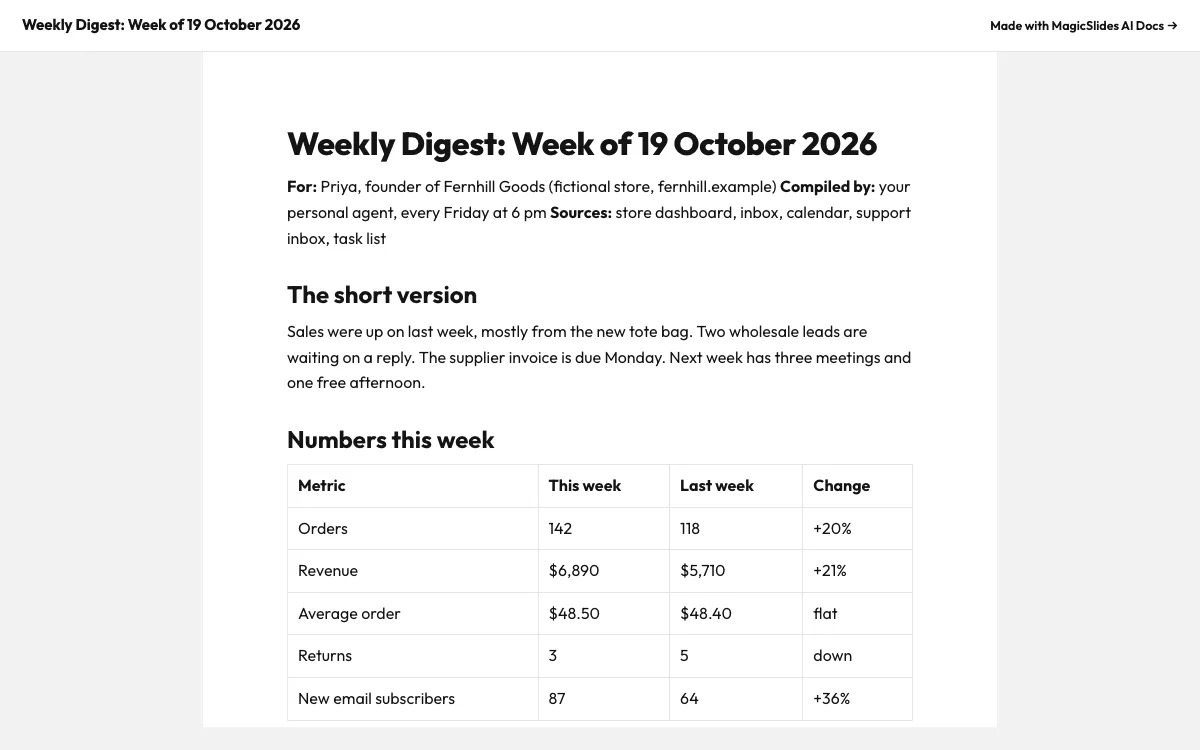
This is the real output from that prompt, made with the MagicSlides MCP. Open it to click through or download it.
How it works
- 1.Run hermes mcp add magicslides --url https://www.magicslides.app/api/mcp/mcp --auth oauth and log in
- 2.Connect the messaging gateway you use, such as Telegram
- 3.Ask Hermes to create a weekly scheduled task that writes the digest as a MagicSlides doc
- 4.Read the link it sends each Friday and reply in chat with changes
Tool used: create_doc. Prefer a web app? AI document generator does the same without an agent.
FAQ
Can Hermes Agent run the digest without me asking each week?
Yes. Hermes Agent supports cron and scheduled tasks, so the digest can run every Friday on its own.
Where do I get the digest?
Hermes can send the MagicSlides share link to you through a messaging gateway such as Telegram.
Does each week create a new doc?
With create_doc, each run makes a new doc with its own link, so past weeks stay available.
How does Hermes log in to MagicSlides?
The add command uses --auth oauth, so you log in with your MagicSlides account once.
More with Hermes Agent
Docs in other agents


Connect MagicSlides to Hermes Agent
One MCP server for decks, docs, sheets and reels. Log in with your MagicSlides account, no API key. Making a deck from your own copy uses no AI credits.


