Make presentations with Hermes Agent
Give Hermes Agent the MagicSlides tools so your always-on agent can prepare decks and docs on a schedule or from a chat message.
Set up MagicSlides in Hermes Agent (one time)
One command adds the server with OAuth. Hermes opens the login on first use.
hermes mcp add magicslides --url https://www.magicslides.app/api/mcp/mcp --auth oauthmcp_servers:
magicslides:
url: "https://www.magicslides.app/api/mcp/mcp"
auth: oauth- 1.Run hermes mcp add and approve the MagicSlides login in the browser.
- 2.Check it with hermes mcp list.
- 3.Message Hermes, or give it a scheduled task, that asks for a deck or doc.
What Hermes can make with MagicSlides
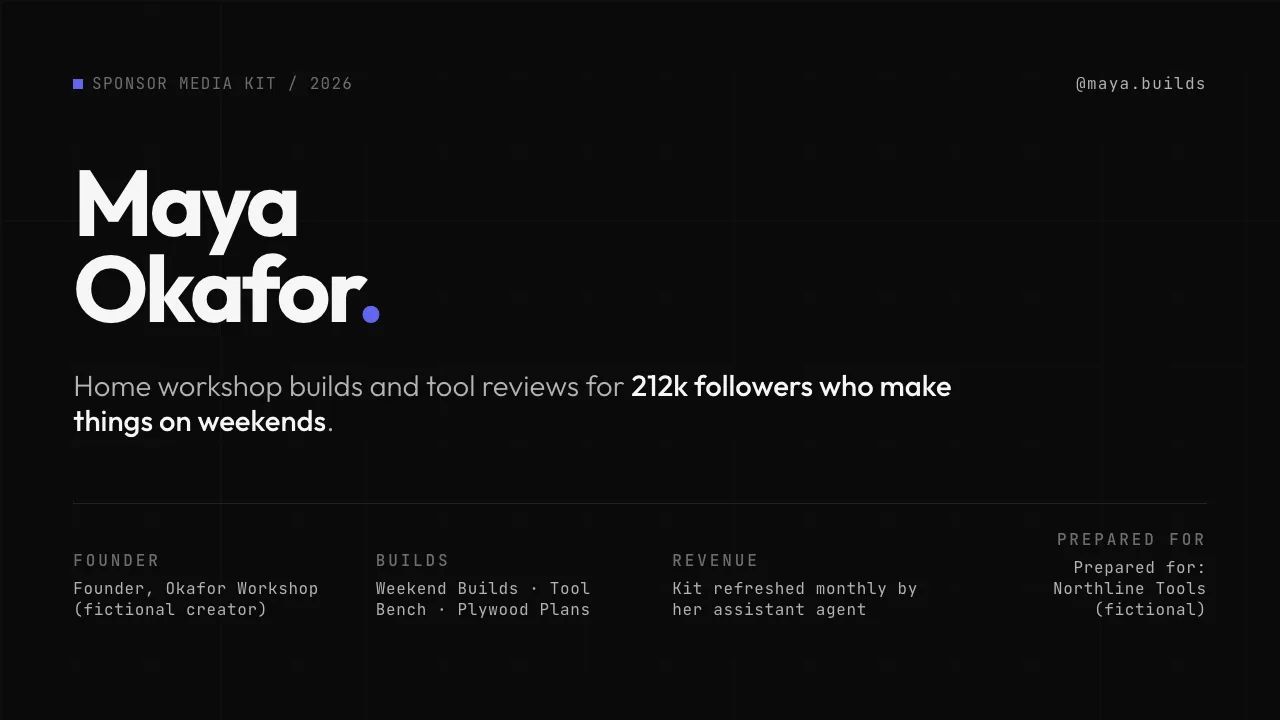
Make a PowerPoint with Hermes
A designed deck on any topic, with PPTX and PDF download.

Make a pitch deck with Hermes
Investor or sales decks with problem, solution and the ask.

Turn a web page into a PPT with Hermes
Any article, doc page or changelog turned into slides.
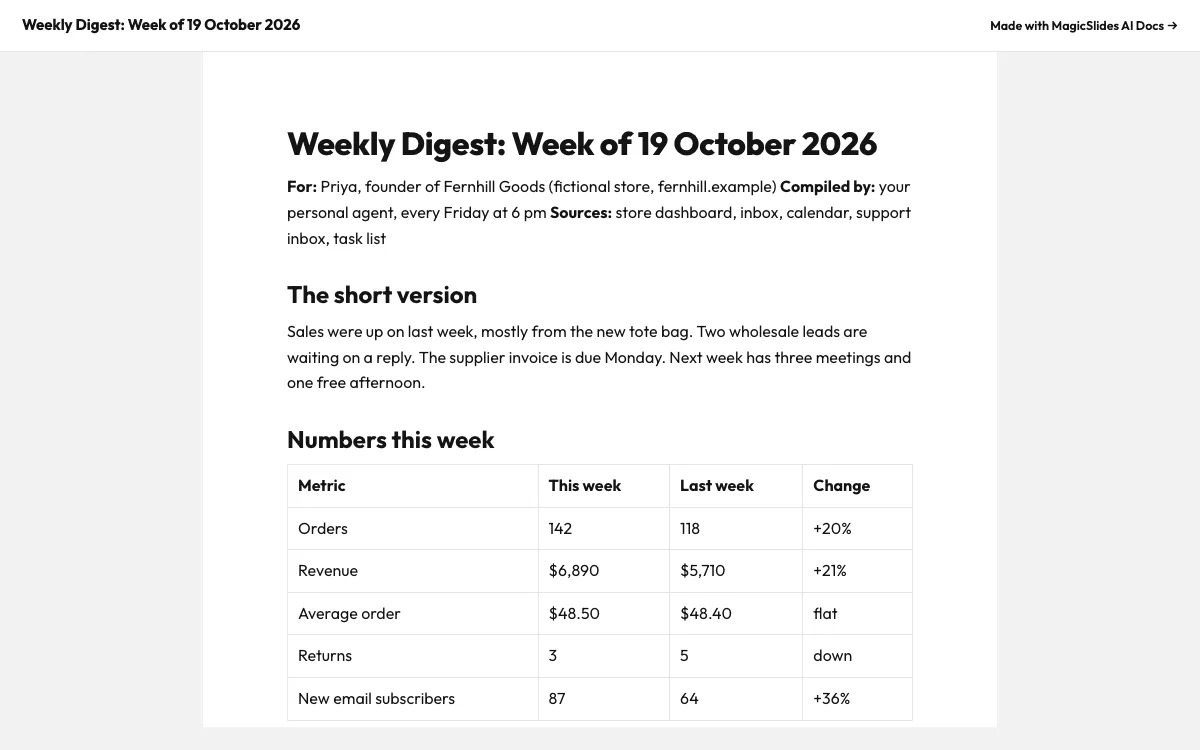
Make a document with Hermes
Reports, briefs and guides with a public share link.
What can you ask Hermes?
On the 1st of every month, rebuild my sponsor media kit as a 5-slide deck with this month's follower counts and 28-day stats, and send me the link on Telegram.
Pitch deckI meet an angel investor at 4 pm tomorrow. Make a 5-slide deck for Laundrop with our Pune numbers, unit economics and a 6 crore rupee ask, and send me the link on Telegram by 9 am.
URL to PPTRead https://en.wikipedia.org/wiki/Getting_Things_Done and send me a 6-slide MagicSlides deck on the method, with a last slide on which parts I could automate each week.
DocsEvery Friday at 6 pm, write my weekly digest: sales numbers vs last week, emails that need my reply, money due, support themes, next week's calendar and what you moved forward. Save it as a MagicSlides doc and send me the link on Telegram.
What is Hermes Agent?
Hermes Agent is Nous Research’s open source personal agent. It runs all the time, takes messages from apps such as Telegram, runs scheduled tasks and connects to MCP servers. With MagicSlides it can send you a finished deck link instead of a wall of text.
FAQ
How do I add MagicSlides to Hermes Agent?
Run hermes mcp add magicslides --url https://www.magicslides.app/api/mcp/mcp --auth oauth and approve the login. Hermes stores the token and refreshes it.
Can Hermes make a deck on a schedule?
Yes. Any scheduled task can call MagicSlides tools, for example a Monday deck of last week’s numbers sent to Telegram.
Where is the login stored?
Hermes keeps MCP OAuth tokens under ~/.hermes/mcp-tokens/. Run hermes mcp login magicslides to log in again.
Other agents


Connect MagicSlides to Hermes Agent
One MCP server for decks, docs, sheets and reels. Log in with your MagicSlides account, no API key. Making a deck from your own copy uses no AI credits.


