Make presentations with OpenClaw
Add the MagicSlides MCP server to OpenClaw and ask for decks, docs and reels from WhatsApp, Telegram or any chat you run it in.
Set up MagicSlides in OpenClaw (one time)
Add the server, then log in. OpenClaw prints the login link if it runs on a remote machine.
openclaw mcp add magicslides --url https://www.magicslides.app/api/mcp/mcp --transport streamable-http
openclaw mcp login magicslides- 1.Run openclaw mcp add, then openclaw mcp login and approve the MagicSlides login.
- 2.Check it with openclaw mcp doctor magicslides --probe.
- 3.Message your OpenClaw agent and ask for a deck. It replies with the links.
What OpenClaw can make with MagicSlides

Make a PowerPoint with OpenClaw
A designed deck on any topic, with PPTX and PDF download.

Make a pitch deck with OpenClaw
Investor or sales decks with problem, solution and the ask.

Turn a web page into a PPT with OpenClaw
Any article, doc page or changelog turned into slides.
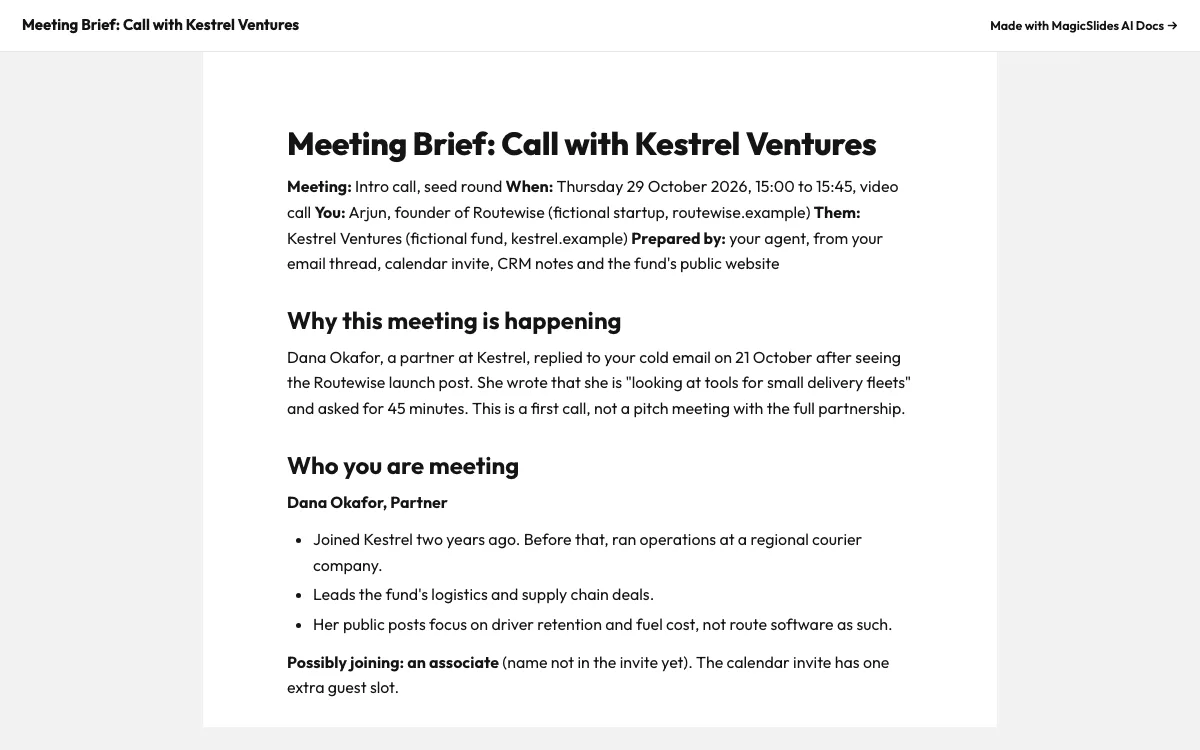
Make a document with OpenClaw
Reports, briefs and guides with a public share link.
What can you ask OpenClaw?
Turn these September numbers into a 6-slide founder review for Fernway Tea: subscribers 1,284, revenue $24.6k, churn 4.8%, shipping $5.90 a box, plus the October plan.
Pitch deckMeeting a school bus operator with 80 buses at 11. Make a 5-slide Fleetbook sales pitch with our results, onboarding plan, pricing and a free 10-bus pilot, and send me the link here.
URL to PPTRead https://en.wikipedia.org/wiki/Lean_startup and make me a 6-slide MagicSlides deck I can share with my cofounder. Include the Zappos and Groupon examples.
DocsI have a call with Dana from Kestrel Ventures on Thursday at 3. Make me a one-page brief: who she is, the fund, what she will ask, my numbers, what to ask her and what to avoid. Save it as a MagicSlides doc and send me the link here.
What is OpenClaw?
OpenClaw is a self-hosted personal agent that lives in your chat apps. It supports remote MCP servers with OAuth, so MagicSlides tools become something you can ask for in a message.
FAQ
Is MagicSlides an OpenClaw skill or an MCP server?
It is an MCP server. OpenClaw connects to it over streamable HTTP with OAuth, so there is nothing to install from a skill registry.
My OpenClaw runs on a server. How do I log in?
openclaw mcp login magicslides prints the login URL. Open it on any device, approve, and paste the code back if asked.
Can I add it from the OpenClaw UI?
Yes. Settings → MCP → Add server takes the same URL.
Other agents


Connect MagicSlides to OpenClaw
One MCP server for decks, docs, sheets and reels. Log in with your MagicSlides account, no API key. Making a deck from your own copy uses no AI credits.


