 MagicSlides MCP
Make presentations with Gemini CLI
Add MagicSlides to Gemini CLI with gemini mcp add, then make decks from files, web pages and videos in the terminal.
Set up MagicSlides in Gemini CLI (one time)
Run this once, then log in from inside Gemini CLI.
gemini mcp add --transport http magicslides https://www.magicslides.app/api/mcp/mcp/mcp auth magicslides- 1.Run the command. Add --scope user to make it available in every folder.
- 2.Start gemini and run /mcp auth magicslides, then log in in the browser.
- 3.Ask for a deck. Gemini CLI calls the MagicSlides tools and prints the links.
What Gemini CLI can make with MagicSlides
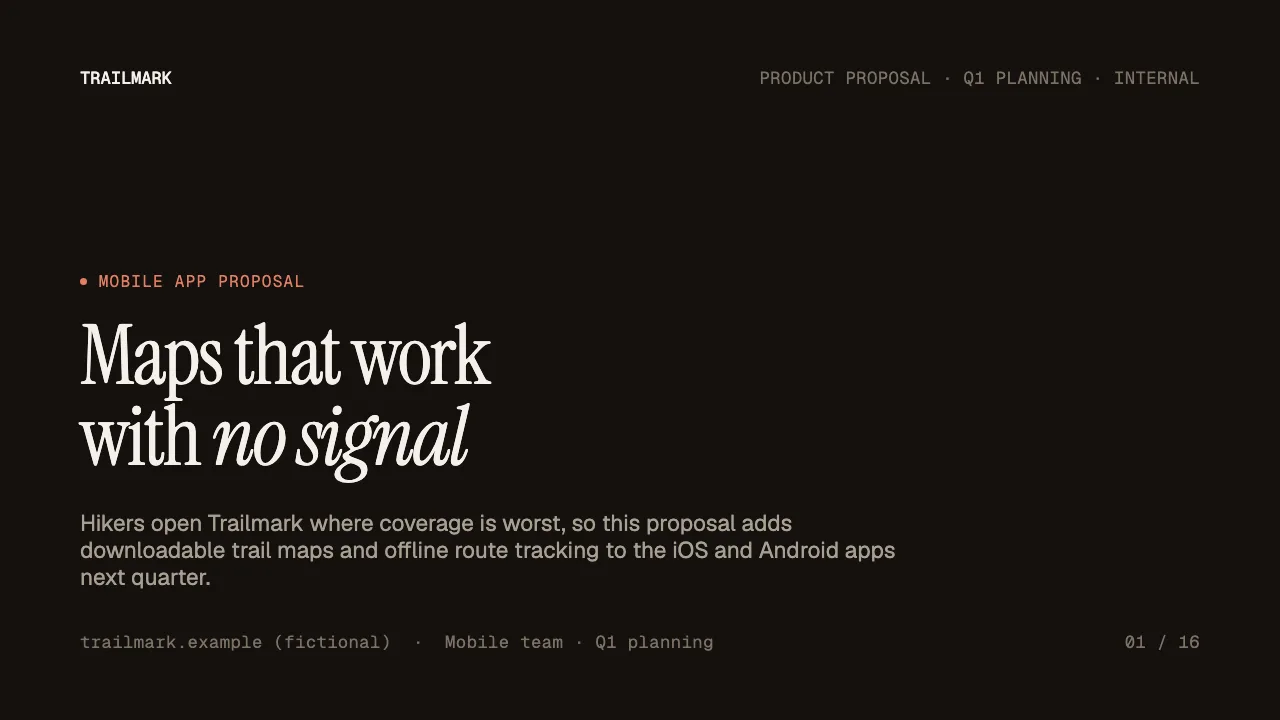
Make a PowerPoint with Gemini CLI
A designed deck on any topic, with PPTX and PDF download.

Make a pitch deck with Gemini CLI
Investor or sales decks with problem, solution and the ask.

Turn a PDF into a PPT with Gemini CLI
Reports, papers and handouts turned into slides.

Turn a YouTube video into a PPT with Gemini CLI
A talk or lecture transcript turned into slides.

Turn a web page into a PPT with Gemini CLI
Any article, doc page or changelog turned into slides.
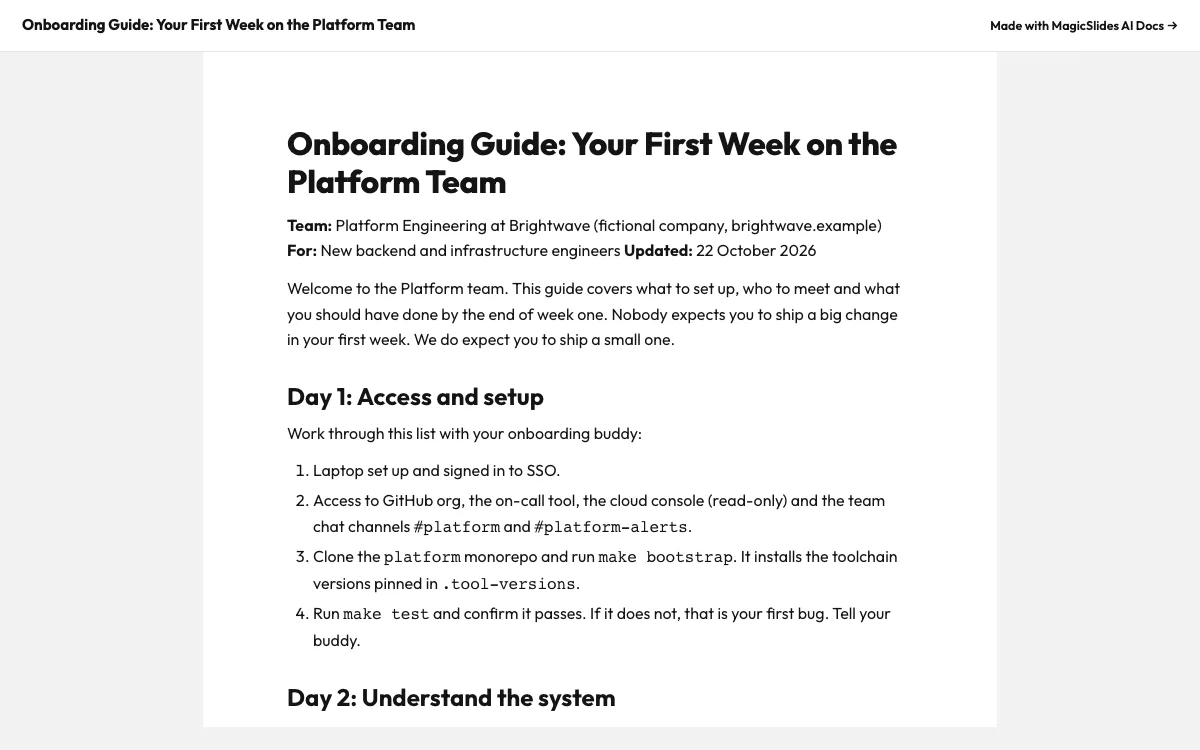
Make a document with Gemini CLI
Reports, briefs and guides with a public share link.
Make a spreadsheet with Gemini CLI
Tables and trackers you can open and edit.
What can you ask Gemini CLI?
Write a 5-slide product proposal for adding offline maps to the Trailmark app: the problem with numbers, scope, technical approach, and the ask of 3 engineers for a quarter. Use editorial-pitch.
Pitch deckRead @docs/benchmark.md and @metrics/usage.md and make a 6-slide seed pitch deck for Vaakya, our Indian speech-to-text API. Ask for $3M.
PDF to PPTRead @docs/OWASP-Top-10-for-LLMs-v2025.pdf and make a 6-slide brief for our dev team: the full list, prompt injection, excessive agency, and a pre-release checklist.
YouTube to PPTRun yt-dlp to get the English captions for https://www.youtube.com/watch?v=PUv66718DII, read the transcript, and make a 6-slide summary for our design review with what it means for our tools.
What is Gemini CLI?
Gemini CLI is Google’s open source agent for the terminal. It reads local files, including PDFs, has web fetch and Google Search tools, and calls MCP servers. The Gemini web and mobile apps do not take custom MCP servers, so this page is about Gemini CLI.
FAQ
Does this work in the Gemini app?
No. The Gemini web and mobile apps do not let you add your own MCP servers. Gemini CLI does.
How do I add MagicSlides to Gemini CLI?
Run gemini mcp add --transport http magicslides https://www.magicslides.app/api/mcp/mcp, then /mcp auth magicslides inside Gemini CLI.
The server shows as disabled. Why?
Gemini CLI only loads project MCP servers in trusted folders. Trust the folder, or add the server with --scope user.
Do I need a Google Cloud project or API key for MagicSlides?
No. MagicSlides uses its own OAuth login. Your Gemini CLI sign-in stays as it is.
Other agents


Connect MagicSlides to Gemini CLI
One MCP server for decks, docs, sheets and reels. Log in with your MagicSlides account, no API key. Making a deck from your own copy uses no AI credits.


