 Gemini CLI + MagicSlides MCP
Turn a PDF into a PPT with Gemini CLI
Gemini CLI reads a local PDF when you reference it with @path, so a security standard can become a team briefing without leaving the terminal. With the MagicSlides MCP added, the deck comes back as a present link and PPTX.
Set up MagicSlides in Gemini CLI (one time)
Run this once, then log in from inside Gemini CLI.
gemini mcp add --transport http magicslides https://www.magicslides.app/api/mcp/mcp/mcp auth magicslides- 1.Run the command. Add --scope user to make it available in every folder.
- 2.Start gemini and run /mcp auth magicslides, then log in in the browser.
- 3.Ask for a deck. Gemini CLI calls the MagicSlides tools and prints the links.
Example: what you type in Gemini CLI
Read @docs/OWASP-Top-10-for-LLMs-v2025.pdf and make a 6-slide brief for our dev team: the full list, prompt injection, excessive agency, and a pre-release checklist.
Source used: OWASP Top 10 for LLM Applications 2025 (v2.0)
- Read OWASP-Top-10-for-LLMs-v2025.pdf via @path (45 pages)
- Listed LLM01 to LLM10 and pulled mitigations from LLM01, LLM05, LLM06, LLM07 and LLM10
- Called get_template_schema (creative-pulse, 6 slides)
- Wrote the slot copy and called create_presentation_from_slots with stock images
Created a 6-slide brief: all ten 2025 risks grouped by inputs, data, outputs and build, a prompt injection slide with OWASP's mitigations, the three root causes of excessive agency, and a four-step release checklist.
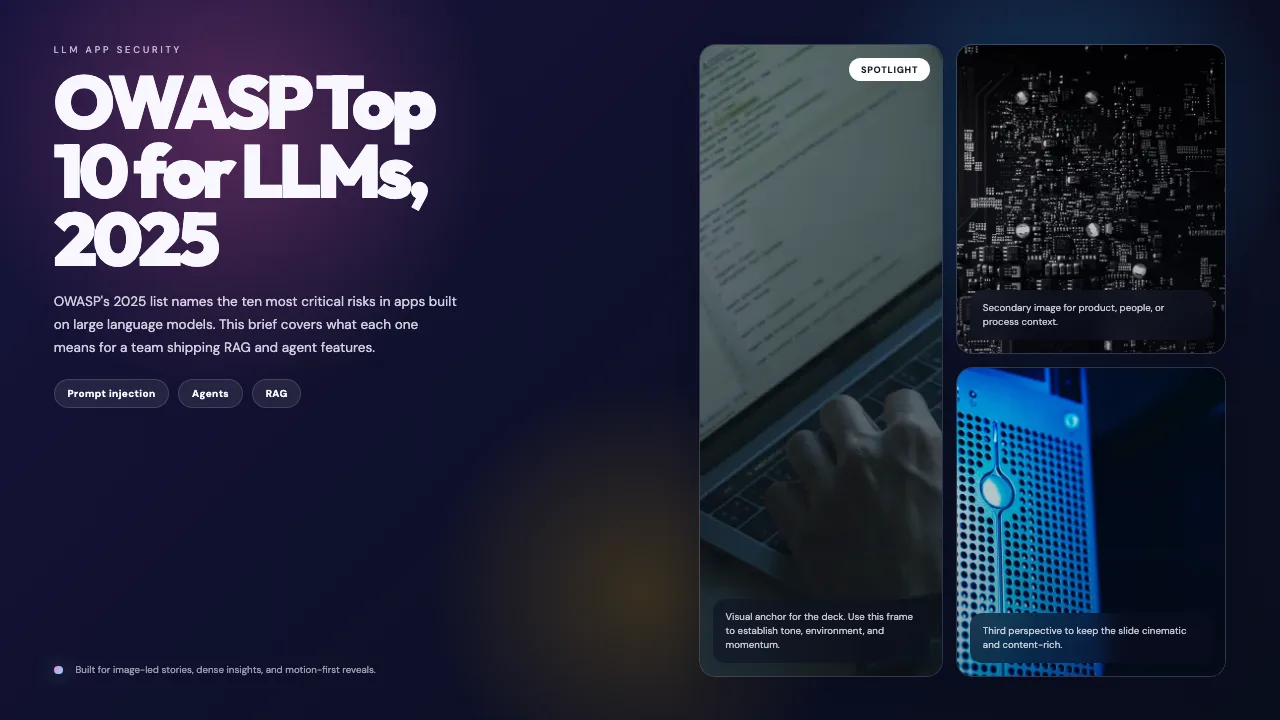
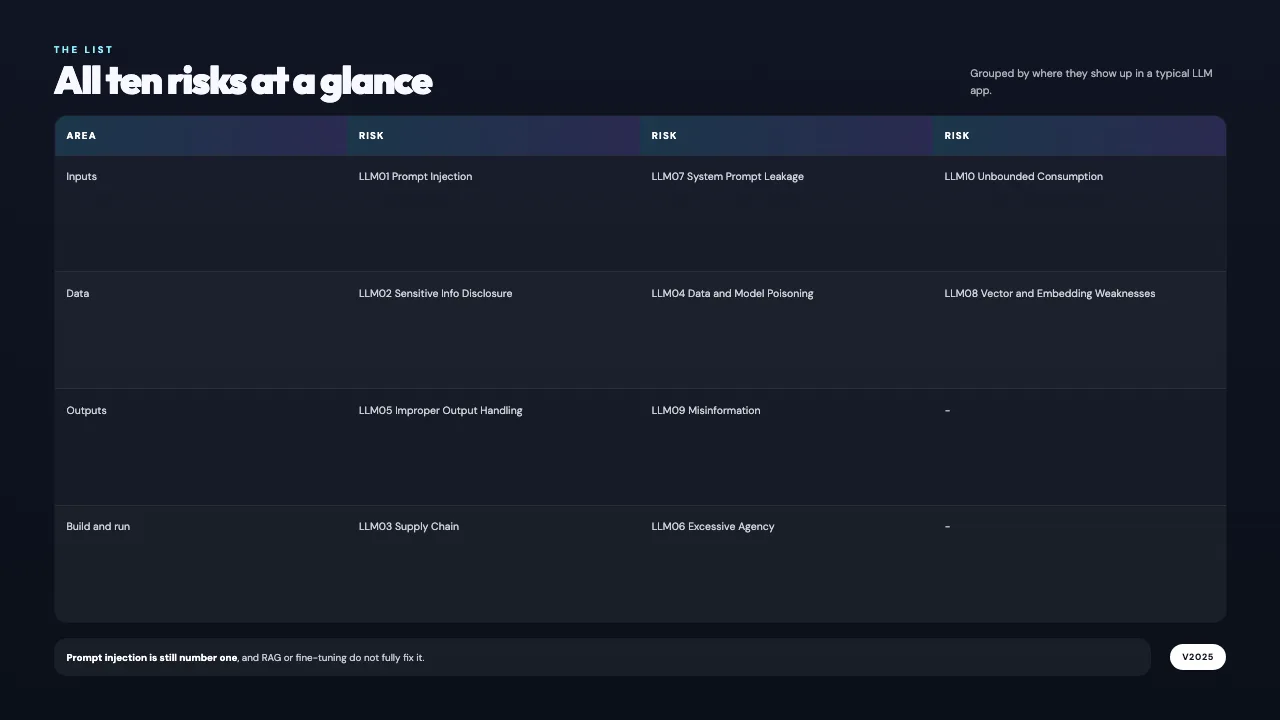
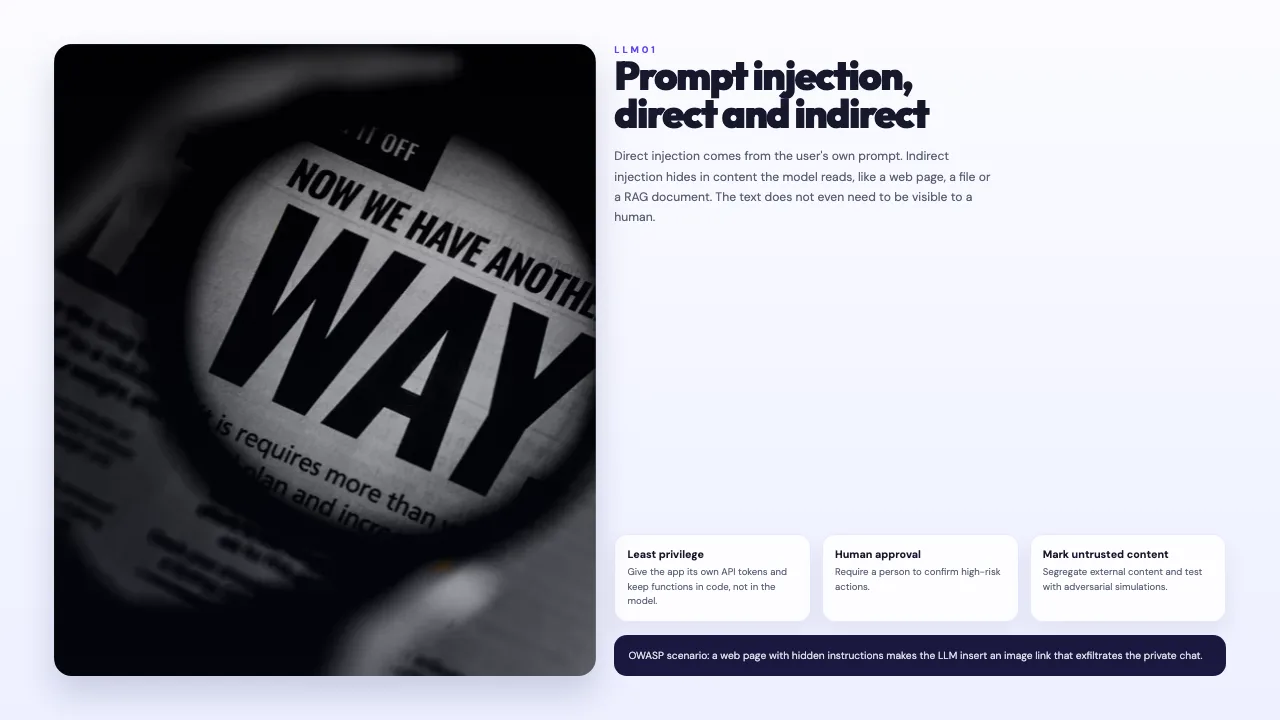
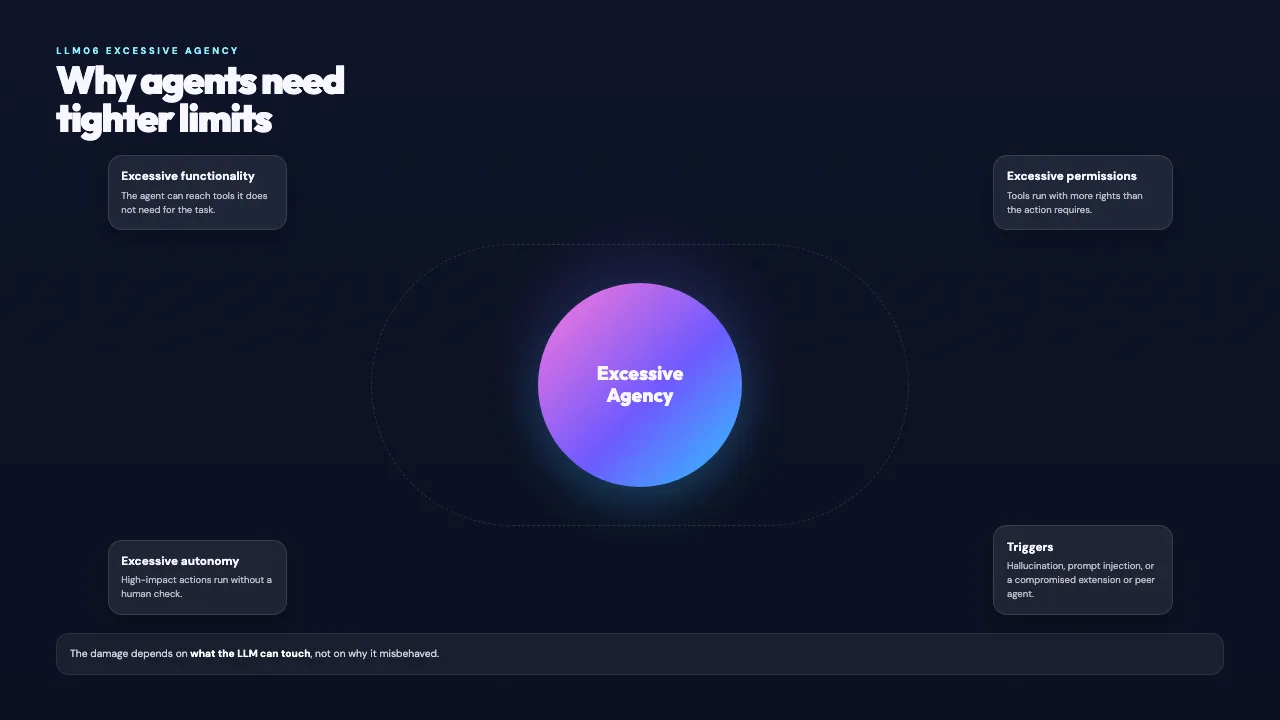
This is the real output from that prompt, made with the MagicSlides MCP. Open it to click through or download it.
How it works
- 1.Run gemini mcp add --transport http magicslides https://www.magicslides.app/api/mcp/mcp.
- 2.Start Gemini CLI and run /mcp auth magicslides to log in.
- 3.Reference the PDF with @path and say what the deck is for.
- 4.Open the present link or download the PPTX from the reply.
Tool used: create_presentation_from_slots. Prefer a web app? PDF to PPT does the same without an agent.
FAQ
Can Gemini CLI read a PDF?
Yes. Reference a local PDF with @path and Gemini CLI reads it as context.
Is this the Gemini app?
No. This page is about Gemini CLI, the terminal agent, which supports MCP servers.
How do I log in to MagicSlides?
After gemini mcp add, run /mcp auth magicslides. It uses OAuth, so there is no API key to paste.
Does it cost AI credits?
No. Gemini writes the slide copy, and the bring-your-own-content path costs 0 MagicSlides AI credits.
More with Gemini CLI
PDF to PPT in other agents


Connect MagicSlides to Gemini CLI
One MCP server for decks, docs, sheets and reels. Log in with your MagicSlides account, no API key. Making a deck from your own copy uses no AI credits.


