Turn a PDF into a PPT with Perplexity
Perplexity is built for research with citations, so it suits dense reports where every number needs a source. With the MagicSlides connector added, it turns a report PDF into a deck that keeps the figures and section references intact.
Set up MagicSlides in Perplexity (one time)
Custom connectors are on paid Perplexity plans (Pro, Max and Enterprise).
https://www.magicslides.app/api/mcp/mcp- 1.Open Plugins in the sidebar, then Add custom → Connector → Add MCP connector.
- 2.Paste the URL, pick Streamable HTTP and OAuth 2.0, and save.
- 3.Log in with MagicSlides, then turn the connector on in a thread.
Example: what you type in Perplexity
Read the IPCC AR6 Synthesis Report Summary for Policymakers at https://www.ipcc.ch/report/ar6/syr/downloads/report/IPCC_AR6_SYR_SPM.pdf and make a 6-slide research brief with the key numbers and the section each one comes from.
Source used: IPCC AR6 Synthesis Report: Summary for Policymakers (2023)
- Fetched IPCC_AR6_SYR_SPM.pdf from ipcc.ch (42 pages)
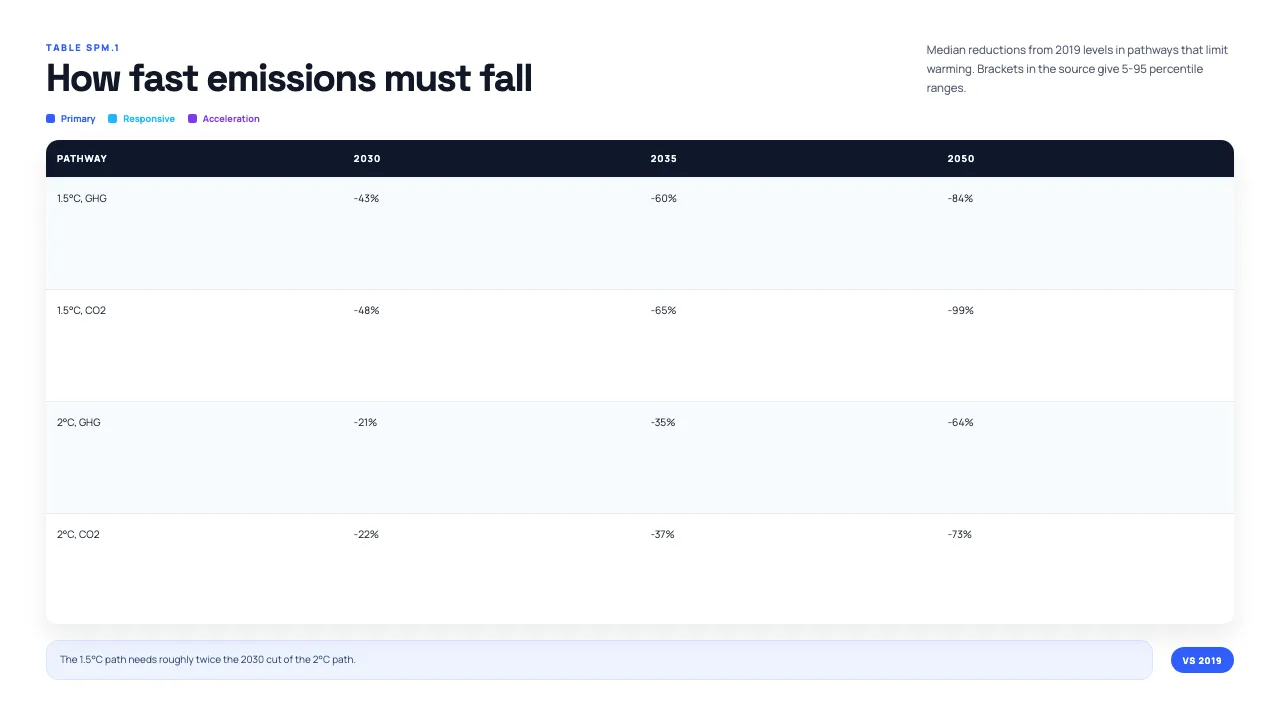
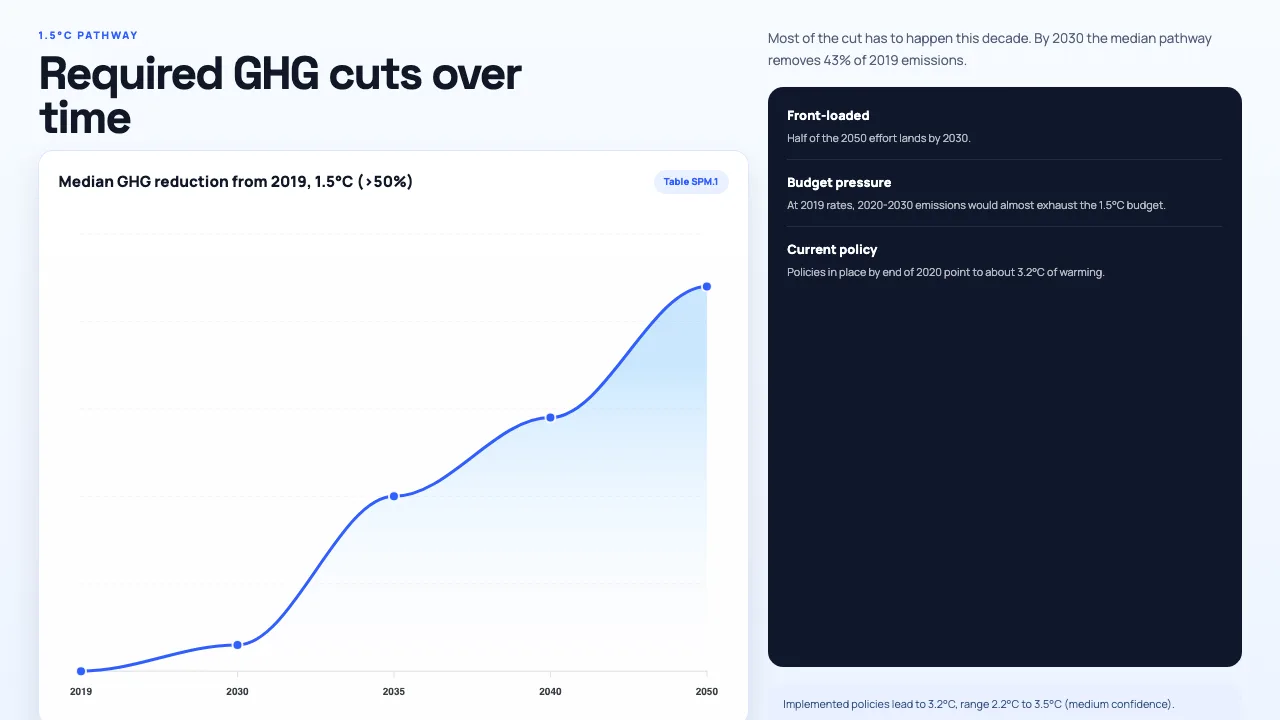
- Pulled findings A.1, A.2.2 and B.5 plus the reduction figures in Table SPM.1
- Called get_template_schema (responsive-grid, 6 slides)
- Wrote the slot copy and called create_presentation_from_slots with stock images
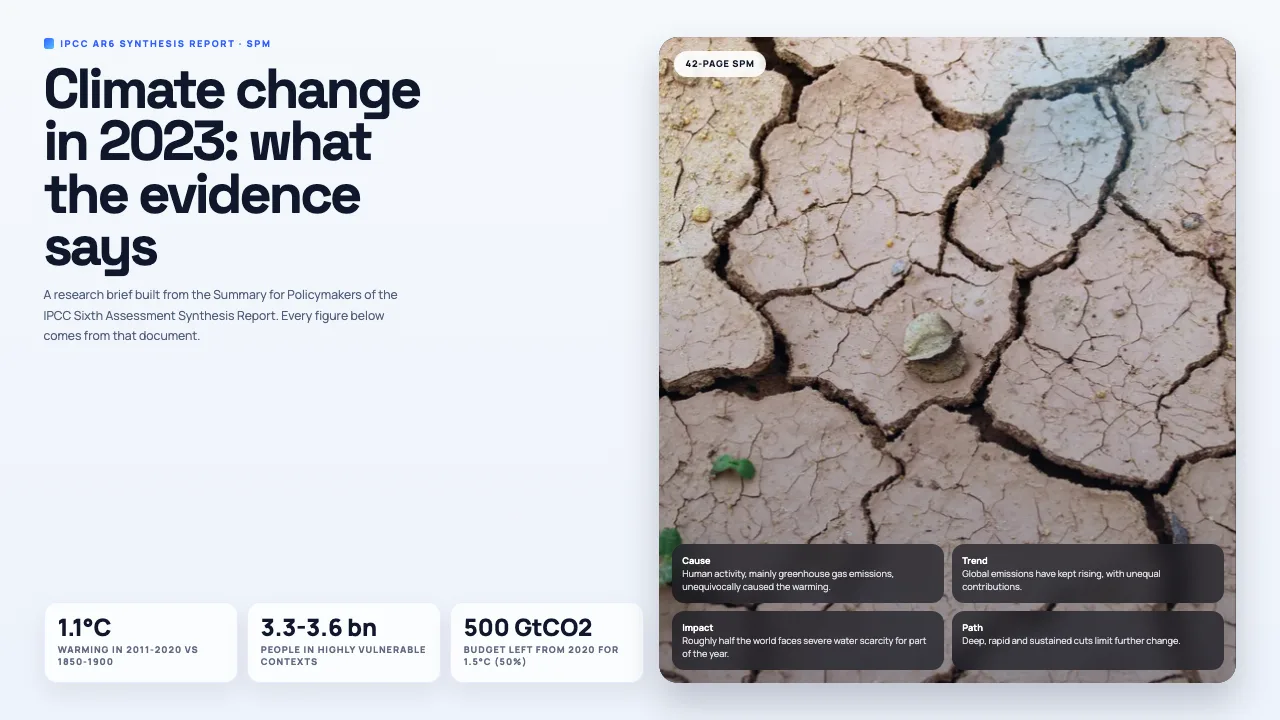
Here is a 6-slide brief: 1.1°C of warming in 2011-2020, 3.3 to 3.6 billion people highly vulnerable, a 500 GtCO2 budget for 1.5°C, and a 43% GHG cut needed by 2030. Each figure carries its SPM section code.
This is the real output from that prompt, made with the MagicSlides MCP. Open it to click through or download it.
How it works
- 1.In Perplexity, open Plugins, then Add custom, then Connector, then Add MCP connector, and paste https://www.magicslides.app/api/mcp/mcp (Streamable HTTP, OAuth 2.0).
- 2.Log in with MagicSlides to authorize the connector.
- 3.Give it the report PDF link and ask for a deck that cites sections.
- 4.Open the present link or download the PPTX from the reply.
Tool used: create_presentation_from_slots. Prefer a web app? PDF to PPT does the same without an agent.
FAQ
Which Perplexity plans support custom connectors?
Custom MCP connectors are available on Pro, Max and Enterprise.
Can the slides keep the source references?
Yes. Ask for them. In this example each finding carries its SPM code, such as A.1 or B.5.
Can I give it a PDF link instead of a file?
Yes. Perplexity can fetch a public PDF from the web and work from its text.
Does it cost AI credits?
No. Perplexity writes the copy, and the bring-your-own-content path costs 0 MagicSlides AI credits.
More with Perplexity
PDF to PPT in other agents


Connect MagicSlides to Perplexity
One MCP server for decks, docs, sheets and reels. Log in with your MagicSlides account, no API key. Making a deck from your own copy uses no AI credits.


