Turn a web page into a PPT with Perplexity
Perplexity is built for research, so it fits pages full of studies and figures. Here it read the Wikipedia article on the four-day workweek and turned the trial data into a 6-slide research brief with a chart and a case table.
Set up MagicSlides in Perplexity (one time)
Custom connectors are on paid Perplexity plans (Pro, Max and Enterprise).
https://www.magicslides.app/api/mcp/mcp- 1.Open Plugins in the sidebar, then Add custom → Connector → Add MCP connector.
- 2.Paste the URL, pick Streamable HTTP and OAuth 2.0, and save.
- 3.Log in with MagicSlides, then turn the connector on in a thread.
Example: what you type in Perplexity
Read https://en.wikipedia.org/wiki/Four-day_workweek and make a 6-slide research brief with MagicSlides. Chart the 2022 pilots and add a table of the main trials.
Source used: Four-day workweek - Wikipedia
- Read the Wikipedia article on the four-day workweek (about 3,100 words)
- Collected the 2022 pilot counts by region, the Iceland, Microsoft Japan, Perpetual Guardian and Utah trials, and the 100-80-100 model
- Called get_template_schema (creative-pulse, 6 slides)
- Wrote the slot copy and called create_presentation_from_slots
Your 6-slide research brief is ready. It charts the 2022 pilots (61 UK, 38 US and Canada, 20 Australia and NZ, 17 Ireland), compares four trials in a table, and lists the trade-offs. Present link, PPTX and PDF are below.
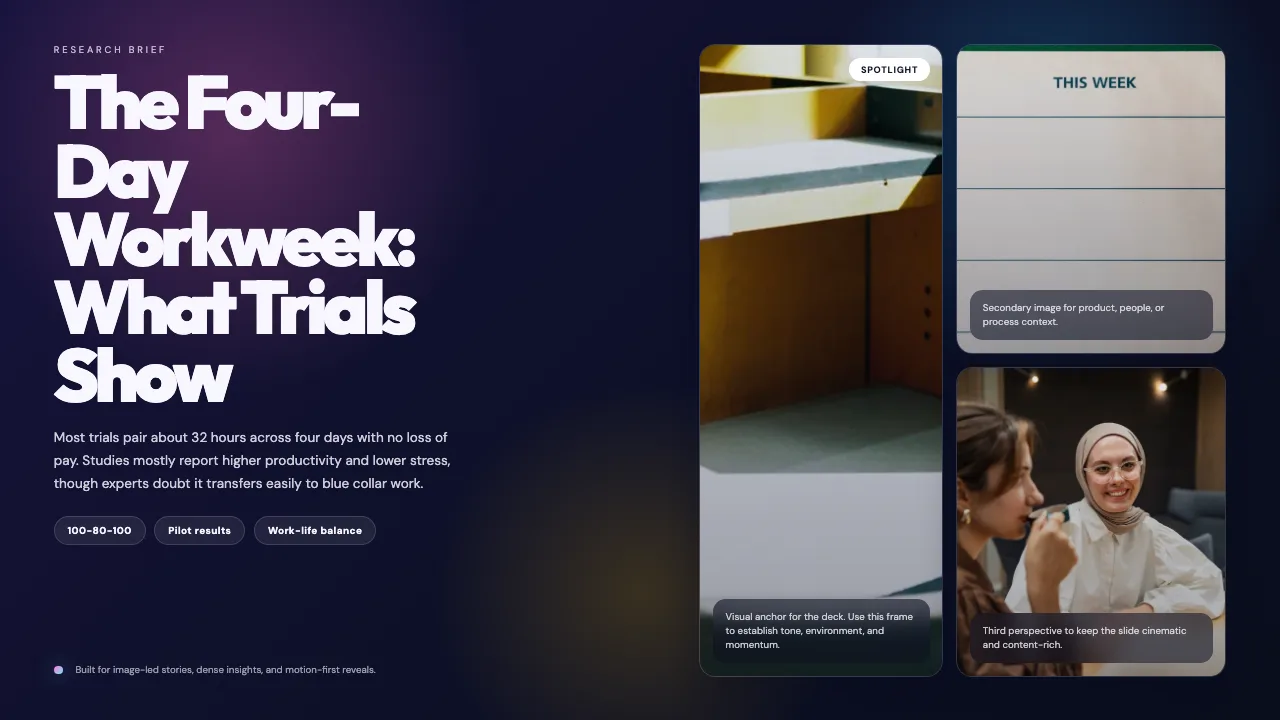
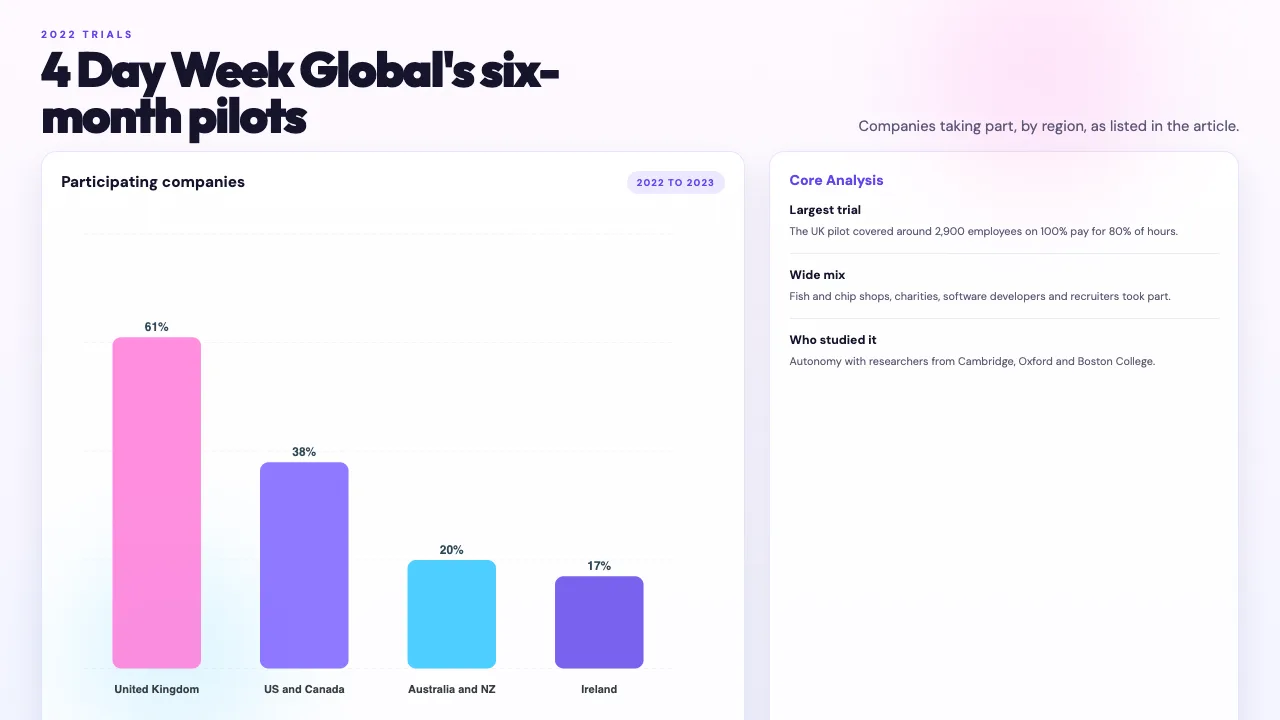
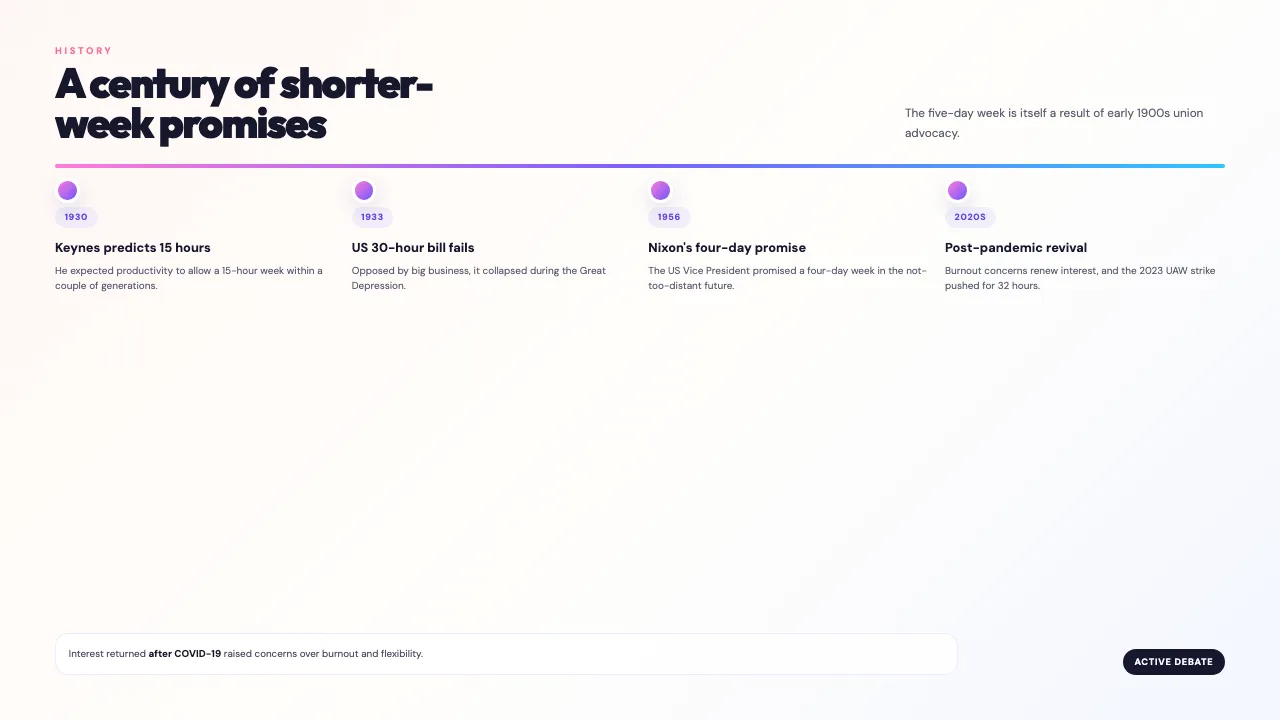
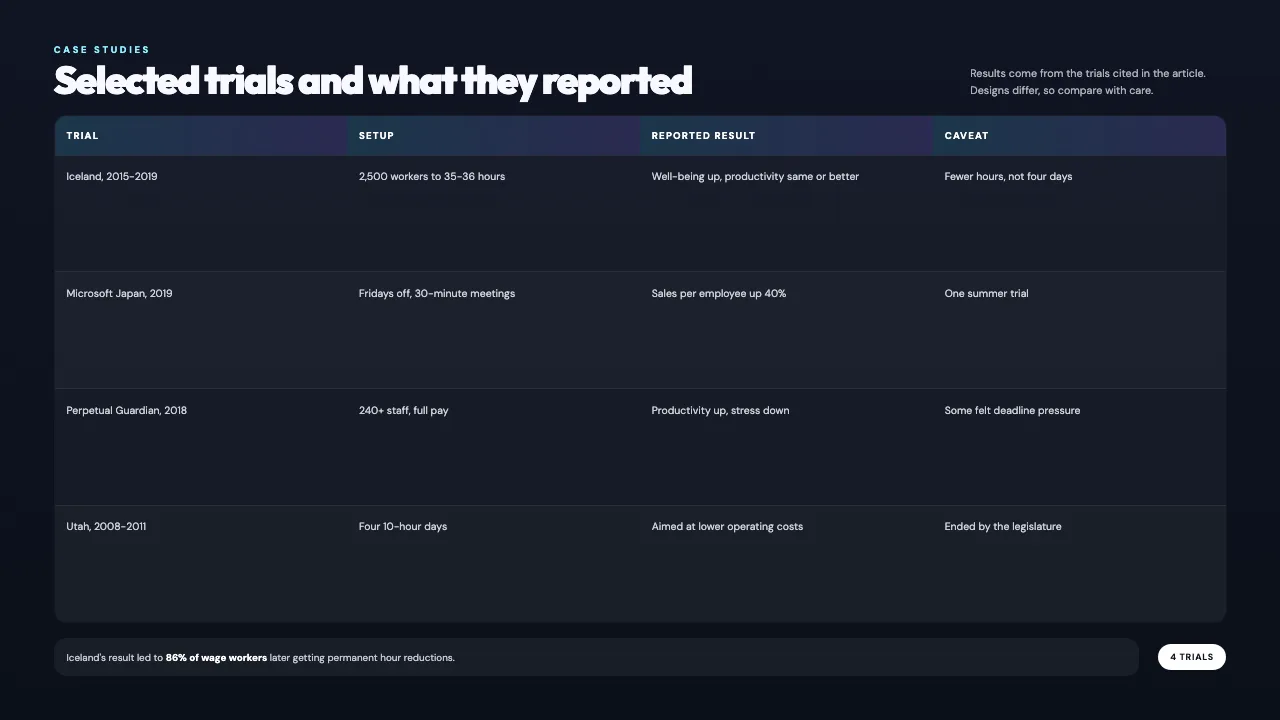
This is the real output from that prompt, made with the MagicSlides MCP. Open it to click through or download it.
How it works
- 1.In Perplexity, open Plugins, then Add custom, then Connector, then Add MCP connector.
- 2.Choose Streamable HTTP and OAuth 2.0, paste https://www.magicslides.app/api/mcp/mcp, and log in.
- 3.Give Perplexity the URL and ask for a deck with a slide count.
- 4.Open the present link or download the PPTX or PDF.
Tool used: create_presentation_from_slots. Prefer a web app? URL to PPT does the same without an agent.
FAQ
Which Perplexity plans can add MCP connectors?
Custom MCP connectors are available on Pro, Max and Enterprise plans.
Can Perplexity add more sources than the one URL?
Yes. Web research with citations is its strength, so you can ask it to add other sources to the deck.
Are the chart numbers real?
Yes. In this example the chart and table use figures quoted in the Wikipedia article.
What do I get back?
A present link, per-slide links, and PPTX and PDF downloads. The deck also opens in the MagicSlides editor.
More with Perplexity
URL to PPT in other agents


Connect MagicSlides to Perplexity
One MCP server for decks, docs, sheets and reels. Log in with your MagicSlides account, no API key. Making a deck from your own copy uses no AI credits.


