 Claude Code + MagicSlides MCP
Turn a PDF into a PPT with Claude Code
Claude Code can download a paper with curl, extract the text with pdftotext and check the numbers before it writes a slide. With the MagicSlides MCP added, a paper-reading-group deck comes back as a present link and PPTX.
Set up MagicSlides in Claude Code (one time)
Run this once. Add --scope user to make MagicSlides available in every project.
claude mcp add --transport http magicslides https://www.magicslides.app/api/mcp/mcp/mcpPick magicslides and log in with MagicSlides in the browser tab that opens.
- 1.Run the command in your terminal.
- 2.Start claude, type /mcp, select magicslides and log in.
- 3.Ask for a deck. Claude Code calls the MagicSlides tools and prints the links.
Example: what you type in Claude Code
Download https://arxiv.org/pdf/1706.03762, read it with pdftotext, and make a 6-slide walkthrough for our paper club: the claim, the core idea, the architecture, training setup and results.
Source used: Attention Is All You Need (Vaswani et al., arXiv 1706.03762v7)
- Ran curl to download 1706.03762.pdf (15 pages)
- Ran pdftotext and pulled the abstract, Table 1, model sizes and training details
- Called get_template_schema (noir-bold, 6 slides)
- Wrote the slot copy and called create_presentation_from_slots with stock images
Built a 6-slide walkthrough: 28.4 BLEU on English-German, 41.8 on English-French after 3.5 days on 8 P100 GPUs, N=6 layers, 8 heads, d_model 512. Present link, PPTX and PDF are in the result.

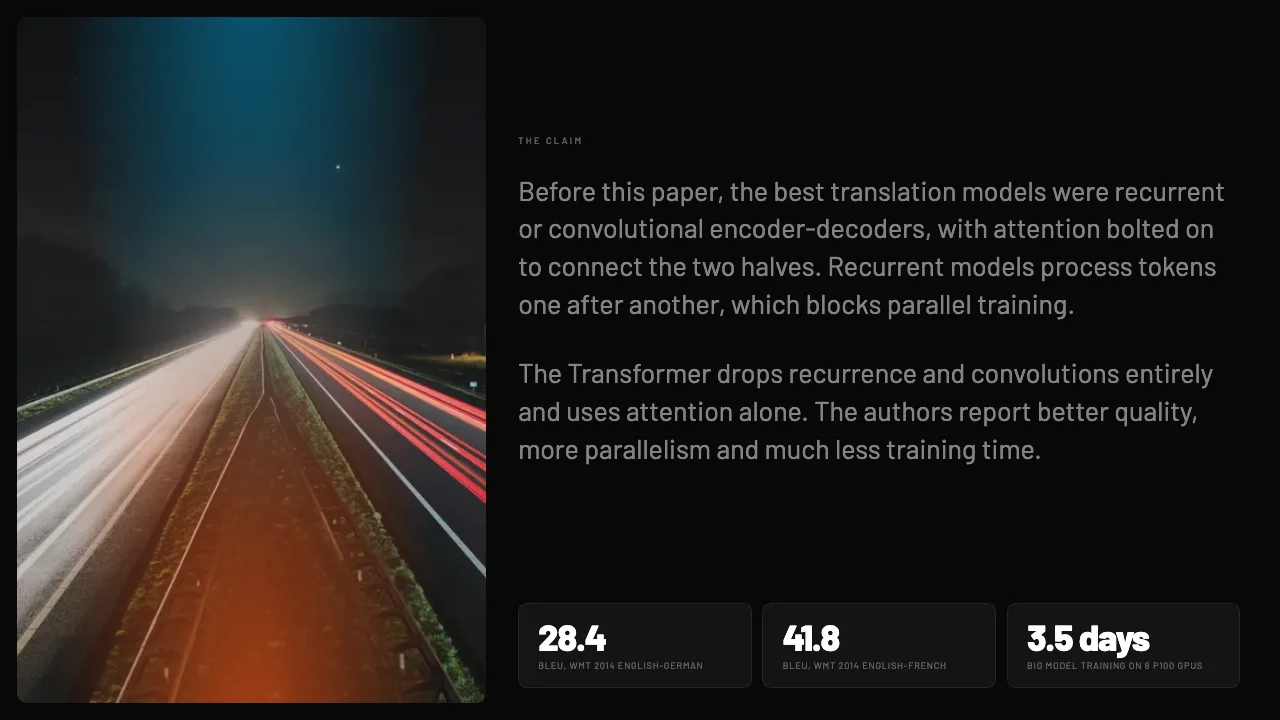


This is the real output from that prompt, made with the MagicSlides MCP. Open it to click through or download it.
How it works
- 1.Run claude mcp add --transport http magicslides https://www.magicslides.app/api/mcp/mcp in your terminal.
- 2.Start Claude Code and run /mcp to log in with MagicSlides.
- 3.Give it a PDF path or a PDF URL and say what the deck is for.
- 4.Open the present link or download the PPTX from the reply.
Tool used: create_presentation_from_slots. Prefer a web app? PDF to PPT does the same without an agent.
FAQ
Can Claude Code read a PDF on my machine?
Yes. It reads local files, including PDFs, and can also run pdftotext in the shell for long documents.
Can it fetch the PDF from a URL?
Yes. It runs shell commands like curl, so it can download an arXiv or report PDF before reading it.
How do I log in to MagicSlides?
After claude mcp add, run /mcp and choose MagicSlides. Login is OAuth, there is no API key.
Does it cost AI credits?
No. Claude Code writes the slide copy, so the bring-your-own-content path costs 0 MagicSlides AI credits.
More with Claude Code
PDF to PPT in other agents


Connect MagicSlides to Claude Code
One MCP server for decks, docs, sheets and reels. Log in with your MagicSlides account, no API key. Making a deck from your own copy uses no AI credits.


