 Codex CLI + MagicSlides MCP
Make a document with Codex CLI
Codex CLI can run git commands in your project, so it can read the commits and merged changes since your last tag and group them into release notes. With the MagicSlides MCP server, it publishes those notes as a hosted doc you can link from the release.
Set up MagicSlides in Codex CLI (one time)
Two commands: add the server, then log in.
codex mcp add magicslides --url https://www.magicslides.app/api/mcp/mcp
codex mcp login magicslides[mcp_servers.magicslides]
url = "https://www.magicslides.app/api/mcp/mcp"- 1.Run codex mcp add, then codex mcp login and approve in the browser.
- 2.Start codex (or use codex exec "…" for one-off runs).
- 3.Ask for a deck. Codex calls MagicSlides and prints the present link.
Example: what you type in Codex CLI
Write release notes for v2.4.0 from the commits since v2.3.2. Group them into highlights, features, improvements, bug fixes and breaking changes with PR numbers, add upgrade notes, and publish it as a MagicSlides doc.
- Ran git log v2.3.2..HEAD and read the commit messages and PR numbers
- Grouped changes into features, improvements, fixes, breaking changes and deprecations
- Wrote upgrade notes for the new default ignore behaviour and the removed --json flag
- Called create_doc and returned the share link
Release notes for Tally CLI v2.4.0 are published as a MagicSlides doc. They list 3 new features, 3 improvements, 3 bug fixes and 2 breaking changes, with upgrade steps.
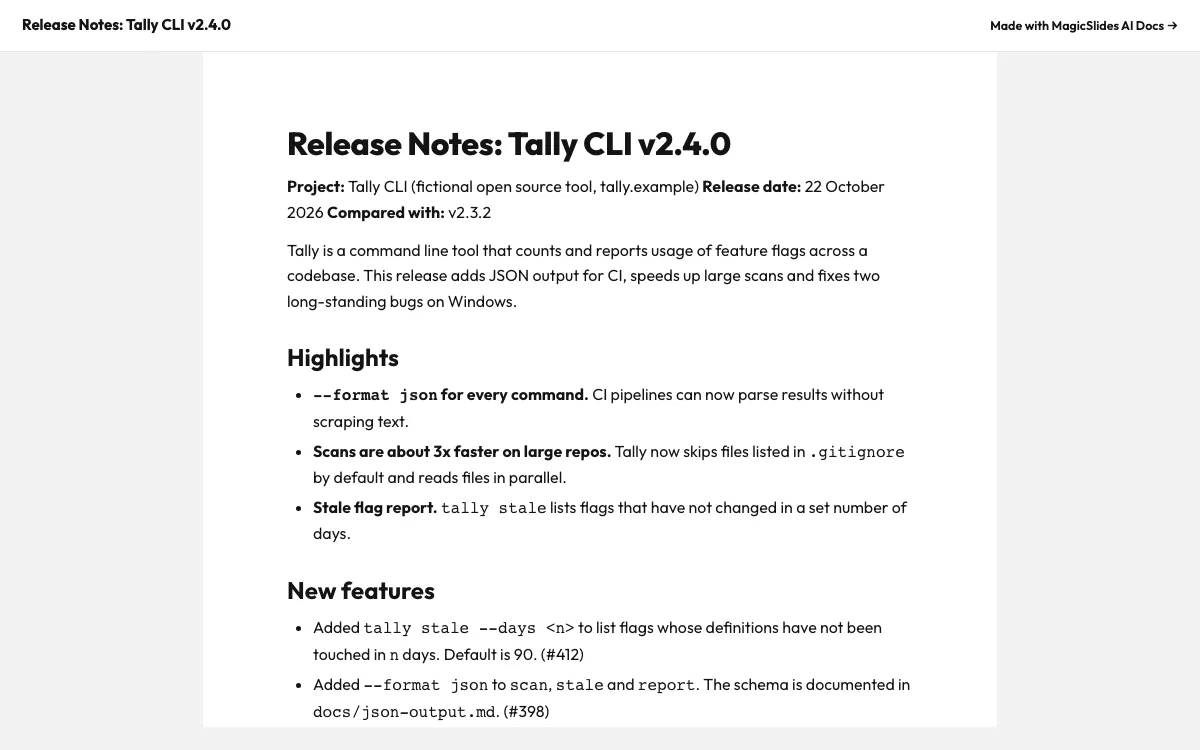
This is the real output from that prompt, made with the MagicSlides MCP. Open it to click through or download it.
How it works
- 1.Run codex mcp add magicslides --url https://www.magicslides.app/api/mcp/mcp
- 2.Run codex mcp login magicslides and log in
- 3.In your repo, ask Codex to write release notes from the commits since the last tag and publish them as a MagicSlides doc
- 4.For CI, run the same request with codex exec
Tool used: create_doc. Prefer a web app? AI document generator does the same without an agent.
FAQ
Can Codex read my git history?
Yes. Codex CLI runs shell commands in your project, so it can run git log and git diff between tags.
Can I generate release notes without the interactive UI?
Yes. Use codex exec with your prompt for a non-interactive run, for example as a step after tagging.
What link do I put in the GitHub release?
Use the public share link that create_doc returns. Anyone can open it without signing in.
How do I log in to MagicSlides from Codex?
Run codex mcp login magicslides after adding the server. It uses OAuth, not an API key.
More with Codex CLI
Docs in other agents


Connect MagicSlides to Codex CLI
One MCP server for decks, docs, sheets and reels. Log in with your MagicSlides account, no API key. Making a deck from your own copy uses no AI credits.


