 Cursor + MagicSlides MCP
Make a pitch deck with Cursor
In Cursor you can keep your pitch as a markdown file next to your code and turn it into slides whenever it changes. Agent mode reads the file you mention, writes each slide, and builds the deck in MagicSlides.
Set up MagicSlides in Cursor (one time)
Use the one-click link, or paste this into your Cursor MCP config.
{
  "mcpServers": {
    "magicslides": {
      "url": "https://www.magicslides.app/api/mcp/mcp"
    }
  }
}- 1.Click the install link, or open Settings → Tools & MCP → Add Custom MCP and paste the JSON.
- 2.Click Connect next to magicslides and log in with MagicSlides.
- 3.Ask the agent for a deck in chat. It calls MagicSlides and returns the links.
Example: what you type in Cursor
Turn @pitch/README.md into a 6-slide seed pitch deck for Quietcron. Keep our MRR numbers exactly as written and end with the $1.8M ask.
- Read pitch/README.md from the open repo
- Called get_template_schema for responsive-grid with 6 slides
- Wrote hero, comparison table, MRR chart, product, roadmap and ask slides
- Called create_presentation_from_slots with stock images
Built a 6-slide Quietcron deck from pitch/README.md with your quarterly MRR chart and the $1.8M ask. Present link and PPTX are ready.

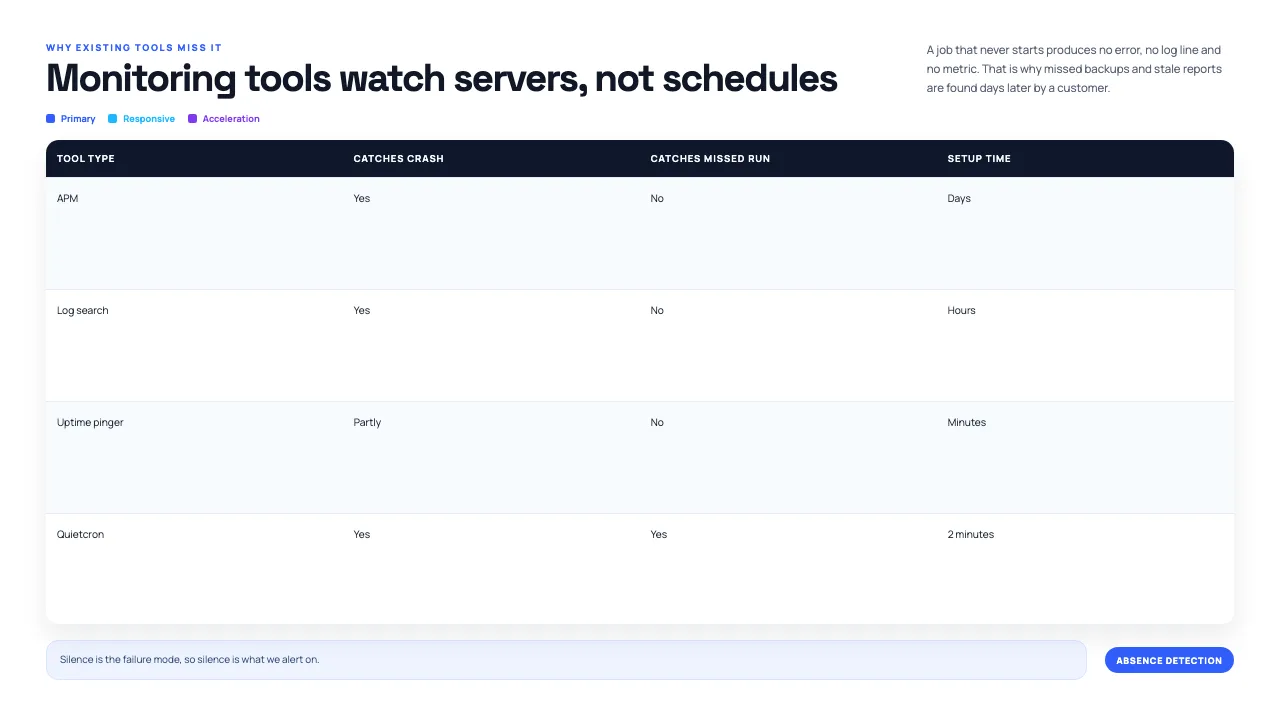
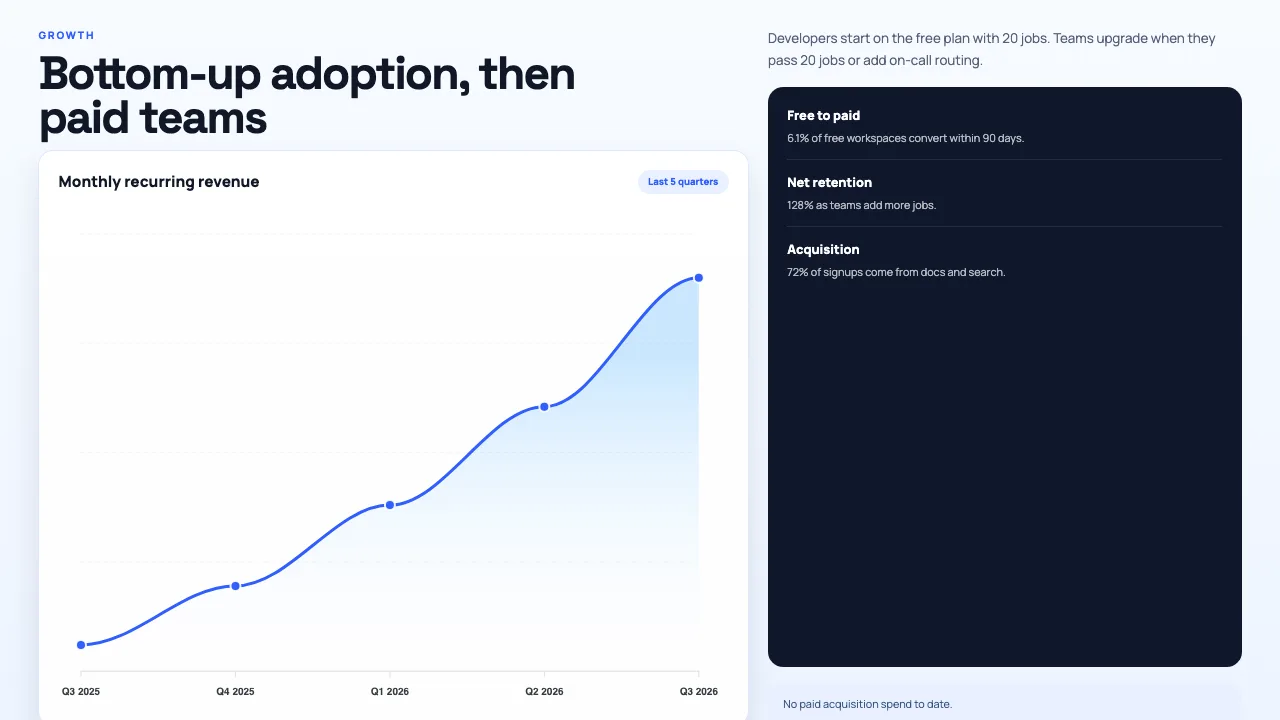
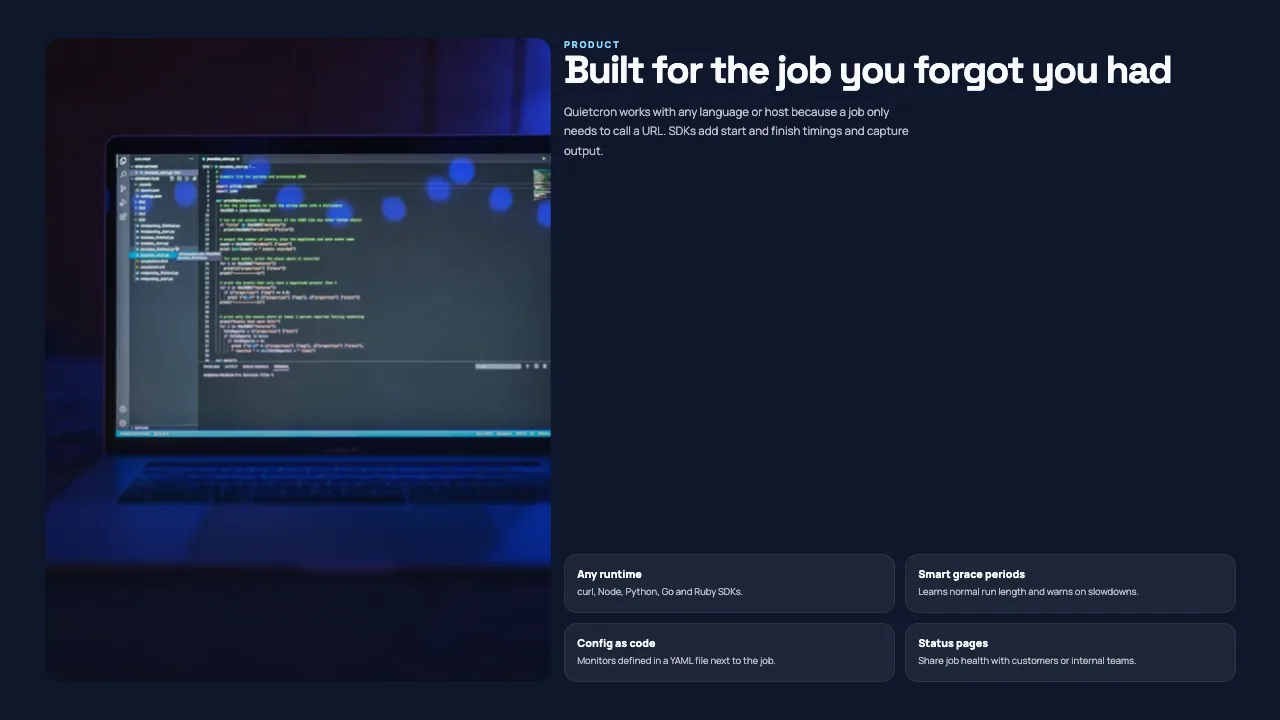
This is the real output from that prompt, made with the MagicSlides MCP. Open it to click through or download it.
How it works
- 1.Add MagicSlides to ~/.cursor/mcp.json with the URL https://www.magicslides.app/api/mcp/mcp, or use the one-click install link
- 2.Log in with MagicSlides when Cursor asks
- 3.Open Agent mode and @-mention your pitch file
- 4.Open the present link or download the PPTX
Tool used: create_presentation_from_slots. Prefer a web app? AI pitch deck generator does the same without an agent.
FAQ
Why keep a pitch deck in the repo?
The pitch file sits next to the code, so numbers and roadmap stay in version control and the deck can be rebuilt after each update.
How do I add MagicSlides to Cursor?
Add it to ~/.cursor/mcp.json under mcpServers with the MagicSlides URL, or use the one-click install link.
Can I point it at more than one file?
Yes. @-mention each file, such as a pitch file and a metrics file, in the same prompt.
Does it use AI credits?
No. Cursor's agent writes the slide copy, so building it costs 0 MagicSlides AI credits.
More with Cursor
Pitch deck in other agents


Connect MagicSlides to Cursor
One MCP server for decks, docs, sheets and reels. Log in with your MagicSlides account, no API key. Making a deck from your own copy uses no AI credits.


