AI Presentation Maker – Use AI tools & create presentation in few seconds


Unlock the potential of the AI presentation generator tools with this quick guide.
In today's fast-paced world, effective communication is key, and one of the most powerful tools for that is a well-crafted presentation. However, crafting a captivating presentation can be a time-consuming and daunting task. That's where MagicSlides comes in. MagicSlides is an innovative AI-powered presentation-making tool that can transform your ideas into stunning presentations in just a few seconds. Whether you're a seasoned presenter or a beginner, this app is designed to simplify the process and help you deliver engaging content effortlessly.
1. The Power of a Prompt
MagicSlides stands out from the crowd with its simplicity. All you need to do is provide a topic, and the app does the rest. This means you don't have to spend hours brainstorming ideas or fiddling with design elements. With a single prompt, you can kickstart the presentation creation process.
2. Customize to Your Needs
MagicSlides offers flexibility in tailoring your presentation to your exact requirements. You can specify the number of slides you need, provide reference text to guide the content creation, and even add additional reference sources for richer, more accurate information. You have the choice to include images on each slide, enhancing visual appeal, and decide whether or not to show the content source, maintaining transparency in your presentation.
3. Automated Workflow
What sets MagicSlides apart is its efficiency. Once you've set your preferences, you can sit back and relax while the app handles the heavy lifting. MagicSlides not only creates your presentation but can also notify you via email when it's ready, ensuring you're always in the loop.
With MagicSlides, you have a potent ally in your quest to create compelling presentations that leave a lasting impression. In the following sections, we'll dive deeper into how to use this remarkable tool effectively. Whether you're a student, a professional, or anyone looking to convey your ideas effectively, MagicSlides is here to make the journey smoother and more enjoyable. Let's get started!
Getting Started with MagicSlides: Create Stunning Presentations with Ease
Downloading MagicSlides:
- Open Google Slides: Start by opening Google Slides, the platform where MagicSlides is available.
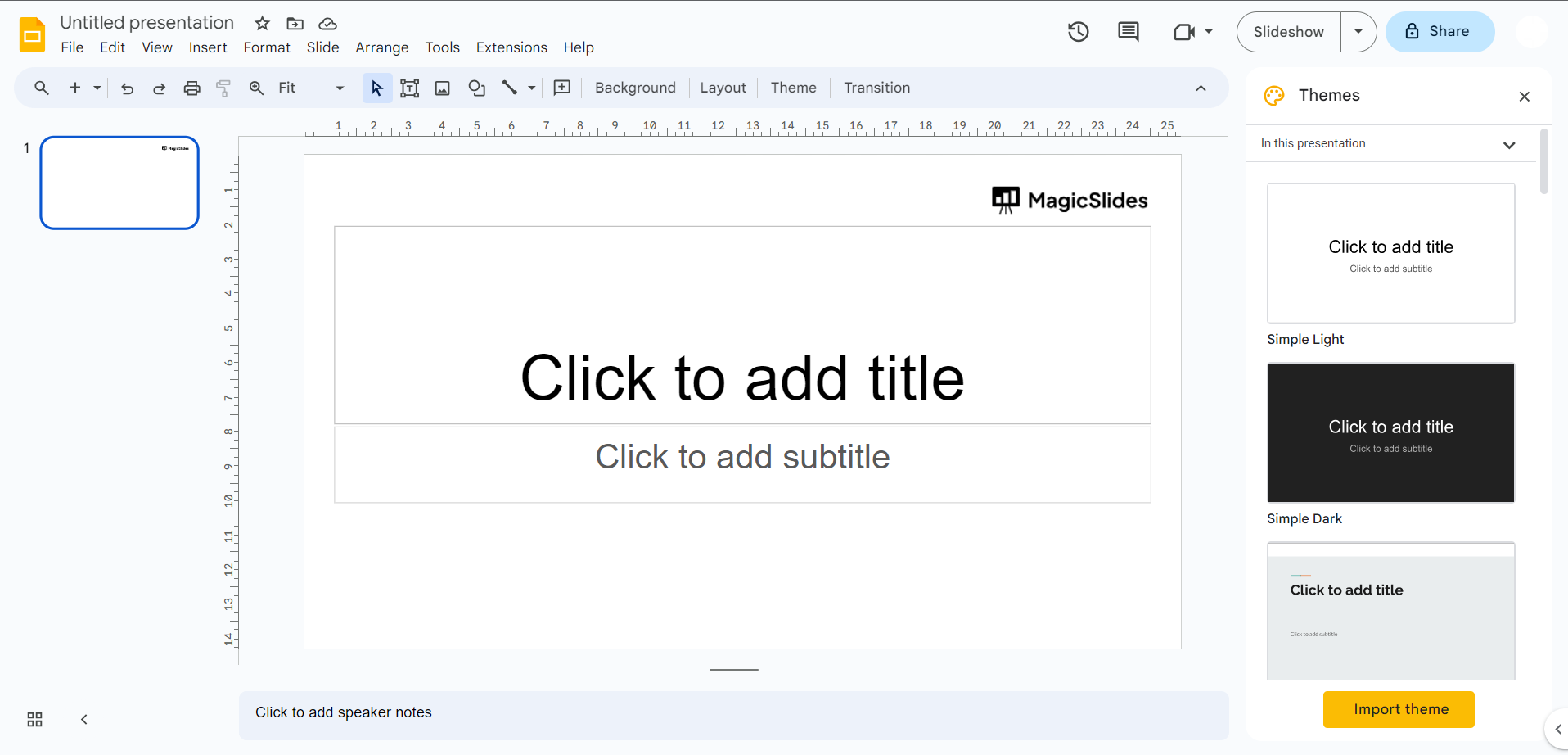
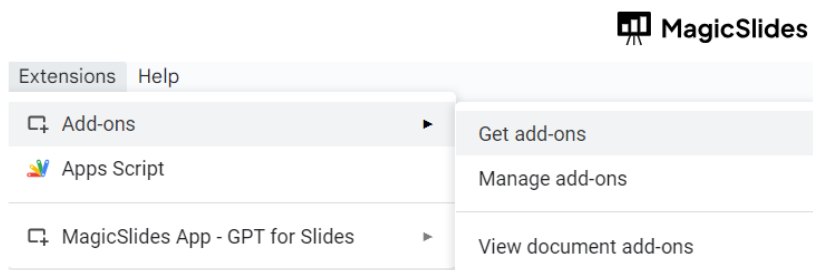
- Go to the Extensions Marketplace: In Google Slides, navigate to the "Extensions" tab in the top menu.
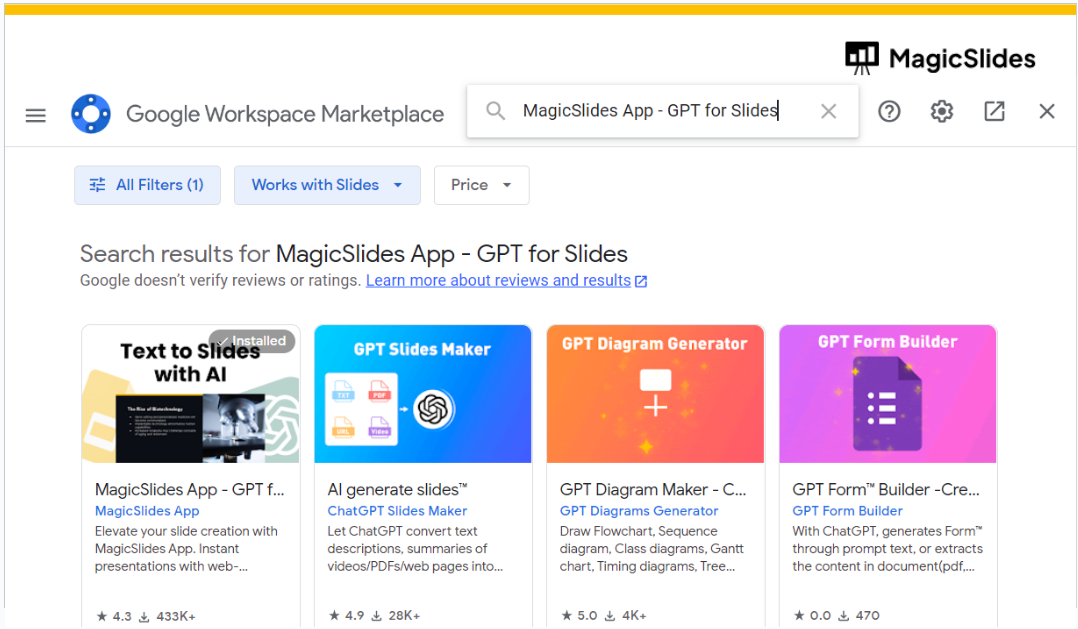
- Search for MagicSlides: In the Extensions Marketplace, use the search bar to look for "MagicSlides."
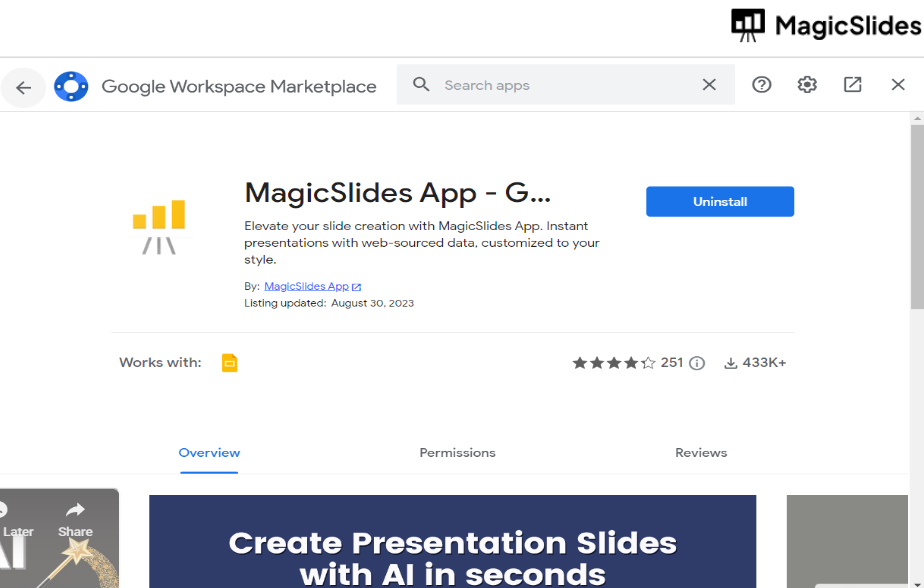
- Download MagicSlides: Once you find the MagicSlides extension, click on it, and then select "Install" or "Download." Follow any on-screen prompts to complete the installation.
Now that you have MagicSlides installed, let's explore how to use its powerful features:
Creating Presentations with MagicSlides:
- Generate a PPT with Prompt:
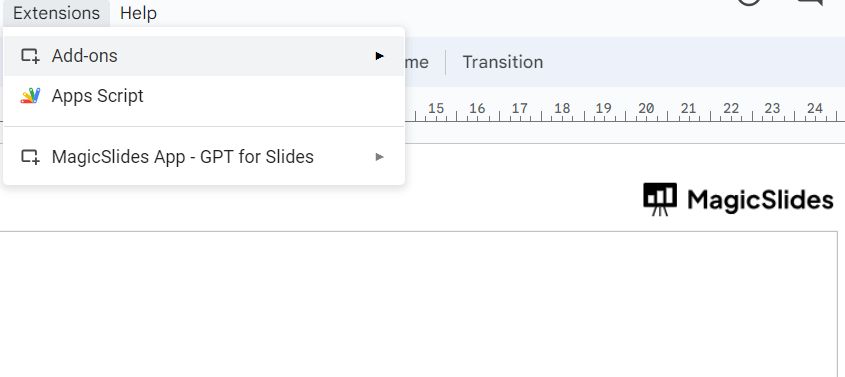
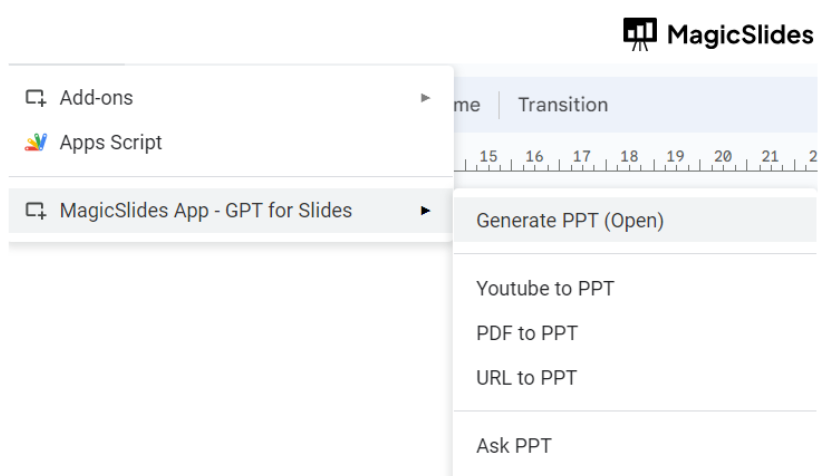
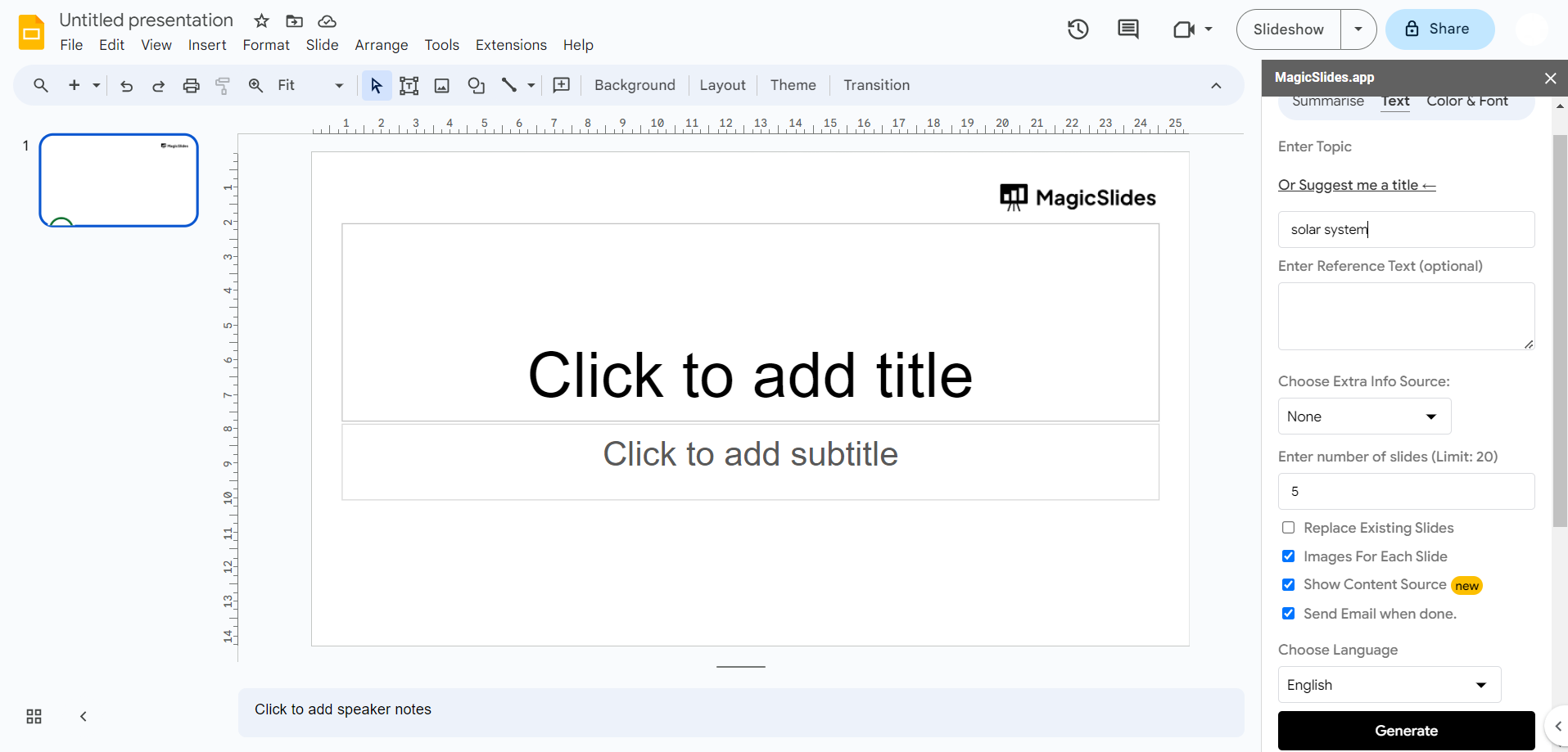
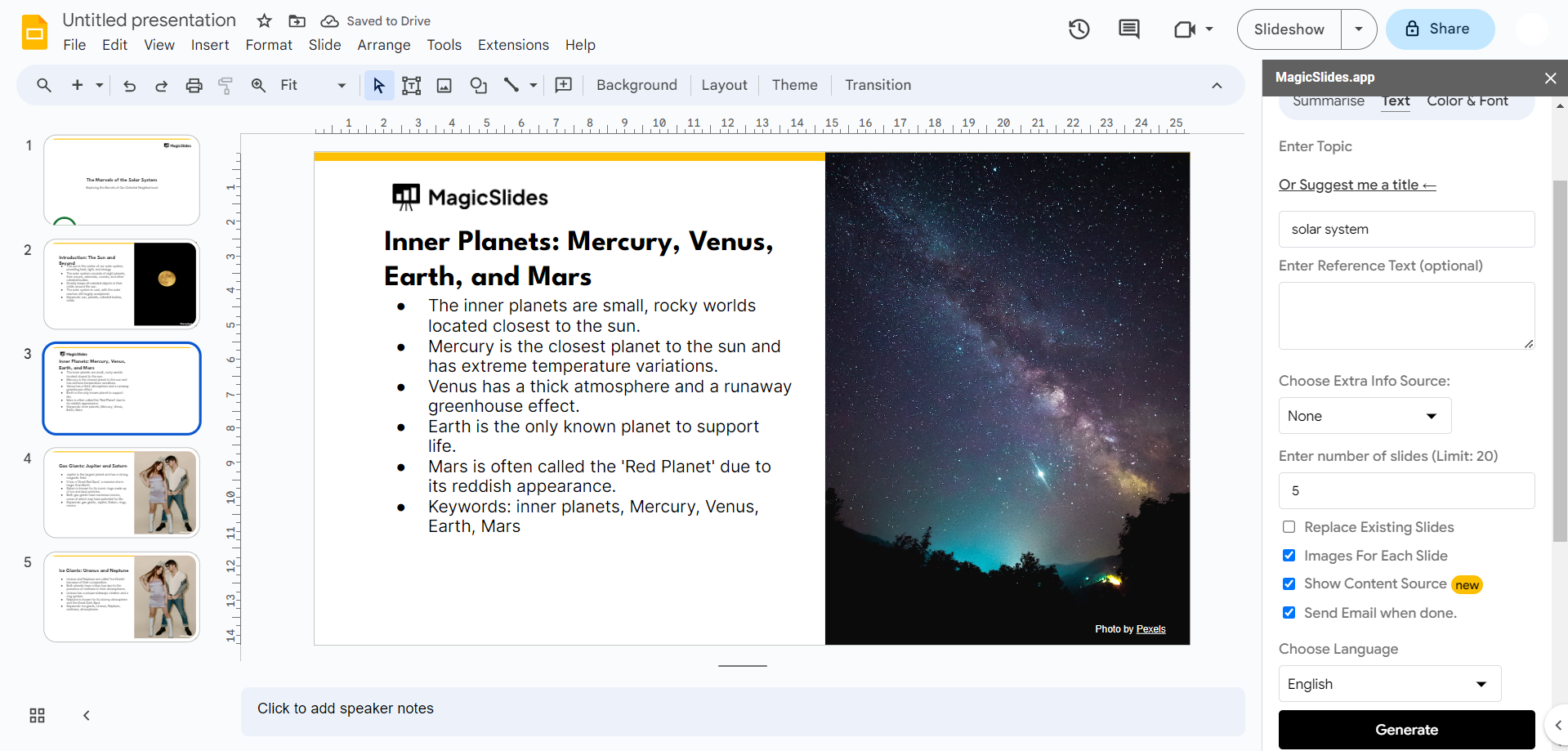
- Click on the MagicSlides extension tab.
- Choose "Generate a PPT with Prompt."
- Provide the prompt or topic for your presentation.
- Click "Generate," and within seconds, your presentation will be ready.
- YouTube URL to PPT:
- Click on the MagicSlides extension tab.
- Select "YouTube URL to PPT."
- Copy the URL of the YouTube video you want to use.
- Paste the URL in the designated field.
- Choose any additional settings as required.
- Click "Generate," and your presentation will be ready in moments.
- PDF to PPT:
- Click on the MagicSlides extension tab.
- Choose "PDF to PPT."
- Copy the URL of the PDF document you want to convert (it should open in your browser with a .pdf extension).
- Paste the PDF URL in the field provided.
- Customize additional settings if needed.
- Click "Generate," and your presentation will be ready shortly.
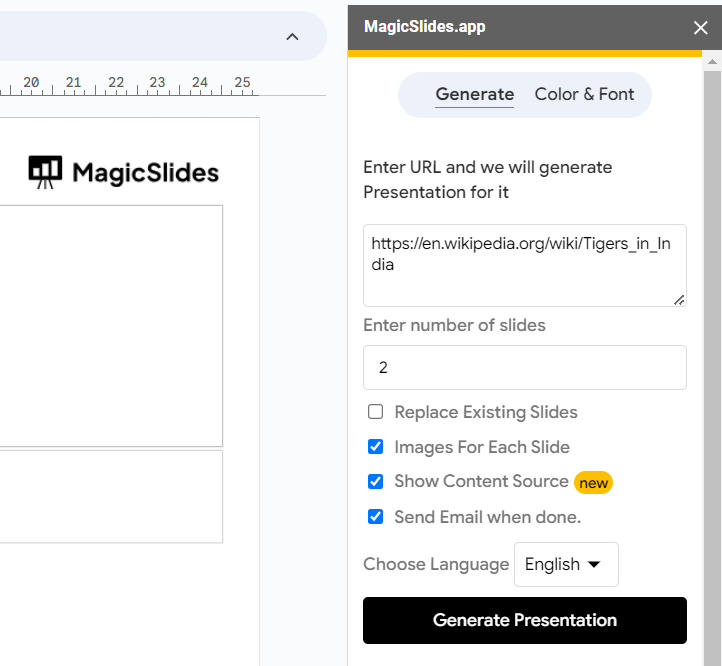
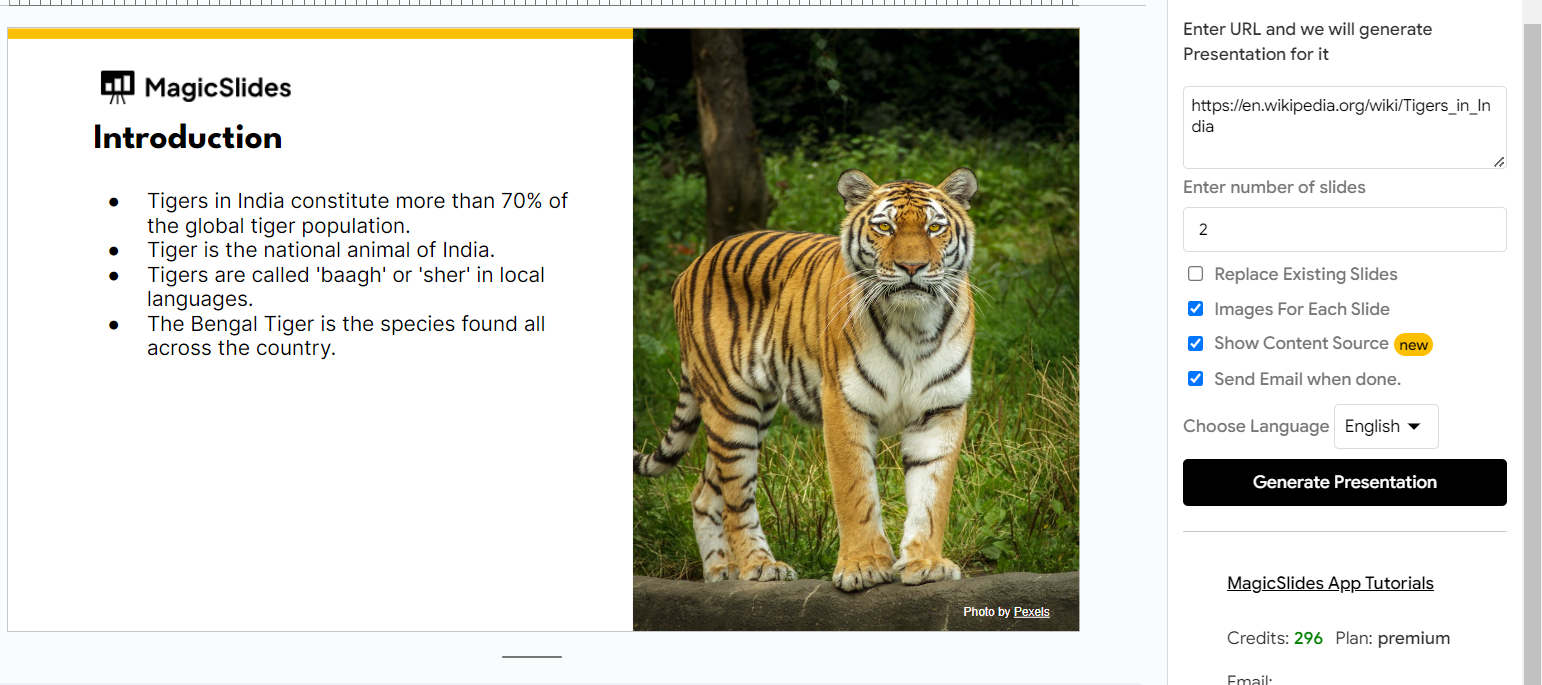
- URL to PPT:
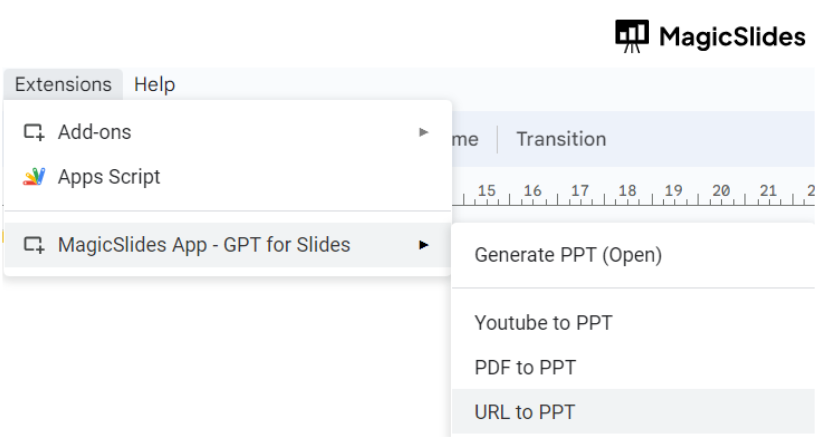
- Click on the MagicSlides extension tab.
- Select "URL to PPT."
- Choose a topic of your choice and copy a Wikipedia URL related to that topic.
- Paste the Wikipedia URL in the provided field.
- Adjust any additional settings as desired.
- Click "Generate," and your presentation will be ready within seconds.
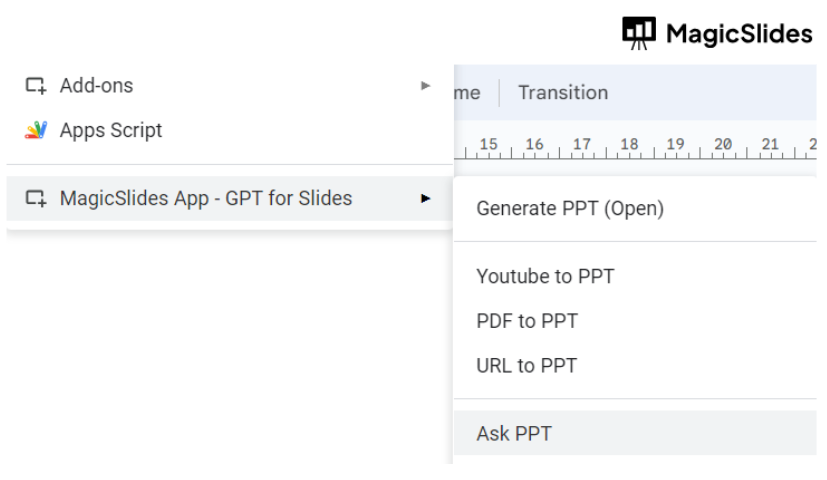
- Ask PPT:
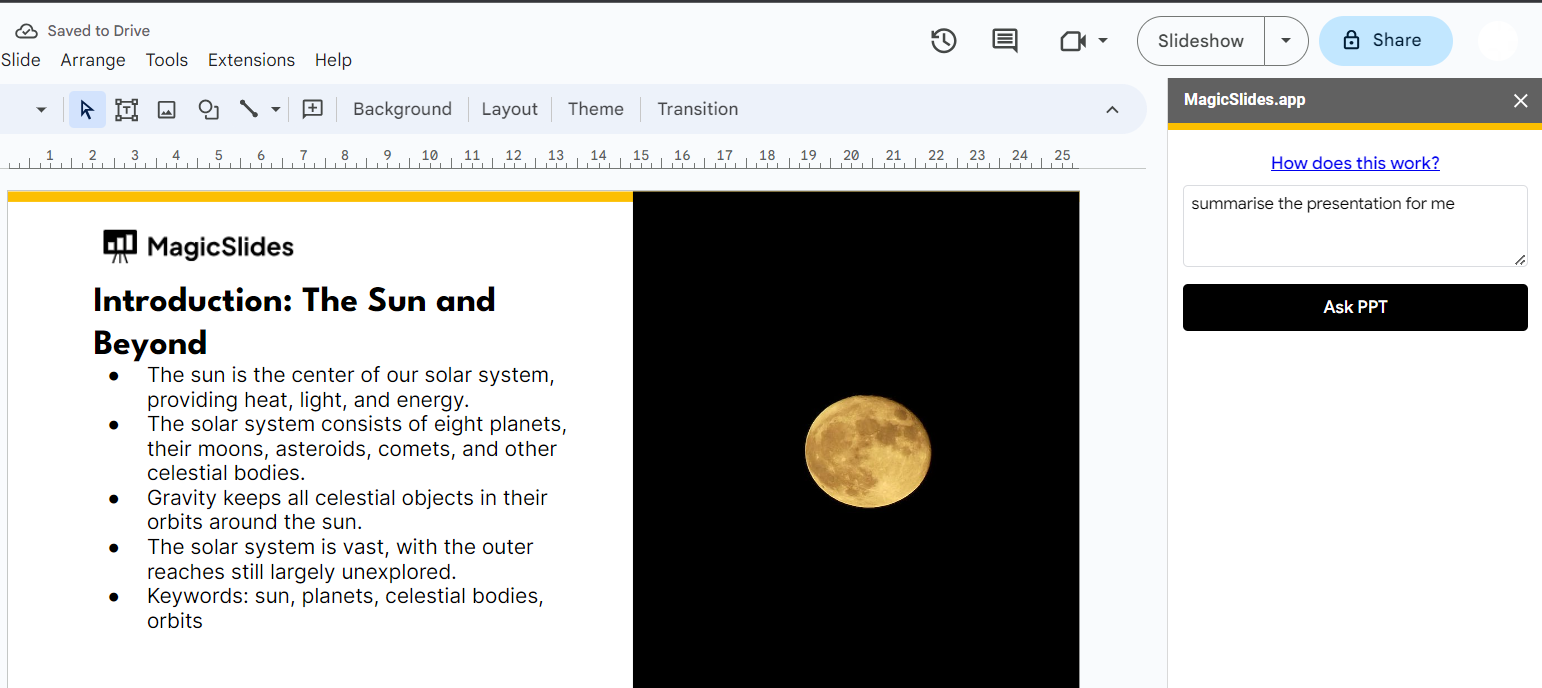
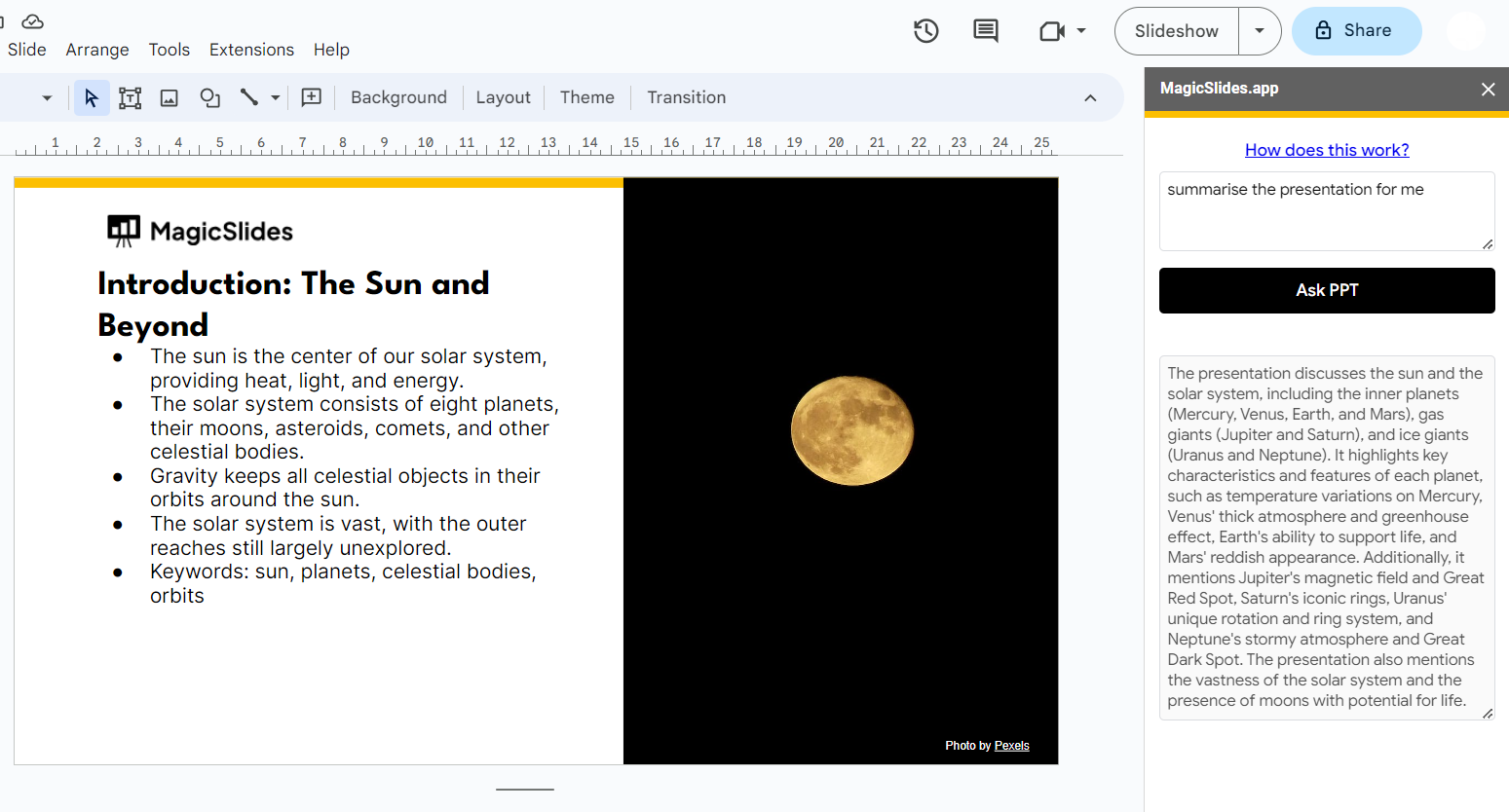
- Open an existing presentation in Google Slides.
- Click on the MagicSlides extension tab.
- Choose "Ask PPT."
- Pose your question or request for a summary.
- Click "Generate," and MagicSlides will provide you with an answer or summary in no time.
With these easy steps, you can harness the incredible capabilities of MagicSlides to create, enhance, and streamline your presentation-making process. Say goodbye to hours of manual work and hello to beautifully crafted presentations in seconds!
MagicSlides is a game-changer for professionals and businesses in various sectors. It's a remarkable time-saver, catering to busy executives, students, and entrepreneurs. With a simple prompt or URL, MagicSlides crafts polished presentations in seconds, eliminating the painstaking manual work. One of its standout features is its effortless creativity. MagicSlides doesn't demand design or content expertise. Instead, it handles the intricate details, ensuring every presentation appears professional and captivates the audience.
Lastly, MagicSlides facilitates data-driven decision-making with its "Ask PPT" feature. Professionals can easily extract key insights and summaries from their existing presentations, simplifying complex information. In today's fast-paced world, where both time and quality are paramount, MagicSlides empowers individuals and teams to deliver compelling presentations effortlessly. Whether you're in sales, marketing, education, or any field demanding impactful presentations, MagicSlides ensures your message shines. Experience the magic of efficient, impactful presentations with MagicSlides today.


