How to Adjust Slide size in PowerPoint


Easily adjust slide size in PowerPoint to fit different screens, formats, and presentation needs with these steps
How to Adjust Slide Size in PowerPoint
Adjusting the slide size in PowerPoint is essential when designing presentations for different formats, such as standard screens, widescreens, or printed handouts.
Whether you're preparing a business pitch, an academic presentation, or social media slides, setting the right slide dimensions ensures your content appears as intended.
This guide will walk you through the steps to adjust the slide size in PowerPoint easily.
Step-by-Step Guide to Adjusting Slide Size in PowerPoint
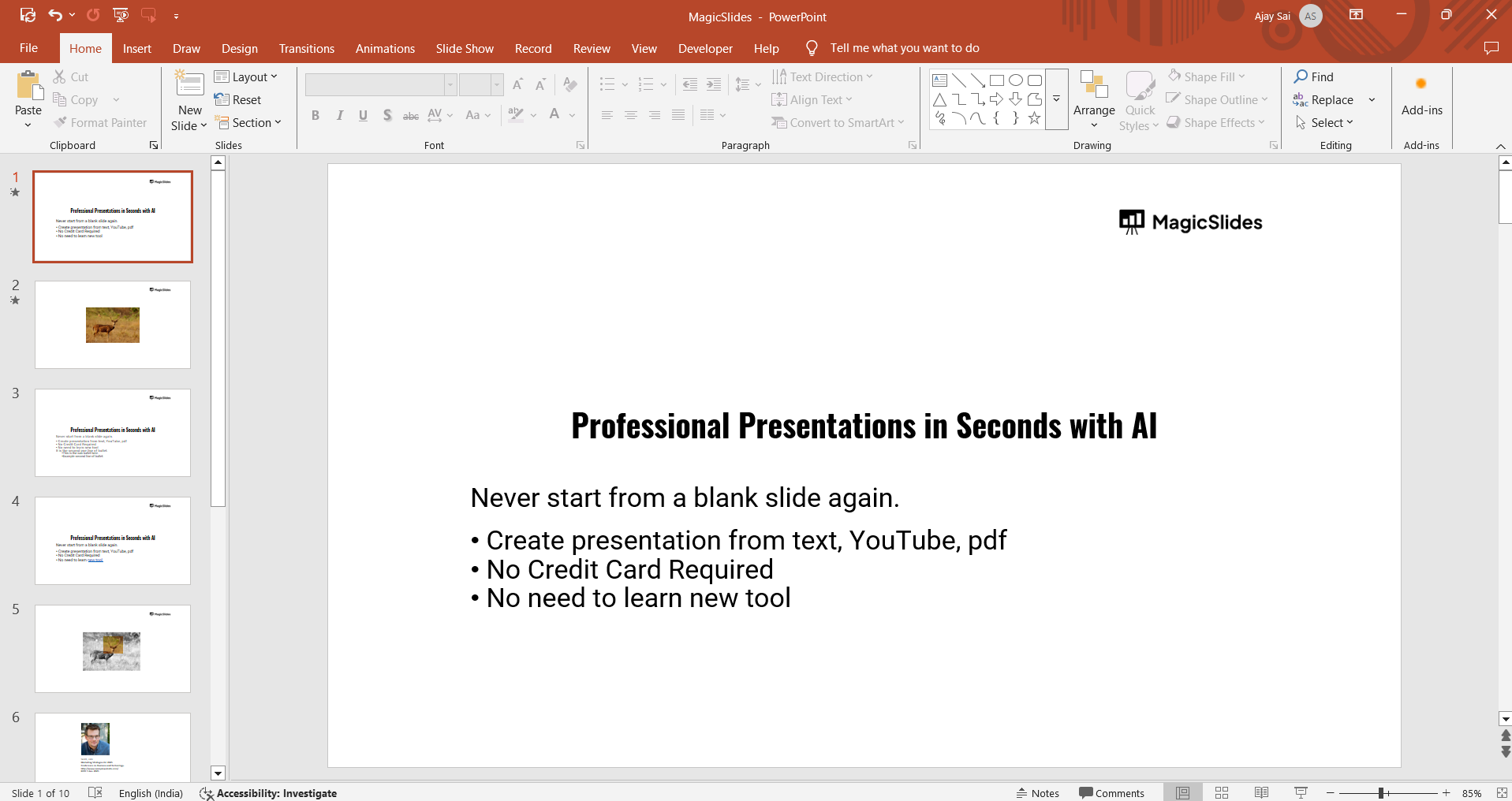
Step 1: Open Your PowerPoint Presentation
Launch Microsoft PowerPoint on your computer. Open an existing presentation or create a new one.
Step 2: Navigate to the Slide Size Settings
Click on the Design tab in the top menu. Locate the Customize section on the right side of the ribbon.
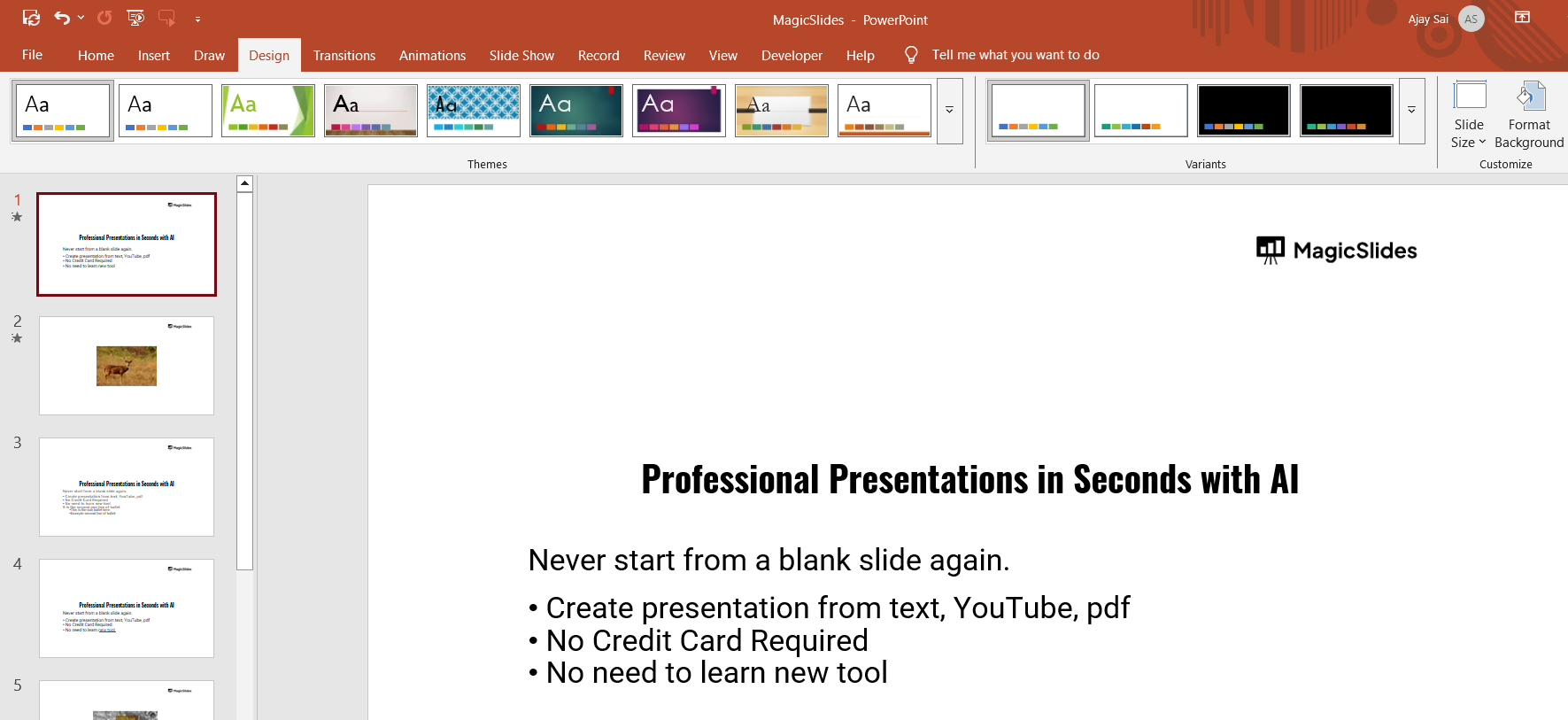
Click on Slide Size to open the dropdown menu.
Step 3: Choose a Preset Slide Size
In the dropdown menu, you will see two common slide size options:
- Standard (4:3) – Best for older screens and printed presentations.
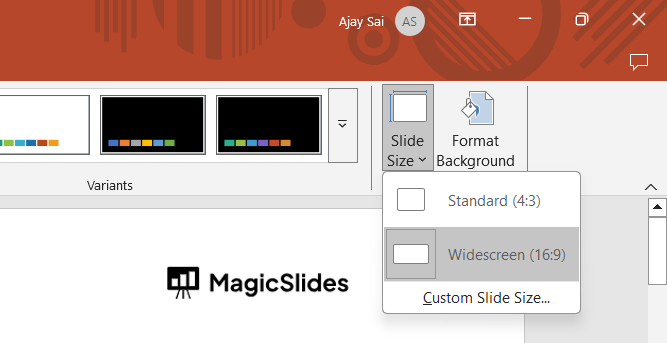
- Widescreen (16:9) – Ideal for modern projectors and digital screens.
Click on your preferred slide size.
Step 4: Set a Custom Slide Size (If Needed)
If the preset sizes do not fit your needs, you can define a custom slide size:
Click Custom Slide Size in the Slide Size dropdown menu.
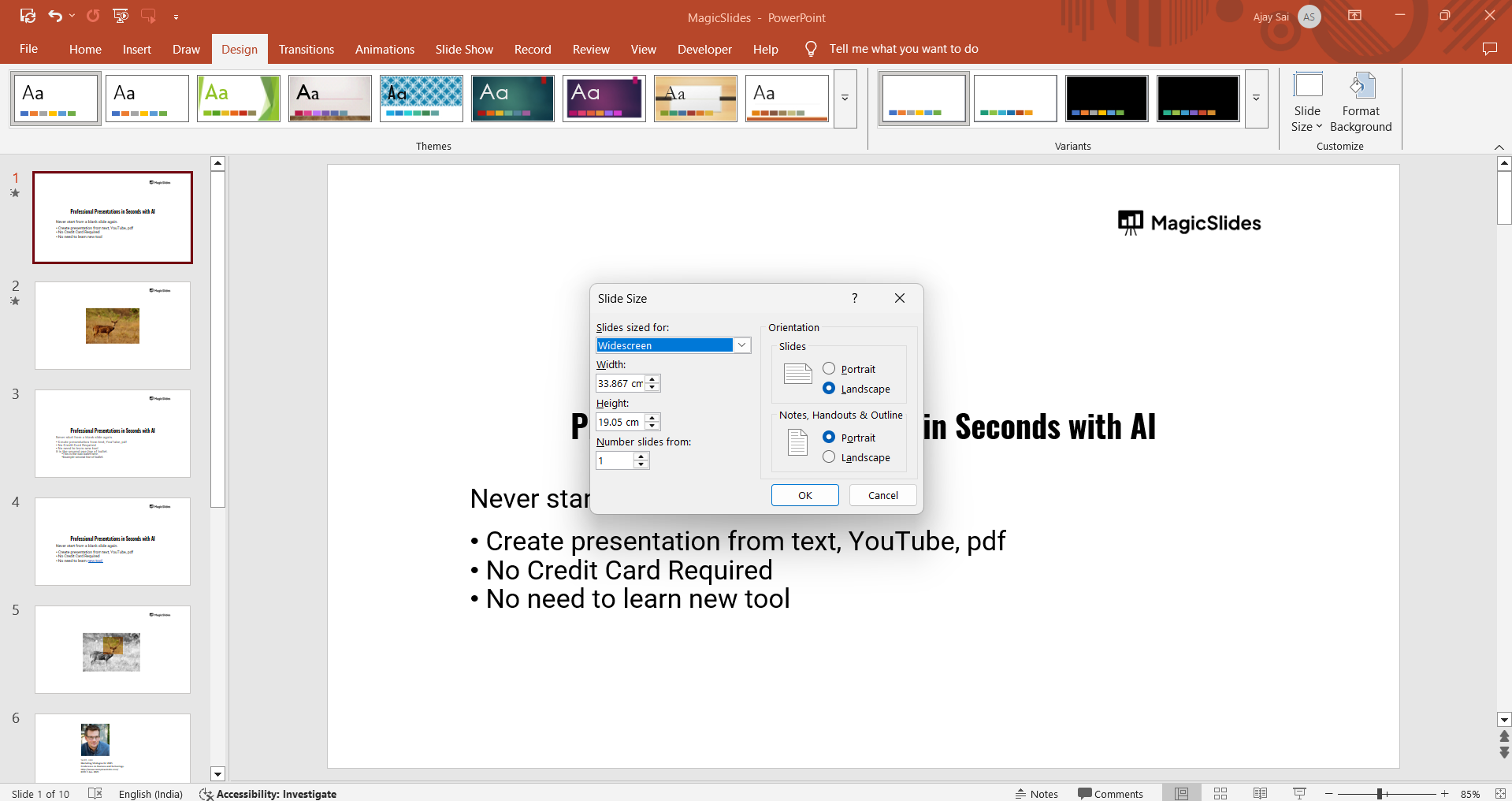
A pop-up window will appear where you can enter specific width and height dimensions.
Choose the Orientation for slides and notes/handouts:
- Portrait – Taller slides, useful for posters or print documents.
- Landscape – Wider slides, suitable for most presentations.
Click OK to apply changes.
Step 5: Choose How to Adjust Slide Content
After changing the slide size, PowerPoint will prompt you to adjust existing content:
Maximize – Enlarges content to fill the new slide size, which may crop some elements.
Ensure Fit – Resizes content to fit the new dimensions without cropping.
Choose the option that best preserves your slide layout.
Conclusion
Adjusting the slide size in PowerPoint is quick and easy, allowing you to optimize your presentation for different screens, formats, and print layouts.
Whether using a preset or custom size, following these steps ensures that your slides look professional and well-formatted.
FAQs are here to help!
Can I change the slide size after creating my presentation?
Yes, you can adjust the slide size at any time. However, resizing may affect the layout, so you may need to rearrange elements manually.
What is the best slide size for printing?
For printing, use Standard (4:3) or set a custom size that matches the paper dimensions, such as A4 (8.27 x 11.69 inches).
How do I switch between portrait and landscape mode?
Go to Design > Slide Size > Custom Slide Size, then select either Portrait or Landscape under Slide Orientation.


