How to download Google forms


Unlock the power of offline access and secure backups by mastering the art of downloading Google Forms.
Google Forms is a versatile tool for creating surveys, quizzes, and various types of data collection forms. However, you might find yourself in situations where having a downloadable version of your form becomes essential. In this comprehensive guide, we will walk you through the process of downloading Google Forms, providing you with a tangible backup or the ability to share your forms beyond the online environment.
How to download Google forms
Open Google Forms:
Begin by opening Google Forms and accessing the form you wish to download or create a new one.

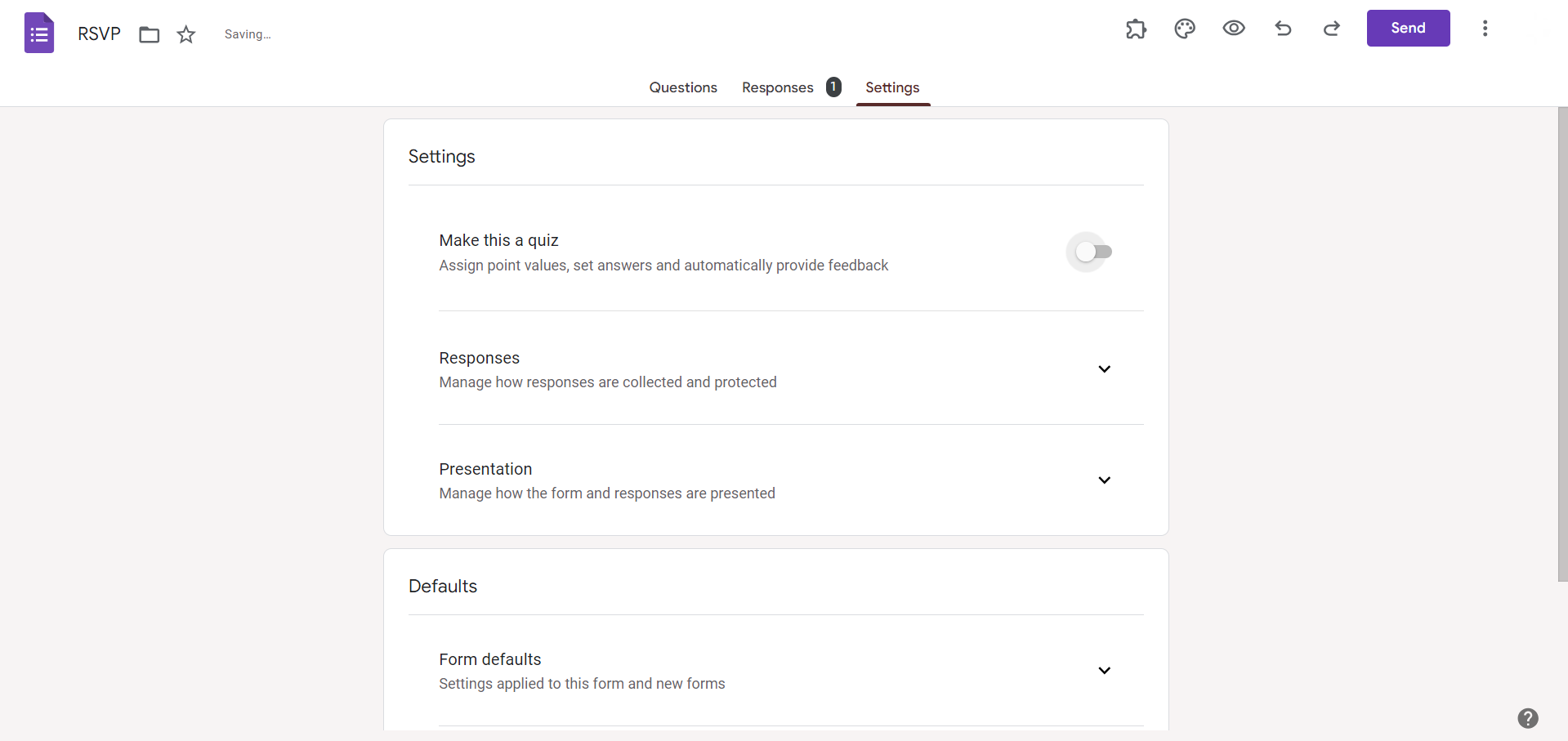
Access the Settings Menu:
In the top-right corner, locate the gear-shaped "Settings" icon. Click on it to reveal a dropdown menu.
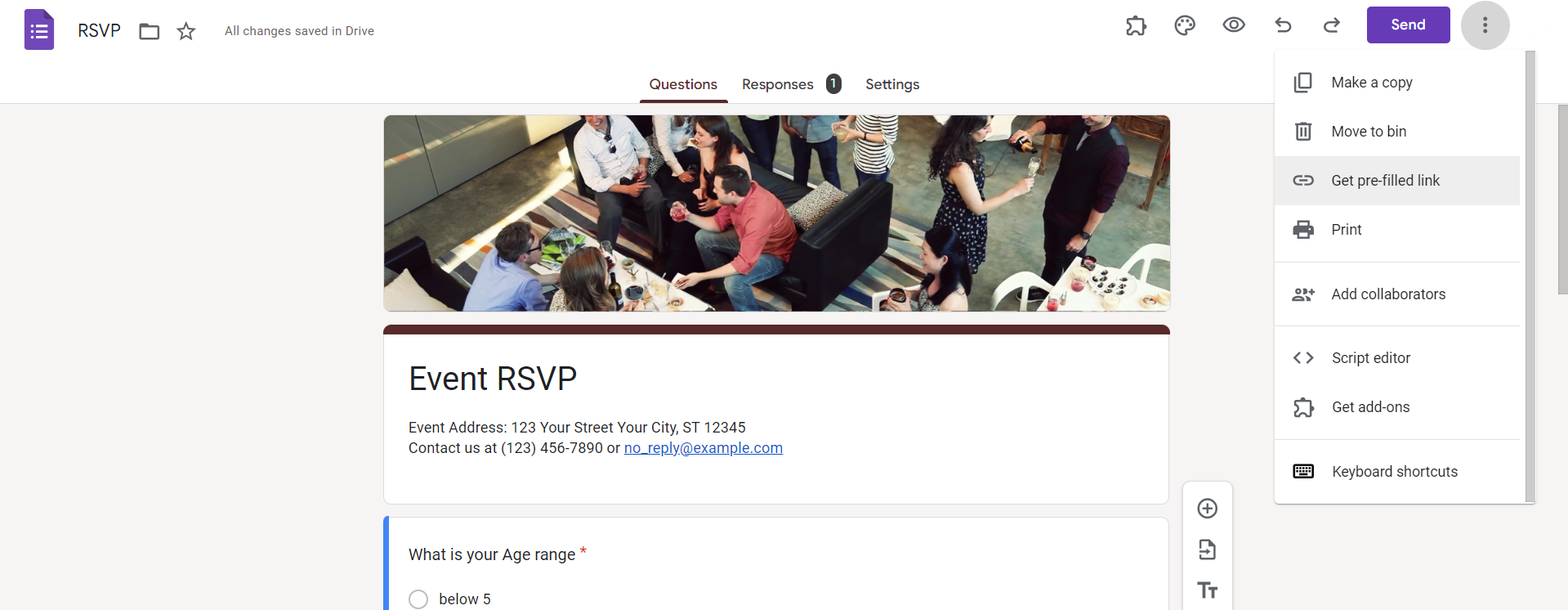
Select "Get Pre-filled Link":
Within the "Settings" menu, choose the option labeled "Get pre-filled link." This will open a new window.
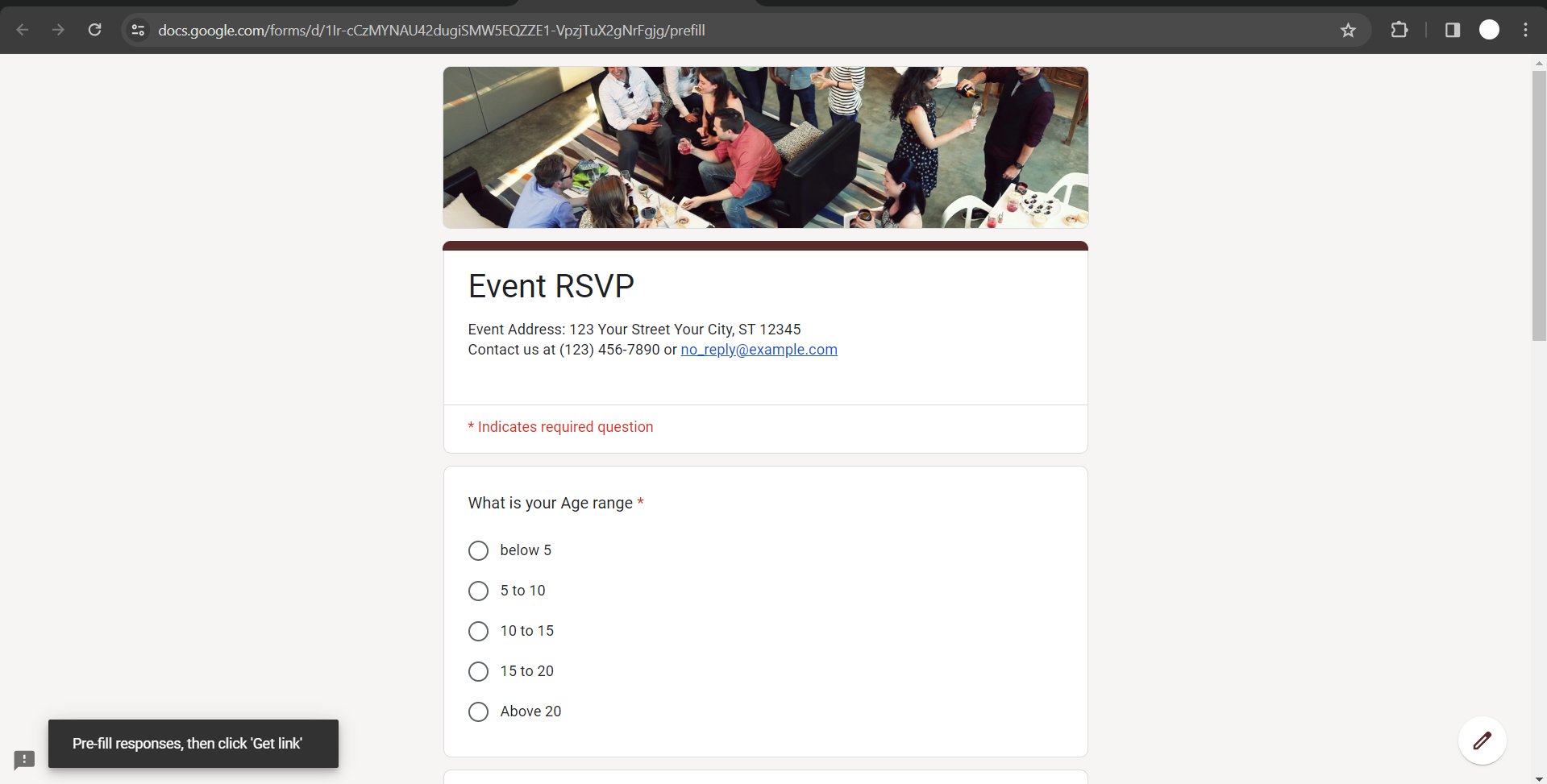
Fill Out the Form:
A window will appear with your form's URL. Fill out the form as you normally would, providing the responses you want to include.
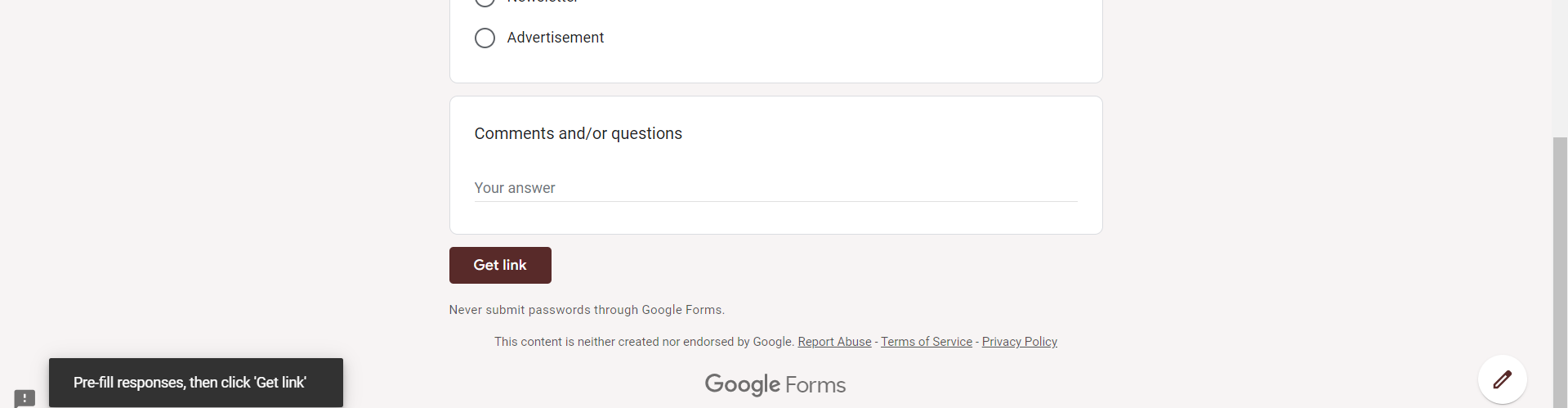
Click "Submit":
After completing the form, click on the "Submit" button. This action generates a pre-filled link containing your responses.
Access the "Send" Button:
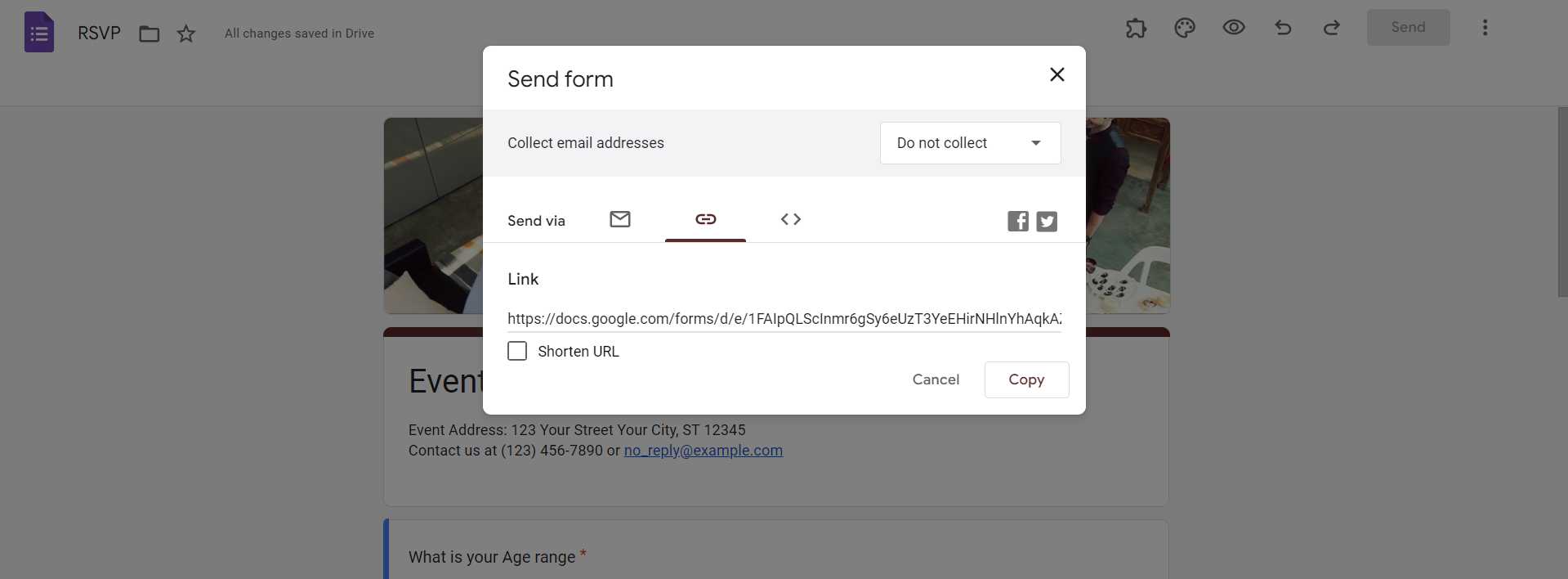
In the upper-right corner, find the "Send" button. Click on it to access the sharing options for your form.

Choose "Copy Link" or Other Sharing Options:
Decide how you want to share your form. You can copy the link directly or explore other sharing options, such as sending via email or embedding.
Download the Form as a PDF:
Paste the copied link into your browser's address bar and press Enter. The form, pre-filled with your responses, will open. Once the form is open, access the browser's print option (usually found in the browser menu or by right-clicking on the page) and select "Save as PDF" to download your form.
Conclusion:
Downloading Google Forms provides you with a tangible copy of your survey or quiz, ensuring data security and facilitating offline access. This step-by-step guide empowers you to effortlessly download your Google Forms, adding a layer of flexibility to your data collection process. Whether you need a backup or want to share your forms in environments with limited internet connectivity, mastering this skill enhances the versatility and accessibility of your Google Forms experience.
Frequently Asked Questions:
Can I download a Google Form with responses included, or is it only the form structure?
You can download a pre-filled version of your Google Form with responses included using specific steps.
Is it possible to download a Google Form as an editable document, such as a Word file?
Google Forms can be downloaded in PDF format. However, you can copy the content to a document.
Can I download a Google Form on a mobile device, or is it limited to desktop use?
While the process is more streamlined on desktop, you can use a mobile browser to download.
What happens to form functionality when downloaded? Can respondents still submit responses offline?
The downloaded form is static. For offline responses, consider using Google Forms offline mode within Google Chrome.


